---
title: "AI Build Rescue: What to Do When Your Vibe-Coded App Stops Working"
url: "https://www.krishaweb.com/blog/ai-build-rescue-vibe-coded-app-stops-working/"
date: "2026-10-27T12:28:44+00:00"
modified: "2026-10-27T12:28:45+00:00"
type: "Article"
resource: "https://www.krishaweb.com/blog/ai-build-rescue-vibe-coded-app-stops-working/"
timestamp: "2026-10-27T12:28:45+00:00"
author:
name: "Nirav"
url: "https://www.krishaweb.com"
categories:
- "Web Development"
word_count: 2626
reading_time: "14 min read"
summary: "It worked in the demo. You shipped it, real users arrived, and now it's throwing errors, leaking data, slowing to a crawl, or simply resisting every change you try to make. If you built it with Lov..."
description: "Vibe-coded app (Lovable, Bolt, v0, Replit) stopped working? The rescue playbook: 12-point diagnostic, triage, rescue vs rebuild, pricing, timelines."
keywords: "AI build rescue, Web Development"
language: "en"
schema_type: "Article"
related_posts:
- title: "Webflow vs. React for Client Sites: When Agencies Should Reach for a Real Front-End Build"
url: "https://www.krishaweb.com/blog/webflow-vs-react-client-sites/"
- title: "How to Take an AI Prototype to Production: A Practical Checklist"
url: "https://www.krishaweb.com/blog/ai-prototype-to-production/"
- title: "WordPress Gutenberg Editor: Complete Guide"
url: "https://www.krishaweb.com/blog/guide-to-wordpress-block-editor-gutenberg/"
---
# AI Build Rescue: What to Do When Your Vibe-Coded App Stops Working
_Published: Tuesday,October 27, 2026_
_Author: Nirav_
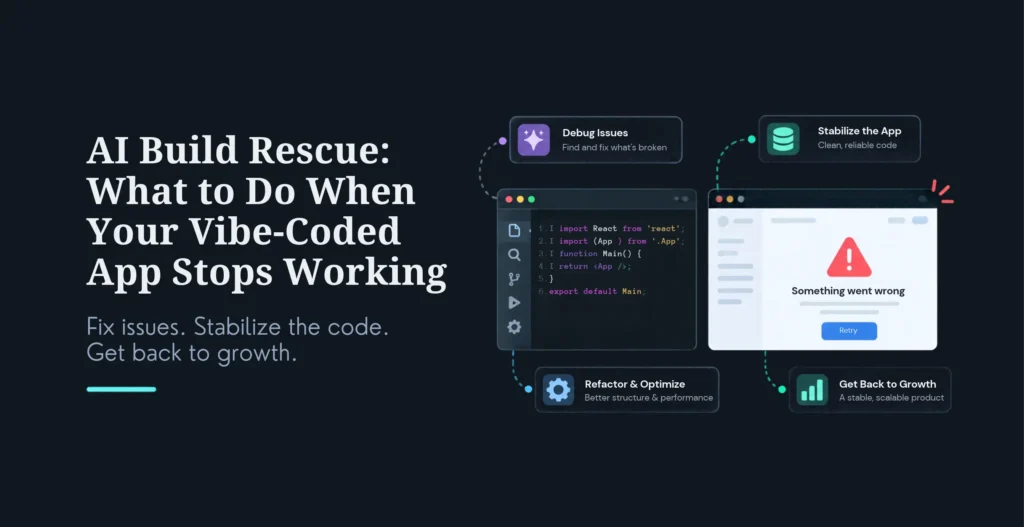
It worked in the demo. You shipped it, real users arrived, and now it’s throwing errors, leaking data, slowing to a crawl, or simply resisting every change you try to make. If you built it with Lovable, Bolt, v0, Replit, or Cursor, this is a known pattern, not bad luck, and it’s fixable without panicking or throwing the whole thing away.
Here’s what to do, in order: freeze new features, get a written audit against the 12 things that break in AI-generated apps, fix any data exposure first (authorization, secrets, open database rules), add tests around money and permissions so the next AI edit can’t silently undo a fix, set up staging, backups, and monitoring, then resume building with a developer reviewing every change. Most apps can be rescued in roughly 2-6 weeks; a full rebuild is only necessary when the core data model itself is wrong. Cost ranges widely, from a few hundred dollars for a quick audit to $50,000+ for a full rebuild, but most founders pay somewhere between a few thousand dollars and the low five figures to stabilize a production app.
This is the practical rescue playbook: why these apps break, the 12-point diagnostic, how to triage before you touch a line of code, how to decide rescue versus rebuild, and honest pricing and timelines. It’s written for the founder, PM, or technical lead staring at a broken build and deciding what to do next. This is the work our **[AI build rescue service](https://www.krishaweb.com/ai-build-rescue/)** does.
##### Key Highlights
- **Don’t panic, and don’t keep prompting.** The first move is to freeze features. Adding more AI-generated code to a broken build makes the rescue harder and the diagnosis murkier.- **Triage before refactoring.** Verify it still runs reproducibly, map the blast radius (what’s in production, where money and personal data flow), run a security quick-scan, and capture current behavior, then decide.- **Fix data exposure first.** Broken authorization, exposed secrets, and open database rules are the failures that leak customer data. They come before everything else.- **The 12-point diagnostic:** authentication, authorization, secrets, input validation, database rules, queries/indexes, payments, backups, error handling/logs, dependencies, deployment, and privacy/consent. An experienced developer can check all twelve in days.- **Rescue vs rebuild, the rule:** if the core data model is sound and the product is validated, rescue. If the data structure is wrong or every change breaks something unrelated, rebuild, with discipline this time.- **Pricing (vendor-reported ranges):** a quick audit from a few hundred dollars; stabilization commonly about 2,500–15,000; a full rebuild 15,000–50,000+. Get a fixed-price audit first.- **The one safeguard that sticks:** add tests around money and permissions, so future AI-generated changes can’t quietly remove a security check.
## Why Vibe-Coded Apps Stop Working
The AI coding tools are genuinely good at one thing, producing a working-looking UI fast, and they routinely skip or stub the load-bearing systems underneath it: real authentication, server-side authorization, payment verification, data integrity, and production deployment. The demo works because the demo never exercised any of that. Real users do.
The deeper problem is what one engineer aptly calls invisible AI debt: the code was generated, never really read, and looked correct from the outside, so nobody on the team ever actually made the decisions the code embodies. When it breaks, there’s no mental model to debug against. That’s why vibe-coded apps tend to fail in the same cluster of ways: broken access control (change an ID in the URL and you see someone else’s order), API keys sitting in the browser bundle, validation that exists only in the form and is bypassed by a direct request, queries that load every row and crawl once there are a few thousand, open database read rules, payments marked “paid” on a front-end callback with no server-side check, and secrets committed to the repo. The reassuring part: these failures are predictable, which means they’re systematically diagnosable, which is what the 12-point checklist is for.
## The 12-Point Diagnostic
Almost every failure in an AI-built app falls into one of twelve areas, spanning security, data, and operations, and an experienced developer can verify all of them in a few days without rewriting the app. This is what a proper audit covers.
| **#** | **Area** | **What to check** | **The common failure** |
|---|---|---|---|
| 1 | Authentication | Password hashing, session expiry, reset flow | Reset links that never expire |
| 2 | Authorization | Every API confirms the user owns the record | Changing an ID in the URL shows another customer’s data |
| 3 | Secrets | No keys in front-end code or the repo | Payment/AI API keys visible in the browser bundle |
| 4 | Input validation | Server-side checks on every field | Validation only in the form, bypassed by a direct request |
| 5 | Database rules | Row-level rules or server-side filters | Hosted database left with open read rules |
| 6 | Queries & indexes | Indexes on filtered columns, pagination | Lists that load every record and slow down with scale |
| 7 | Payments | Server-side verification of payment status | Order marked paid on a front-end callback alone |
| 8 | Backups | Automated backups and a tested restore | Backups enabled but never once restored |
| 9 | Error handling & logs | Errors logged without personal data | Silent failures, or full card/phone details in logs |
| 10 | Dependencies | Known vulnerabilities, unused packages | Outdated packages with published security fixes |
| 11 | Deployment | Separate staging, repeatable deploys | Changes made directly on the live server |
| 12 | Privacy & consent | Consent, retention, deletion | No way to delete a user’s data on request |
The first five, authentication through database rules, are where customer data actually leaks, so they’re triaged first. The point of the checklist isn’t to fix everything at once; it’s to produce a written, severity-rated map of what’s wrong so you fix in the right order.
## Triage: What to Do First
The instinct when an app breaks is to start fixing. Resist it. Rescuing an AI-generated codebase starts with triage, not refactoring, because changing code you don’t yet understand usually makes things worse.
Five steps, in order. Freeze features, stop adding prompts to the live code until the audit is done. Verify a reproducible run: can you clone it to a fresh machine, build, deploy, and get one clean end-to-end pass? If that alone fails, that’s job number one, not refactoring. Map the blast radius: what’s actually in production, who depends on it, and where do money and personal data flow? That tells you what’s urgent. Run a security quick-scan: secrets in the repo, open endpoints, database-level access controls, dependencies with known CVEs, this surfaces the data-leak risks fast. And capture actual behavior: before touching anything, write characterization tests that freeze how the app currently behaves, bugs included, so you can change code without silently breaking something that worked.
Only after those five do you make decisions. Then the repair sequence is: fix data exposure first (authorization, secrets, database rules) and deploy; add tests around money and permissions so a future AI-generated change can’t quietly remove a check; set up staging, backups, and monitoring, and run one real restore to prove the backup works; then resume building, with AI tools if you like, but with a developer reviewing every change. That review step is what stops you ending up right back here.
## Rescue or Rebuild?
This is the decision that determines cost and timeline, and getting it wrong is expensive either way, patching a fundamentally broken foundation wastes money, and rebuilding salvageable code wastes months. The rule of thumb is simple: if the core data model is sound and the product is validated, rescue; if the data structure itself is wrong or every change breaks something unrelated, rebuild, with discipline this time.
A quick five-line scorecard makes it concrete. Score each line “rescue” or “rebuild”: modularity (can the routes, UI, and model calls be named and separated, or does one generated file own everything?), schema (do real tables exist, or can the data be lifted into a proper structure within a week, versus no honest identity for a user or a charge?), tests (can you wrap the critical flows, login, payment, the core action, in tests, or is the behavior too tangled to even describe?), secrets (can they be moved to a secrets manager, or are they inseparable from the code?), and IP (can ownership be cleanly transferred, or is it contested?). If three or more lines say rebuild, stop arguing for rescue. If three or more say rescue, stop fantasizing about a clean greenfield rewrite.
Three higher-level questions back this up: does the core approach actually match the problem, is the data foundation sound, and does the business case still hold? Yes to all three means the pieces are right and only the execution needs fixing, rescue. A no on the approach or the data means something structural has to change, rebuild. And occasionally the honest answer is retire: if the problem is no longer worth solving, the best rescue is to stop. The most common real-world outcome is a mix, keep the parts that work, rebuild the identity and data layer that doesn’t, behind stable interfaces so users aren’t disrupted. A good audit hands you this verdict with evidence, not a sales pitch for whichever option bills more.
## Pricing and Timeline
Rescue pricing isn’t standardized, so treat these as vendor-reported planning ranges and scope against an audit. The useful shape: a quick audit runs from a few hundred dollars and is the right, low-risk first step, it tells you what you’re dealing with before you commit real money. Targeted fixes (a single exposed-secret or database-rule fix, an emergency triage on one production bug, a security audit) typically run a few hundred to around a thousand dollars each. A meaningful stabilization or refactor, the “stop the bleeding and make it maintainable” tier most founders actually need, commonly lands in the 2,500–15,000 range. A full rebuild, when the foundation is too broken to patch, runs roughly 15,000–50,000+ depending on complexity. Ongoing maintenance retainers are available from modest monthly fees up to a few thousand a month for high-touch support.
On timeline: a focused rescue typically runs 2-6 weeks, a larger rescue of a production app 4-8 weeks, and a full rebuild a similar 4-8 weeks (longer for complex SaaS). A diagnostic audit alone is usually days to 2-3 weeks. The single best cost-control move is to start with a fixed-price audit that produces a salvageable-or-not verdict, then choose the smallest fixed scope that genuinely solves the problem, rather than signing up for open-ended hourly work on a codebase nobody has mapped yet.
## How to Choose a Rescue Partner
Because a missed vulnerability on a rescue ships under your name and against your users, vet a rescue partner carefully. The non-negotiables: a fixed-price, defined-scope model (not open-ended hourly discovery), demonstrable experience with the actual tools (Lovable, Bolt, Cursor, Replit, v0, Base44), genuine security expertise (they should be able to name the 12 failure areas and how they fix each), clean IP transfer so you own the code and data, an NDA, and, above all, an honest assessment, a partner who will tell you to rebuild when rescue won’t work, and equally will talk you out of an unnecessary rebuild. The questions that reveal them fast: What’s your rescue process (it should start with triage and a written audit)? Will you give me a plain-language salvageable-or-not verdict with evidence? Who owns the IP? How do you handle security hardening? Walk away from anyone who bills hourly on an unmapped codebase, pushes a rebuild before auditing, or won’t put the verdict in writing. The same scrutiny applies whether you’re hiring this out or evaluating whether to build the fix in-house.
##### Additional Read
- [Fix Lovable App Not Working: Rescue Your Lovable Build](https://www.krishaweb.com/blog/fix-lovable-app-not-working/)
- [White Label Vibe Coding: Rescuing and Shipping AI Builds Under Your Agency’s Name](https://www.krishaweb.com/blog/white-label-vibe-coding-agencies/)
- [Top Vibe Coding Agencies in 2026: Companies Building Production-Ready Software](https://www.krishaweb.com/blog/top-vibe-coding-agencies/)
### Frequently Asked Questions
**What is AI build rescue?**It’s the process of fixing an AI-generated build (from tools like Lovable, Bolt, v0, Replit, or Cursor) that has broken, stalled, or become unmaintainable. It covers auditing the existing code, stabilizing the critical issues (security holes, breaking bugs), rebuilding the genuinely weak parts while keeping what’s sound, and finishing the app so it’s secure and ready to ship. The goal is to salvage the validated product and the working code rather than throwing everything away, a rebuild is the fallback, not the default.
**My vibe-coded app stopped working, what’s the first thing to do?**Freeze features, stop adding AI-generated code to the live app, because more prompting on a broken build makes it worse and the diagnosis harder. Then get a written audit against the 12 checks (auth, authorization, secrets, validation, database rules, queries, payments, backups, logging, dependencies, deployment, privacy), fix any data exposure first (authorization, secrets, open database rules), and add tests around money and permissions. Only then resume building, with a developer reviewing every change. The instinct to immediately start fixing is the thing to resist; triage first.
**How do I fix an AI-generated app?**Follow the sequence: triage (confirm it runs reproducibly, map where money and data flow, run a security quick-scan, capture current behavior with tests), audit (a written, severity-rated findings list and an honest rescue-vs-rebuild verdict), stabilize (fix the data-exposure and breaking issues first), fix (refactor or rebuild the weak parts while keeping what works), and ship (complete the last mile of testing, security, and performance, then deploy with clean, documented, owned code). Each stage gates the next, you don’t refactor before you’ve triaged.
**How much does AI build rescue cost?**Vendor-reported ranges: a quick audit from a few hundred dollars; targeted single fixes a few hundred to about $1,000 each; a meaningful stabilization or refactor commonly 2,500–15,000; and a full rebuild roughly 15,000–50,000+ by complexity. Most founders stabilizing a production app land between a few thousand dollars and the low five figures. The cost-control move is to pay for a fixed-price audit first, then choose the smallest fixed scope that solves the real problem, rather than open-ended hourly work. Get a scoped quote, pricing varies widely with codebase size and severity.
**How long does a rescue take?**A focused rescue typically runs 2-6 weeks; a larger rescue of a production app, 4-8 weeks; a full rebuild, a similar 4-8 weeks (longer for complex SaaS). A diagnostic audit on its own is usually days to about 2-3 weeks. The biggest variable is the rescue-vs-rebuild decision, which is exactly why a fast upfront audit pays for itself: it tells you which path you’re on before you commit budget or a launch date.
**Should I rescue or rebuild?**Rescue if the core data model is sound, the product is validated, and the problems are isolated (access control, validation, specific bugs). Rebuild if the data structure itself is wrong, every change breaks something unrelated, or the foundation (schema, auth, framework choices) is broken. A quick five-line scorecard, modularity, schema, tests, secrets, IP, decides it: three or more lines pointing to rebuild means rebuild; three or more pointing to rescue means rescue. The most common real outcome is a mix: keep what works, rebuild the broken data/identity layer behind stable interfaces.
**What are the 12 checks for an AI-built app?**Authentication (hashing, session expiry, reset flow), authorization (every API confirms record ownership), secrets (no keys in front-end or repo), input validation (server-side on every field), database rules (row-level/server-side filters), queries and indexes (indexes, pagination), payments (server-side verification), backups (automated plus a tested restore), error handling and logs (no personal data in logs), dependencies (no known-vulnerable packages), deployment (staging, repeatable deploys), and privacy/consent (retention and deletion). The first five are where data actually leaks, so they’re fixed first.
**Can I keep using AI coding tools after the rescue?**Yes, the rescue isn’t about abandoning AI tools, it’s about putting guardrails around them. Resume building with Lovable, Cursor, or whatever you prefer, but with two things in place: a developer reviewing every change before it ships, and automated tests around money and permissions so a future AI-generated edit can’t silently remove a security check. That combination is what lets you keep the speed of AI coding without ending up back in a broken state a month later.
### Conclusion
A broken vibe-coded app feels like a crisis, but it’s a well-understood, fixable situation, and the worst response is to keep prompting at it and hope. The right response is disciplined: freeze features, triage before you refactor, audit against the twelve things that actually break, fix data exposure first, and put tests and review around the parts that matter so it stays fixed.
The rescue-versus-rebuild call is the one decision that shapes everything, and the honest version of it, decided by a five-line scorecard and a real audit, saves you from both wasted rebuilds and doomed patches. Most apps are salvageable in a few weeks for a few thousand to low-five-figures; rebuilds are the exception, reserved for when the foundation itself is wrong. Start with a fixed-price audit that gives you a clear verdict, then fix in the right order. Your validated product and most of your code are probably worth saving, you just need to do the unglamorous engineering the demo skipped.
##### Got a broken AI build on your hands?
**[Explore our AI Build Rescue service](https://www.krishaweb.com/ai-build-rescue/)** to see how we triage, audit, stabilize, and ship AI-generated apps, starting with a fixed-price audit and an honest rescue-vs-rebuild verdict.
**[Book a consultation](https://www.krishaweb.com/contact-us/)** and send us the repo, we’ll scope the rescue and tell you honestly whether to fix or rebuild.

###### Nirav Panchal
Lead – Custom DevelopmentLead of the Custom Development team at KrishaWeb, holds AWS certification and excels as a Team Leader. Renowned for his expertise in Laravel and React development. With expertise in cloud solutions, he leads with innovation and technical excellence.
 Interact With Me- [ ](https://twitter.com/iamNiravPanchal)
- [ ](https://www.linkedin.com/in/nirav-panchal-5b299385/)
- [ ](mailto:niravp@krishaweb.com)
---
_View the original post at: [https://www.krishaweb.com/blog/ai-build-rescue-vibe-coded-app-stops-working/](https://www.krishaweb.com/blog/ai-build-rescue-vibe-coded-app-stops-working/)_
_Served as markdown by [Third Audience](https://github.com/third-audience) v3.6.1_
_Generated: 2026-10-27 12:28:46 UTC_