---
title: "15 Best WordPress Migration Plugins to Use"
url: "https://www.krishaweb.com/blog/best-wordpress-migration-plugins/"
date: "2023-04-26T09:36:40+00:00"
modified: "2024-06-17T12:06:04+00:00"
author:
name: "Girish"
categories:
- "Web Development"
tags:
- "Best Migration plugins"
- "Migration Plugins"
- "WordPress Migration"
- "WordPress Migration Plugins"
- "WordPress Website Migration"
word_count: 2044
reading_time: "11 min read"
summary: "WordPress migration can be a daunting task! No, it\'s a serious talk, especially when you\'re not familiar with the migration technicalities. Fortunately, there are plenty of migration plugins availa..."
description: "Best WordPress Migration Plugins. WordPress migration can be a daunting task! But it become easy when you go with certain migration plugins."
keywords: "Best WordPress Migration Plugins, Best Migration plugins, Migration Plugins, WordPress Migration, WordPress Migration Plugins, WordPress Website Migration"
language: "en"
schema_type: "Article"
related_posts:
- title: "How to Migrate from Drupal to WordPress in 2026 Without Losing SEO"
url: "https://www.krishaweb.com/blog/drupal-to-wordpress-migration/"
- title: "Wix to WordPress Migration Guide [Step by Step Guide]"
url: "https://www.krishaweb.com/blog/wix-to-wordpress-migration/"
---
# 15 Best WordPress Migration Plugins to Use
_Published: Wednesday,April 26, 2023_
_Author: Girish_

**WordPress migration** can be a daunting task! No, it’s a serious talk, especially when you’re not familiar with the migration technicalities. Fortunately, there are plenty of migration plugins available to help you transfer your website to a new hosting provider or domain with ease. Some of the **best WordPress Migration Plugins** include **All-in-One WP Migration, WP Migrate DB, Duplicator, Migrate Guru and many others**. These plugins offer various features such as easy-to-use interfaces, database migration, backup and restoration options, and more. Before selecting a plugin, ensure that it’s compatible with your website’s version and meets your specific requirements.
Okay, so let’s explore some of the **best WordPress Migration Plugins**…
#### Important WordPress Blogs to Go-Through
[24 Best WordPress Multisite Plugins to Use \[Recommended by WP Experts\]](https://www.krishaweb.com/best-wordpress-multisite-plugins/)
[15 Must-Have WordPress Plugins to Improve Your Business Website ](https://www.krishaweb.com/blog/15-must-have-plugins-to-improve-your-wordpress-website)
[7 Best WordPress Plugins To Monetize Your Blog \[Free\]](https://www.krishaweb.com/wordpressetize-your-blog-using-free-wordpress-plugins/)
[Why a WordPress Multisite is the Best Choice for International Branding](https://www.krishaweb.com/wordpress-multisite-for-international-branding/)
## What are WordPress Migration Plugins?
The process of moving a WordPress site from a sub-domain to a top-level domain, from one web host to another, or from a local development environment to a live server becomes simplified when **WordPress Migration Plugins** are used. They come with a variety of features. They can transfer the database content as well as the files and they ensure that the URLs remain updated.
### When Do You Require a Migration Plugin?
Manually migrating a WordPress website is a task that is suitable for professionals who can complete this task without making mistakes. The migration involves many technical steps and a simple mistake may cause an entire site to crash. This is a time-consuming process. In this scenario, a WordPress plugin can speed up the migration process and ensure that no data is lost.
Here we have segregated the **15 best WordPress Migration Plugins** that will definitely smoothen your migration process.
## 15 Best WordPress Migration Plugins to Use
1\. [UpDraftPlus](#updraftplus)
2\. [All-in-One WP Migration](#allinoneapmigration)
3\. [Migrate Guru](#migrateguru)
4\. [Duplicator Pro](#duplicatorpro)
5\. [BackupBuddy](#backupbuddy)
6\. [Super Backup & Clone – Migrate for WordPress](#superbackup)
7\. [Duplicator](#duplicator)
8\. [SiteGround Migrator](#sitegroundmigrator)
9\. [Backup Guard](#backupguard)
10\. [Clone by WP Academy](#wpclone)
11\. [Bluehost Migrator](#bluehostmigrator)
12\. [JetPack (VaultPress)](#jetpack)
13\. [BlogVault](#blogvault)
14\. [WPBackItUp](#wpbackitup)
15\. [WP Migrate DB](#wpmigratedb)
### 1. [UpDraftPlus](https://wordpress.org/plugins/updraftplus/)
This plugin is generally used as a backup tool. It can restore the files to another location and simplify the migration process.
#### Pricing
- The Migrator Addon costs $30 and has to be used with the basic free version.
- The Premium version costs $70.
#### Pros
- It can import all the files to another location after creating a complete backup.
- It can schedule and store WordPress backups in remote locations.
- It works with WordPress multisite networks.
- You can save the server resources because of its incremental backups.
#### Cons
- This plugin can help with migration if WordPress is installed on the destination point.
### 2. [All-in-One WP Migration](https://wordpress.org/plugins/all-in-one-wp-migration/)
This is not a backup plugin. This WordPress migration plugin comes with a collection of features.
#### Pricing
The basic plugin is free. The lifetime license for unlimited extension costs $69.
#### Pros
- It supports the older versions of WordPress up to WordPress 3.3 alongside supporting the WordPress hosting providers, PHP versions, operating systems, etc.
- It can import chunks of data by bypassing the host’s file size.
#### Cons
- In the free version, the limit of import size is up to 512 MB.
- The WordPress must be manually installed on the destination point.
- A paid extension is required for multisite exports.
### 3. [Migrate Guru](https://wordpress.org/plugins/migrate-guru/)
Migrate Guru is a backup solution that specializes in the migration of WordPress sites to another server or host.
#### Pricing
Free
#### Pros
- It supports most of the popular WordPress hosting providers.
- When using this user-friendly migration wizard, you just need to enter the FTP of the destination host or cPanel credentials. The plugin is going to handle the remaining tasks.
- It can handle serialized data.
- It can transfer the updated URLs of the WordPress database.
- It can transfer large websites without affecting server performance.
#### Cons
It does not support multisite migrations as well as the transfers between localhost and live website.
### 4. [Duplicator Pro](https://duplicator.com/)
This plugin has a user-friendly step-by-step wizard capable of guiding anyone through the migration process. It can update the URLs to ensure that everything runs properly after unpacking.
#### Pricing
- The paid plans with unlimited backups and migrations start from $49.50/year for two websites.
- The Pro plan (to be used on more than five websites) starts at $199.50/year.
#### Pros
- It enables the migration of WordPress sites to a new host, domain name, live site, or local server.
- Its migration wizard helps with step-by-step guidance.
- It can save the scheduled backups on remote storage, such as Dropbox, Google Diver, etc.
- It connects with the cPanel hosting dashboard for the automated creation of databases and users.
- The Duplicator Pro plan supports multisite migration.
#### Cons
- Beginners may need assistance when connecting to the FTP server.
- The upload process may be time-consuming if the website is large or the internet connection is unreliable.
### 5. [BackupBuddy](https://ithemes.com/backupbuddy/)
This is one of the reliable plugins used for having a backup or for migration of WordPress sites.
#### Pricing
Starts from $80/year for a single site
#### Pros
- It has advanced features in one package – automated scheduled backups, restore, and migration.
- You may use it to –
- Set up backup schedules
- Decide what to back up
- Store everything in remote locations, such as Amazon S3, Google Drive, Dropbox, etc.
- Deploy a WordPress staging site to a live server with a single click
- Transfer a website using a complete WordPress backup
#### Cons
The learning curve that is required by this plugin may be time-consuming.
### 6. [SuperBackup & Clone – Migrate for WordPress](https://codecanyon.net/item/super-backup-clone-migrate-for-wordpress/12943030)
This reliable WordPress plugin enables automatic backup and migration processes. It helps with the cloning process.
#### Pricing
The one-time price is $35 with all future updates and premium customer support for six months.
#### Pros
- Beginners can easily set it up.
- It’s available in the dashboard and can create an automatic backup of a WordPress site.
- It links to third-party cloud services, such as Rackspace, Google Drive, Amazon S3, etc.
- It can create snapshots of a website and restore the files anywhere based on a user’s desire.
#### Cons
It has no free version.
### 7. [Duplicator](https://wordpress.org/plugins/duplicator/)
This plugin can simplify the migration process. It can bundle up the site files into a ZIP file and serve as a backup solution.
#### Pricing
The cost is $69 for the first year and $42 for the second year.
#### Pros
- It can clone a website to another staging area or web host with no downtime.
- It can schedule backups with recovery points and secure file encryption.
- Its smart migration wizard is operable with a click.
- You can access various cloud storage options when using this plug-in.
#### Cons
- Users unfamiliar with the FTP software may need some assistance when using Duplicator.
### 8. [SiteGround Migrator](https://wordpress.org/plugins/siteground-migrator/)
SiteGround is one of the hosting providers for WordPress and can be used to move WordPress sites to SiteGround.
#### Pricing
Free
#### Pros
- It is designed to transfer websites from any hosting company to SiteGround. Thus, it works quite well.
- This user-friendly plugin can handle all the tasks once you enter a token from the hosting control panel to activate it.
- It can automatically create a temporary domain for the transferred site. The DNS can be changed later to ensure that the migrated website points to a particular domain name.
#### Cons
It does not support WordPress multisite and can’t be used to transfer from the local host to the live site.
### 9. [Backup Guard](https://appsumo.com/products/backupguard-wordpress-plugin/)
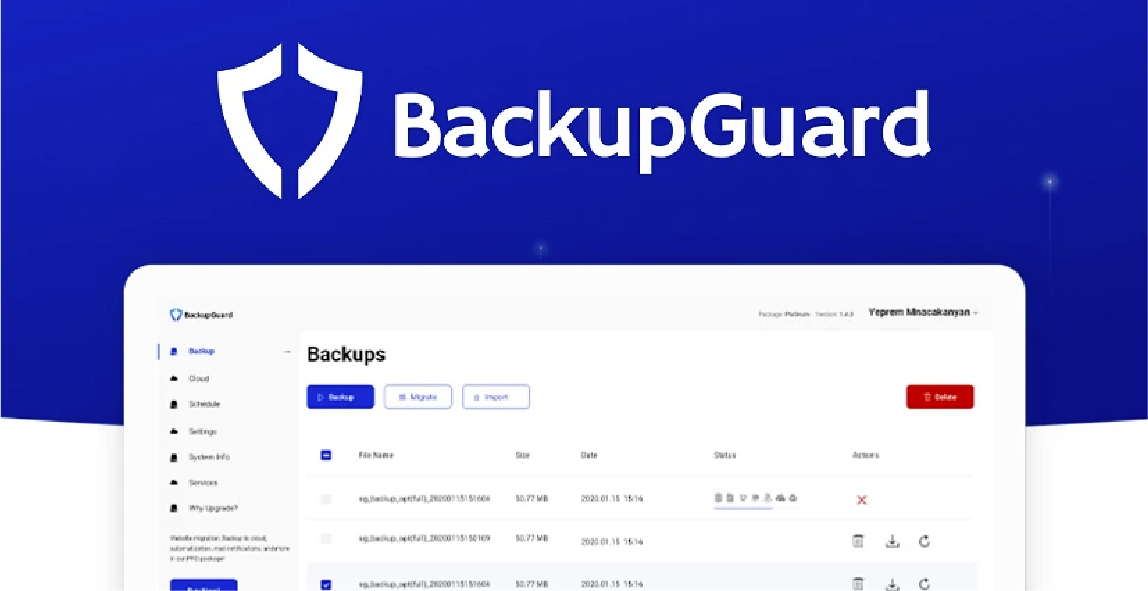This plugin has user-friendly navigation, a clean interface, and tools for migrations, backups, security, and restores.
#### Pricing
The Pro plan with all features starts from $25/year.
#### Pros
- There is no need to use FTP tools to import the backups.
- It can schedule and export the backups to Dropbox.
- The free version can be used for website migration if it does not happen frequently.
- It supports multisite networks during migrations and backups.
- All the plans allow for unlimited backups, migrations, and sites.
- The volume of backups that are supposed to be kept on a server can be specified.
- You receive an email notification after the completion of the backup or migration.
- It can handle permalink errors and issues with image loading, wrong URL, etc.
#### Cons
The free version does not include the website migration feature.
### 10. [WP Clone by WP Academy](https://wordpress.org/plugins/wp-clone-by-wp-academy/)
This plugin can be used to move a WordPress site to/from the local server hosting or to another domain.
#### Pricing
The website migration is a premium feature that is available for $15.
#### Pros
- There is no need for FTP access.
- It can create copies of a website for testing or development.
- The Pro version can fetch the website and migrate it directly to a new server.
#### Cons
- Migration of a website larger than 2 GB may fail or the process may continue for over an hour.
- It may cause problems when used on websites hosted on WPEngine.
### 11. [Bluehost Migrator](https://wordpress.org/plugins/bluehost-site-migrator/)
BlueHost is a WordPress hosting company. This plugin can be used for the migration of a website to this particular web host.
#### Pricing
Free
#### Pros
- This user-friendly plugin can handle the migration once a token is entered from the hosting control panel.
- It automatically creates a temporary domain for the migrated site. However, the DNS can be changed later to point to a particular domain name.
#### Cons
- It cannot transfer websites from localhost to the live site.
- It does not support multisite networks during migrations.
### 12. [JetPack (VaultPress)](https://wordpress.org/plugins/vaultpress/)
It enables a user to easily restore WordPress backups and migrate a website to new servers.
#### Pricing
It costs $1 for the first month and monthly $10 from the second month onwards.
#### Pros
- It can be used to easily create and restore the backups to a new location.
- It saves server resources through incremental backups.
- Its one-click site restoration feature makes migration easier.
- It stores all data in the cloud. There is no need to upload the backups manually during migration.
- The backups remain secured due to the security features of this plugin.
#### Cons
- A JetPack subscription is required with many features that may not be required or used.
- The setup process is likely to seem complex to beginners. There is a need for two plugins, a WordPress.com account, and a Jetpack subscription.
### 13. [BlogVault](https://wordpress.org/plugins/blogvault-real-time-backup/)
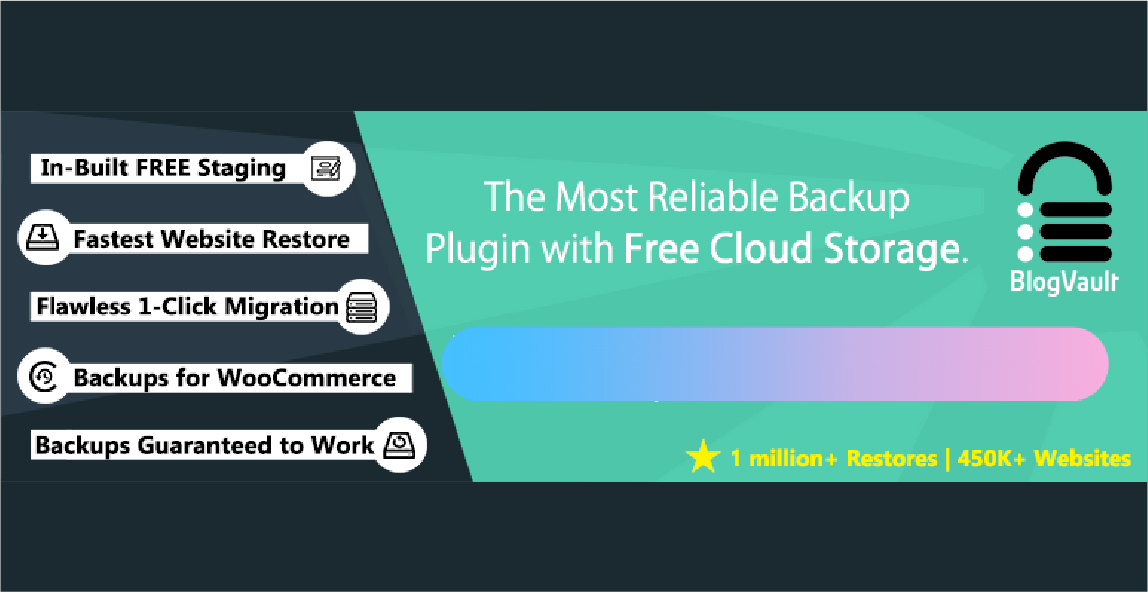This plugin ensures quicker and fail-proof migration. Offline restoration is possible with this plugin.
#### Pricing
It’s available at $8/month for a single site.
#### Pros
- This user-friendly migration plugin is compatible with over 10,000 web hosting services. There is no possibility of failure due to hosting incompatibility and live sites experience no downtime.
- It can move all files and databases including non-WordPress site files.
- It can automatically rewrite the URL and transfer all URLs (posts, images, pages, etc.) to the new website.
#### Cons
- It can’t transfer a local site to an online server.
### 14. [WPBackItUp](https://wordpress.org/plugins/wp-backitup/)
This plugin can create scheduled unlimited backups and ensure easy migration from one server to another.
#### Pricing
Migration at $79/year for one site
#### Pros
- It has a user-friendly interface and can create scheduled backups on a daily, weekly, or monthly basis.
- It can take backups of a website and download them locally without requiring any FTP client.
- It sends e-mail notifications after every backup and creates unlimited backups at no additional expense.
#### Cons
Migration is a premium feature that is not included in the free version.
### 15. [WP Migrate DB](https://wordpress.org/plugins/wp-migrate-db/)
This user-friendly plugin can accelerate the database migration process and complete the task with no risk of data corruption.
#### Pricing
Migration at $99/year for one website.
#### Pros
- It enables multisite to single-site migration and supports serialized arrays and data.
- You can decide which tables to transfer to the new website.
- Both paid and free versions are compatible with all web-hosting providers and support WordPress multisite.
#### Cons
The basic version can only transfer a website’s database.
### Conclusion
You may use any of these **WordPress Migration Plugins** to automatically take backups and transfer your WordPress site with a few clicks. These user-friendly plugins can be used by anyone with basic knowledge of how to use the plugins and transfer data. As per our 15 years of [WordPress development services](https://www.krishaweb.com/wordpress-development/) experience, we have carried out a list of the **best WordPress Migration Plugins**, but still, if you face any technical hurdles in selecting the migration plugins that will comply with your existing website, [feel free to connect](https://www.krishaweb.com/contact-us/) with us. Our Certified WordPress Experts are always UP there for you…

###### Girish Panchal
Technical ArchitectA Technical Architect, proficient in WordPress, Drupal, Laravel, and DevOps tasks, crafts robust IT solutions with a blend of expertise and versatility in web development and infrastructure management.
 Interact With Me-
-
- [ ](mailto:)
---
_View the original post at: [https://www.krishaweb.com/blog/best-wordpress-migration-plugins/](https://www.krishaweb.com/blog/best-wordpress-migration-plugins/)_
_Served as markdown by [Third Audience](https://github.com/third-audience) v3.5.3_
_Generated: 2026-06-20 02:28:47 UTC_