---
title: "10 Business Workflows You Can Automate With AI Right Now"
url: "https://www.krishaweb.com/blog/business-workflows-automate-with-ai/"
date: "2026-10-02T12:46:18+00:00"
modified: "2026-10-02T12:46:19+00:00"
type: "Article"
resource: "https://www.krishaweb.com/blog/business-workflows-automate-with-ai/"
timestamp: "2026-10-02T12:46:19+00:00"
author:
name: "Nirav"
url: "https://www.krishaweb.com"
categories:
- "Web Development"
word_count: 3046
reading_time: "16 min read"
summary: "You don't need an AI strategy deck or a six-figure budget to start getting value from AI. You need one repetitive workflow that's eating your team's time, and the right tool to hand it off to. Most..."
description: "10 business workflows you can automate with AI today, from lead routing and invoicing to support triage and reporting, with the tools, real time savings, and..."
keywords: "AI workflow automation, Web Development"
language: "en"
schema_type: "Article"
related_posts:
- title: "Process Automation With AI: The Fastest ROI Most SMBs Are Missing"
url: "https://www.krishaweb.com/blog/ai-process-automation-fastest-roi/"
- title: "Custom AI Development vs Off-the-Shelf AI Tools: Which Does Your Business Need?"
url: "https://www.krishaweb.com/blog/custom-ai-development-vs-off-the-shelf/"
- title: "AI Implementation and Integration: Connecting AI to the Systems You Already Run"
url: "https://www.krishaweb.com/blog/ai-implementation-integration-guide/"
---
# 10 Business Workflows You Can Automate With AI Right Now
_Published: Friday,October 2, 2026_
_Author: Nirav_
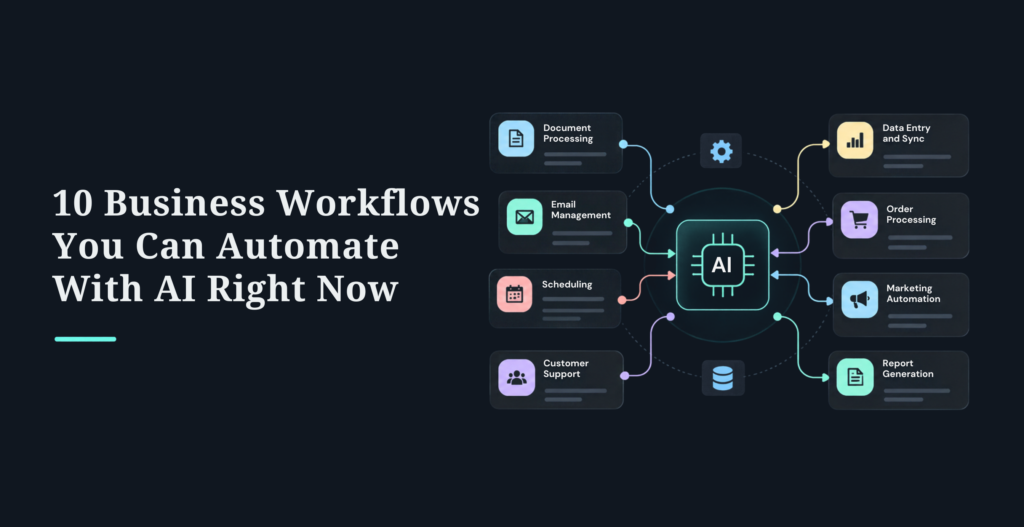
You don’t need an AI strategy deck or a six-figure budget to start getting value from AI. You need one repetitive workflow that’s eating your team’s time, and the right tool to hand it off to. Most businesses have a dozen of those sitting in plain sight.
AI workflow automation uses AI to run end-to-end business processes, reading documents, understanding language, making decisions, and cutting the manual work out of them. Ten workflows you can automate today: lead routing and scoring, invoice processing, customer support triage, HR onboarding, meeting notes and summaries, report generation, contract review, expense approval, social media scheduling, and inventory reordering. Most deliver serious time savings (often 40-90% on the task itself) and pay back within a few months, and several can be stood up in a week or two with no-code tools.
This guide gives you all ten with what each automates, the tools to build it, realistic time savings, and how to start, then a straight comparison of the three main tools (Zapier, Make, n8n), a way to decide which workflow to automate first, and the mistakes that trip people up. It’s written for the owner, ops lead, or department head who wants ideas they can act on this month.
One honesty note that runs throughout: the time-savings figures are mostly on the specific task, not your whole operation, and they’re the value of hours freed up, not always cash that lands in the bank. Start with one workflow, measure it against a real baseline, and scale from there. When a workflow gets complex or needs deep integration, that’s where **[process automation help](https://www.krishaweb.com/process-automation-solutions/)** earns its keep, but plenty on this list you can start yourself.
## What Is AI Workflow Automation?
AI workflow automation uses AI to orchestrate multi-step business processes end to end. The difference from older automation is what it can handle: traditional automation follows fixed rules on tidy, structured data, while AI automation can read a messy PDF, understand a customer’s email, decide how to route it, and get better over time.
| | **Traditional Automation** | **AI Workflow Automation** |
|---|---|---|
| Decisions | Fixed rules only | Judgment based on patterns |
| Data | Structured only | Documents, emails, images |
| Learning | Static | Improves over time |
| Examples | Data entry, file transfers | Lead routing, invoice processing, support triage |
It helps to picture a ladder of scope. At the bottom is task automation (send an email, create a record). Above that, workflow automation (multi-step processes like lead routing or invoice approval), which is where most of this article lives and where most businesses should start. Higher still is full process automation (end-to-end, like order-to-cash) and, at the top, agentic automation, where AI agents plan and execute multi-step work on their own. You don’t need to climb the whole ladder. Getting one workflow automated well beats attempting the top rung and stalling.
## The 10 Workflows
For each: what it does, the tools to build it, the realistic time saving on that task, and where to start. Time savings are typical ranges on the task itself and vary widely with your volume, verify against your own numbers.
### 1. Lead routing and scoring
A lead comes in from a form, ad, or event; AI reads it, scores it by fit and intent, routes the hot ones straight to the right rep with an instant personalized follow-up, and drops the rest into a nurture sequence. Cuts manual lead handling by roughly half to two-thirds, and faster follow-up directly lifts conversion. Build it with a form tool plus Zapier or Make, an AI step (OpenAI or Claude) to classify, and your CRM and Slack. Start by connecting your form to the automation tool, adding the AI classification step, and setting simple High/Medium/Low routing rules, then refine the scoring on real leads. Best for any B2B team seeing 100+ leads a month.
### 2. Invoice processing and approval
AI reads incoming invoices (PDF or image), extracts the vendor, amount, and line items, matches them to the purchase order, flags discrepancies and duplicates, routes to the right approver by amount, and posts approved ones to your accounting system with an audit trail. This is the best-documented ROI on the list: manual AP runs roughly $8-15 per invoice, automation brings it toward $1-3, and SMB builds often pay back in 60-90 days. Build it with an AP tool (Bill.com, Stampli) or Make plus AI extraction plus your accounting software. Start by setting up invoice intake, connecting the extraction, then adding matching and approval routing. Best for anyone processing 100+ invoices a month.
### 3. Customer support ticket triage
AI reads each incoming ticket, classifies it (billing, technical, feature request), routes it to the right team, surfaces relevant knowledge-base articles and history, drafts a suggested response, and auto-escalates high-priority or churn-risk cases. Cuts handling time 40-60%. Build it with your helpdesk’s native AI (Zendesk, Intercom) or Make plus an AI step plus your knowledge base. Start by connecting the helpdesk, training the classifier on past tickets, and setting routing and escalation rules. Best for teams handling 500+ tickets a month.
### 4. HR onboarding
When a hire is entered in your HRIS, automation provisions their accounts (email, Slack, tools), schedules role-based training, sends a personalized welcome and first-week agenda, tracks completion with reminders, and generates the compliance paperwork. Cuts manual onboarding time 50-70% and, just as valuable, makes the experience consistent for every new hire. Build it with your HRIS plus Make or Workato plus Slack and your LMS. Start by connecting the HRIS and setting the account-provisioning triggers, then layer in scheduling and tracking. Best for anyone hiring 20+ people a year.
### 5. Meeting transcription and summaries
An AI notetaker joins your calls, transcribes them, writes a summary with the key decisions, pulls out action items with owners and due dates, sends the notes round, and pushes tasks into your project tool. This is one of the fastest wins on the list, near-total elimination of manual note-taking, and it’s genuinely a set-it-and-forget-it tool. Build it with Fireflies or Otter connected to your calendar and, via Zapier, your project management tool. Start by connecting the notetaker to your calendar and turning on auto-recording, then wire the action items into Asana, Monday, or Jira. Best for any team with a heavy meeting load.
### 6. Report generation
AI pulls data from your CRM, analytics, and finance tools, normalizes the formats, generates the recurring report, flags anomalies, and distributes it on schedule. Another top-tier fast win, because reporting is pure repetition with no data-collection lag, so the time saved shows up immediately. Build it with Make plus your data sources plus an AI step plus email or Slack. Start by connecting the data sources and building the aggregation, then create the template and set the schedule. Best for anyone producing weekly or monthly reports by hand today.
### 7. Contract review and compliance
AI extracts key terms, dates, obligations, and renewal clauses from contracts, builds a renewal calendar, scans for required regulatory language and flags deviations, routes approvals by risk, and keeps audit-ready records. Cuts manual review time 60-80%. Build it with legal-AI tooling (LawGeex, Evisort) or Make plus AI plus your contract store. Start with contract intake and term extraction, then add the renewal calendar and compliance scanning. Best for anyone managing 50+ contracts a year. One caveat: keep a human lawyer in the loop on anything consequential, AI speeds the review, it doesn’t replace legal judgment.
### 8. Expense approval
A structured submission form replaces the email-and-receipt chaos; AI validates each claim against policy, auto-approves what’s within limits, routes exceptions to a manager, flags duplicates and violations, and posts approved expenses to accounting. Cuts manual expense processing 60-80%. Build it with an expense tool (Expensify, Ramp) or Make plus your accounting system. Start by replacing email submission with a form, encoding your policy rules, then adding auto-approval and exception routing. Best for anyone with 50+ employees filing expenses.
### 9. Social media content and scheduling
AI drafts posts in your brand voice from your topics and trends, adapts them per platform, schedules at good times, tracks performance, and suggests what to do more of. The lowest-ROI item on the list, because quality review claws back some of the time saved, so treat it as a strong assist, not full autopilot. Build it with a scheduler (Buffer, Hootsuite) plus an AI step. Start by feeding the AI your brand voice and best past posts, set up generation prompts, then schedule with a human approval step before anything publishes. Best for marketing teams shipping 10+ posts a week. Keep a person in the approval loop, unreviewed brand social is a risk, not a shortcut.
### 10. Inventory management and reordering
AI tracks stock across locations, forecasts demand from history and trends, auto-generates purchase orders at reorder thresholds, sends them to suppliers, tracks shipments, and alerts on delays or stockouts. Cuts manual inventory work 50-70% and reduces both stockouts and overstock. Build it with your inventory system (Cin7, and similar) plus Make plus supplier portals. Start by connecting inventory tracking, building the demand logic on your history, then adding auto-reorder thresholds and PO generation. Best for ecommerce, retail, or manufacturing with 100+ SKUs.
The pattern across all ten: the biggest, fastest wins (invoicing, reporting, meeting notes, support triage) are high-volume, repetitive, and easy to measure. The lower-ROI ones (social, some of onboarding) involve judgment or quality review that eats into the savings. Start where repetition is highest and the output is easiest to measure.
## Which Tool: Zapier vs Make vs n8n
Three platforms dominate no-code/low-code automation, and they suit different teams. Important caveat first: 2026 pricing got genuinely confusing across all three, they’ve layered AI credits on top of their old task/operation/execution pricing, so you can no longer compare them on a single number. Check each vendor’s current pricing page before budgeting; the figures below are directional and shift quarterly.
| | **Zapier** | **Make** | **n8n** |
|---|---|---|---|
| Best for | Non-technical teams, widest app coverage | Visual builders, complex logic, value | Technical teams, heavy AI, self-hosting |
| Apps | ~7,000–9,000+ | ~3,000+ (plus 350+ AI apps) | ~400+ native, unlimited via HTTP |
| Billing model | Per task (each action step) | Per operation | Per workflow execution |
| AI in 2026 | Zapier Agents, AI Copilot | Maia AI, AI agents | n8n 2.0: LangChain, 70+ AI nodes, agents |
| Rough entry price | Free tier; paid from ~$20/mo | Free tier; paid from ~$9-10/mo | Free self-hosted; cloud from ~$20-28/mo |
| Learning curve | Easiest | Moderate | Steepest (technical) |
The honest, up-to-date guidance: Zapier if you’re non-technical and want the fastest setup across the widest set of apps. Make if you want visual power and multi-step logic at better value for operations-heavy work. n8n if you’re technical, want self-hosting or data control, or run AI-heavy, agentic workflows, and don’t want per-task pricing. The 2026 shift worth knowing: the choice matters less on integration count now (Zapier still wins there, but it matters less) and more on how AI-heavy your workflows are and how you want to run agents. On cost at high volume, execution-based billing (n8n) and operation-based (Make) generally undercut per-task (Zapier) once you’re running the same multi-step workflow thousands of times, but with AI credits muddying all three, model your own real volume rather than trusting a headline comparison.
## Which Workflow to Automate First
Don’t automate everything at once, that’s the fastest way to fail. Prioritize on two axes: how often the task happens (volume) and how much it matters (impact), tempered by how complex it is to build.
| | **High Impact** | **Low Impact** |
|---|---|---|
| High volume | Automate first (lead routing, invoicing, support triage) | Automate second (reporting, meeting notes) |
| Low volume | Case by case (contract review) | Don’t bother (one-offs) |
The 80/20 version: most of the value comes from a handful of high-volume, high-impact, repetitive workflows, so start with one of those, master it, prove the ROI, then scale to three to five. The best first workflows for most businesses are the ones with high volume and easy-to-measure output: invoicing, reporting, meeting notes, lead routing, and support triage. Pick the one that’s costing your team the most hours right now.
## Implementation Best Practices
The workflows that succeed follow the same discipline, regardless of tool.
Start with a quick process audit and pick one workflow, not a suite of tools. Capture a real baseline before you build (current time, cost, and error rate), or you’ll never be able to prove the ROI. Test with real production data, not just tidy samples, because the messy real cases are where automations break. Design human review for exceptions only, not routine output, if your team ends up checking everything the AI does, you’ve saved nothing. Train the people whose work changes, and bring them in early, adoption is where most automations quietly die. Track your KPIs from day one. And scale only after the first workflow holds up under real volume. A sensible arc: month one, audit and build the pilot; month two, test, train, go live, and measure; month three, optimize and expand to three to five workflows.
##### Additional Read
- [Process Automation With AI: The Fastest ROI Most SMBs Are Missing](https://www.krishaweb.com/blog/ai-process-automation-fastest-roi/)
- [Custom AI Development vs Off-the-Shelf AI Tools: Which Does Your Business Need?](https://www.krishaweb.com/blog/custom-ai-development-vs-off-the-shelf/)
- [AI Implementation and Integration: Connecting AI to the Systems You Already Run](https://www.krishaweb.com/blog/ai-implementation-integration-guide/)
## Common Mistakes to Avoid
Most automation failures aren’t technical, they’re these, and every one is avoidable.
- Automating chaos: wiring automation onto an unstable, undocumented process just makes the mess happen faster; stabilize the process first
- Tool sprawl: buying several tools before defining the jobs; start with one workflow on one tool
- No system of record: building on spreadsheets or a tool’s own storage that vanishes when you switch; anchor data in a CRM, ERP, or database that outlives any tool
- AI review overhead: saving hours then handing them back by correcting every output; scope human review to genuine exceptions
- Integration brittleness: a critical workflow held together by fragile no-code glue that snaps when one service changes; use robust patterns and error handling for anything important
- No KPI tracking: if you didn’t baseline it, you can’t prove it worked
- Skipping training: the automation nobody trusts is the automation nobody uses
The thread through all of them: the discipline is in the process and data work, not the AI.
### Frequently Asked Questions
**What is AI workflow automation?**It’s using AI to run multi-step business processes end to end, reading documents, understanding language, making decisions, and handling the manual work. Unlike traditional automation, which follows fixed rules on structured data, AI automation copes with messy inputs like PDFs and emails and improves over time. On the specific tasks it handles, it commonly cuts manual time 40-90%, though that’s the saving on the task, not your whole operation.
**Which workflows should I automate first?**Start with high-volume, high-impact, repetitive workflows where the output is easy to measure: invoicing, reporting, meeting notes, lead routing, and support triage. These pay back fastest, often within a few months, because the manual cost is large and easy to quantify. Use a simple volume-vs-impact grid, high on both means automate first, and master one before scaling to three to five.
**What tools do I need, and which is best?**The three main no-code/low-code tools are Zapier (easiest, widest app coverage, best for non-technical teams), Make (visual power and better value for complex logic), and n8n (best for technical teams, heavy AI, and self-hosting). All three added strong AI features in 2026. There’s no universal best, choose on your team’s technical comfort and how AI-heavy your workflows are. Check current pricing directly, since 2026 plans got complicated with added AI credits.
**How much does AI workflow automation cost?**For a single workflow on a no-code tool, you can start on a free tier or from roughly $20-30/month. SMBs running several workflows through a managed setup often spend a few hundred to a few thousand a month. Self-hosted n8n can be very cheap at volume but needs technical skills. Because all three platforms now layer AI credits onto their base pricing, model your own real usage rather than trusting a headline price.
**How long does it take to implement?**Simple workflows like meeting notes or email routing can be live in one to two weeks. Medium ones like lead routing or invoice processing take two to four weeks. Complex, multi-system workflows like contract review take four to eight weeks. Start with one, get it working and measured, then expand, a realistic arc is one pilot in month one and three to five workflows running by month three.
**What time savings and ROI can I realistically expect?**On the specific task, 40-90% time savings is common for high-repetition workflows like invoicing, reporting, and meeting notes; lower for judgment-heavy ones like social content. Payback for the fast wins is often a few months, sometimes weeks for a lean single workflow. Two honest caveats: these are savings on the task, not your whole business, and they represent the value of hours freed rather than guaranteed cash, so measure against your own baseline.
**Can I automate workflows without coding?**Yes. Zapier, Make, and n8n all offer visual, no-code or low-code builders, and all added AI features in 2026 that let non-technical users build with plain-language prompts. Zapier is the most beginner-friendly, Make is approachable with more power, and n8n is the most capable but needs some technical comfort. For most first workflows, a non-technical person can build a working automation without writing code.
**What are the most common mistakes?**Automating an unstable process (fix it first), tool sprawl (start with one tool), building on storage that disappears when you switch tools (use a real system of record), manually correcting AI output until the savings vanish (review exceptions only), fragile no-code glue on critical workflows (use robust patterns), not tracking KPIs, and skipping team training. Almost all automation failures trace to these process and data gaps, not the AI itself.
### Conclusion
You don’t need a grand AI plan to start, you need one repetitive workflow and the right tool. Any of these ten (lead routing, invoicing, support triage, onboarding, meeting notes, reporting, contract review, expenses, social, inventory) can be started now, and the high-volume, easy-to-measure ones will pay back fastest.
The playbook is simple: pick the workflow costing your team the most hours, baseline it, automate it with the tool that fits your skills, prove the saving, then scale to three to five. Avoid the common mistakes, especially automating a broken process or buying tools before defining the job, and keep the honesty in view: the time-savings figures are on the task and represent hours freed, so measure against your own numbers.
##### Ready to pick your first workflow?
**[Explore our Process Automation Solutions](https://www.krishaweb.com/process-automation-solutions/)** to see how we help businesses automate the right workflows for real, measurable results.
**[Book a consultation](https://www.krishaweb.com/contact-us/)** to map your workflows and find the one that will save you the most, fastest.
**[AI Implementation & Integration](https://www.krishaweb.com/ai-implementation-integration/) · [Custom AI Development](https://www.krishaweb.com/custom-ai-development/)**

###### Nirav Panchal
Lead – Custom DevelopmentLead of the Custom Development team at KrishaWeb, holds AWS certification and excels as a Team Leader. Renowned for his expertise in Laravel and React development. With expertise in cloud solutions, he leads with innovation and technical excellence.
 Interact With Me- [ ](https://twitter.com/iamNiravPanchal)
- [ ](https://www.linkedin.com/in/nirav-panchal-5b299385/)
- [ ](mailto:niravp@krishaweb.com)
---
_View the original post at: [https://www.krishaweb.com/blog/business-workflows-automate-with-ai/](https://www.krishaweb.com/blog/business-workflows-automate-with-ai/)_
_Served as markdown by [Third Audience](https://github.com/third-audience) v3.6.1_
_Generated: 2026-10-02 12:46:19 UTC_