---
title: "Webflow Site Audit: 6 AI Gaps Costing You Pipeline"
url: "https://www.krishaweb.com/blog/webflow-site-audit-ai-pipeline/"
date: "2026-03-25T13:41:35+00:00"
modified: "2026-03-25T13:41:37+00:00"
author:
name: "Nisarg"
categories:
- "Web Development"
word_count: 4049
reading_time: "21 min read"
summary: "If your Webflow site gets traffic but your pipeline attribution is weak, the problem is almost never the traffic. It is what happens, or more accurately, what does not happen, after a visitor lands..."
description: "A Webflow site without AI personalization, chat, and smart forms is leaving measurable pipeline on the table. Here's how to find and fix each gap — with to..."
keywords: "webflow site audit ai pipeline, Web Development"
language: "en"
schema_type: "Article"
related_posts:
- title: "How to Speed Up Your WordPress Website: A Complete AI-Powered Performance Guide"
url: "https://www.krishaweb.com/blog/speed-up-wordpress-website/"
- title: "WordPress Maintenance Checklist 2026: Which Tasks AI Can Now Handle Automatically"
url: "https://www.krishaweb.com/blog/wordpress-website-maintenance-checklist/"
- title: "Webflow + AI Personalization: Lift Trial Signups 40%"
url: "https://www.krishaweb.com/blog/webflow-ai-personalization-saas/"
---
# Webflow Site Audit: 6 AI Gaps Costing You Pipeline
_Published: Wednesday,March 25, 2026_
_Author: Nisarg_
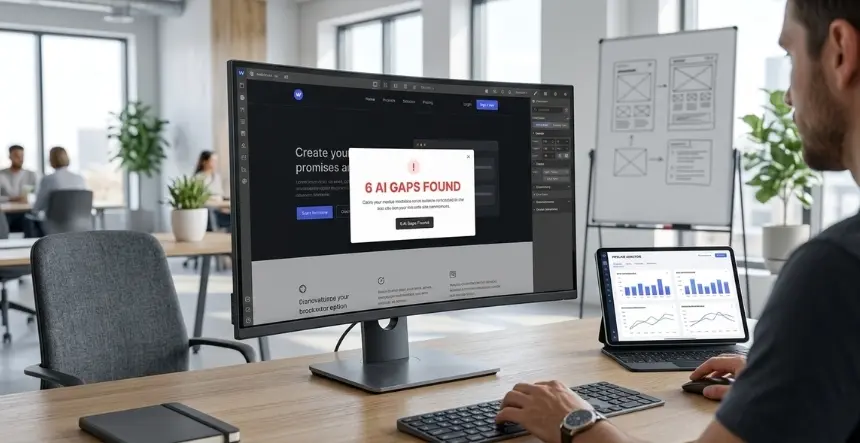
If your Webflow site gets traffic but your pipeline attribution is weak, the problem is almost never the traffic. It is what happens, or more accurately, what does not happen, after a visitor lands. Six specific gaps appear repeatedly on B2B SaaS Webflow sites: no real visitor segmentation, forms that collect data but do not qualify it, missing AI chat coverage, broken or absent UTM attribution, no lead scoring before the CRM handoff, and no behavioural data feeding back into campaign decisions. This article walks through each one, what it costs you in pipeline terms, and how to close it.
## The Attribution Problem Is Upstream of the Reporting Problem
Most demand gen teams dealing with weak pipeline attribution assume the fix lives in their reporting setup. They look at last-touch data, wonder if the model is wrong, add a few more UTM tags, and then still cannot tell the CFO why the website contributed to this quarter’s pipeline or did not.
The actual problem sits upstream of reporting. You cannot attribute a pipeline that never got properly captured in the first place. If a visitor lands from a LinkedIn ad, fills out a contact form, and that form submission reaches your CRM without campaign data attached, no attribution model in the world can reconstruct that connection after the fact.
B2B buyers now complete 70% of their decision-making before they talk to sales (Source: [6sense](https://6sense.com/science-of-b2b/2024-buyer-experience-report/)). That means the website is not just a landing pad for ads. It is where buying decisions are shaped. Every gap in how your Webflow site captures, qualifies, and routes that activity is a direct reduction in the pipeline you can see, prove, and act on.
The six gaps below are not theoretical. They are the specific places where B2B SaaS Webflow sites consistently break down between traffic and pipeline. Work through them in order. Some take an afternoon. Some require a developer and a few weeks. All of them pay back faster than the next paid campaign you are about to launch.
### Gap 1: No Visitor Segmentation Means Every Campaign Pays the Same Rate for Worse Results
**What it looks like:** Every visitor sees the same homepage regardless of how they got there, what company they are from, or what they have already looked at on the site. Your LinkedIn ad driving VP of Marketing traffic and your organic search traffic from junior analysts land on the same hero section with the same message.
**What it costs:** When messaging does not match the visitor’s context, bounce rates go up and demo requests go down. B2B SaaS companies see median conversion rates around 3.8%, while top-performing companies consistently hit 8 to 12% on demo request forms (Source: [Surface Labs](https://withsurface.com/blog/b2b-lead-conversion-benchmarks-for-2025)). The gap between those numbers is not entirely explained by traffic quality. A lot of it comes down to whether the page speaks to the visitor who just landed.
Every dollar you spend on segmented paid campaigns becomes less efficient when all those segments land on the same generic page. You pay LinkedIn’s premium CPM to reach VP-level buyers, and then show them the same message you show everyone else.
**The fix:** Connect Webflow Optimize or Optibase to your UTM parameters and CRM data to show different hero headlines, CTAs, and social proof blocks to different visitor groups. Start with two segments: your top-paid channel audience and your organic search audience. Write distinct hero variants for each. Run a 50/50 test for four weeks. Most teams see 15% to 40% improvement in conversion rate for the targeted segment within the first test cycle.
For company-level targeting, Clearbit, 6sense, or Demandbase can identify the company behind anonymous visits and trigger the right content variant automatically, before the visitor fills out a single field. Webflow Optimize’s enterprise tier connects natively to all three. Note: EU visitor targeting via company IP lookup sits in a grey area under GDPR. Most compliance guidance treats it as acceptable under legitimate interest if no personal data is stored, but confirm with your legal team before rolling it out for EU traffic.
**Audit check:** Go to your top three paid campaign landing pages. Could you tell from the page alone which campaign sent this visitor? If not, you have a segmentation gap.
### Gap 2: Forms That Collect Data Without Qualifying It
**What it looks like:** Your demo request form has four fields: name, email, company, and phone number. Every submission is added to the CRM as a new contact. Your SDRs work through the queue and discover that roughly half the submissions are from students, consultants doing competitive research, or companies well outside your ICP.
**What it costs:** Most teams miss the breakage happening after form submission, where 30 to 40% of leads are lost to slow routing, poor qualification, or no follow-up (Source: [Surface Labs](https://withsurface.com/blog/b2b-lead-conversion-benchmarks-for-2025)). When every form submission looks the same to your CRM and your SDR team, the people who are genuinely ready to buy get mixed into the same queue as everyone else. Response speed drops. The good leads cool off.
Companies that follow up with qualified leads within the first hour report a 53% conversion rate, compared to just 17% for follow-ups after 24 hours (Source: [Data-Mania](https://www.data-mania.com/blog/mql-to-sql-conversion-rate-benchmarks-2025/)). You cannot hit a one-hour response window if your SDRs are spending that hour sorting good leads from noise.
**The fix:** Add qualification logic directly to the form before submission reaches your CRM. You have two main options.
The lighter path is progressive profiling: add one or two qualifying questions to existing forms. Company size range. The specific problem they are trying to solve. Current tool stack. These questions add intent signals without requiring a full-form rebuild, and they give your SDR a reason to personalize the first call.
The more powerful path is smart form routing with AI-led scoring. FormRank Pro ($149 per year, WordPress-native but with Webflow embed options) and MadKudu (from $1,000 per month for mid-market) both score leads in real time as they fill out the form, then route hot leads directly to a calendar booking flow and send lower-intent contacts into a nurture sequence. Organizations implementing AI-powered lead qualification see 40% accuracy improvements, and qualified leads convert at 40% versus 11% for unqualified ones (Source: [Landbase](https://www.landbase.com/blog/lead-qualification-statistics)).
Set up three routing tiers: high-intent goes straight to a Calendly booking page, medium-intent gets an immediate follow-up email sequence from the SDR, and low-intent goes into a nurture track. Your SDR queue becomes only the people who are actually worth calling right now.
**Audit check:** Pull your last 90 days of form submissions. What percentage of demos requested were with companies in your ICP? If it is below 60%, your forms do not qualify.
### Gap 3: No AI Chat Means You Are Losing After-Hours Visitors to Competitors
**What it looks like:** A VP of Marketing from a target account visits your site at 8pm on a Tuesday. They have a specific question about how your product handles a particular integration. There is no chat. They close the tab and try a competitor’s site next.
**What it costs:** The average B2B lead response time is 42 hours (Source: [Kixie](https://www.kixie.com/sales-blog/speed-to-lead-response-time-statistics-that-drive-conversions/)). Yet responding within 5 minutes dramatically increases conversion rates, and studies show that 35-50% of sales go to the vendor that responds first (Source: [Verse AI](https://verse.ai/blog/speed-to-lead-statistics)). After-hours visitors are not a small percentage of your traffic. They are often the senior buyers who research on their own time, without wanting to sit on a sales call during business hours.
A static site with no chat option tells the visitor: come back during office hours. A competitor with an AI chatbot configured to answer product questions, qualify the visitor, and book a demo slot tells them, “We are ready right now.”
**The fix:** Deploy an AI chatbot trained on your product docs, FAQs, case studies, and pricing structure. For most B2B SaaS teams at the mid-market level, the right starting point is a SaaS chatbot with customized qualification flows rather than a fully custom build.
Intercom Fin, HubSpot AI chatbot, and Tidio AI all integrate with Webflow through embed code or the Webflow Marketplace. Configure the bot to do three things: answer common product questions from your knowledge base, qualify the visitor using two or three key questions, and offer a Calendly booking link when intent signals are high. For visitors who show low intent, route to a resource or a newsletter offer rather than pushing for a demo.
For EU visitors, AI chat tools that use cookies or store behavioral data require explicit opt-in consent under GDPR before the tracking elements fire. Make sure your consent management setup (Complianz or CookieYes) is configured to block those tracking components until consent is given. The chat widget itself can still appear before consent; it is the session recording and behavioral data components that require the gate.
Cost range: $100 to $1,000 per month for SaaS chatbot platforms at mid-market scale, plus $500 to $2,500 for initial configuration and flow setup.
**Audit check:** Check your GA4 data for sessions after 6 pm and on weekends. What percentage of your weekly traffic happens outside business hours? If it is above 20%, you are leaving a significant portion of high-intent visitors with no way to engage.
### Gap 4: UTM Data Is Not Reaching Your CRM
**What it looks like:** You run LinkedIn campaigns, Google Search ads, retargeting, and content syndication. Traffic comes in. Leads come in. But when your RevOps team tries to pull a report on which campaigns drove the MQLs that became opportunities this quarter, the CRM shows “direct” or blank for half the records.
**What it costs:** Only 18.2% of B2B marketers use integrated attribution across channels (Source: [6sense](https://6sense.com/science-of-b2b/2025-b2b-marketing-attribution-and-contribution-benchmark/)). Most still measure success using last-touch or direct-response metrics that hide the real impact of their campaigns. Without campaign data reaching your CRM at the contact and deal level, you cannot tell which channels are actually contributing to the pipeline. Budget decisions get made on gut instinct rather than data. The channels that get credit are the ones closest to conversion, not necessarily the ones doing the most work.
This is the single most common reason demand gen teams struggle to prove the website’s contribution to revenue. The traffic data is in GA4. The pipeline data is in Salesforce or HubSpot. And there is nothing reliably connecting the two at the individual contact level.
**The fix:** Hidden UTM fields on every Webflow form. This is a one-time technical setup that pays back for every campaign you ever run afterwards.
Add hidden fields to your Webflow forms that capture utm_source, utm_medium, utm_campaign, utm_content, and utm_term from the page URL at the time of submission. These values are passed into your CRM alongside the contact record when the form is submitted. Every lead now carries its campaign origin into your pipeline data.
The technical setup: use JavaScript to read URL parameters and populate hidden form fields on page load. Webflow’s custom code blocks support this. Alternatively, Zapier or Make.com can be configured to parse UTM data from the form referrer URL and attach it to the contact record on submission. Brightscout documents the exact field mapping approach for Webflow-to-HubSpot setups (Source: [Brightscout](https://www.brightscout.com/insight/essential-webflow-integrations)).
Webflow does not have a native Salesforce integration. For Salesforce pipelines, use Zapier or Make.com to connect form submissions and pass the hidden UTM fields through to the Contact and Lead objects. Custom Salesforce fields for utm_source, utm_medium, and utm_campaign need to be created on the Lead object first, then mapped in the Zapier workflow (Source: [Flowspark](https://www.flowspark.co/blog/webflow-to-hubspot-salesforce-pipeline-integration-explained)).
Test every form after setup. Submit a test entry from a URL with UTM parameters and confirm those values appear on the CRM contact record. This sounds obvious, but it is one of the most commonly skipped QA steps.
**Audit check:** Go to your CRM. Pull contacts created in the last 90 days from form submissions. What percentage has a utm_source value populated? If it is below 80%, you have a data gap.
### Gap 5: No Lead Scoring Before the CRM Handoff
**What it looks like:** Every form submission that clears basic spam filtering becomes a contact in your CRM and enters the SDR queue. A founder of a two-person startup who downloaded your pricing guide and a VP at a 500-person ICP company who requested a demo both arrive in the same list and wait for the same manual review process.
**What it costs:** The MQL to SQL conversion rate averages 15 to 21% across B2B SaaS (Source: [Data-Mania](https://www.data-mania.com/blog/mql-to-sql-conversion-rate-benchmarks-2025/)). When that rate falls below 15%, the top two causes are almost always weak lead-scoring criteria and slow SDR follow-up. These two problems are connected. When your SDRs have to manually sort good from poor before they can respond, the average response time goes up. When response time increases, good leads cool.
67% of lost sales opportunities come directly from reps pursuing leads that were not properly qualified before the handoff (Source: [Landbase](https://www.landbase.com/blog/lead-qualification-statistics)). That is not a sales problem. It is a website problem. Qualification should happen at or before the form, not in the SDR’s inbox after the fact.
**The fix:** Implement lead scoring at the point of capture, not after. Connect behavioral and firmographic signals to an automated scoring model that assigns a score before the contact ever reaches a human.
For teams already on HubSpot, HubSpot’s native lead scoring uses contact properties, behavior signals, and company data to score in real time. Set up a score threshold that triggers an immediate SDR task and a Slack notification for contacts above the threshold, and routes contacts below the threshold into an automated nurture sequence.
For more precise scoring, MadKudu uses predictive behavioral models trained on your own customer data. It connects to Webflow via Zapier or webhook and enriches contacts in HubSpot or Salesforce the moment they submit. The setup cost runs $3,000 to $8,000. Monthly SaaS cost starts around $1,000. Worthwhile for teams processing 200+ leads per month.
B2B SaaS companies using behavioral scoring models achieve 39 to 40% MQL-to-SQL conversion rates, far better than those using basic demographic scoring alone (Source: [Data-Mania](https://www.data-mania.com/blog/mql-to-sql-conversion-rate-benchmarks-2025/)). The 21 percentage point gap between top and bottom performers on this metric is one of the largest and most actionable differences in the entire demand gen benchmark dataset.
If the budget is tight, start with a simple HubSpot score built on five signals: job title contains VP, Director, or Head; company size is over 100 employees; utm_medium is paid; visited pricing page; and requested demo. A score of three or more out of five routes to SDR. The three go to nurture. Imperfect but immediately useful.
**Audit check:** Ask your top two SDRs what percentage of the leads they call are genuinely worth the conversation. If the honest answer is below 50%, your scoring is not working.
### Gap 6: Behavioral Data from the Website Is Not Feeding Campaign Decisions
**What it looks like:** You have GA4 installed. It shows you sessions, pageviews, and bounce rate. But when you sit down to decide which content to produce next, which campaign to increase budget on, or which landing page to rebuild, those decisions are made from gut instinct or from last-touch conversion data that tells you very little about what is actually happening in the middle of the buyer’s journey.
**What it costs:** With only 7.6% of B2B teams using AI-powered attribution to connect all activity to the pipeline (Source: [RevSure AI](https://revsure.ai/resources/whitepapers/the-state-of-b2b-marketing-attribution-2025)), most marketing investment decisions are based on incomplete data. You end up over-investing in the channels closest to conversion and under-investing in the content and campaigns that are actually shaping the buying decision earlier in the cycle.
The specific gap on Webflow sites is that the behavioral data that GA4 captures, scroll depth, return visits, page sequences, and time on page by company segment, almost never flows back into campaign planning in a structured way. It sits in the analytics dashboard, gets checked once a month, and then does not meaningfully change what happens next.
**The fix:** Set up a behavioral data loop that connects site activity to campaign decisions on a regular cadence.
Step one: Install Webflow Analyze or connect Hotjar alongside GA4. Hotjar’s session recordings and heatmaps show you where visitors are stopping on high-intent pages. That data tells you what to change on the page and what objections the copy is not addressing.
Step two: Set up GA4 custom events for high-value behaviors: pricing page visit, case study download, return visit after seven days, scroll to the bottom of the demo request page. These events should fire automatically and be visible in a custom GA4 report that you review weekly, not monthly.
Step three: Feed this behavioral data back into Webflow Optimize as audience signals. Visitors who have viewed the pricing page two or more times should see a more direct CTA on their next visit. Visitors who came from a specific campaign and viewed a specific case study are strong candidates for a retargeting ad featuring that case study’s outcome. The site behavior data makes every downstream campaign more targeted.
Step four: Tag your top-performing content pieces in your CRM. When contacts from specific companies engage with specific content and convert to MQLs, that is a signal of what content works for that company segment. Build that pattern into your content calendar.
The days of broad awareness campaigns with weak attribution are fading. Leading B2B teams are moving to closed-loop attribution models that track channel performance from first lead to closed-won. The website is the central node in that loop. If behavioral data from the site does not flow back into campaign decisions, the loop is open.
**Audit check:** In your last three monthly marketing reviews, how many decisions were changed based on Webflow behavioral data? If the answer is zero, the data loop is not closed.
##### Additional Read
- [Webflow + AI Personalization: Lift Trial Signups 40%](https://www.krishaweb.com/blog/webflow-ai-personalization-saas/)
- [When Enterprises Choose Webflow (And When They Shouldn’t)](https://www.krishaweb.com/blog/webflow-for-enterprise/)
- [Webflow Website Cost in 2026: Freelancer vs Agency vs In‑house](https://www.krishaweb.com/blog/webflow-website-cost-freelancer-vs-agency-vs-in-house/)
## How to Prioritize These Six Fixes
Not all six gaps are equally urgent. Here is how to think about sequencing based on where the highest-value pipeline is currently being lost.
| **Gap** | **Time to Fix** | **Estimated Pipeline Impact** | **Start Here If…** |
|---|---|---|---|
| Gap 4: UTM data not reaching CRM | 1 to 3 days | High: every future lead is better attributed | You cannot report on which campaigns drive pipeline |
| Gap 2: Forms not qualifying leads | 1 to 2 weeks | High: SDR productivity improves immediately | SDRs are complaining about lead quality |
| Gap 5: No lead scoring before CRM handoff | 2 to 4 weeks | High: MQL-to-SQL rate improves | Your MQL-to-SQL rate is below 15% |
| Gap 3: No AI chat coverage | 2 to 4 weeks | Medium to high: after-hours visitor conversion improves | More than 20% of your traffic is outside business hours |
| Gap 1: No visitor segmentation | 4 to 8 weeks | High for paid channel efficiency | Paid CPC is increasing and homepage conversion is flat |
| Gap 6: Behavioral data not feeding campaigns | Ongoing | Medium: compounds over time | You are planning next quarter’s content and campaign budget now |
Fix Gap 4 first. It is fast, cheap, and it makes every other fix more measurable. You cannot evaluate whether your lead scoring or chat coverage is working if the CRM data does not include the source of those leads.
### Key Takeaways
- Weak pipeline attribution is almost always a data capture problem before it is a reporting problem. Leads that reach your CRM without campaign data cannot be attributed by any model, no matter how sophisticated.
- B2B buyers complete 70% of their decision-making before talking to sales (Source: [6sense](https://6sense.com/science-of-b2b/2024-buyer-experience-report/)), which means the website shapes more of the pipeline outcome than most teams credit it for.
- The six gaps are: no visitor segmentation, forms that collect without qualifying, no AI chat coverage, UTM data not reaching CRM, no lead scoring before handoff, and behavioral data not feeding back into campaigns.
- Fix UTM attribution first, always. It takes one to three days, it costs almost nothing, and it makes every other metric in your pipeline reporting more trustworthy.
- B2B SaaS companies using behavioral scoring achieve MQL-to-SQL conversion rates of 39 to 40%, compared to the 13 to 15% average for teams without scoring (Source: [Data-Mania](https://www.data-mania.com/blog/mql-to-sql-conversion-rate-benchmarks-2025/)). That gap is the single biggest lever in B2B SaaS demand gen.
EU visitor targeting using intent signals or behavioral cookies requires explicit opt-in under GDPR. Set up Complianz or CookieYes on your Webflow site to gate those scripts before proceeding with AI personalization or chat deployment.
### Conclusion
Traffic that does not become a pipeline is just overhead. The six gaps in this audit are all fixable and have a measurable cost in demand-generation terms. UTM data that does not reach your CRM, forms that do not qualify, chat coverage that does not exist after hours, and site behavior that never feeds back into campaign decisions are not design problems. They are revenue problems.
KrishaWeb’s[ **Webflow development**](https://www.krishaweb.com/webflow-development/) and **[AI solutions](https://www.krishaweb.com/ai-solutions/)** teams audit Webflow sites specifically for these pipeline gaps, then build the fixes in a structured way that connects cleanly to your CRM and reporting stack.
The Free AI Website and CRO Audit covers all six gaps, gives you a prioritized fix list with effort and pipeline impact estimates, and includes a Webflow-specific implementation roadmap you can take to your engineering and RevOps teams.
**[Request Your Free AI Website and CRO Audit from KrishaWeb](https://www.krishaweb.com/contact-us/)**
You will have a full gap analysis and fix roadmap in your inbox within 5 business days.
### Frequently Asked Questions
**What is a Webflow site audit for pipeline?**It is a structured review of how well your Webflow site captures, qualifies, routes, and attributes demand generation activity. A pipeline-focused audit looks at whether form submissions are carrying campaign data into your CRM, whether visitor behavior is being used to qualify and route leads, and whether AI tools are covering the gaps that static forms and pages cannot.
**My Webflow site receives traffic, but there is no pipeline being generated?**The most common reasons why a website receives traffic, but does not generate pipeline deals, are: The UTM data from a campaign is not coming into your CRM so you cannot track where leads originated from; forms do not qualify the visitor before submitting, so the SDR queue contains both qualified as well as disqualified leads; there is no A.I. Chat feature to engage with visitors after hours; and all visitors see the same message on the homepage, regardless of how they found your site.
**How do I integrate Webflow forms with Salesforce to attribute pipeline to Salesforce?**Unfortunately, Webflow does not have a native integration with Salesforce. The best solution is to utilize Zapier or Make.com to make a connection between Webflow Form submissions and either Lead or Contact Records within Salesforce. Once that connection is established, you can add hidden UTM fields to the Webflow Form to capture UTM data for each campaign and route that information into custom fields in Salesforce.
**What is lead scoring, and how does it work with Webflow?**Lead scoring assigns a numerical value to each form submission based on signals like job title, company size, page behavior, and campaign source. Tools like HubSpot’s native scoring, MadKudu, and FormRank connect to Webflow via embed code, Zapier, or webhook. Leads above a score threshold route directly to SDRs; lower-scoring leads go into automated nurture sequences.
**Do I need cookie consent for AI chat and personalization tools on Webflow?**Yes, for EU visitors. Any tool that uses cookies or stores behavioral session data requires explicit opt-in consent under GDPR before those tracking elements fire. Install Complianz or CookieYes on your Webflow site and configure them to block tracking-based components of chat and personalization tools until consent is given. Displaying a basic chat widget before consent is generally acceptable; behavioral tracking and session storage are the elements that require the gate.
**How long does it take to close the six AI pipeline gaps on a Webflow site?**UTM attribution setup takes one to three days. Form qualification logic and smart routing take one to two weeks. Lead scoring setup with HubSpot or MadKudu takes two to four weeks. AI chat deployment and training take two to four weeks. Visitor segmentation testing with Webflow Optimize takes four to eight weeks to produce reliable test data. Behavioral data feedback loops are an ongoing practice. Most teams can close the first three gaps within a month.
**What tools does a Webflow B2B pipeline audit typically recommend?**The core stack for a pipeline-ready Webflow site in 2026: Webflow Optimize or Optibase for personalization and A/B testing, HubSpot or Salesforce connected via native integration or Zapier, hidden UTM fields on all forms, AI chatbot from Intercom, HubSpot Chat, or Tidio, MadKudu or HubSpot lead scoring, Hotjar or Webflow Analyze for behavioral analytics, and Complianz or CookieYes for consent management.

###### Nisarg Pandya
Project ManagerExperienced Project Manager and Scrum Master at KrishaWeb, delivers expertise in Scrum methodologies, Laravel, React.js, UX design, and project management, ensuring efficient project delivery and agile implementation.
 Interact With Me-
-
- [ ](mailto:)
---
_View the original post at: [https://www.krishaweb.com/blog/webflow-site-audit-ai-pipeline/](https://www.krishaweb.com/blog/webflow-site-audit-ai-pipeline/)_
_Served as markdown by [Third Audience](https://github.com/third-audience) v3.5.3_
_Generated: 2026-03-25 13:41:37 UTC_