---
title: "White Label WordPress Maintenance & Support Plans: Turn One-Off Builds Into Recurring Revenue"
url: "https://www.krishaweb.com/blog/white-label-wordpress-maintenance/"
date: "2026-08-31T12:46:01+00:00"
modified: "2026-08-31T12:46:03+00:00"
type: "Article"
resource: "https://www.krishaweb.com/blog/white-label-wordpress-maintenance/"
timestamp: "2026-08-31T12:46:03+00:00"
author:
name: "Parth"
url: "https://www.krishaweb.com/"
categories:
- "Web Development"
word_count: 3309
reading_time: "17 min read"
summary: "You just wrapped a WordPress build. The invoice cleared, the client's happy, and now you're staring at next month's pipeline hoping something new comes in to replace that revenue. This is the tread..."
description: "Learn how agencies use white label WordPress maintenance to create recurring revenue. See plan tiers, pricing, tasks, margins, and how to choose a partner."
keywords: "white label WordPress maintenance, Web Development"
language: "en"
schema_type: "Article"
related_posts:
- title: "AI Implementation Checklist: What to Check Before Adding AI to Your Website in 2026"
url: "https://www.krishaweb.com/blog/ai-implementation-checklist/"
- title: "White Label WooCommerce Development: How Agencies Add eCommerce Without eCommerce Developers"
url: "https://www.krishaweb.com/blog/white-label-woocommerce-development/"
- title: "White Label WordPress Development for Agencies: Deliver More Sites Without a Bigger Team"
url: "https://www.krishaweb.com/blog/white-label-wordpress-development/"
---
# White Label WordPress Maintenance & Support Plans: Turn One-Off Builds Into Recurring Revenue
_Published: Monday,August 31, 2026_
_Author: Parth_
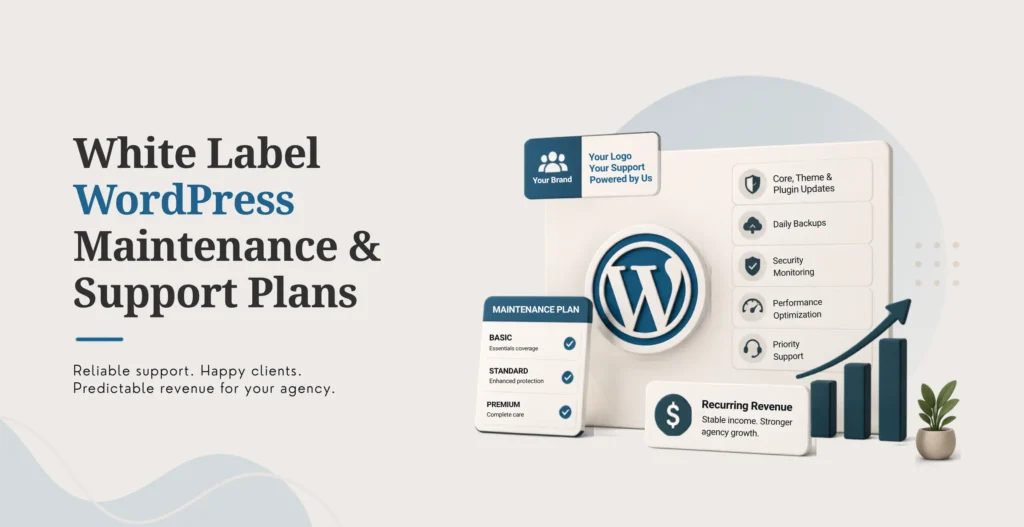
You just wrapped a WordPress build. The invoice cleared, the client’s happy, and now you’re staring at next month’s pipeline hoping something new comes in to replace that revenue. This is the treadmill most WordPress agencies run on, and it’s exhausting in a way that’s easy to normalize until you stop and actually look at it.
Every WordPress site you’ve ever built still needs updates, backups, security monitoring, and someone paying attention when something breaks. That ongoing need is sitting right there in your existing client list, mostly unsold.
White label WordPress maintenance is when an external partner handles recurring WordPress tasks such as updates, backups, security monitoring, and support under your agency’s brand. You sell the plan to your client, keep the margin, and the partner performs the actual work behind the scenes.
A proper maintenance program isn’t just “check for updates once a month.” It runs on a real cadence: daily uptime checks, weekly update cycles, monthly performance reviews, and quarterly security audits, each with its own set of specific tasks. That structure is what separates a maintenance plan clients will actually pay for from a vague promise to “keep an eye on things.”
This article covers what to include in a maintenance plan, how to structure and price tiers, how to transition existing one-off clients into recurring revenue, how a white label partner actually handles the work day to day, and how to choose one you can trust with client sites that are already live.
## What Is White Label WordPress Maintenance?
White label WordPress maintenance is a recurring service where an external partner manages WordPress updates, backups, security monitoring, uptime checks, and support for your clients. You sell the plan under your own brand. The partner performs the technical work behind the scenes.
The distinction from standard maintenance is straightforward. With standard maintenance, your agency performs every task internally, which is fine until you’re managing forty sites and a developer is spending three days a week just applying updates. With white label maintenance, a partner handles the technical execution while you own the client relationship and how the whole thing is presented.
### What stays with your agency
Plan pricing, client communication, plan positioning, upsell decisions, final approval on anything major, and billing and account management all stay firmly on your side of the arrangement.
### What a partner typically handles
Core, theme, and plugin updates. Backup verification and actual testing, not just confirmation an automated job ran. Uptime monitoring. Security scans. Malware removal if it comes to that. Performance checks. Database optimization. Small fixes and content updates. Emergency support. Reporting.
Exactly where that line sits should be written into the agreement rather than assumed. Get it wrong and you either end up paying for capability you don’t need or discovering a gap in coverage the first time something breaks.
## Why Agencies Offer Maintenance Plans
Agencies offer WordPress maintenance plans to build predictable recurring revenue, improve client retention, cut down on emergency work, and protect the quality of sites they’ve already built. A white label partner lets you deliver these plans without routing every routine task through your internal team.
Recurring revenue changes your financial picture in a way project work never does. Monthly income you can forecast is worth more to an agency’s stability than the same total revenue arriving in unpredictable project-sized chunks.
Retention improves naturally when you’re in regular contact. A client on a maintenance plan hears from you every month. That ongoing touchpoint creates far more opportunity for the next redesign, the next feature request, the next referral, than a client you built a site for eighteen months ago and haven’t spoken to since.
Risk drops when updates and backups happen on schedule. Most of the “emergency” WordPress fires agencies deal with are the direct result of updates that piled up for six months, or a backup that turned out not to actually restore when it mattered.
Quality holds up better under ongoing eyes. Regular monitoring catches performance drift, plugin conflicts, and compatibility problems while they’re still small annoyances rather than three months later when they’ve become a client complaint.
Your internal team gets its time back. Routine maintenance tasks are exactly the kind of repeatable work a partner handles well, freeing your own people for strategy, design, and new business instead of applying WordPress core updates every Tuesday.
Upsells get easier, not harder. A client already paying you monthly and seeing regular reports is far more receptive to “here’s what we’d recommend for your next redesign” than a client you’re cold-emailing out of nowhere.
None of this is automatic, worth saying clearly. Partner fees, your own account management time, and support costs all factor into whether a maintenance plan is actually profitable, not just busy.
[Explore KrishaWeb’s white label web development services](https://www.krishaweb.com/white-label-web-development-services/) for the full range of WordPress, WooCommerce, and Webflow delivery your agency can offer under its own brand.
## What to Include in a WordPress Maintenance Plan
A strong WordPress maintenance plan covers updates, backups, security, uptime monitoring, performance checks, and support. The exact task list depends on the tier, but every plan, even the cheapest one you offer, should include core, theme, and plugin updates, verified backups, and basic security monitoring.
### Daily
An uptime monitoring check. Backup verification. A quick review of any security scan alerts that came in overnight. Comment moderation on active sites.
### Weekly
Core, plugin, and theme updates applied in staging first, never directly to production. A front-end test pass after those updates go live. A check of forms and checkout flows to confirm nothing broke. A review of any new user accounts created. A security scan. A look at error logs for anything repeating.
### Monthly
A full backup test, meaning an actual restore to staging, not just a confirmation the backup file exists. A performance review using Core Web Vitals or PageSpeed Insights. Database optimization. A plugin audit to remove anything abandoned or unused. A security hardening review. An SEO health check. A broken link audit.
### Quarterly
A full security audit. A disaster recovery drill, restoring from a cold backup to prove the whole chain actually works end to end. A review of hosting and server configuration. A check of PHP and WordPress version currency. A review of any third-party integrations still in active use.
The point worth repeating from every serious 2026 maintenance checklist: a backup you haven’t tested is not a backup. It’s a file sitting somewhere you’re hoping is intact. The monthly and quarterly restore tests are what actually turn a backup routine into a real safety net.
### Optional add-ons worth offering above the base plan
Content updates. Small development tasks. WooCommerce-specific support. Priority emergency response. Advanced performance optimization. Accessibility reviews. Ongoing SEO monitoring.
## Plan Tiers and Pricing
WordPress maintenance plans typically come in three or four tiers, basic, standard, premium, and e-commerce. Basic covers the essentials. Higher tiers add support hours, priority response, performance work, and more advanced security.
| **Tier** | **Typical tasks** | **Best for** |
|---|---|---|
| Basic | Updates, backups, uptime, security scans | Stable sites that just need to stay live and secure |
| Standard | Basic tasks plus a monthly performance review and small fixes | Active marketing sites with regular content updates |
| Premium | Standard tasks plus priority support, more development hours, advanced security | High-traffic or business-critical sites |
| E-commerce | Premium tasks plus WooCommerce support, checkout monitoring, priority emergency response | Online stores where downtime means lost revenue |
Market pricing on this varies enormously depending on who you look at. Some providers offer basic white label maintenance from around $39 to $99 a month per site. More extensive plans for complex sites can run several hundred to over a thousand dollars a month. That spread reflects genuinely different scopes, not just different margins, so treat any single number you see as a data point rather than a benchmark to anchor against directly.
For context on how KrishaWeb structures broader white label engagements, monthly retainers for development capacity start at $1,299 a month, which can be scoped to include maintenance work alongside active development when it makes sense for the client’s needs. Treat that as a provider-specific starting point, not a universal rate, and confirm current pricing directly before quoting anything to a client.
### Questions worth asking about any maintenance pricing before you commit
Are updates included for every plugin and theme, or only a subset? Are premium plugin licenses billed separately? Are backups tested, or only confirmed as having run? Is emergency support included in the base fee? How are development hours defined and tracked? Do unused hours roll over month to month? Is there a minimum commitment period? Can capacity scale up or down as your client base changes? Are client-ready reports included as standard? What’s the actual response time commitment for something urgent?
## How to Price and Margin Maintenance Plans
Price maintenance plans based on total delivery cost, not the partner fee alone. That means partner fees, your own account management time, support costs, and a reasonable margin for the risk you’re carrying. A sustainable gross margin target for agency maintenance retainers usually sits between 50% and 70% once every cost is honestly counted.
Gross margin = (Client revenue − Total delivery cost) ÷ Client revenue
Total delivery cost should include the partner fee, your internal account management time, support and emergency response capacity, software and tools, payment processing, and a buffer for unused capacity you’re still paying for.
### A worked example
| **Cost component** | **Monthly cost** |
|---|---|
| Partner maintenance fee | $150 |
| Internal account management | $50 |
| Tools and software | $20 |
| Emergency support reserve | $30 |
| Total delivery cost | $250 |
At a 60% target gross margin, client price works out to $625 a month. That’s illustrative math to show how the formula works, not a rate to copy directly into a proposal.
For broader agency context, small client retainers commonly land in the $1,000 to $5,000 monthly range, mid-market retainers in the $5,000 to $15,000 range, and enterprise retainers above $15,000. Maintenance-specific plans usually sit toward the lower end of these bands, since they’re more standardized and predictable than a full-service retainer covering strategy, design, and development together.
### Track utilization, not just revenue
Hours used per client. Emergency incidents. Update-related issues that needed extra attention. Client requests that fall outside the agreed scope. Time spent on reporting and communication. If a client is consistently using only 40% of the support hours they’re paying for, that’s a signal to either downgrade their tier honestly or find legitimate work to fill the allocation, not a windfall to quietly pocket without noticing why it happened.
##### Not sure whether your current maintenance pricing actually covers your real delivery cost?
[Talk to our team](https://www.krishaweb.com/contact-us/) and we’ll help you run the numbers against your actual client mix before you set new tier pricing. Our[ white label pricing guide](https://www.krishaweb.com/blog/white-label-web-development-pricing/) covers the underlying cost drivers in more detail too.
## How to Transition Clients to Recurring Plans
Transition existing clients by explaining the real ongoing risks of an unmanaged WordPress site, offering a clear plan structure, and positioning maintenance as protection rather than an extra line item they didn’t ask for. Start with a pilot period and keep enrollment genuinely simple.
Audit your existing client list first. Identify which clients are running WordPress sites that currently have no ongoing care arrangement at all.
Prepare a one-page summary, not a sales deck. What’s included, why it matters to their specific business, and the monthly cost, in plain language.
Frame the conversation around risk, not features. WordPress sites need regular updates, backups, and security monitoring to avoid downtime, data loss, and security incidents. Most clients have never thought about this until something goes wrong, which is exactly why the conversation lands well when it’s framed honestly.
Offer a pilot period. A three-month trial at a discounted rate is a low-friction way for a hesitant client to say yes without committing to a full annual arrangement upfront.
Make enrollment easy. A simple agreement, clear billing terms, and one point of contact removes the friction that kills a lot of these conversations before they even get to a decision.
Review after 90 days with a real report. Updates applied, backups verified and tested, issues caught before they became problems, and any performance improvements. This is the moment that either confirms the value or exposes that the plan wasn’t actually delivering, and either outcome is useful information.
A few communication habits worth adopting across all of this: skip the technical jargon, focus on business impact rather than task lists, use real examples of issues that were caught and prevented, and be upfront that the plan is optional but strongly recommended, not a mandatory fee dressed up as a choice.
## How a White Label Partner Handles Maintenance
A white label partner handles maintenance by following a documented process for updates, backups, security, and support. The partner works under your brand, sends you regular reports, and escalates any issues through your agency rather than contacting the client directly.
Automated monitoring runs continuously, watching uptime, backup completion, and security alerts without anyone needing to manually check.
Scheduled updates get tested in staging before they ever touch production, every time, no exceptions for “this one’s probably fine.”
Backup verification happens daily as a confirmation, with actual restore tests to staging on a regular cadence to prove the backups genuinely work when needed.
Security scans run regularly, checking for malware, unexpected file changes, and suspicious activity patterns.
Issue resolution kicks in the moment something is detected. The partner investigates and resolves what they can, and escalates to you clearly when something needs your input or the client’s decision.
Reporting arrives monthly, showing what updates were applied, that backups were verified, what issues came up and how they were resolved, and relevant performance metrics.
KrishaWeb’s own white label workflow runs through NDA protection, a dedicated project manager, integration with whatever tools your agency already uses, staging delivery, review, documentation, and a fully branded handover at every step.
### Emergency support worth confirming upfront
Defined response times, not vague promises. After-hours coverage for anything genuinely critical. Clear escalation steps. Communication that flows through your agency, never directly to the client without your knowledge.
### Security follows a layered approach, not a single silver bullet
Official WordPress hardening guidance recommends current software, trusted plugins and themes only, real backups, tight access controls, and active monitoring. A maintenance partner worth using follows these practices as standard and documents anywhere they deviate and why.
## How to Choose a White Label WordPress Maintenance Partner
Choose based on reliability, security practices, communication, reporting quality, and commercial flexibility. Ask to see a sample report. Understand their update and backup process in detail. Confirm ownership terms in writing. And test the relationship with a small pilot before you hand over anything client-critical.
### Score each of these from 1 to 5
WordPress expertise. Update and backup process maturity. Security practices. Uptime monitoring reliability. Emergency support quality. Reporting quality. Communication responsiveness. NDA and client confidentiality protections. Pricing transparency. Scalability. Client references or verifiable proof of work.
### Questions worth asking directly on the sales call
How do you handle core, theme, and plugin updates specifically? Do you test updates in staging before applying them to production? How often are backups actually verified and restore-tested? What security tools are you running? What’s your response time for something urgent? How do you communicate with our agency day to day? What’s included in your monthly report? Can you handle emergency support outside normal business hours? What happens if an update breaks a site? How do you handle client requests that fall outside the agreed plan scope? Can you scale if we bring on more clients? What does your pricing structure actually look like? Is there a minimum commitment? Could a different developer inherit this work cleanly if we ever needed that?
### Run a pilot before you commit fully
A small number of client sites, a three-month trial, clear success criteria agreed in advance, and regular review meetings. Measure update success rate, backup reliability, how well security incidents were handled if any came up, communication quality, how useful the reports actually were, and overall client satisfaction.
##### Additional Read
- [White Label WooCommerce Development: How Agencies Add eCommerce Without eCommerce Developers](https://www.krishaweb.com/blog/white-label-woocommerce-development/)
- [White Label WordPress Development for Agencies: Deliver More Sites Without a Bigger Team](https://www.krishaweb.com/blog/white-label-wordpress-development/)
- [White Label Website Redesign: How Agencies Can Modernize Client Websites](https://www.krishaweb.com/blog/white-label-website-redesign/)
## Common Mistakes and Myths
White label WordPress maintenance doesn’t remove your agency’s responsibility for client expectations and communication. It adds delivery capacity. You still need a clear plan structure, a real review process, and reliable communication. Treating maintenance as fully hands-off is one of the fastest ways to quietly lose the margin you thought you’d secured.
### Mistakes worth avoiding
Choosing a partner on lowest price alone. Never clearly defining what’s included in each plan tier. Not actually testing backups on a regular schedule. Applying updates directly to production without a staging step. Ignoring plugin licenses and who owns them. Not tracking your own internal management time against the plan. Never reviewing whether a client’s actual utilization matches what they’re paying for. Letting the partner communicate directly with the client without agreed boundaries. Neglecting PHP, WordPress core, plugin, and hosting compatibility checks. Treating maintenance as unlimited support by default.
### Four myths worth retiring
“Maintenance is just updates and backups.” It’s also security monitoring, performance checks, compatibility testing, and actual issue resolution when something goes wrong. The updates and backups are the visible baseline, not the whole job.
“Clients won’t pay for maintenance.” Most will, once it’s explained in terms of risk reduction and business continuity rather than as an abstract technical service. Framing matters more than price here.
“A cheap partner is fine because maintenance is simple.” Poor maintenance creates more problems than it solves. A broken update or a backup that fails to restore when it’s actually needed costs far more than whatever you saved going cheap.
“Security is only the hosting provider’s responsibility.” Security is shared across hosting, WordPress core, plugins, themes, user access, backups, and development practices. Official WordPress hardening guidance is explicit about this layered approach, and no single vendor covers the whole surface on their own.
### Frequently Asked Questions
**What is white label WordPress maintenance?**White label WordPress maintenance is when an external partner manages recurring WordPress tasks, updates, backups, security monitoring, and support, for your agency’s clients. You sell the plan under your own brand while the partner performs the technical work behind the scenes.
**How much does white label WordPress maintenance cost?**Cost depends on plan tier, number of websites, complexity, and services included. Basic plans typically start between $39 and $99 per month per website, while more detailed plans for complex websites can run into the hundreds or even thousands of dollars a month.
**What should a WordPress maintenance plan include?**A good plan includes core, theme, and plugin updates, tested backups, uptime monitoring, security scans, performance testing, and support. Higher tiers typically add extra development time, priority support, and more advanced security.
**Is white label WordPress maintenance profitable?**It can be, when you price above the combined cost of partner delivery, account management, support, tools, and risk. Profitability depends on plan pricing, client volume, utilization, and delivery quality, not the model itself.
**Will clients know a white label partner is involved?**Not if the agreement clearly defines confidentiality, client-contact rules, branding, and reporting. Confirm your own client agreements permit this kind of delivery arrangement too.
**How do I transition existing clients to maintenance plans?**Audit your client list, prepare a simple one-page summary, frame the conversation around risk rather than features, offer a pilot period, keep enrollment easy, and review after 90 days with a report showing the value delivered.
**Can a white label partner handle emergency support?**Yes, provided the agreement clearly defines response times, after-hours coverage, escalation procedures, and communication that flows through your agency. Emergency support should be explicitly scoped and priced, not left as an assumption.
**How do I track maintenance plan profitability?**Track partner cost, your internal management time, support incidents, tool costs, and client revenue against each other. Use gross margin (client revenue minus total delivery cost, divided by client revenue) as your ongoing check, not just the invoice total.
### Conclusion
The client list you already have is the fastest path to recurring revenue your agency has available right now, and most of it is sitting there unsold. White label WordPress maintenance turns sites you’ve already built into a monthly relationship, without asking you to hire and manage an internal maintenance team before you know the demand is really there.
The right partner offers more than updates and backups on autopilot. Clear processes, real security practices, reliable communication, and reporting your clients actually find useful, not just a PDF nobody reads.
If you’ve got WordPress clients who need ongoing care and nobody currently providing it, bring a handful of them to a scoping conversation. We’ll look at your current approach, recommend plan tiers that fit, and show you what a white label partnership could realistically add to your monthly revenue.
Tell us what you are trying to deliver. Schedule a call to talk it through, or contact us with your project.
[Schedule Free Call](https://api.leadconnectorhq.com/widget/bookings/book-a-call-with-parth-krishaweb) 
###### Parth Pandya
Founder & CEOFounder & CEO of KrishaWeb, leads an Enterprise Web Agency. With contributions to WordPress and organization of WordCamps, he pioneers innovation and community engagement in the digital realm.
 Interact With Me- [ ](https://twitter.com/imparthpandya)
- [ ](https://www.linkedin.com/in/parthjpandya/)
- [ ](mailto:parth@krishaweb.com)
---
_View the original post at: [https://www.krishaweb.com/blog/white-label-wordpress-maintenance/](https://www.krishaweb.com/blog/white-label-wordpress-maintenance/)_
_Served as markdown by [Third Audience](https://github.com/third-audience) v3.6.1_
_Generated: 2026-08-31 12:46:03 UTC_