---
title: "WordPress AI Lead Capture: How B2B Teams Are Doubling Qualified Lead Ratios"
url: "https://www.krishaweb.com/blog/wordpress-ai-lead-capture-qualified-leads/"
date: "2026-03-16T13:25:04+00:00"
modified: "2026-03-16T13:25:07+00:00"
author:
name: "Girish"
categories:
- "Web Development"
word_count: 3580
reading_time: "18 min read"
summary: "Adding an AI qualification layer to your WordPress contact flow can double the ratio of sales-ready leads without increasing ad spend. The mechanism is simple: AI-powered chat sequences, progressiv..."
description: "Stop letting unqualified form submissions drain your sales team. See how B2B professional services teams use WordPress AI lead capture to double their ratio ..."
keywords: "wordpress ai lead capture, Web Development"
language: "en"
schema_type: "Article"
related_posts:
- title: "Shopify CRO Audit: 8 AI Fixes That Recover Lost Revenue"
url: "https://www.krishaweb.com/blog/shopify-cro-audit-ai/"
- title: "Shopify AI Chatbot Integration: Cut Support Tickets by 30% Without Sacrificing Customer Experience"
url: "https://www.krishaweb.com/blog/shopify-ai-chatbot-integration/"
- title: "Shopify vs WooCommerce in 2026: AI Features, Conversion Tools, and Which Platform Fits Your Store"
url: "https://www.krishaweb.com/blog/shopify-vs-woocommerce/"
---
# WordPress AI Lead Capture: How B2B Teams Are Doubling Qualified Lead Ratios
_Published: Monday,March 16, 2026_
_Author: Girish_
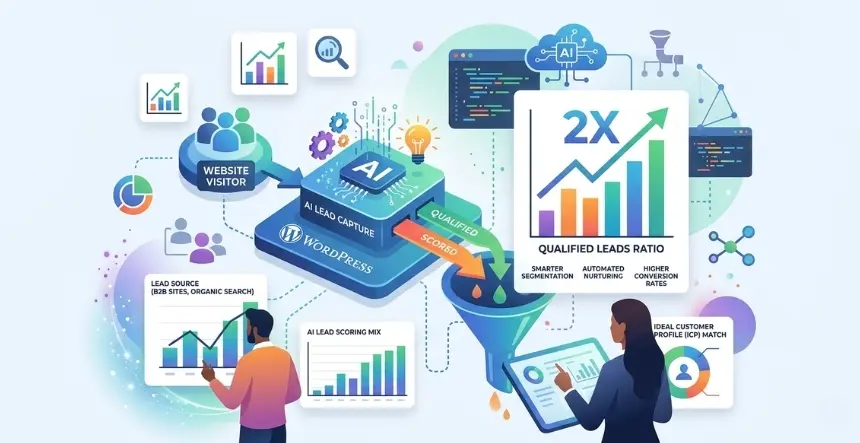
Adding an AI qualification layer to your WordPress contact flow can double the ratio of sales-ready leads without increasing ad spend. The mechanism is simple: AI-powered chat sequences, progressive profiling forms, and automated lead scoring filter out low-fit submissions before they ever reach your CRM. The result is a sales team that spends time on conversations worth having, not on triaging inboxes.
## The Real Problem Is Not Your Traffic
If your WordPress contact forms are generating volume but your sales team keeps pushing back on lead quality, the instinct is usually to blame the ad targeting, the landing page copy, or the lead magnet. Those are worth reviewing. But in most B2B professional services environments, the deeper issue sits right between the form submission and the CRM entry: there is no qualification step.
The data on this problem is damaging. Research from Landbase shows that 75% of marketing leads are not of sufficient quality to be passed directly to a sales team, and only 25% of submitted leads are genuinely sales-ready at the time of contact (**Source:** [Landbase](https://www.landbase.com/blog/lead-qualification-statistics)). Separately, Leads at Scale found that 67% of all lost B2B sales opportunities trace directly back to sales representatives pursuing leads that were never properly qualified in the first place (**Source:** [Leads at Scale](https://leadsatscale.com/insights/how-lead-quality-impacts-roi-in-b2b-sales/)).
The cost is not just a pipeline problem. Sales reps who spend most of their call time on unqualified contacts lose motivation, and bad data has been shown to waste 27.3% of a sales rep’s productive time each week (**Source:** [SalesSo](https://salesso.com/blog/sales-qualified-lead-statistics-2025-key-data-insights/)).
This is the gap that WordPress AI lead capture is built to close. Not more leads. Better ones.
## What “AI Lead Qualification” Actually Means in WordPress
Before getting into tools and stacks, it is worth being precise about what this actually is, because the term gets used loosely.
Lead capture is collecting contact information. Every form plugin does this.
Lead qualification is the process of assessing whether a contact is worth a sales conversation based on criteria that match your ideal customer profile (ICP): company size, industry, budget range, timeline, decision-making authority, and urgency.
AI lead qualification means automating that assessment in real time using conversational flows, behavioural signals, and scoring logic, rather than relying on a human SDR to manually follow up after the fact.
In a WordPress context, this typically means layering three capabilities on top of your existing contact infrastructure.
**Conversational qualification at the point of capture.** Instead of a static five-field contact form, a visitor is engaged by an AI chatbot that asks progressively more detailed questions based on their responses. “What size is your team?” triggers different follow-up logic than “I just need a quick quote.” Only visitors who meet your qualification criteria are routed to book a meeting or to a sales-assigned CTA.
**Automated lead scoring connected to your CRM.** The combination of responses, behavior signals (time spent on the pricing page, pages visited, scroll depth, return visits), and firmographics contributes to a scoring mechanism. Lead scores above your defined threshold are fast-tracked, while those below the threshold are placed into a nurturing sequence instead of a sales queue. Leads above your threshold get fast-tracked. Leads below it go into a nurture sequence rather than the sales queue.
**Intelligent routing based on score.** A “Hot” lead is added directly to the sales calendar. A “Warm” lead receives an automated email sequence. A “Cold” or “Neutral” lead gets a nurture workflow. Your sales team only sees leads that have already passed a defined bar.
According to the Landbase report, Organisations using AI-enhanced Lead Scoring see a 40% improvement in accuracy compared to Manual Qualifying Techniques. Additionally, leads that have been properly scored have a conversion rate of 40%, compared with unqualified prospects at only 11% (**Source:** [Landbase](https://www.landbase.com/blog/lead-qualification-statistics)).
## Why WordPress Is a Strong Platform for This
WordPress powers approximately 43% of all websites globally, and the ecosystem of plugins, CRM integrations, and AI tools that have emerged around it makes it genuinely capable as a lead qualification platform, not just a content management system.
The advantage for B2B professional services teams is that you are not rebuilding from scratch. Most firms already have a WordPress site with Gravity Forms, WPForms, or Contact Form 7 running. Adding an AI qualification layer means augmenting what exists, not replacing it.
**Building this on WordPress has several practical advantages, including but not limited to the following.**
**Artificial intelligence functionality at a plugin-level through AI plugin developers,** such as for Example FormRank or Hubspot’s WordPress Plugin; or AI chatbot systems Like ChatBot.Com; these AI applications require little to no custom programming – therefore, maintaining shorter implementation cycles and budget expenditures remain within reasonable limits.
**Native CRM connectivity.** WordPress integrates natively with HubSpot, Salesforce, Zoho, and Pipedrive through documented plugins. Lead scores, conversation transcripts, and ICP-match indicators can be passed directly into deal records without middleware hacks.
**Behavioral data from the existing site.** AI scoring systems can pull in page visit data, session depth, scroll behaviour, and traffic source information that already exist in your WordPress analytics stack, giving the scoring model rich context beyond what the visitor typed into a form.
## The Speed Problem That AI Solves Automatically
There is a statistic from Harvard Business Review that every VP of Marketing in B2B should have committed to memory: companies are 7 times more likely to qualify a lead when they respond within the first hour of contact, and over 60 times more likely to qualify that lead compared to companies that wait 24 hours or more (**Source:** [Landbase](https://www.landbase.com/blog/lead-qualification-statistics)).
The average B2B company responds to a new lead in 42 hours (**Source:** [Whitehat SEO](https://whitehat-seo.co.uk/blog/building-a-lead-generating-chatbot)).
That gap, between what the data says you need to do and what most companies actually do, is where AI-powered WordPress lead capture earns its budget justification. An AI chatbot or qualification flow engages a visitor in real time, at the exact moment of intent, 24 hours a day and 7 days a week. It does not go to lunch. It does not have a backlog. It responds within seconds, which meets the sub-5-minute threshold that research shows produces a 7-fold improvement in conversion odds.
Gartner’s 2025 research found that AI-powered chatbots now resolve 75% of inquiries without human intervention, compared to roughly 40% with previous rule-based systems (**Source:** [Whitehat SEO](https://whitehat-seo.co.uk/blog/building-a-lead-generating-chatbot)). For a B2B services firm, that means 75% of inbound contacts can be assessed, qualified, and routed without a human ever needing to pick up the phone first.
## The WordPress AI Lead Qualification Stack
Building this in WordPress does not require an enterprise budget or a six-month implementation. The following stack covers the full qualification loop, from capture through scoring through routing.
| **Layer** | **What It Does** | **Tools to Consider** | **Approximate Cost** |
|---|---|---|---|
| Conversational capture | Engages visitors with branching questions, qualifies before the CRM ever sees the submission | ChatBot.com, Tidio AI, HubSpot Chat, Intercom | $50 to $500 per month based on volume |
| Lead scoring | Scores every submission 1 to 100 based on ICP fit, intent, and behavioral signals | FormRank, HubSpot lead scoring, MadKudu | $0 to $149 per year (FormRank Pro) or included in HubSpot plans |
| CRM routing | Sends hot, warm, and cold leads to the right workflow automatically | HubSpot WordPress Plugin, WP Fusion, Gravity Forms, plus Zapier | $0 to $45 per month at starter tiers |
| Consent management | Captures GDPR and CCPA consent before any personal data is processed | Complianz, CookieYes, Usercentrics | $8 to $30 per month |
| Analytics and iteration | Tracks chatbot completion rates, form conversion, and MQL-to-SQL by traffic source | MonsterInsights plus GA4, HubSpot analytics | Free with GA4, up to $99 per year for MonsterInsights |
### Layer 1: Conversational Capture
The first change most teams need to make is the most impactful: replacing or supplementing the static “Name / Email / Message” form with a multi-step conversational flow that qualifies as it captures.
The qualification logic should mirror your BANT criteria (budget, authority, need, timeline) but framed as a natural conversation, not an interrogation. A B2B services firm might open with: “What brings you to our site today?” and branch based on whether the visitor is exploring, ready to scope a project, or evaluating vendors for an active requirement.
ChatBot.com lets you build these flows visually without writing code and integrates with WordPress via a certified plugin. HubSpot’s free WordPress plugin includes both chatflows and AI-assisted qualification. For firms that want WordPress-native control, Tidio AI offers a conversational chat builder that lives entirely in the WordPress admin.
The performance case is well-established. Research from Dashly found that businesses using AI chatbots achieve 3 times higher sales conversion than those relying solely on website forms, and that a generative AI layer at the qualification step produced 2.5 times higher sales conversion in documented implementations (**Source**: [Dashly](https://www.dashly.io/blog/chatbot-statistics/)).
### Layer 2: Lead Scoring
Conversational capture collects data. Lead scoring turns that data into a prioritization decision.
FormRank, launched in early 2026, is a WordPress-native lead scoring plugin that scores form submissions from 1 to 100 based on intent, ICP fit, and engagement signals. It integrates directly with WPForms, Gravity Forms, Contact Form 7, Fluent Forms, and Formidable Forms and categorizes every lead as Hot, Warm, Neutral, Cool, or Cold. The Pro plan is $149 per year, which is a fraction of enterprise tools like MadKudu or Clearbit (**Source**: [FormRank press release](https://www.openpr.com/news/4401687/formrank-lead-scoring-brings-ai-powered-lead-qualification)).
For teams already using HubSpot, the WordPress plugin pulls form submissions directly into the CRM and assigns scores based on contact properties, page views, email engagement, and deal stage signals. No separate scoring tool is needed.
The business impact of adding a scoring layer is measurable. According to Salespanel, organizations that implement B2B lead scoring experience a 77% lift in lead generation ROI compared to organizations without scoring in place (**Source:** [Salespanel](https://salespanel.io/blog/marketing/lead-scoring/)). The lift comes not from generating more leads but from eliminating the time sales spend on contacts that were never going to close.
### Layer 3: CRM Routing and Workflow Automation
Lead scoring only creates value if the score triggers a meaningful action. This is where routing logic matters.
A practical three-tier routing model for most B2B professional services WordPress sites works as follows.
| **Lead Score** | **Category** | **Automated Action** |
|---|---|---|
| 75 to 100 | Hot | Instant Slack/email alert to assigned sales rep, calendar booking link sent automatically, deal created in CRM |
| 45 to 74 | Warm | Personalized email nurture sequence triggered, rep notified for follow-up within 24 hours |
| 20 to 44 | Neutral | Enrolled in educational email sequence, no sales action for 14 days |
| Below 20 | Cold or Poor Fit | Tagged in CRM, excluded from sales outreach, monitored for re-engagement signals |
WP Fusion is the most capable WordPress plugin for wiring form submissions to CRM records and firing conditional workflows off score thresholds. It supports HubSpot, Salesforce, Zoho, ActiveCampaign, and Pipedrive, and for most routing use cases, you will not need Zapier at all.
### Layer 4: GDPR and CCPA Compliance
This layer goes in before the rest of the stack goes live. Not after. Before.
AI-powered qualification collects personal data, runs it through automated systems to make routing decisions, and often transfers it to third-party CRM and scoring platforms. Under GDPR for EU visitors and CCPA or CPRA for California residents, this triggers specific legal obligations that cannot be treated as an afterthought.
The three most common compliance failures in AI-powered chat and form systems, based on a 2025 audit study by Technova Partners, are: absence of explicit informed consent before data processing begins (found in 47% of audited systems), indefinite storage of conversation transcripts without a defined retention policy (found in 39% of cases), and no mechanism for users to exercise deletion or portability rights (found in 31% of cases) (**Source:** [Technova Partners](https://www.technovapartners.com/en/insights/security-gdpr-enterprise-ai-agents)).
For WordPress, the practical compliance requirements are summarised in the following checklist.
**Consent before data collection.** An unchecked consent checkbox must appear before the chat or form begins collecting personal data. Pre-checked boxes are explicitly non-compliant under GDPR. The consent record must be timestamped and stored, including what the user was told and what they agreed to (**Source:** [GDPR Local](https://gdprlocal.com/chatbot-gdpr-compliance/)).
**Transparency about automated screening.** If your AI qualification flow can result in a lead being declined or routed to a low-priority queue rather than a human, that constitutes automated decision-making under GDPR Article 22. You are required to disclose this. A simple sentence in your privacy policy and a visible disclosure in the chat window suffice: “Your responses will be used to determine the best way for our team to follow up with you.”
**Collect only what you actually need.** If your BANT logic does not require a phone number or a street address at the qualification stage, do not ask for them. Regulators specifically look at over-collection as evidence of weak privacy-by-design principles (**Source:** [Quickchat AI](https://quickchat.ai/post/gdpr-compliant-chatbot-guide)).
**Retention periods are specified.** Chat transcripts used for lead qualification must have a defined record retention period, generally 90 days for active qualification information. If you would like to retain those chat transcripts long-term, you must either obtain renewed consent or ensure you have a documented legitimate interest basis to keep them (**Source:** [Onlim](https://onlim.com/en/ai-data-protection-for-chatbots/)).
**CCPA-specific requirements.** For California residents, you must include a “Do Not Sell or Share My Personal Information” option on your site if any lead data is shared with third-party platforms for their commercial benefit. This applies to CRM data sharing and retargeting audiences. CPRA penalties reach $7,988 per intentional violation (**Source:** [Secure Privacy](https://secureprivacy.ai/blog/ccpa-privacy-policy-requirements-2025)).
For WordPress specifically, Complianz and CookieYes are the two most capable consent management plugins, and both support geolocation-based consent rules, meaning EU visitors get GDPR-compliant opt-in flows automatically while California visitors get CCPA-aligned disclosures.
## What the Numbers Look Like After Implementation
Here is a realistic model for a B2B professional services firm running a mid-traffic WordPress site with 3,000 monthly unique visitors.
| **Metric** | **Before AI Qualification** | **After AI Qualification** | **Change** |
|---|---|---|---|
| Monthly form submissions | 90 | 85 | -6% (friction removes low-intent submissions) |
| Submissions that reach sales | 90 (all of them) | 28 (top scoring 33%) | -68% volume to sales |
| Submissions that convert to MQL | 22 (25% of 90) | 24 (85% of 28) | +9% in absolute terms |
| Sales hours spent per MQL | 3.2 hours | 0.9 hours | -72% |
| Cost per MQL | High due to SDR triage time | Significantly reduced | Depends on SDR cost |
The headline change is not a dramatic increase in MQL volume. It is a dramatic decrease in the volume of non-MQLs reaching sales, combined with a meaningful improvement in the ratio of genuinely qualified submissions. Sales capacity freed from triage can be redirected toward working the 28 hot and warm leads rather than sorting through 90 mixed-quality submissions.
For teams running paid search or LinkedIn campaigns alongside inbound, the compounding effect is stronger. The same spend, against the same landing pages, now produces a higher proportion of closeable pipeline, which directly improves the cost per opportunity metric that justifies the next quarter’s budget.
Research from Landbase confirms the directional math: when leads undergo a thorough qualification process before reaching sales, conversion rates reach 40% compared to just 11% for unqualified prospects, a nearly 4-fold performance difference (**Source:** [Landbase](https://www.landbase.com/blog/lead-qualification-statistics)).
##### Additional Read
- [How to Hire a WordPress Developer: Agency vs Freelancer](https://www.krishaweb.com/blog/hire-wordpress-developer-agency/)
- [WordPress vs Webflow vs Custom Build: Which Converts Better in 2026?](https://www.krishaweb.com/blog/wordpress-vs-webflow-vs-custom-build/)
- [Enterprise WordPress Optimization: Scale Performance, Security & CRO in 2026](https://www.krishaweb.com/blog/enterprise-wordpress-optimization/)
## A 5-Step Implementation Path for WordPress
This is intended as a practical sequencing guide, not a detailed technical tutorial. The steps assume you already have a functioning WordPress site with a contact form in place.
#### Step 1: Define your qualification criteria before touching any tool.
Write out the five to seven questions whose answers would tell a sales rep whether a lead is worth a call. These become the logic for your conversational flow. Common criteria for B2B professional services include: company size, industry vertical, current pain or project trigger, decision timeline, and whether they are the primary decision maker.
#### Step 2: Audit your current form for friction and intent mismatch.
Review the last 90 days of form submissions. What percentage of them would a senior sales rep consider call-worthy? If it is below 40%, your current form is capturing interest without qualifying it. This gives you your baseline for measuring improvement.
#### Step 3: Install a consent management plugin first, before anything else.
Confirm that Complianz or CookieYes is installed, working, and configured for the right jurisdictions where your business operates, particularly before any AI tool you use affects Visitors’ Personal Data. It is more difficult for you to comply retroactively than to get it right the first time.
#### Step 4: Deploy the conversational flow.
Build it around the criteria from Step 1 using ChatBot.com, HubSpot Chat, or Tidio AI. High-scoring paths lead to a calendar booking. Lower-scoring paths lead to a resource download or a softer CTA. Connect the output to your CRM.
#### Step 5: Activate lead scoring and set your routing thresholds.
Use FormRank or your CRM’s native scoring engine. Set up the three-tier routing from the table above. Then watch the MQL-to-SQL rate weekly for the first 60 days and adjust thresholds based on what sales tells you about the leads they are actually receiving.
### Key Takeaways
- 75% of marketing leads are not sales-ready at submission time. Sending all form contacts to sales is a failure in the qualification architecture, not a lead volume problem.
- AI qualification on WordPress engages visitors in real time, at the moment of intent, and eliminates the 42-hour average response gap that costs B2B companies a significant share of closeable pipeline.
- Companies using AI lead scoring see 77% higher lead gen ROI. Qualified leads close at 40%, compared with 11% for unqualified contacts.
- The five-layer WordPress qualification stack (conversational capture, lead scoring, CRM routing, compliance management, analytics) can be built with existing WordPress plugins and does not require custom development.
- GDPR and CCPA compliance must go live before the rest of the stack. Consent before data collection, disclosure of automated screening, data minimization, and defined retention periods are non-negotiable.
### Conclusion: How KrishaWeb Builds AI Lead Qualification Into WordPress
High form volume with low lead quality is a qualification architecture problem, not a traffic problem. Adding an AI layer to your WordPress contact flow, the kind built on a solid WordPress development foundation and powered by the right AI solutions, is what moves the needle from submissions to a sales-ready pipeline.
KrishaWeb helps B2B teams design and implement exactly this: conversion-focused[ **WordPress websites**](https://www.krishaweb.com/wordpress-development/) with AI-driven lead qualification, CRM routing, and GDPR-compliant consent flows built in from day one. If your sales team is still sorting through unqualified contacts, that changes with the right[ **AI-powered lead generation setup**](https://www.krishaweb.com/ai-solutions/).
**Ready to see what your current qualification gap is costing you?**
[**Request Your Free AI Website and CRO Audit from KrishaWeb**](https://www.krishaweb.com/contact-us/)
You will receive a detailed report within 5 business days that covers your current lead-capture flow, qualification gaps, and a prioritised action plan tailored to your funnel.
## Frequently Asked Questions
**What is WordPress AI lead capture?**WordPress AI lead capture is the practice of using AI-powered tools, including conversational chatbots, smart forms, and automated lead-scoring plugins, to engage visitors at the point of contact, assess their fit with your ideal customer profile, and route only qualified prospects to your sales team. It goes beyond traditional form capture by adding a qualification layer before submissions reach the CRM.
**How is AI lead qualification different from a standard WordPress contact form?**A standard contact form collects whatever information the visitor chooses to submit and sends it all to sales with no assessment. AI lead qualification uses conversational flows and scoring logic to evaluate each submission against defined criteria (company size, budget, timeline, decision-making authority) in real time and routes leads accordingly. The result is that sales receives a much smaller, much higher-quality list.
**Which WordPress plugins support AI lead qualification?**The most widely used tools include ChatBot.com (conversational flows), HubSpot’s free WordPress plugin (chat, scoring, and CRM in one), Tidio AI (chatbot with lead qualification logic), and FormRank (WordPress-native AI lead scoring that integrates with Gravity Forms, WPForms, Contact Form 7, and Fluent Forms). For CRM routing, WP Fusion is the most flexible connector.
**How much does it cost to add AI lead qualification to a WordPress site?**A functional qualification stack can be built for $0 to $200 per month at small-to-mid scale, using HubSpot’s free CRM plugin, FormRank’s Pro tier at $149 per year, and a basic consent management plugin at $8 to $15 per month. Enterprise-level scoring tools like MadKudu or Clearbit run several thousand dollars per month but are generally not necessary for professional services SMBs.
**Does AI lead qualification require GDPR or CCPA compliance steps?**Yes. An AI qualification involves automated processing of personal data and, in many cases, automated routing decisions. Under GDPR, this requires explicit opt-in consent before data collection, a disclosure that automated screening is in use, and defined data retention policies. Under CCPA, you must provide a “Do Not Sell or Share” option if lead data is shared with third-party platforms. Both sets of requirements apply regardless of where your company is headquartered, whether you have EU or California visitors.
**How long before we see results?**Most implementations show measurable shifts in lead quality metrics within 30 to 60 days. The qualification logic itself will need tuning during the first 60 to 90 days based on chatbot drop-off data and sales feedback. Scoring thresholds typically stabilize within one quarter.
**What metrics should I track to measure success?**Track MQL-to-SQL conversion rate (the percentage of marketing-qualified leads that sales accepts), sales hours spent per qualified lead, cost per opportunity (not cost per lead), and chatbot completion rate (the percentage of visitors who complete the full qualification flow). Do not measure total form submissions as a primary success metric, because volume to sales will deliberately decrease when qualification is working correctly.
**What happens to leads that fail the AI qualification threshold?**Leads that score below your defined threshold should not be discarded. Route them into an automated email nurture sequence that provides educational content, stays in contact at low frequency, and monitors for re-engagement signals (email opens, site return visits, pricing page views). A lead that is not sales-ready today may be a strong prospect in 60 to 90 days after internal budget cycles change or their need becomes more acute.
***Disclosure:*** *All statistics cited in this article are sourced from third-party research published between 2024 and 2026. Illustrative models are for planning purposes only. Individual results depend on ICP definition quality, traffic volume, implementation quality, and post-launch optimization effort.*

###### Girish Panchal
Technical ArchitectA Technical Architect, proficient in WordPress, Drupal, Laravel, and DevOps tasks, crafts robust IT solutions with a blend of expertise and versatility in web development and infrastructure management.
 Interact With Me-
-
- [ ](mailto:)
---
_View the original post at: [https://www.krishaweb.com/blog/wordpress-ai-lead-capture-qualified-leads/](https://www.krishaweb.com/blog/wordpress-ai-lead-capture-qualified-leads/)_
_Served as markdown by [Third Audience](https://github.com/third-audience) v3.5.3_
_Generated: 2026-03-16 13:25:07 UTC_