---
title: "Switching to Webflow From WordPress in 2026: A Full Migration Guide"
url: "https://www.krishaweb.com/blog/wordpress-to-webflow-migration/"
date: "2026-05-22T13:01:34+00:00"
modified: "2026-05-22T13:50:46+00:00"
author:
name: "Nisarg"
categories:
- "Web Development"
word_count: 3138
reading_time: "16 min read"
summary: "Most founders and technical leads reach the same decision point with WordPress. Plugin maintenance is eating developer time. Page speed is hurting rankings or conversion rate. The design team canno..."
description: "Everything you need to switch from WordPress to Webflow in 2026. Step-by-step migration process, SEO protection, honest cost estimates, and what Webflow cann..."
keywords: "WordPress to Webflow migration, Web Development"
language: "en"
schema_type: "Article"
related_posts:
- title: "WordPress 7.0 Armstrong Features: AI Client, Command Palette, and More"
url: "https://www.krishaweb.com/blog/wordpress-7-armstrong-features-krishaweb-contributors/"
- title: "White Label Shopify Development: Scale Your Agency’s eCommerce Work"
url: "https://www.krishaweb.com/blog/white-label-shopify-development-agency/"
- title: "White Label WordPress Development: The Agency Partner Checklist"
url: "https://www.krishaweb.com/blog/white-label-wordpress-development-agency/"
---
# Switching to Webflow From WordPress in 2026: A Full Migration Guide
_Published: Friday,May 22, 2026_
_Author: Nisarg_
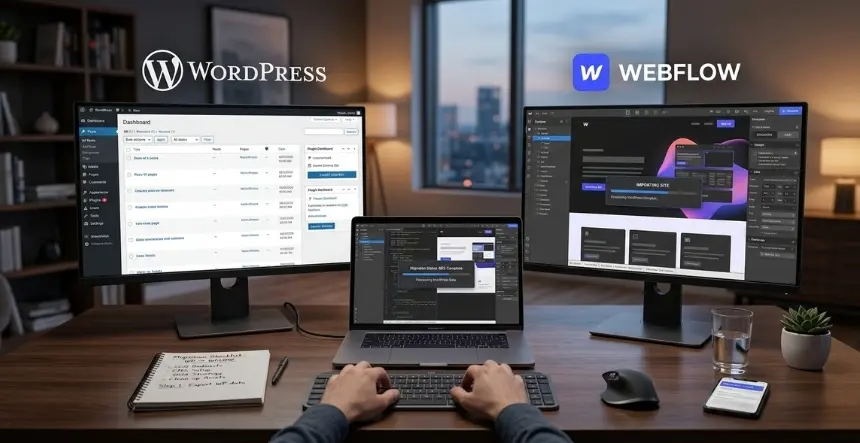
Most founders and technical leads reach the same decision point with WordPress. Plugin maintenance is eating developer time. Page speed is hurting rankings or conversion rate. The design team cannot publish a page without putting it in the engineering queue. Or the site has years of accumulated technical debt that costs more to maintain than to replace. Webflow solves all four.
The migration, done correctly, does not hurt your SEO. Most sites see stable or improved rankings within two to three months because Webflow’s clean code, faster load times, and native technical SEO controls give Google a better foundation to work with. This guide covers how to decide whether the switch makes sense for your situation, what the migration process involves step by step, how to protect your SEO throughout, and what the whole thing realistically costs and takes.
## Is This the Right Move for Your Business?
Before planning a migration, it is worth being honest about what Webflow is good at and where WordPress still makes more sense. Plenty of migration guides skip this part. They should not.
### When Webflow is the right choice in 2026
- A B2B SaaS or professional services marketing site where design quality, page speed, and conversion rate matter and content publishing is moderate
- A startup or growth-stage company where the marketing team needs to ship pages and landing pages without waiting on developer queues
- An agency building client sites that need clean handoff, client-editable CMS, and fast load times without plugin management overhead
- Any team where WordPress maintenance, including updates, security patches, plugin conflicts, and hosting management, is consuming time that should go toward growth
### When WordPress is still the right platform
- A high-volume content operation publishing hundreds of posts per month that needs the depth of the plugin ecosystem for editorial workflow
- A site with complex WooCommerce functionality that Webflow’s eCommerce cannot replicate
- A team with deep WordPress expertise where the platform is working without significant friction
- A codebase tightly coupled to WordPress through custom plugins that would require meaningful rebuild investment to move
The realistic failure mode of a Webflow migration is not SEO loss or platform limitation. It is migrating because the platform sounds appealing without a clear reason why WordPress is failing. If WordPress is working for your situation, switching costs real time and money, and the gains may not justify it. If WordPress is genuinely the constraint, the switch pays for itself relatively quickly.
## What You Actually Get on Webflow That WordPress Requires Plugins For
The most underrated benefit of Webflow is not design flexibility or speed. It is operational simplicity. A typical WordPress site runs 20 to 40 plugins to cover features that Webflow includes natively: caching, image optimization, SEO meta fields, sitemap generation, form handling, SSL, security patches, CDN, redirects, and backups. Every plugin is a dependency. Every dependency is a potential failure point. Plugin conflicts cause broken layouts, white screens, and checkout failures on live sites, often after an automatic update runs overnight.
Webflow eliminates that surface area. Hosting runs on Amazon CloudFront’s global CDN with automatic Brotli compression and HTTP/2 delivery. SSL is automatic. Security patches apply at the platform level without you managing them. The CMS, redirects, form handling, sitemap generation, and SEO meta controls are all native. You are not configuring seven tools to make one thing work. ***(Source:*** [*BRIX Templates*](https://brixtemplates.com/blog/does-migrating-to-webflow-hurt-seo)*, Does Migrating to Webflow Hurt SEO, December 2025)*
That operational simplicity is worth quantifying before migration. How many developer hours per month go to WordPress maintenance? At $100 to $150 per hour, even three to four hours per month on plugin updates, security monitoring, and conflict resolution adds $3,600 to $7,200 per year in pure maintenance cost that disappears on Webflow.
The design layer matters too, though it matters more to marketing teams than technical decision-makers. Webflow’s visual editor lets designers and marketers make page changes, build landing pages, and edit CMS content without touching code. On WordPress with a page builder like Elementor or Divi, the same capability exists but comes with its own bloat and conflict risk. On Webflow, the editor is the platform. There is no plugin to update.
## The SEO Question: Will Rankings Drop?
This is the question that stops most founders from pulling the trigger on a migration they otherwise know makes sense. The short answer is no, if the migration is done correctly. Most sites see stable or improved rankings within two to three months because Webflow’s clean code and speed give Google a better technical foundation than a plugin-heavy WordPress site provides.
Your SEO authority is stored in your domain, your backlinks, your URLs, and your content. Not in WordPress. Google does not know or care what CMS your site runs on. What it evaluates are the signals attached to your domain and your pages: technical performance, structured data, content quality, and the link equity built up over time at specific URLs.
The risk in migration is not switching platforms. It is changing URLs without proper redirects, losing metadata, or degrading page speed by migrating to a slow Webflow implementation. All three are avoidable with a proper migration plan.
The mechanism that protects SEO during a migration is the 301 redirect. When a page moves from one URL to another, a 301 tells Google the page has permanently moved and that all ranking signals transfer to the new location. Modern SEO consensus is that correctly implemented 301 redirects pass virtually 100% of link equity. If your WordPress post lives at /blog/seo-tips and your Webflow version lives at the same path, no redirect is needed. Identical URL structure means zero SEO risk at the URL level. ***(Source:*** [*BRIX Templates*](https://brixtemplates.com/blog/does-migrating-to-webflow-hurt-seo)*, Does Migrating to Webflow Hurt SEO, December 2025)*
*Before the migration starts, export your full URL list and identify two groups: pages with external backlinks and pages with meaningful organic traffic. Those are the URLs that need either an exact match in Webflow or a precisely mapped 301 redirect. Everything else can be handled in batches. Getting this list confirmed before the build begins means you are protecting the right pages from day one, not discovering gaps after launch.*
## The Step-by-Step Migration Process
Most WordPress to Webflow migrations for a mid-size B2B marketing site take three to five weeks end-to-end when planned well. Enterprise sites with 200 or more pages and complex content structures take longer. The process below reflects what a typical migration looks like across five stages.
### Stage 1: Pre-Migration Audit (Week 1)
Before moving a single piece of content, you need a complete picture of what you have and what needs to be protected.
Export your current Google Search Console data: clicks, impressions, average position, and the specific queries driving traffic to your highest-value pages. Screenshot or export your current Core Web Vitals scores from PageSpeed Insights. Record your current traffic volume by page from GA4. This baseline documentation is your comparison point post-migration. Without it, you cannot tell whether the migration went well or created problems.
Crawl your entire WordPress site using Screaming Frog or Ahrefs Site Audit to generate a complete URL inventory. Export every URL with its current meta title, meta description, H1, canonical tag, and inbound link count. This export becomes your migration checklist and your redirect map if URLs change.
Identify your highest-priority pages: the ones generating the most organic traffic or carrying the most external backlinks. These get individual attention during migration. Everything else gets batch treatment.
### Stage 2: Webflow Build (Weeks 1 to 3)
The actual Webflow build runs in parallel with some of the audit work. Two approaches exist here. A pixel-perfect migration rebuilds your existing design exactly in Webflow. A redesign-plus-migration uses the switch as an opportunity to improve design, navigation, and conversion architecture at the same time.
The redesign approach costs more and takes longer. Most teams that take it say it was worth doing. If your WordPress site has accumulated years of design debt alongside the technical debt, migrating a broken experience to a faster platform does not fix the experience. It makes it faster. The migration is the natural moment to fix both problems at once.
Whichever approach you take, the Webflow build starts with global styles: typography, color system, spacing, and reusable component classes before touching any individual page. This front-loads the structural decisions that determine whether the CMS is clean and maintainable or a mess of one-off styles the next designer cannot work with.
CMS structure comes next. Map your WordPress custom post types and taxonomies to Webflow CMS collections. Blog posts, case studies, team members, and service offerings each get a collection with the fields they need. Content can be batch-imported via CSV export from WordPress and Webflow’s importer or migrated manually for smaller sites where content cleanup is needed anyway.
These are where design time is concentrated and where CRO improvements get implemented.
### Stage 3: SEO Migration (Weeks 2 to 3, Parallel)
SEO work runs alongside the build, not after it.
Transfer every meta title and meta description from your WordPress URL inventory to the corresponding Webflow page. Webflow has native SEO fields on every page and every CMS collection item without a plugin. If you are using schema markup on your WordPress site, including organization, article, FAQ, or product schemas, rebuild it in Webflow using the custom code embed blocks. Webflow’s clean semantic HTML handles basic schema well. A complex schema requires the embed approach.
Build your redirect map during this stage. For any URL that is changing, create a 301 redirect entry. In Webflow, redirects are managed natively in the site settings under the Publishing tab. No plugin, no .htaccess editing.
The redirect map document should list every old URL, its new destination, and the HTTP status code. This document gets QA’d before launch.
### Stage 4: Pre-Launch QA (Weeks 3 to 4)
Launch nothing until the QA checklist is complete.
Test every redirect in the redirect map. A redirect that returns a 404 does not pass link equity. A redirect chain from old URL to intermediate URL to final URL loses equity at each hop. Test each redirect directly in a browser with the network tab open to confirm the status code.
Run PageSpeed Insights on your five most important pages in both mobile and desktop modes. Compare to your WordPress baseline. If Webflow scores are not meaningfully better, find the cause before launch. It is almost always large images that were not optimized during the build or a third-party script loading synchronously.
Test every form on the site. If you are integrating with HubSpot, Salesforce, or another CRM, submit test entries and confirm they arrive in the CRM with UTM parameters intact in the hidden fields.
Mobile test. Not in the Webflow designer’s preview mode. On an actual phone, on a 4G connection. The Webflow designer shows an idealized mobile view. A real mobile on a real network shows what your visitors see.
Cross-browser test the key pages: Chrome, Safari, Firefox, and Edge. Check every internal link on the site. Links still pointing to WordPress URLs that now redirect to their final Webflow destinations is cleaner and faster.
### Stage 5: Launch and Post-Launch Monitoring (Week 4 and Beyond)
On launch day, point your domain DNS to Webflow in the site settings. Webflow provides the exact DNS records needed. Propagation typically takes a few hours.
Submit your new XML sitemap to Google Search Console immediately after launch. Webflow generates the sitemap automatically at yoursite.com/sitemap.xml. Request indexing for your highest-priority pages through Search Console’s URL Inspection tool.
Monitor daily for the first two weeks. Watch for crawl errors, redirect is missing or broken. Track organic traffic by page in GA4 against your pre-migration baseline. Monitor Core Web Vitals in Search Console and keyword positions in your rank tracker.
The normal pattern after a well-executed migration: flux in weeks one and two as Google recrawls and reindexes, stabilization by weeks three and four, and improvement relative to the baseline by months two and three as faster load times and cleaner technical signals compound into higher rankings. ***(Source:*** [*Sanjeewa.works*](https://www.sanjeewa.works/blog/wordpress-to-webflow-migration-guide)*, WordPress to Webflow Migration Guide 2026, March 2026)*
*Do not decommission your WordPress site immediately after launch. Keep it live on a staging URL for at least 30 days as a fallback if something needs to be fixed quickly.*
## What the Migration Costs
Here are honest ranges based on what these projects actually cost in 2026.
- Simple marketing site migration — under 20 pages, existing design preserved, no redesign: $5,000 to $12,000. Timeline: two to three weeks.
- Mid-size B2B SaaS site migration with moderate redesign—20 to 60 pages, CMS restructuring, CRO improvements, CRM integration: $12,000 to $30,000. Timeline: four to six weeks.
- Enterprise site migration — 60-plus pages, large blog archives, complex CMS structure, full redesign, advanced integrations: $30,000 and above. Timeline: eight to twelve weeks.
The ongoing cost after migration: Webflow site plans run $39 to $239 per month depending on tier. There are no hosting fees, no security plugin fees, and no caching plugin fees. Compare that to WordPress, where hosting, security, and performance tools add $200 to $600 per month for any site with meaningful traffic — before developer time for maintenance.
Most B2B teams that do this calculation find that the migration pays for itself in 18 to 24 months through reduced maintenance costs alone, before accounting for the conversion rate and SEO improvements that come with faster page speed and cleaner architecture.
## What Webflow Cannot Do That WordPress Can
This guide would be incomplete without the honest list.
### Complex eCommerce
Webflow’s eCommerce handles straightforward product catalogs but does not match WooCommerce for complex operations: subscription management, advanced pricing rules, wholesale tiering, and the third-party plugin ecosystem that exists in WordPress. If your business runs on WooCommerce with significant customization, the migration cost and complexity rise substantially. Shopify may be a better destination than Webflow for the eCommerce layer.
### Plugin ecosystem depth
Webflow’s app marketplace is smaller than WordPress’s plugin ecosystem. Most core functionality is available through tools like Memberstack for memberships, Finsweet for advanced filtering, and Jetboost for search. Niche-specific plugins for LMS, real estate, or complex booking systems may not have direct Webflow equivalents.
### Open-source control
Webflow is a closed-source platform. If Webflow changes its pricing, discontinues a feature, or has platform issues, you have less recourse than you do with WordPress, where you can host anywhere and control the codebase. For most business websites, this is an acceptable trade-off. For organizations with open-source or data sovereignty requirements, it may not be.
##### Additional Read
- [WordPress 7.0 Armstrong Features: AI Client, Command Palette, and More](https://www.krishaweb.com/blog/wordpress-7-armstrong-features-krishaweb-contributors/)
- [How WordPress 7.0 Is Building the Foundation for AI-Powered Sites](https://www.krishaweb.com/blog/wordpress-7-0-ai-foundation/)
- [AI-Powered CRO: 7 Webflow Tests That Move Revenue Fast](https://www.krishaweb.com/blog/webflow-ab-testing-ai-cro/)
### Key Takeaways
- Webflow is the right migration target for B2B SaaS and professional services sites where design quality, page speed, and low maintenance overhead matter, and content volume is moderate
- SEO does not suffer from switching platforms when the migration is done correctly. Authority lives in your domain, URLs, and backlinks, not in WordPress
- The migration runs in five stages: pre-migration SEO audit, Webflow build, parallel SEO migration, pre-launch QA, and post-launch monitoring
- Migration costs range from $5,000 for a simple small-site migration to $30,000 or more for an enterprise rebuild
- Ongoing Webflow platform costs typically run $300 to $500 per month, replacing a WordPress infrastructure that costs $200 to $600 per month in hosting and tools before developer maintenance time
- The single most important step in the entire process is the redirect map. Every URL with meaningful backlinks or organic traffic that changes during migration must have a 301 redirect to its new location
### Frequently Asked Questions
**Will switching to Webflow hurt my Google rankings?**Not if the migration is executed correctly. Your SEO authority lives in your domain, your backlinks, and your URLs, not in WordPress. A properly implemented 301 redirect passes link equity from old URLs to new ones. Metadata transferred to Webflow’s built-in SEO fields maintains the same on-page signals as before. Most well-executed migrations produce stable or improved rankings within two to three months, because faster load times and cleaner code give Google better technical signals than a plugin-heavy WordPress site was providing.
**How long does a WordPress to Webflow migration take?**Three to five weeks for a mid-size B2B marketing site of 20 to 60 pages. Simple sites under 20 pages can be done in two to three weeks. Enterprise sites with large content archives, complex CMS structures, or full redesigns take eight to twelve weeks. The timeline is driven by content volume, redesign scope, and integration complexity, not by the platform switch itself.
**Do I need a developer to migrate from WordPress to Webflow?**For any site with more than 20 pages, meaningful organic traffic, or CRM integrations, yes. The technical SEO work during a migration, including 301 redirect implementation, metadata transfer, schema markup, and post-launch monitoring, requires someone who has done it before. Getting any of it wrong costs rankings that take months to recover. A simple brochure site with no SEO footprint and no integrations can be handled by a competent Webflow designer. Anything beyond that warrants a developer or agency with migration experience.
**What happens to my WordPress content during migration?**Blog posts and CMS content can be batch-migrated using WordPress export tools and Webflow’s CSV importer. Static page content is rebuilt manually in the Webflow editor. Images are uploaded to Webflow’s Asset Manager. Media embedded in WordPress via third-party services needs to be reconnected after migration. Large content archives with hundreds of blog posts increase migration time and cost proportionally.
**Is Webflow more expensive than WordPress?**It depends on what you count. Webflow site plans run $39 to $239 per month. WordPress itself is free, but hosting, security, performance, and SEO plugins run $200 to $600 per month for any business site with meaningful traffic—plus developer time for ongoing maintenance. When total cost of ownership is compared, Webflow is often cheaper over a two- to three-year horizon, primarily because maintenance overhead drops significantly after migration.
**Can I keep using HubSpot with Webflow?**Yes. Webflow integrates with HubSpot in three ways: the Webflow Apps marketplace, Zapier, and Make. Form submissions on Webflow pages send contact data directly to HubSpot. With the integration set up correctly, UTM parameters pass through hidden form fields to the new HubSpot contact record. The HubSpot chat widget installs via a JavaScript snippet in Webflow’s site-wide head code. The integration is well-documented and reliable. The most common stack for B2B SaaS marketing teams in 2026 is Webflow for the website and HubSpot for CRM and marketing automation.
### Ready to Make the Switch?
A WordPress to Webflow migration in 2026 is not a platform upgrade. It is an infrastructure decision. You are trading plugin dependency, maintenance overhead, and performance constraints for operational simplicity, design control, and the technical performance that compounds into better organic rankings and higher conversion rates over time.
KrishaWeb’s [**Webflow development**](https://www.krishaweb.com/webflow-development/) team handles WordPress to Webflow migrations end to end: pre-migration SEO audits, full site rebuild or redesign, redirect map implementation, CRM integration setup, and post-launch monitoring. Our CRO services team uses the migration as an opportunity to improve the conversion architecture of your new site from day one rather than inheriting the old site’s problems on a faster platform.
[***Request your Free AI Website and CRO Audit***](http://krishaweb.com/contact-us/)

###### Nisarg Pandya
Project ManagerExperienced Project Manager and Scrum Master at KrishaWeb, delivers expertise in Scrum methodologies, Laravel, React.js, UX design, and project management, ensuring efficient project delivery and agile implementation.
 Interact With Me-
-
- [ ](mailto:)
---
_View the original post at: [https://www.krishaweb.com/blog/wordpress-to-webflow-migration/](https://www.krishaweb.com/blog/wordpress-to-webflow-migration/)_
_Served as markdown by [Third Audience](https://github.com/third-audience) v3.5.3_
_Generated: 2026-05-22 13:50:46 UTC_