Most AI pilots die in the sandbox. They work beautifully in a demo, impress everyone in the room, and then never make it into the tools people actually use every day, so they never change a single business outcome. The gap between “we built an AI thing” and “our operations are measurably better” is called implementation, and it’s where most of the money and value actually lives.
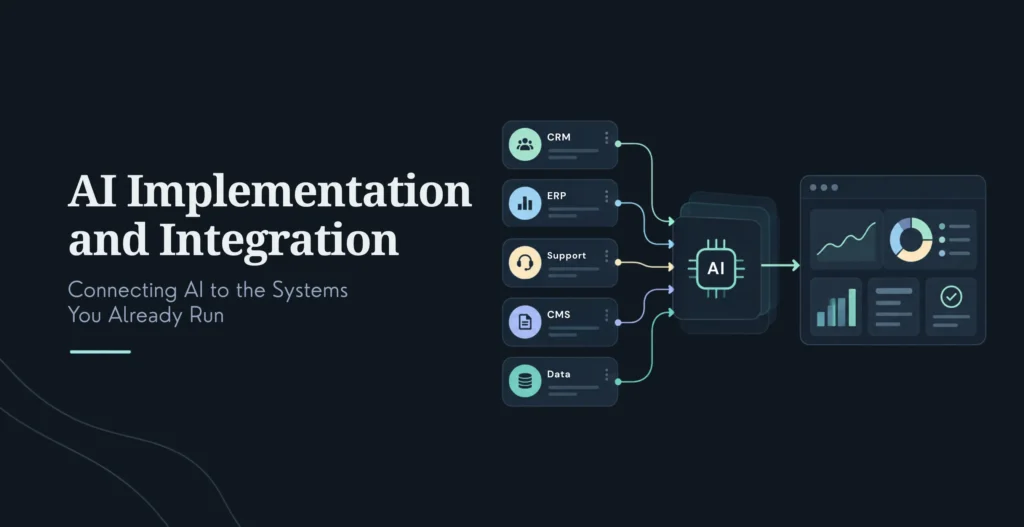
AI implementation services take AI from strategy to production: assessing readiness, preparing data, integrating with the systems you already run (CRM, ERP, support desks), and managing adoption until the investment shows up in operating results. The core truth underneath all of it: AI only pays off when it’s wired into your real workflows. An AI model sitting beside your business, not inside it, is a pilot that never delivers ROI, no matter how good the model is.
This guide is the practical version: how implementation differs from strategy, why pilots stall, the phases of a real implementation, the integration patterns for CRM/ERP/legacy systems, honest cost and ROI ranges, and how to choose a partner. It’s written for the CTO, ops leader, or owner who has the strategy and now needs the AI to actually run inside the business.
These are different jobs, and confusing them is expensive. Strategy decides what to build and why. Implementation decides how to build it and get it running inside your business.
AI Strategy
AI Implementation
The question
What to build, and why
How to build, integrate, and deploy
What it produces
Use-case priorities, roadmap, governance
Working systems, integrations, change management, monitoring
Typical duration
Weeks
Months (often 6–18 for a full rollout)
Typical cost
Tens of thousands (mid-market)
Tens of thousands to millions, by scope
When
Before any AI spend
After strategy is confirmed
Here’s why implementation is the harder half. Strategy is about choices; implementation is about change, and change runs into the messy reality of your existing systems. The bottleneck for enterprise AI ROI has shifted away from raw compute and toward the unglamorous work of orchestrating AI across fragmented legacy architecture, CRM, ERP, ITSM, email, that was never designed to talk to an AI. The model is rarely the hard part. Getting it to reliably read from and write to the six systems your business actually runs on is.
And that’s exactly where budgets get missed. A useful rule of thumb from practitioners: labor and integration are 60 to 75% of total AI implementation cost, the models and infrastructure are the cheap part. A $150,000 AI application can carry another $40,000 to $80,000 in implementation cost, integration, workflow redesign, training, change management, before it actually changes how a team works. Skip that spend and you’ve bought a very expensive demo.
Why Most AI Pilots Never Reach Production
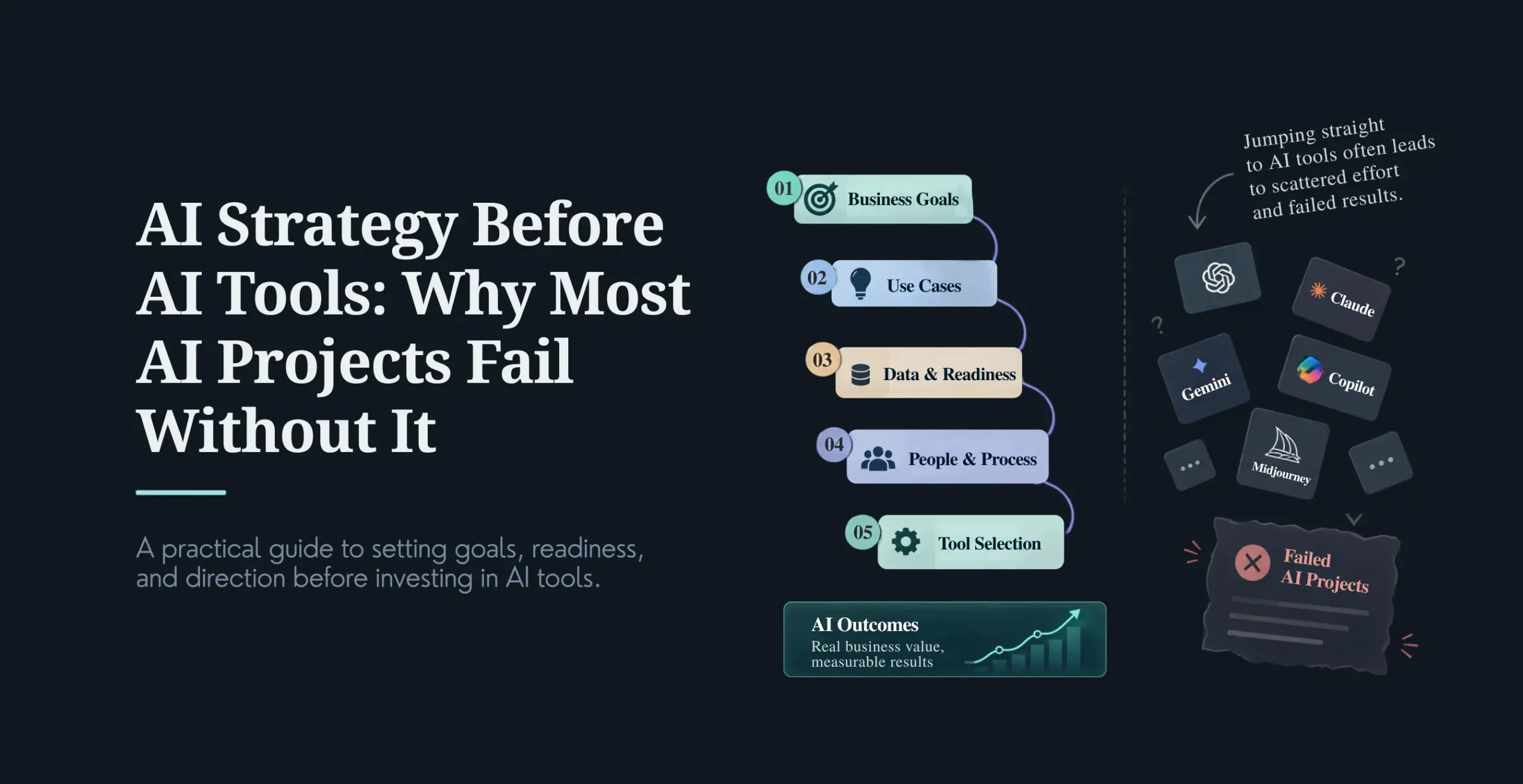
If AI only pays off when integrated, the natural question is: why do so many pilots stall right before that step? The causes are consistent, and none of them are about the AI being bad.
Weak backend infrastructure. Legacy systems lack the APIs and real-time data AI needs, so a pilot that ran on a clean export chokes on the live system. Unclear data ownership. Nobody owns data quality, so the AI produces confidently wrong outputs, and trust collapses. Staff resistance. People don’t trust the AI, quietly keep using the manual process, and the AI never gets the real-world feedback it needs to improve. Rushed timelines. The build starts before anyone assessed whether the data was ready. Platform-specific gaps. A generic AI approach ignores the specific quirks and limits of your particular CRM or ERP. And the big one: no workflow integration. The AI gets layered on top of existing workflows instead of the workflows being redesigned around it, so it adds a step instead of removing friction.
Running through all of these is a lack of change management, teams that were never prepared to actually work alongside the AI. The pattern is clear: pilots don’t fail on model accuracy, they fail on the organizational and integration work that turns a model into a used, trusted part of how the business runs.
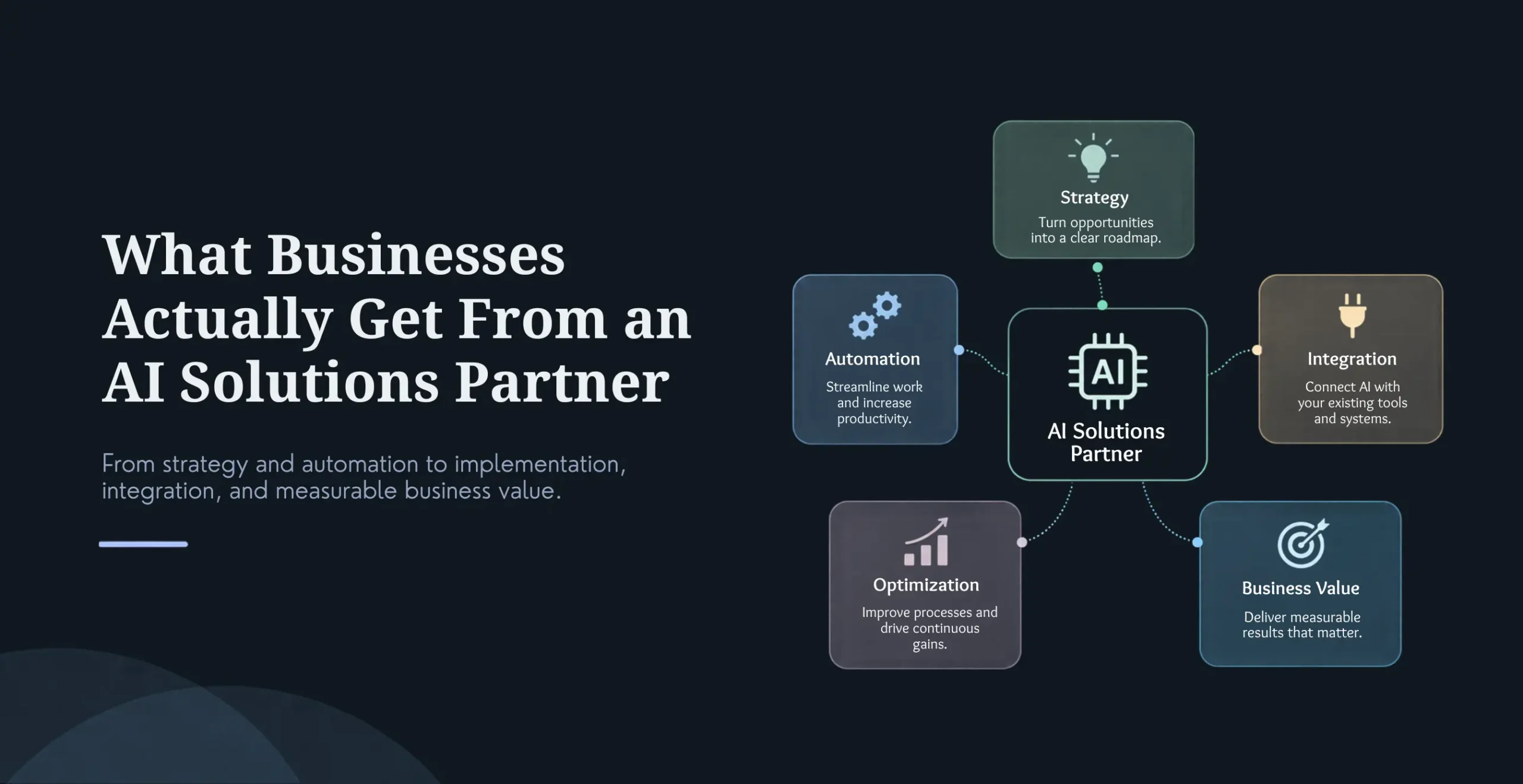
That’s precisely what implementation services exist to handle: assessing infrastructure and data readiness before the build, preparing AI-ready data pipelines, doing the real integration into CRM/ERP/support systems, managing the change so people actually adopt it, and putting governance around it so it’s auditable. The through-line: implementation is the discipline of getting AI past the sandbox and into daily use.
The AI Implementation Process: Seven Phases
A full implementation typically runs a few months to over a year depending on scope, and moves through seven phases (several of which overlap). Here’s what each involves.
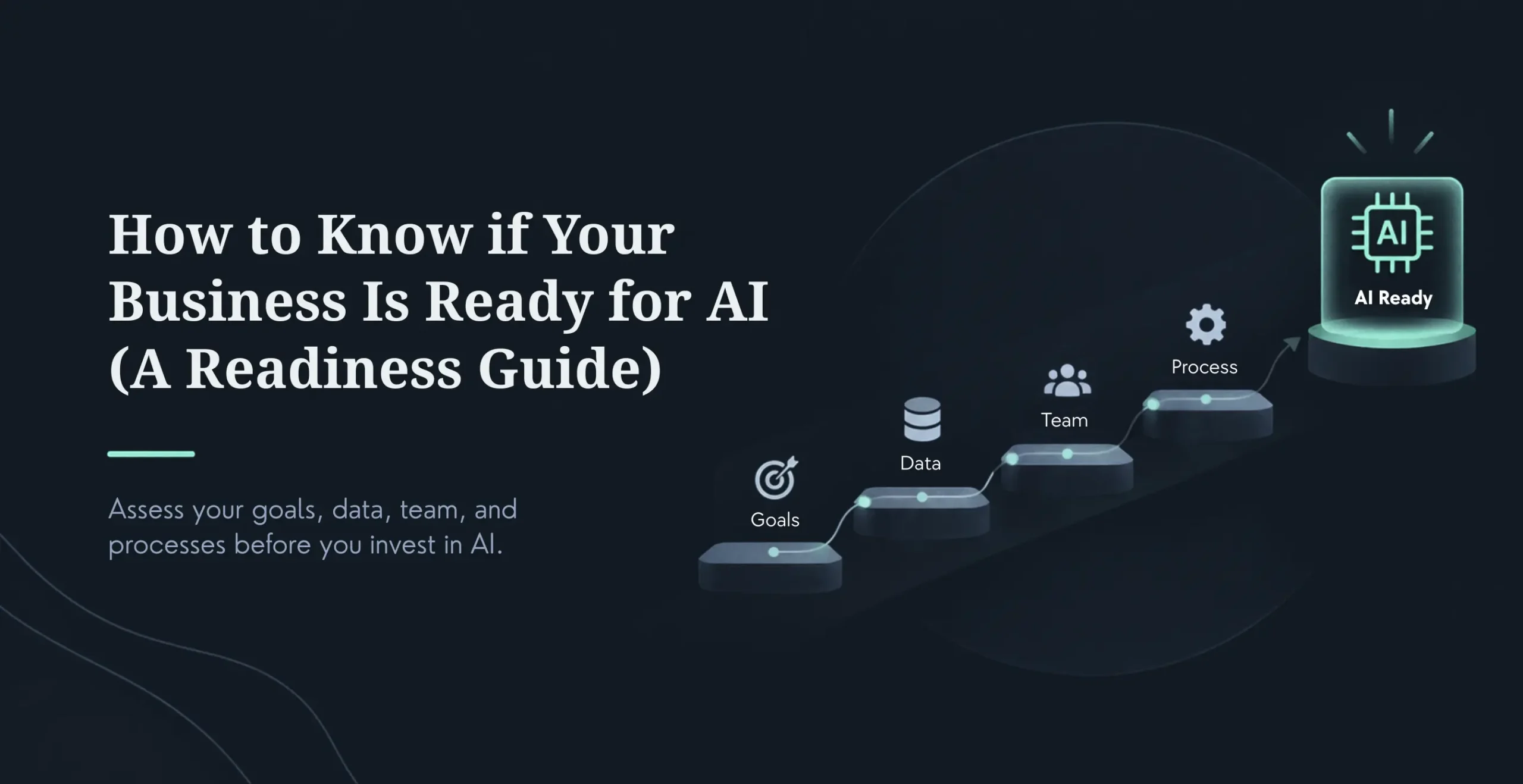
1. Business assessment (0–2 weeks). Define the problem, the scope, the success metrics, and secure budget. This is where you nail down what “working” means before anything is built, the step whose absence causes the most failures.
2. Vendor and approach selection (2–8 weeks). RFP, demos, a proof of concept, compliance review, contracting. You come out with a chosen approach proven against your actual use case, not a vendor’s demo data.
3. Data preparation (2–6 weeks, parallel). Data discovery, pipeline setup, and cleansing. This is consistently the most underestimated line in post-mortems, if your data is messy, expect 20 to 60% of early project time to go here before any AI work begins.
4. Infrastructure setup (2–4 weeks, parallel). Provision cloud or on-prem environments, configure security, validate compliance. The foundation the AI will actually run on in production.
5. Configuration and integration (4–8 weeks). Set up the solution and connect it to your existing systems, CRM, ERP, support desks, with API connections and workflow mappings. This is the heart of the whole engagement and where timelines most often stretch.
6. Testing and validation (2–4 weeks). Accuracy testing, compliance validation, and user acceptance testing. You confirm the AI actually meets its accuracy and compliance bar with real users before it goes live.
7. Pilot and launch (2–6 weeks). A controlled pilot, team training, then full rollout. The AI reaches production with trained people who know how to use it, not a switch flipped and hope.
The total commonly lands anywhere from a few months for a focused single workflow to 18 months or more for a complex, multi-system enterprise rollout. The variable is rarely the AI, it’s the number of integrations and the state of your data.
Integration Patterns: CRM, ERP, and Legacy Systems
Integration is the make-or-break work, so it’s worth understanding the patterns for the three system types you’ll most often connect to.
AI connects to customer databases, lead routing, service histories, and follow-up activities, and thus also supports lead scoring, automatic follow-ups, chatbots in customer service, and sales predictions. Data silos, poor data quality, API limitations, and staff reluctance are the key challenges. The winning pattern in 2026 is front-to-back-office integration, connecting the CRM work to the ERP and workflow tools behind it, rather than an isolated bot bolted onto the CRM alone.
The AI reaches into inventory, orders, pricing, and payment data to power demand forecasting, automated procurement, predictive maintenance, and financial anomaly detection. Legacy ERP is the harder terrain: many older systems lack the APIs and real-time data AI needs, and data ownership is often unclear. The essential pattern here is audit the backend first, build the APIs and data pipelines before integrating the AI, or you’ll pay for expensive rework later. Make the data audit your first milestone, not an afterthought.
Legacy system integration (on-prem, outdated APIs, custom databases)
If no recent API is available, you can use one of four patterns: building custom APIs that expose old data, using ETL pipelines to extract and process this data, using pre-designed connectors for common systems, and using middleware to combine old with new. The challenges are architectural restrictions, data security and compliance risks, and accumulated tech debt, which is what makes specialist experience matter so much in this kind of integration.
A 2026 shift worth noting: ERP and CRM systems are increasingly becoming “integration intelligence layers,” where AI interprets data structures and auto-builds mappings, error handling becomes self-healing, and real-time sync becomes the default rather than a luxury. But this rewards the well-prepared: AI agents interact through APIs, so cloud-native platforms with clean microservices thrive while legacy systems with brittle integrations struggle. Two things become non-negotiable as AI agents take on more, clean, consistent master data across systems (poor data quality cascades straight into agent failures) and real governance with audit trails, because regulators and compliance teams increasingly demand visibility into what an AI agent decided and why.
Cost and Pricing
AI implementation cost spans an enormous range, so treat everything here as vendor-reported 2026 planning ranges and get a scoped quote before budgeting. The single most useful framing, well-supported across sources: the models and infrastructure are the cheap part, labor and integration are 60 to 75% of the total.
By business size
Business Size
Typical Implementation Range
Timeline
Small business
~10,000–50,000
2–4 months
Mid-market
~75,000–500,000
4–12 months
Enterprise
~300,000–5M+
12–24 months
By project type
Project Type
Typical Build Range
Internal AI tools (bots, doc Q&A, summarization)
~5,000–60,000
LLM product feature (chatbot, copilot, search)
~25,000–150,000
Custom AI application (workflow/document automation)
~150,000–500,000
Enterprise AI platform (multi-model, governance)
~500,000–5M+
The costs that surprise people are almost never the model. They’re the integration and workflow connections (each connection to a CRM, ERP, or legacy system is a mini-project, and multiple integrations multiply the surface area for bugs and auth failures), workflow redesign, training and change management (widely underbudgeted by 40 to 60%), data preparation (96% of businesses lack the clean training data AI needs, adding real unplanned cost), governance and compliance, and ongoing operations, which can be 40 to 60% of three-year total cost of ownership. A worked mid-market example: a $150,000 application plus roughly $50,000 of integration, redesign, training, and change management, landing near $200,000 all-in, with ongoing operating cost on top. The build is the visible number; the implementation around it is where the budget actually goes.
ROI and Payback Period
The ROI is real, but the payback is slower than software buyers expect, and understanding why prevents a false business case. Here are illustrative use-case ranges (vendor-reported, so directional rather than guaranteed):
Use Case
Typical Impact
Typical Payback
Customer service AI / chatbots
25–40% cost-per-interaction reduction
~9–12 months
Document processing AI
40–60% time reduction
~6–9 months
Sales AI / forecasting
15–25% quota-attainment lift
~10–18 months
Predictive maintenance
20–30% downtime reduction
~9–18 months
Two patterns are well-supported across the research. Customer service pays back fastest, it’s the one function where a majority of programs reach payback within year one, because it runs on high volumes of standardized interactions with a clean baseline (handle time, cost per contact). And enterprise-wide transformation is slow: while initial efficiency gains show up in 6 to 18 months, the meaningful financial impact tends to emerge over 18 to 36 months, and full enterprise ROI often takes 2 to 4 years, three to four times longer than conventional tech deployments.
Why the lag? Because payback runs against the full cost, not the license. AI deployment has three cost phases most buyers undercount: upfront integration and change management, an optimization period tuning the model to production data, and ongoing governance and monitoring that traditional software simply doesn’t have. Measure payback against the software cost alone and you’ll set a false expectation from day one. Measure it against the true all-in cost, and against a real baseline, and the ROI case is strong but honest. One well-cited caution to hold alongside the upside: Gartner found 41% of enterprises reach ROI within 12 months, but around 19% of agentic AI projects never reach payback at all, which is exactly why the readiness and integration discipline in this guide matters.
When to Hire AI Implementation Services
Some implementations you can run yourself; most past a certain complexity, you shouldn’t.
DIY can work for a small business with a single, well-scoped use case, simple SaaS AI adoption with minimal integration, and at least one person in-house who has implemented AI before.
Bring in a partner when you’re mid-market or enterprise, running multiple use cases, or, above all, facing real integration across CRM, ERP, or legacy systems, which is the point where most DIY efforts stall. Also when you lack in-house AI expertise, operate in a regulated industry where compliance is non-negotiable, or need enterprise-wide rollout. A specialist typically delivers production AI three to four times faster than a first-time in-house team, at lower total cost of ownership, and hiring a single senior AI engineer runs 280K-450K fully loaded with a months-long ramp and a real chance of turnover.
The clearest signal you need help: a pilot that works but won’t reach production, integration you can’t crack, staff who won’t trust the tool, or data quality that’s poisoning the outputs. If the bottleneck is orchestrating AI across your fragmented systems, and for most enterprises in 2026, it is, that’s exactly what implementation services are built to solve.
How to Choose an AI Implementation Partner
The evaluation should center on the thing that actually determines success: can they integrate.
Look for genuine industry experience with references, real integration expertise across CRM/ERP/legacy systems (ask specifically, this is where partners differ most), a structured methodology with clear phases and deliverables, real change-management and training capability (not just technical delivery), governance expertise, a demonstrable ROI track record, transparent pricing and honest timelines, and cultural fit.
The questions that separate real partners from tool resellers: What have you integrated in my industry, and can I talk to those clients? How do you handle CRM, ERP, and legacy integration specifically? What change management and training do you provide? What’s your process and what are the deliverables? What’s your pricing and what drives it? What share of your implementations actually reach production? The red flags mirror them, a technology-first pitch, no integration specifics, no change-management offering, vague deliverables, no ROI evidence, and timelines or costs that sound too good to be real. A partner who talks fluently about your existing systems and the messy work of connecting to them is worth far more than one who only talks about the model.
They take AI from strategy to production: assessing readiness, preparing data, integrating AI with the systems you already run (CRM, ERP, support desks), and managing adoption until the investment shows up in operating results. In practice that’s the full lifecycle, identifying use cases, preparing data, building or integrating models, deploying into real workflows, training teams, and optimizing over time. The goal is AI that’s used daily inside the business, not a pilot beside it.
What’s the difference between AI implementation and AI strategy?
Strategy defines what to build and why, the use cases, capabilities, and vendors. Implementation is how you execute it in production: integrating into workflows, managing change, measuring outcomes, and improving over time. Strategy comes first, but implementation is where the value is actually delivered, and where most organizations struggle, because it runs into the reality of connecting AI to existing systems.
How much does AI implementation cost?
Widely, by scope: roughly 10K-50K for a small business, 75K-500K for mid-market, and 300K-5M+ for enterprise. A useful rule: labor and integration are 60-75% of the total, the model is the cheap part. A $150K application often carries 40K-80K more in integration, workflow redesign, training, and change management. Treat published figures as planning ranges and get a scoped quote, since integrations and data quality drive most of the variation.
How do I integrate AI with my CRM or ERP?
Audit the backend first, build the APIs and data pipelines before integrating the AI, so you don’t pay for rework later. Assign a clear data owner per module, run the AI alongside existing workflows until teams trust it, make the data audit your first milestone, and work with people who know your specific platform’s architecture. For legacy systems without modern APIs, expect to use custom APIs, ETL, connectors, or middleware to bridge the gap.
What’s the ROI and payback period for AI implementation?
ROI is real but slower than software buyers expect. By use case (directional, vendor-reported): customer service ~25-40% cost reduction with ~9-12 month payback, document processing ~40-60% time reduction with ~6-9 months, sales AI ~15-25% lift with ~10-18 months. Customer service pays back fastest; enterprise-wide transformation often takes 2-4 years. The reason payback lags is that it must be measured against the full cost (integration, change management, ongoing ops), not just the license.
Why do most AI pilots never reach production?
Because the hard part isn’t the model, it’s everything around it: weak backend infrastructure and missing APIs, unclear data ownership producing bad outputs, staff who don’t trust it and keep working manually, rushed timelines that skip data readiness, and AI layered on top of workflows instead of redesigned into them, all compounded by no change management. Implementation services exist to handle exactly these organizational and integration gaps.
When should I hire AI implementation services instead of doing it myself?
When you’re mid-market or enterprise, running multiple use cases, or facing real integration with CRM, ERP, or legacy systems, the point where DIY usually stalls. Also when you lack in-house AI expertise, operate in a regulated industry, or need enterprise-wide rollout. A specialist delivers production AI three to four times faster than a first-time internal team, and avoids the cost and turnover risk of hiring senior AI engineers just for one project.
How do I choose an AI implementation partner?
Prioritize integration expertise above all, ask specifically what they’ve connected in CRM, ERP, and legacy environments. Then industry experience with references, a structured methodology, real change-management and training capability, governance expertise, an ROI track record, transparent pricing, and cultural fit. Ask what share of their implementations reach production. A partner fluent in your existing systems and the messy work of connecting to them is worth far more than one who only talks about models.
Conclusion
AI doesn’t pay off when you build it. It pays off when you wire it into the systems your business already runs on, the CRM, the ERP, the support desk, the daily workflow, and get your people actually using it. That’s implementation, and it’s the difference between an impressive pilot and an operational result.
The reason most AI investments disappoint isn’t the model. It’s that the integration, workflow redesign, and change management, the 60 to 75% of the real work, got underestimated or skipped. Done right, with the backend audited first, the data prepared, the systems properly connected, and the team brought along, AI moves from a demo to durable operating leverage, and the ROI follows.
Lead of the Custom Development team at KrishaWeb, holds AWS certification and excels as a Team Leader. Renowned for his expertise in Laravel and React development. With expertise in cloud solutions, he leads with innovation and technical excellence.




 KrishaLabs
 KrishaStudio
 KrishaStore