



 KrishaStudio
 KrishaStore
Result At Glance
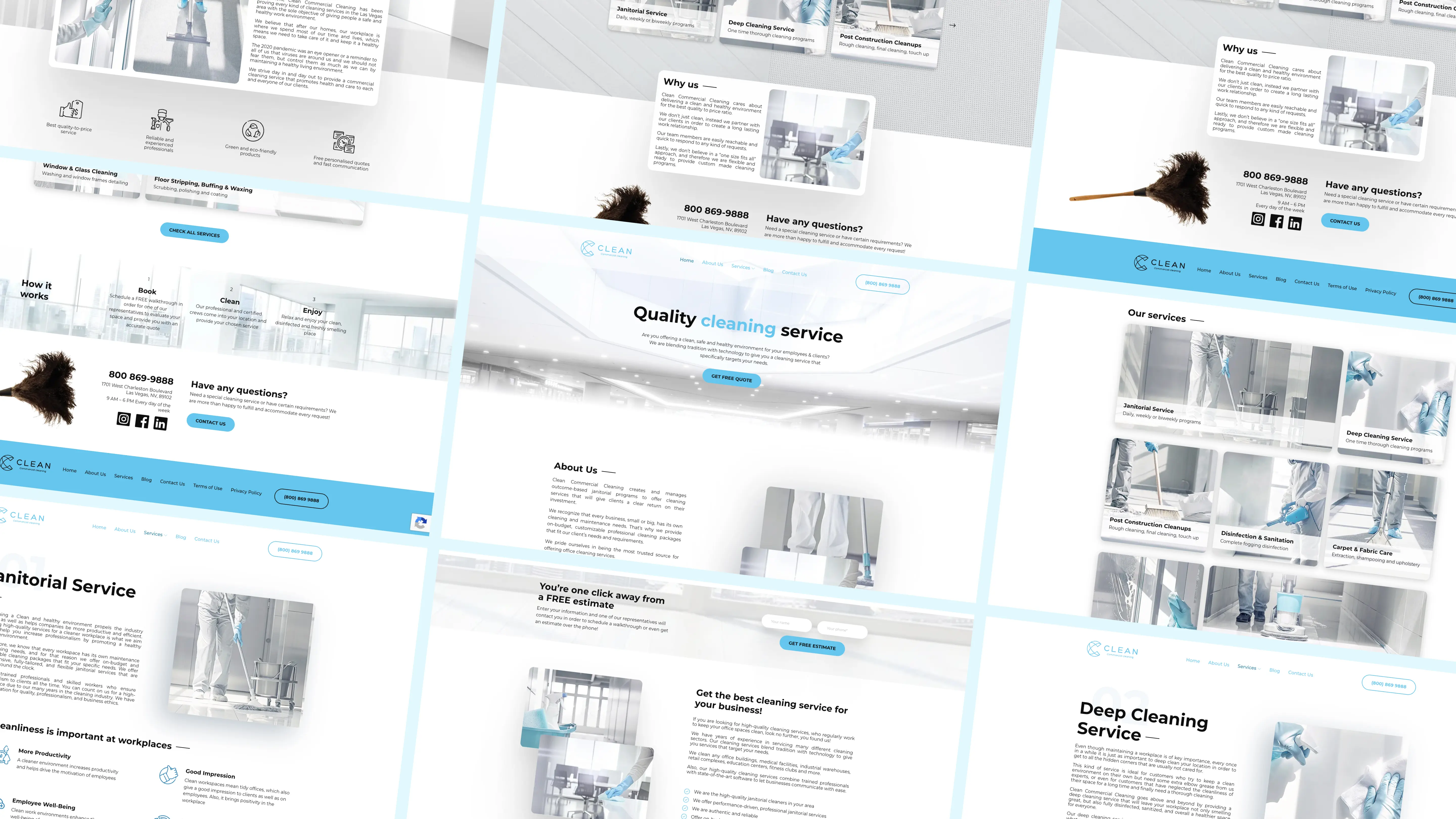
Clean All Commercial came to KrishaWeb with an approved website design and a clear need: turn it into a WordPress site their own team could run, without calling a developer for every change. KrishaWeb delivered a fully custom WordPress website in four weeks, built on a reusable Gutenberg and ACF component system and handed over to a team that now manages it on their own.
Metrics: Before and After
The comparison below reflects the operational and website-management improvements delivered by the build.
| Area | Before | After |
|---|---|---|
| Website Development | Custom design ready, but not yet built | Complete responsive WordPress site built from the approved design |
| Content Management | Needed a flexible system for managing content and pages | Fully editable WordPress components in place |
| Page Creation | New pages could require ongoing developer support | Team assembles new pages from reusable components in under an hour |
| Design Consistency | No system to keep future pages on-brand | Component system enforces consistent layouts automatically |
| CMS Flexibility | Needed an easy-to-manage backend | Custom Gutenberg/ACF blocks provide governed content control |
| Device Experience | Had to work across all screen sizes | Responsive across desktop, tablet, and mobile |
| Launch Readiness | Required thorough testing before go-live | Cross-browser QA, device testing, and UAT completed |
- Clean All Commercial
- KrishaWeb
- Front-End Development
- WordPress Development
- QA/QC & UAT
Built a Website That Runs Independently
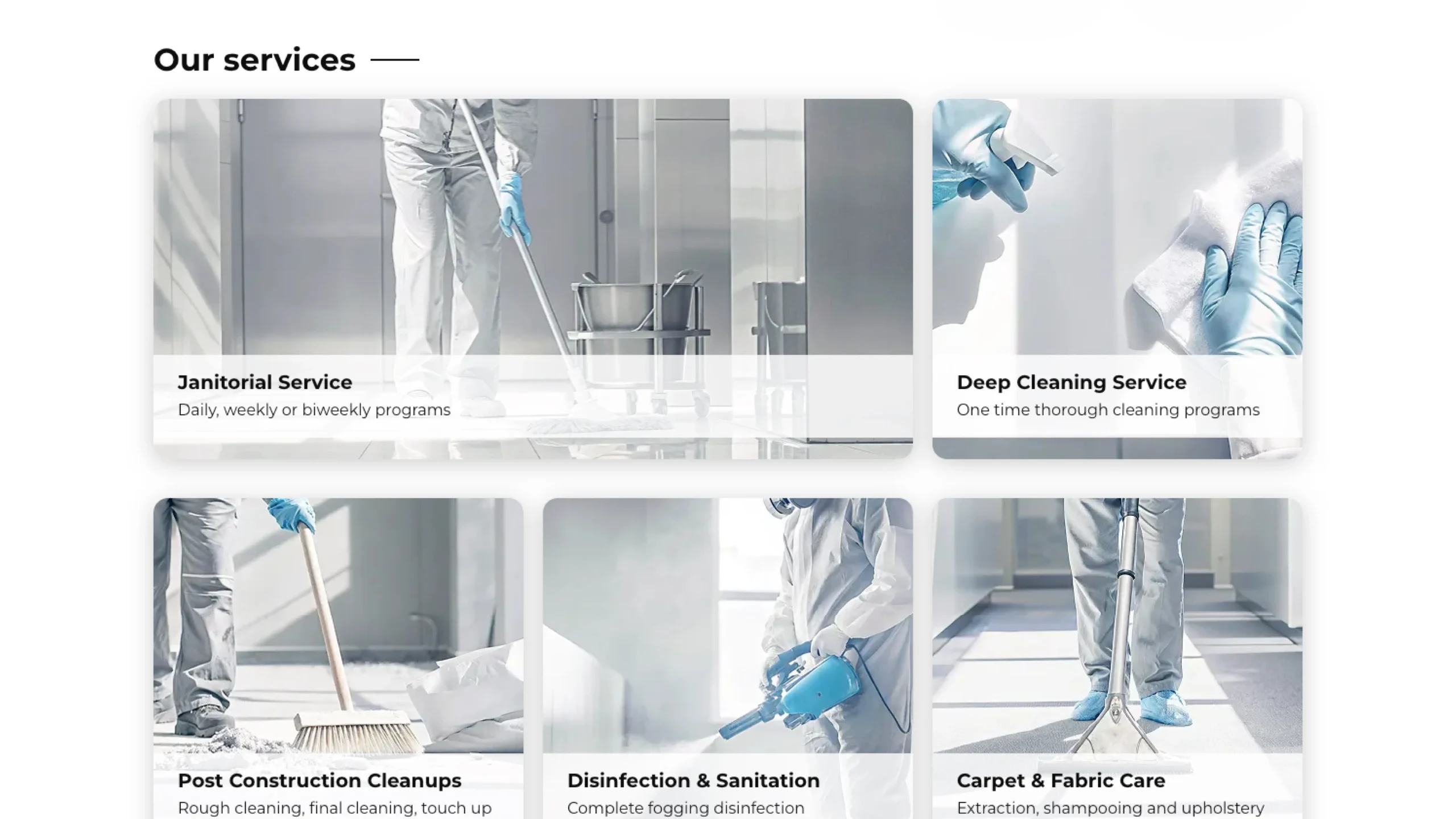
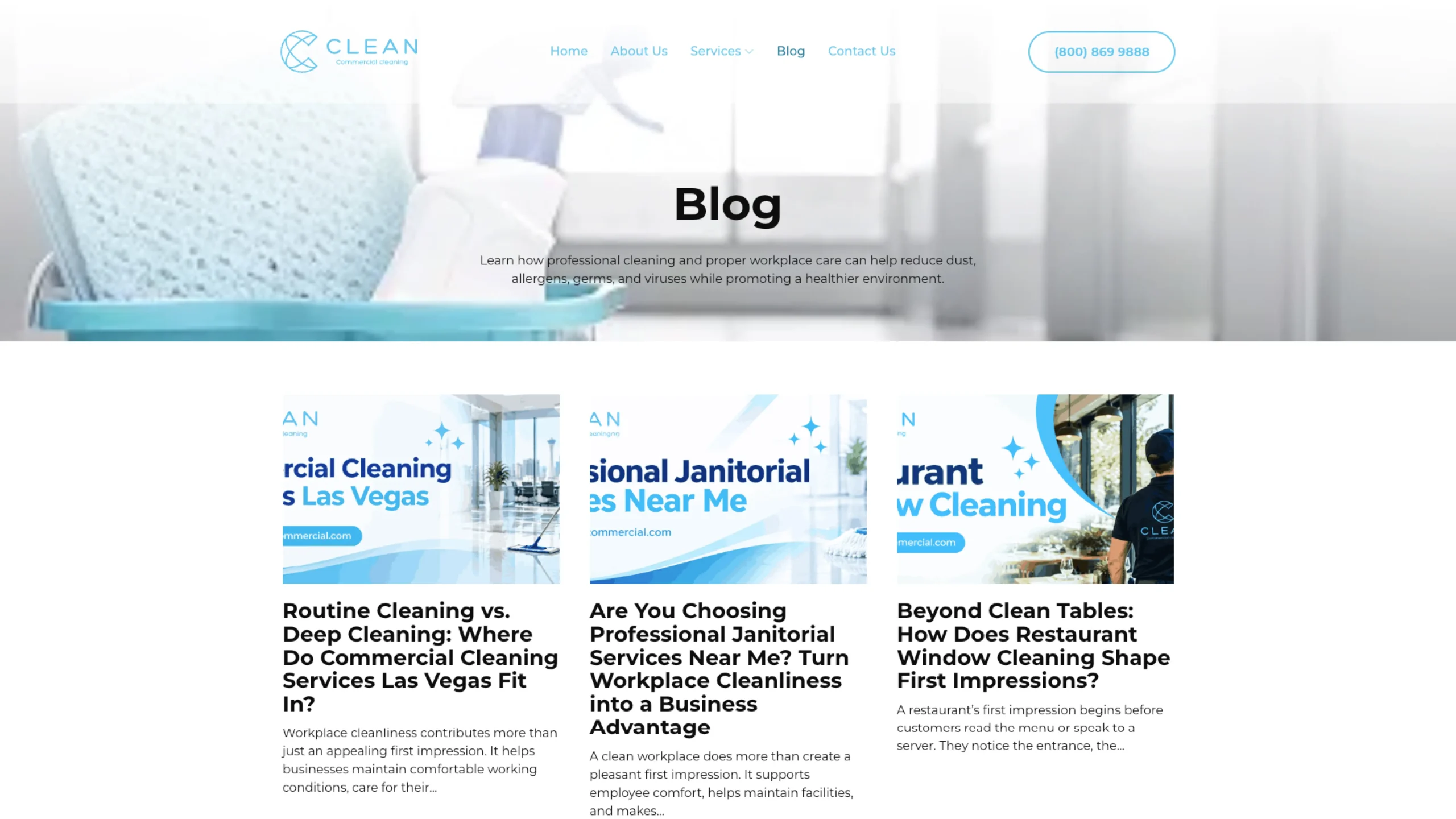
Clean All Commercial provides professional commercial cleaning services, helping businesses keep clean, safe, and healthy spaces for their employees, customers, and visitors. The company pairs established cleaning practices with modern technology to tailor its services to each client’s needs.
With the website design already prepared, Clean All Commercial needed a development partner to turn that approved creative direction into a flexible, responsive, and easy-to-manage WordPress website, and a site the internal team could maintain without raising a developer ticket for every update.
The Challenge
The core task was to convert the client’s custom design into a fully functional WordPress site without losing any of the original visual direction. Matching the design accurately was only half the job. The site also had to be practical for a non-technical team to run after launch, which created a real tension to solve.

A Design That Had to Be Preserved Exactly
The approved creative direction had to carry through to the live site without compromise. Rebuilding it as rigid templates would protect the look but make future updates slow and developer-dependent.

Content Management That Had to Scale
The team needed to add and update pages as the business grows, new services, new content, without a developer in the loop for every change. They needed genuine editorial control, not just editable text boxes.

Consistency Without a Design System
Allowing unrestricted editing risked off-brand, inconsistent layouts over time. There had to be a system that kept every new page aligned with the approved design, whoever built it.

Reliability Across Browsers and Devices
The site had to perform consistently across desktop, tablet, and mobile, and across major browsers, with proper testing before anything reached production.
Objectives
Before development began, we aligned on a clear set of outcomes:
- Convert the client-provided custom design into a fully functional WordPress website, faithfully and without compromise.
- Build a reusable Gutenberg and ACF component library covering every required page section type.
- Give the internal team the ability to create pages and update content through the WordPress editor without developer support.
- Maintain design consistency automatically through the component system, regardless of who builds the page.
- Deliver a fully responsive experience across desktop, tablet, and mobile, with cross-browser compatibility.
- Optimize performance, complete full QA/QC and UAT, and launch within the four-week timeline.
Our Strategy
The brief was clear. The real question was how to structure the build so the result served the client both at launch and over the years that followed. We took a component-based approach built around one idea: separate what the team can edit from how it looks.
Pixel-Accurate Front-End Development
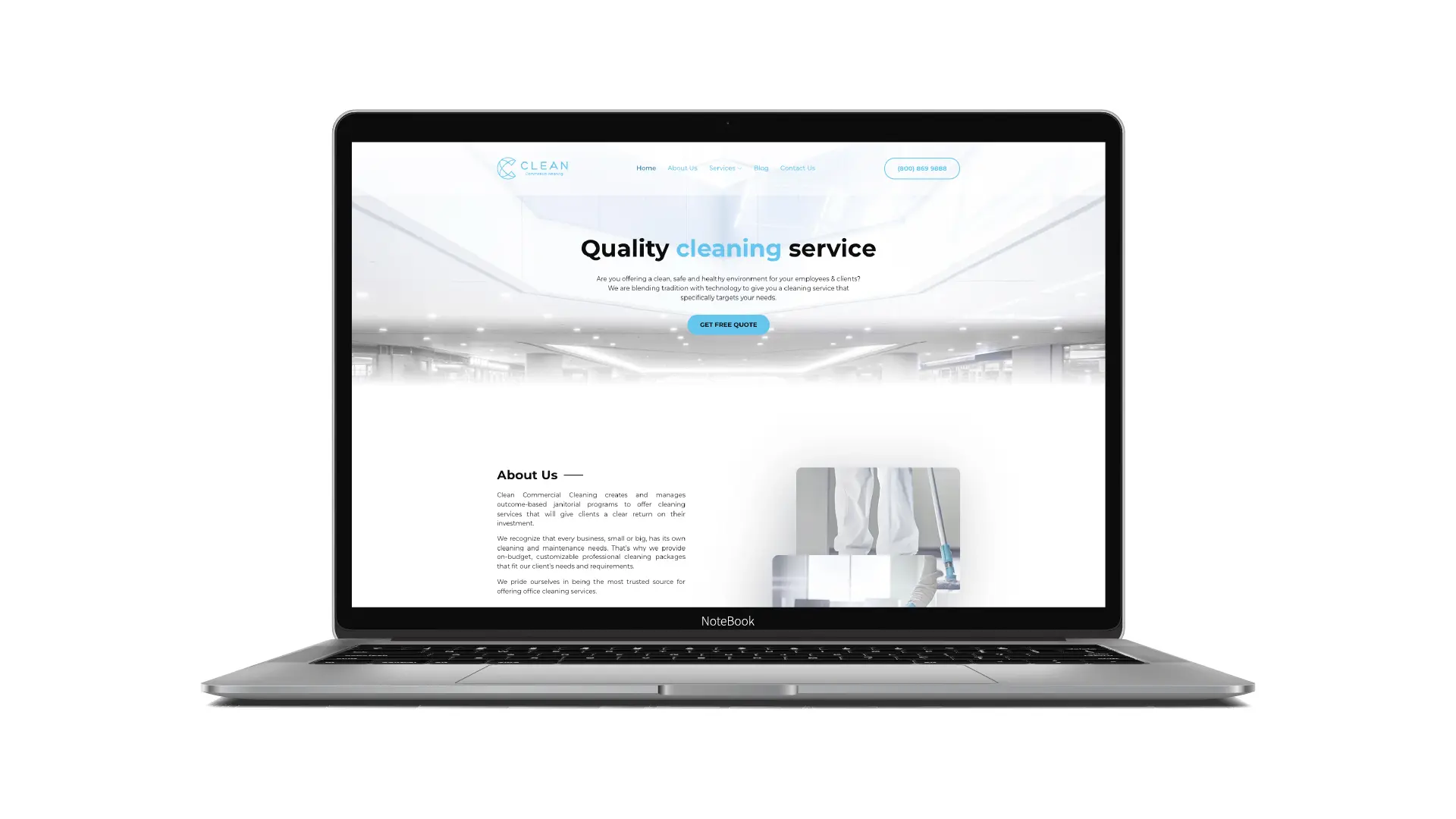
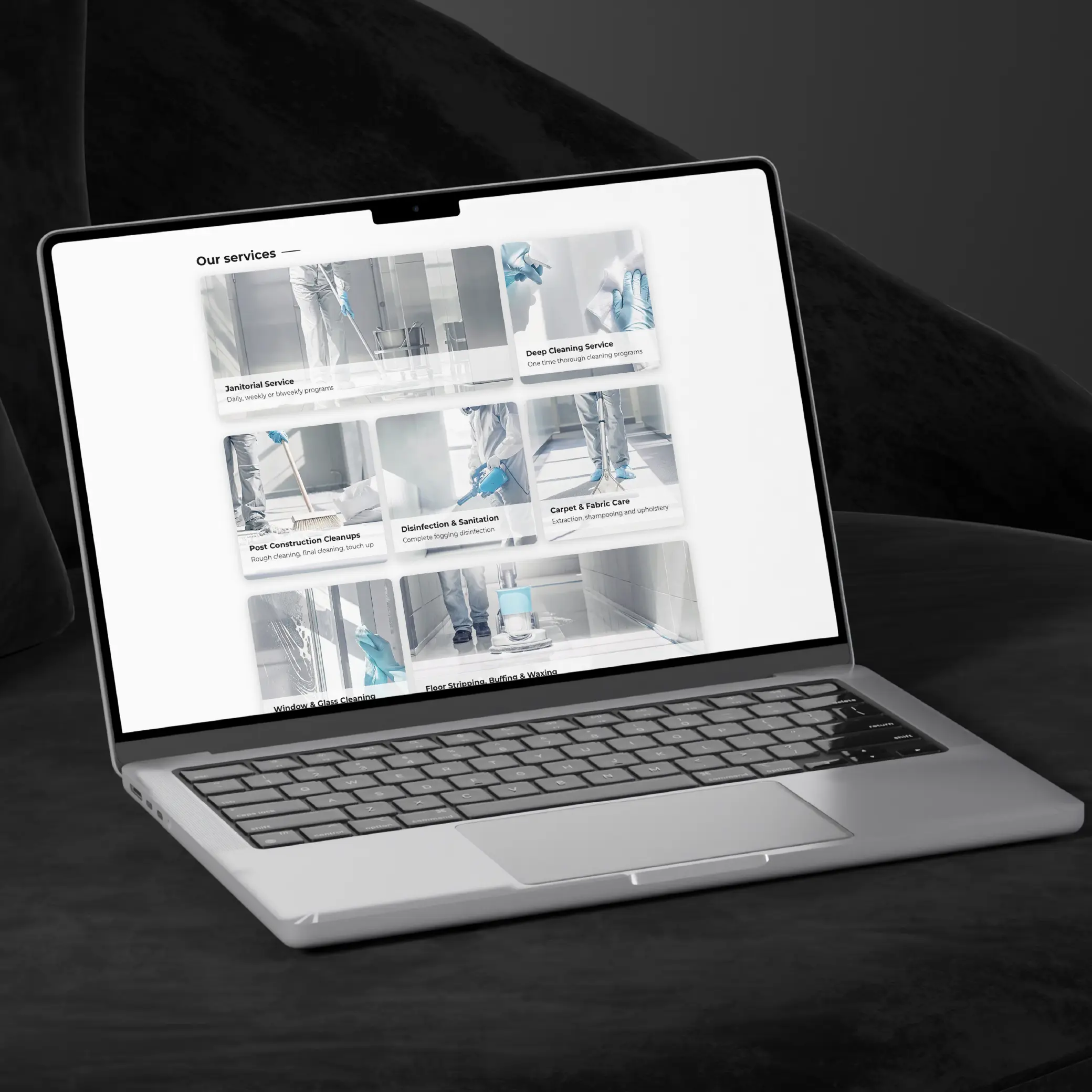
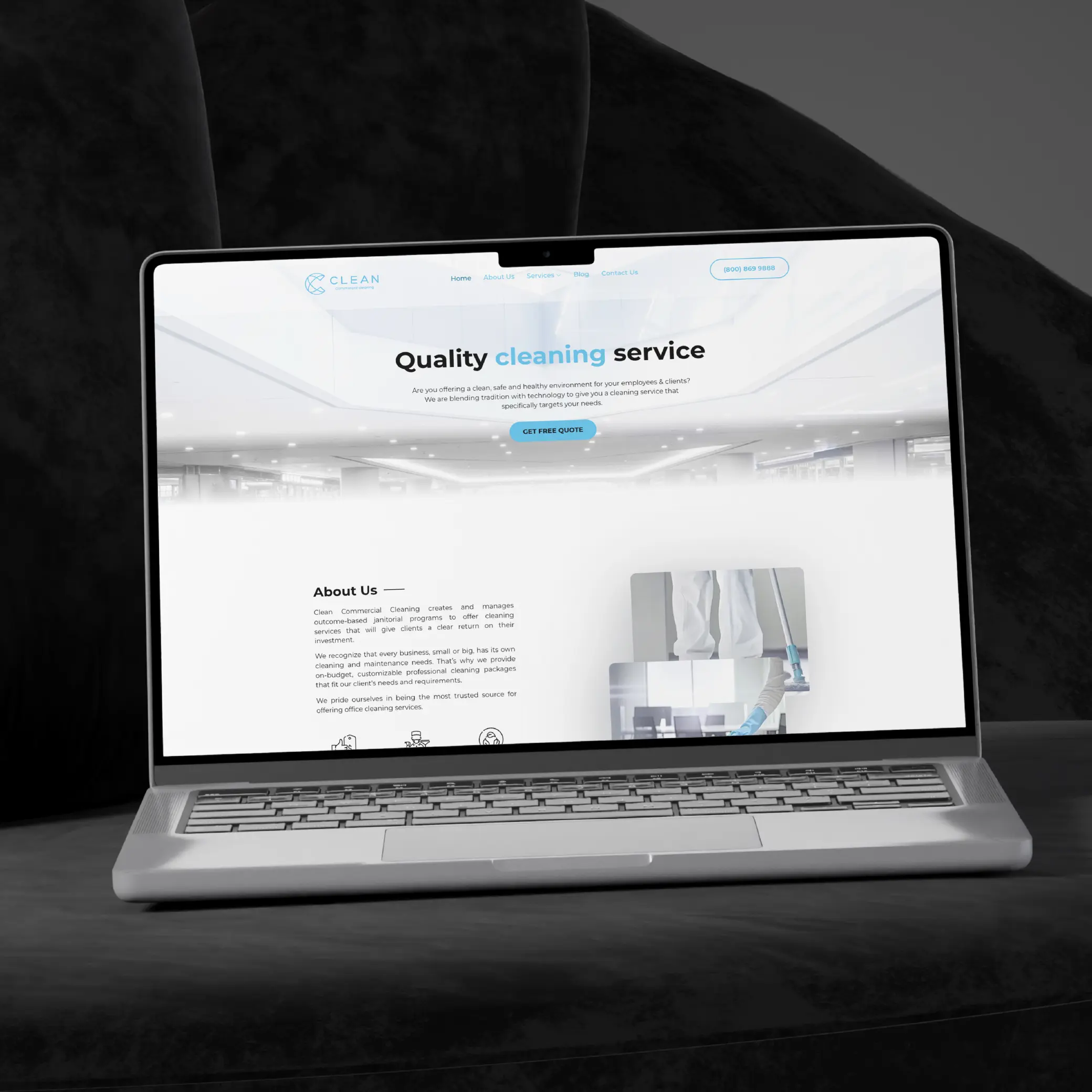
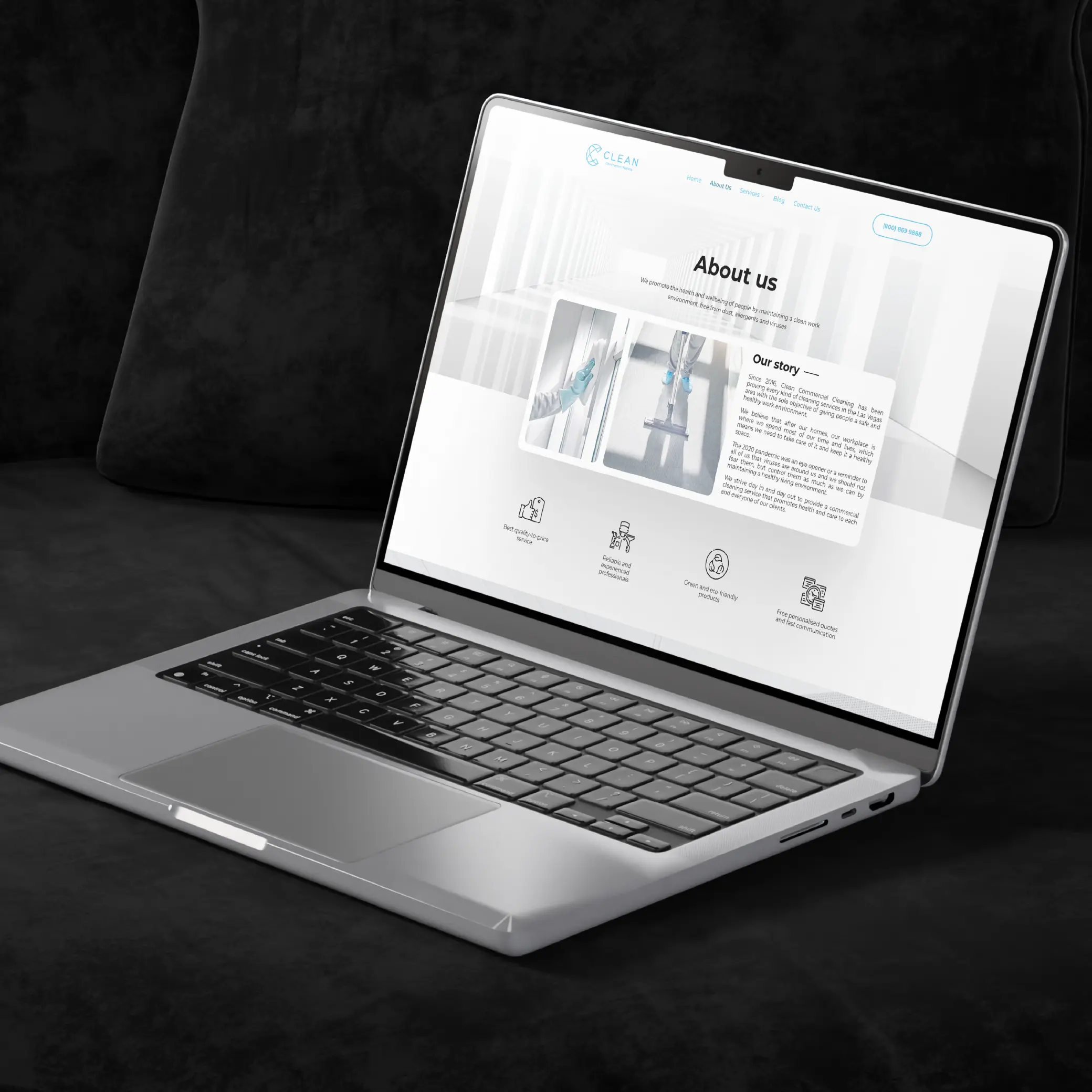
Because the visual design was already approved, our first priority was translating those layouts accurately into a responsive front end, keeping the intended hierarchy, spacing, and interactive behavior intact. No template could reproduce the client’s specific design, so every section was built to match.
A Component-Based Content System
Rather than building each page as a separate template, we identified the sections that repeat across the site and turned them into reusable components, each with its own ACF field structure, editable through Gutenberg. The team edits what each block contains; the template controls how it looks. That separation is what makes editorial independence practical without risking the design.
Performance and Quality Built In
The site was built on a custom WordPress setup without page-builder overhead, then put through a structured QA process, functionality, responsiveness, browser compatibility, content management, and usability, followed by UAT before any production deployment.
A Website That Looks the Part and Runs Itself
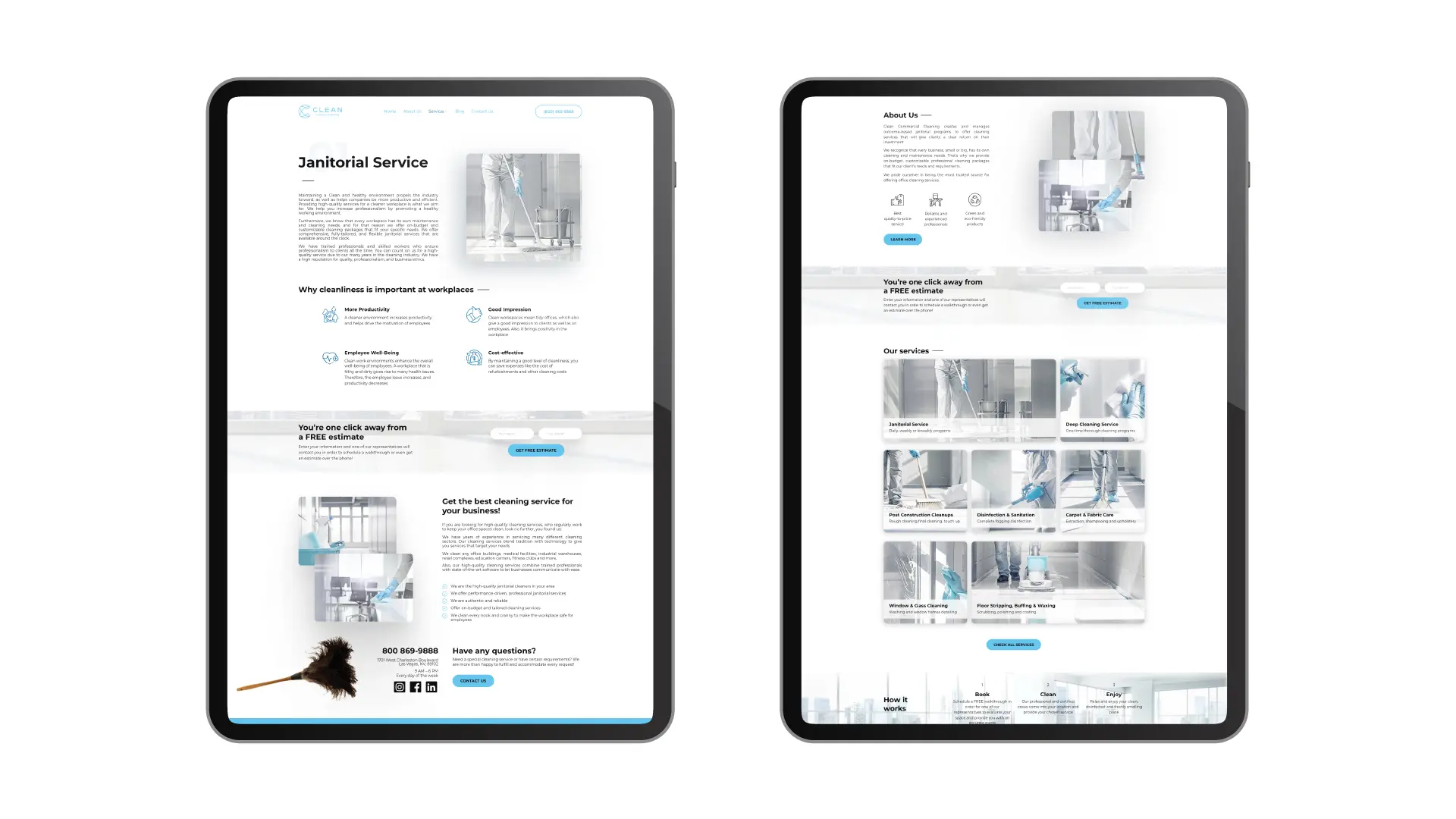
KrishaWeb turned the client-provided design into a fully custom WordPress website that pairs visual consistency with flexible content management. The standout outcome was the set of reusable, editable components: the internal team can now manage content and build new pages from predefined sections instead of relying on a developer for every update.
That changes how the business runs its site day to day. New pages can be assembled from approved components in under an hour, and because the component system enforces the design automatically, those pages stay visually consistent with the rest of the site. The result is a responsive, maintainable platform with a foundation built to grow as the company adds services, locations, and content.
Phase 1: Responsive Front-End Development
The Problem: Client-approved designs existed but were not yet built for the web.
What We Did: Converted the designs into responsive HTML5, CSS3, and JavaScript, preserving layout, visual hierarchy, and interactive behavior.
Phase 2: Custom WordPress Development
The Problem: The site needed a flexible, CMS-driven foundation, not a static build.
What We Did: Integrated the finished front end into WordPress as a custom, CMS-driven website.
Phase 3: Reusable Gutenberg & ACF Components
The Problem: Fixed templates would force developer involvement for every new page.
What We Did: Built reusable sections and custom Gutenberg/ACF blocks giving the team content control while keeping layouts aligned to the approved design.
Phase 4: Responsive & Cross-Browser Optimization
The Problem: The site had to work everywhere its visitors are.
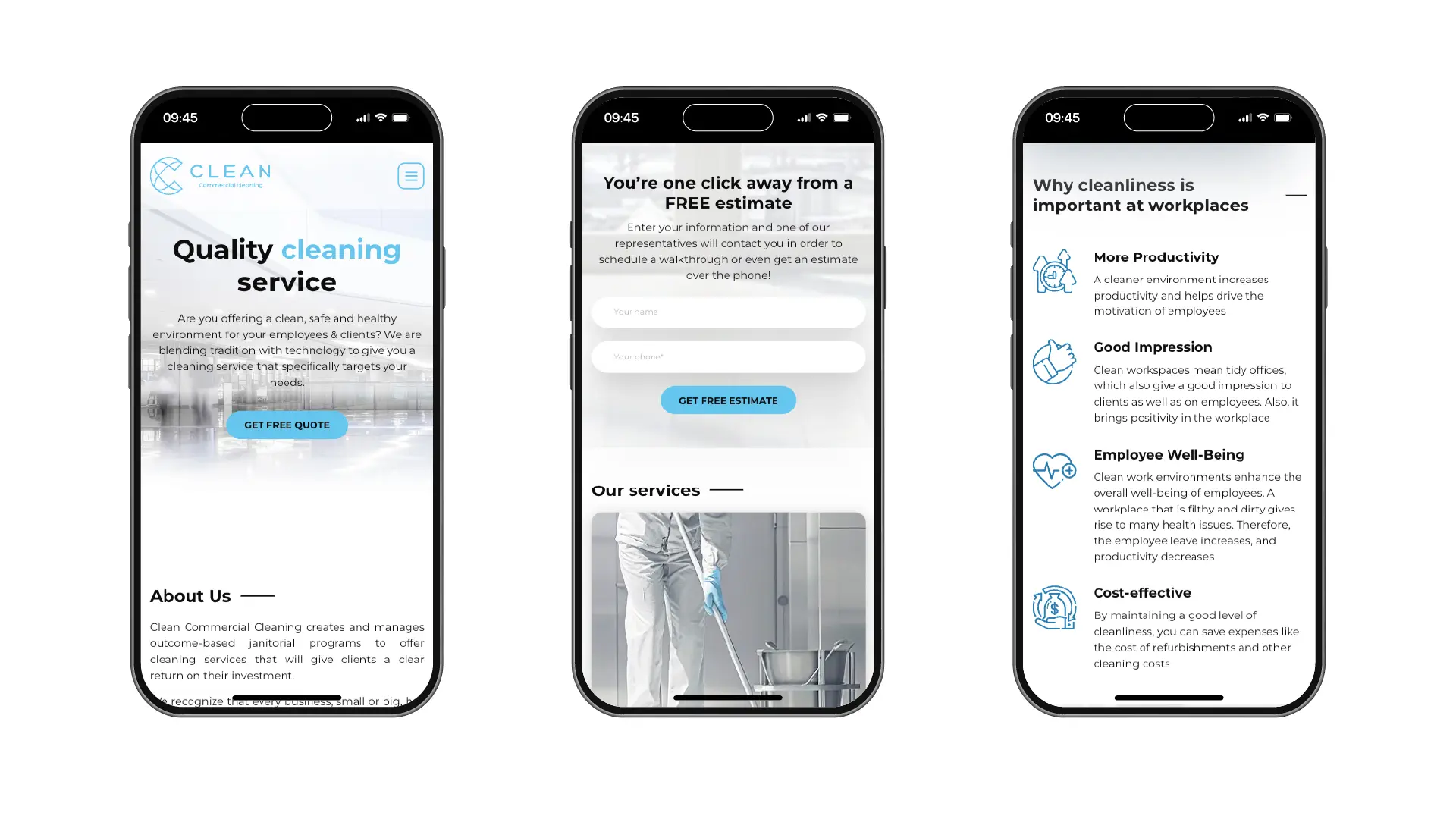
What We Did: Optimized every component for desktop, tablet, and mobile, and tested across major browsers to resolve inconsistencies.
Phase 5: QA/QC, UAT & Launch
The Problem: An untested site reaching customers carried real risk.
What We Did: Ran full QA/QC and User Acceptance Testing, resolved final issues, and deployed to production with launch support.
Clean All Commercial Website Architecture
The site runs on WordPress with a custom setup and no page-builder dependency. Page builders add load overhead that cannot be optimized away and tend to produce output that drifts from the approved design as non-technical users edit it. Building only what the site needs keeps it lean and keeps the design intact.
The editorial system is built on Gutenberg and Advanced Custom Fields. Every section type exists as a reusable block with an ACF field structure that controls exactly what the team can edit. The fields define the content; the block template defines the layout. A team member with no development background can build a correctly structured, on-brand page quickly, because the system only presents the decisions they are meant to make.
The front end is HTML5, CSS3, and JavaScript, responsive across desktop, tablet, and mobile. Cross-browser testing across major browsers was completed before launch, so the client received a site that had been properly tested and a CMS validated end to end.
- CMS Platform: WordPress, custom setup, no page-builder dependency
- Block Editor: Gutenberg with custom block development
- Content Management: Advanced Custom Fields (ACF) for structured, flexible field management
- Custom Blocks: reusable section types across the site, each editable within a governed structure
- Frontend: HTML5, CSS3, JavaScript, responsive, performance-minded build
- QA and Testing: cross-browser, cross-device, functional, and UAT testing before go-live
Valuable Feedback From Our Client
“We came to KrishaWeb with a design we were happy with and one real worry: that we would need to call a developer every time we wanted to change something. That has not happened. Our team updates the site and adds new pages on our own, and everything still looks the way it should. The build was on time, properly tested before it went live, and the handover was thorough. It is exactly what we needed.”
– Clean All Commercial
Project Timeline
Front-End Development
Convert the approved custom design into responsive HTML5, CSS3, and JavaScript, with accurate implementation, interactivity, and cross-browser rendering prepared.
WordPress Development
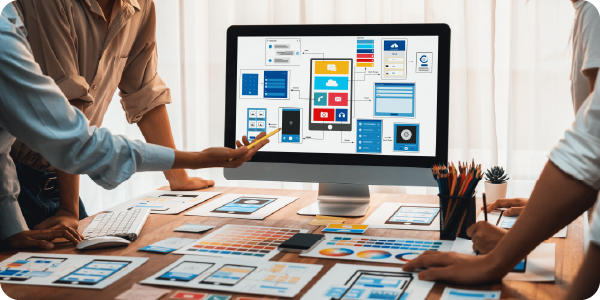
Integrate the front end into WordPress; build custom editable components, reusable sections, and Gutenberg/ACF blocks; configure CMS and page-management capabilities.

QA/QC & UAT
Desktop, tablet, and mobile testing; cross-browser validation; functional and content-management checks; bug fixing; and User Acceptance Testing.

Production Launch
Final checks following UAT approval, deployment to production, and post-launch verification with full launch support from the KrishaWeb team.

Key Takeaways
A design-to-WordPress build is judged on what happens after launch.
Recreating a design in WordPress is the easy part. The real measure is whether the team can run the site afterward. Building for day-one launch alone leaves the client dependent; building for ongoing management is what makes the project pay off.
Developer dependency is a business constraint, not just an inconvenience.
Every content change that needs a developer is a change that gets delayed or skipped, and over time the site falls behind the business it represents. Reusable components removed that dependency for routine work before the project even closed.
Component architecture solves the flexibility-versus-consistency problem.
Give editors full freedom and the design drifts; lock everything down and they depend on developers. Gutenberg and ACF together give structured flexibility, the team builds the pages it needs and the system keeps them on-brand.
Four weeks works when the structure is planned before the build.
Front-end, WordPress development, and a real QA and UAT phase fit into four weeks because the component approach was decided up front, no compressed testing, no post-launch fire-fighting.
Does Your Business Have a Website Your Team Can Actually Run?
Book a Free Strategy Call. Tell us what your website needs, and we will show you exactly how we would build it.