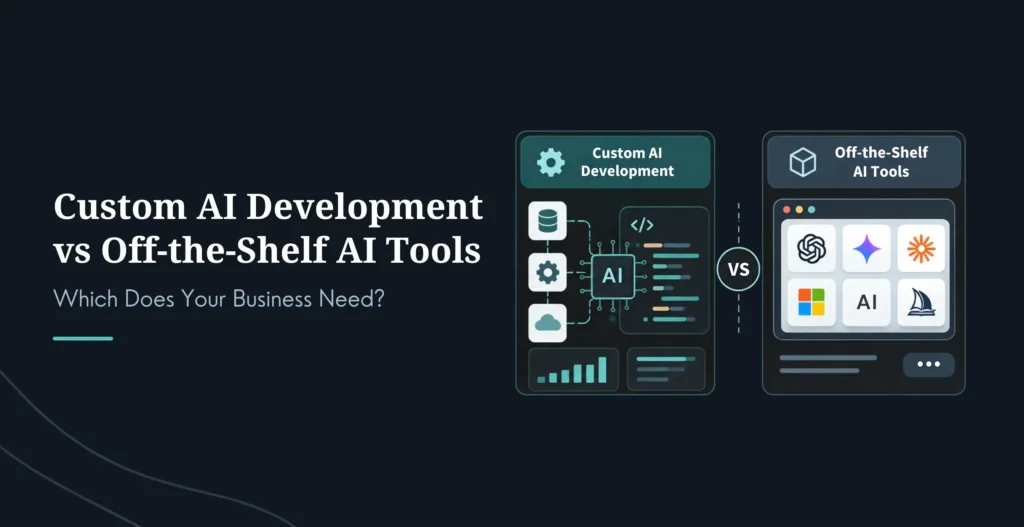
Every business adopting AI eventually hits the same fork: rent a tool that everyone else can also rent, or build one shaped around your own data and workflow. Choose wrong and you either overpay for a custom build you didn’t need, or you stall out on a generic SaaS tool that your problem outgrew a year ago.
Custom AI development means building an AI system around your own data, workflows, and goals, rather than renting a generic tool every competitor can also use. Off-the-shelf AI tools work well for standard, non-differentiating tasks. Custom AI becomes the right call when your workflow, your data, or your compliance requirements exceed what a SaaS product can do. The decision usually comes down to a few concrete factors: whether data-residency rules block a third-party vendor, whether the tool hits your accuracy bar, whether you need deep integration into your own systems, and, above all, the total-cost math as you scale.
This guide gives you the full build-vs-buy framework: the real difference between the two, a five-question test, honest cost and ROI ranges (custom AI got dramatically cheaper in 2026), specific cases where each wins, and the hybrid pattern most businesses actually end up using. It’s written for the CTO, ops leader, or owner who wants to make this call with numbers, not vibes.
Where the answer is “build,” that’s exactly what we do, custom AI development shaped around your data and systems. But this guide is honest about when you shouldn’t.
Table Of Contents
Table Of Contents
Custom AI vs Off-the-Shelf: What’s the Difference?
The cleanest way to think about it: off-the-shelf AI is a capability you rent; custom AI is a capability you own.
Off-the-shelf AI is SaaS you license per seat, ChatGPT Enterprise, Microsoft 365 Copilot, Glean, Notion AI. The vendor owns the model, the prompts, and the data-retention policy; you rent access. Custom AI is software you commission and own: a stack built on models like Claude or OpenAI’s, with your own retrieval, orchestration, prompts, evaluation gates, and audit logs, deployed in your environment.
Off-the-Shelf AI
Custom AI Development
Ownership
Vendor owns the model and policies
You own the stack, prompts, and audit logs
Deployment
Hosted by the vendor
Your infrastructure, your control
Your data
Processed under the vendor’s policies
Stays in your environment
Integration
Vendor-dictated, limited
Deep, custom to your systems
Customization
Limited to what the vendor offers
Full, to your workflows
Time to value
Days to weeks
Weeks to months
Upfront cost
Low (subscription)
Higher (one-time build)
Cost at scale
Compounds with every seat
Flattens after break-even
Source of advantage
None, everyone runs the same tool
Your data, process, and IP
There are really three sourcing paths, not two. You can buy SaaS AI (fastest, per-seat forever, vendor owns it), build fully custom (slowest, highest control, you own it), or consume platform AI baked into tools you already run (Einstein, Copilot, Oracle AI, deep integration but vendor lock-in). Most businesses end up blending them, which is the hybrid pattern we get to later.
The core difference that matters for strategy: with off-the-shelf, you rent a capability every competitor can also rent, so it’s never a source of advantage. With custom, you build a capability tied to your proprietary data and business rules, which is exactly where a durable moat can come from. The quotable version: you can’t build a moat out of the same tool your competitors are buying.
Build vs Buy: A Five-Question Test
Rather than an abstract debate, run your specific situation through five questions. The more you answer “yes,” the more the build case strengthens.
Have off-the-shelf tools already failed to solve this? If you’ve tried two or three SaaS products for the same problem and they’re all “close, but not quite,” and the gap is structural rather than a matter of finding a better product, that’s a build signal. A gap you can’t buy your way out of is the clearest one.
Is your data unique, sensitive, or proprietary? If the workflow touches data you can’t hand to a third party, client records, pricing models, regulated health or financial data, and residency or confidentiality rules block off-the-shelf vendors from processing it, custom (kept in your environment) may be the only compliant option. Regulated industries almost always land here.
Are you scaling past a small team, and does the TCO math flip? This is the big one, and it’s a math question, not a gut call. Per-seat SaaS is a variable cost that compounds with every user; custom is a mostly one-time cost with low marginal cost per user. Run the total-cost-of-ownership math over two to three years (details below). If custom breaks even inside about 18 months, building is almost certainly right.
Does the workflow need deep integration with your systems? If the AI’s output has to write directly into your CRM, ERP, internal APIs, or dashboards, and the workflow orchestration reaches places off-the-shelf tools simply can’t, that pushes toward custom. An AI that lives in its own separate app, disconnected from where work happens, rarely delivers.
Is the AI itself a competitive advantage? If your workflow is your edge, proprietary scheduling logic, claims triage, a unique quote engine, then encoding it into a generic tool your rivals also use throws the advantage away. If AI is core to what you sell, that’s a build signal.
The rule of thumb: if three or more of these are a clear “yes,” custom AI development is likely the right choice. One or two, and off-the-shelf, or the hybrid below, is usually the smarter, cheaper path. And a practical trigger to even start this analysis: once your projected SaaS-plus-AI-tooling spend clears roughly $5,000 a month and is growing, a formal build-vs-buy look is worth doing.
Cost and Pricing
Two things have changed the cost picture in 2026, so ignore older numbers. First, AI-assisted development compressed custom build costs by 40 to 60%, so custom now starts far lower than most owners expect. Second, SaaS costs kept climbing and quietly compounding. Treat every figure below as a vendor-reported planning range and get a scoped quote, but the shape is real.
Custom build cost, by scope
Scope
Typical One-Time Range
Focused chatbot / single automation
~4,000–40,000
Multi-system workflow automation
~30,000–80,000
Full custom platform (mid-market)
~80,000–250,000
Enterprise / complex multi-model
~300,000–2M+
Plus running costs (hosting, model API usage), often low hundreds to low thousands a month for smaller builds, and ongoing maintenance commonly budgeted at 15 to 25% of the build cost per year.
The comparison that matters isn’t sticker vs sticker, it’s total cost of ownership over time, and this is where most leaders miscalculate. Comparing a $30-per-seat subscription to a $40,000 build makes SaaS look like an obvious win, but that’s a flawed comparison, because per-seat pricing scales with your headcount forever while a build is mostly paid once. The honest math from multiple 2026 analyses:
Cheap SaaS for a small team stays cheap. At $50/user/month for a 20-person team, a modest custom build only barely beats it over three years. If a $50 tool genuinely covers the workflow, buy it and move on.
Mid-priced SaaS breaks even fast. At 150/user/month,a~25K custom build tends to pay for itself in roughly 10 months, and costs a fraction as much by year three.
At scale it isn’t close. A 500-user team at $150/seat is spending around $900,000 a year on software; a well-scoped custom build often breaks even within 18 to 24 months, then runs at low marginal cost.
So the defensible rule, from the consensus rather than any single vendor’s oddly precise “seat count,” for most mid-market applications, break-even lands between month 12 and 24. Under about 18 months, build. Over about 36 months, buy, unless you have strong non-financial reasons (data control, competitive moat). The costs SaaS buyers routinely undercount, integration, training, usage overages, and per-seat escalation, typically add 30 to 50% to the sticker in year one, which is exactly what tips the real math toward custom sooner than it looks.
ROI and Payback
Custom AI ROI is strong but back-loaded, the payback lands later than SaaS but the long-run value is higher. Illustrative, vendor-reported ranges by build type:
Custom AI Type
Typical Payback
Notes
API-first (light integration)
~4–8 months
Fastest, quick to integrate
Fine-tuned on proprietary data
~8–16 months
Higher accuracy, domain-specific
Full in-house custom
~12–24 months
Highest control and long-term value
Off-the-shelf, by contrast, “pays back” in months because the upfront cost is tiny, but it caps out: no compounding advantage, and a bill that grows with every seat. Custom’s ROI advantage is structural and long-term: lower total cost past break-even, an advantage tied to data competitors can’t copy, deeper integration that drives real adoption, and full data ownership that lets you keep improving. The honest framing: buy when you want speed and low commitment on a generic need; build when you want durable, compounding value on something that matters to your business. And treat any specific ROI percentage as directional, the real number depends entirely on your baseline and how well the thing gets adopted.
When to Build Custom AI
Six situations where building is usually the right call. Notice they map straight back to the five-question test.
Compliance or data-residency rules rule out a shared vendor. In healthcare, finance, or government, sending sensitive data to a third-party model may be legally or contractually impossible. Custom, kept in your environment with your own audit logs, is often the only compliant path.
Accuracy stays too low on your domain. If a general tool can’t clear your accuracy bar on specialized content, legal, medical, engineering, proprietary terminology, even after real prompt-tuning effort, a model fine-tuned on your data can reach a level SaaS won’t.
The workflow needs to write into your internal systems. When the AI has to trigger actions and write to internal APIs the SaaS tool can’t reach, custom integration is the point.
You’ve crossed the scale where the TCO flips. Past the break-even the math above describes (often a few hundred users on a mid-priced tool), custom simply costs less over three years.
The workflow is your competitive edge. Proprietary logic that differentiates you shouldn’t be poured into a tool your competitors also use. Build it, and it becomes a moat.
Off-the-shelf solves 60% but misses the critical 40%. The classic 80/20 trap: existing tools handle most of the use case, but the remaining slice, the part that drives the real business value, is exactly what they can’t do. That gap is the custom threshold.
When to Buy Off-the-Shelf AI
Buying is the smarter, cheaper call more often than build-happy vendors admit. Five clear cases:
The task is standard and non-differentiating. Basic support chatbots, email categorization, meeting notes, generic drafting, a general tool handles these well, and there’s no advantage to be won by building.
You need speed and low upfront cost. If you need value in days or weeks rather than months, especially for a pilot or an experimentation phase, SaaS deploys fast and cheap.
The tool’s integrations already cover your systems. If pre-built connectors reach your standard CRM, ERP, and everyday tools, there’s little reason to build integration from scratch.
Out-of-the-box accuracy is good enough. For general tasks like summarization, translation, or basic Q&A on non-critical work, SaaS accuracy is usually sufficient, and fine-tuning would be overkill.
You’re a small team. Below the scale where per-seat costs bite (often under ~100 users), SaaS is genuinely the economical choice. Don’t build what you can rent cheaply.
The honest summary of both lists: TCO favors buying for low-volume, generic problems, and favors building once volume, customization, integration depth, or compliance climbs. It’s per-workflow, not a blanket answer.
The Hybrid Approach: Build-on-Buy
Most businesses don’t pick one path, they blend them, and in 2026 this is often the smartest move. The pattern: buy the commodity intelligence, build the parts that are yours.
It works in layers. You buy the base model (OpenAI, Anthropic, and others), the raw intelligence that’s now a cheap commodity. Then you build the layer that’s actually yours: your proprietary data and retrieval (RAG) pipeline, your orchestration and routing, your integrations, your UI, and your audit logs. The base model is rented; the competitive advantage is owned.
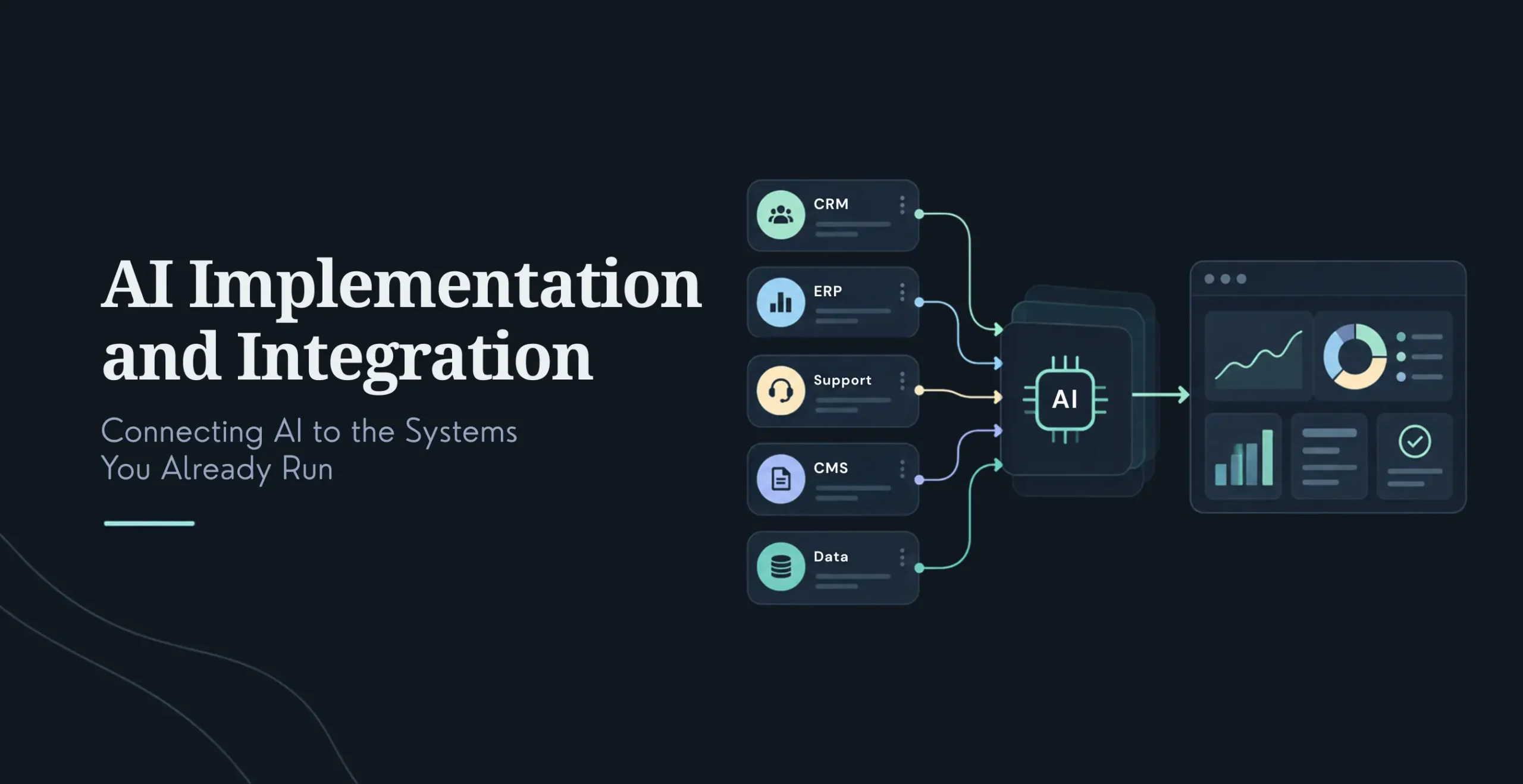
This fits the common situation where you have a genuine data advantage but not the volume to justify training a model from scratch, or you need to deploy fast but still want real customization and to avoid full vendor lock-in. A hybrid build for, say, a customer-service assistant, GPT or Claude for language understanding, a RAG pipeline over your own knowledge base, custom orchestration wired into your CRM with audit logs, typically lands in the low-to-mid five figures to low six figures, faster and cheaper than a full custom build, while still giving you the data moat and control that pure SaaS can’t. For a lot of mid-market businesses, this build-on-buy middle path is the right answer, and it’s a natural place to start before committing to a fully custom system. It also pairs naturally with strong AI implementation and integration, since the built layers are mostly integration and orchestration work.
How to Choose a Custom AI Development Partner
If you land on build (or hybrid), the partner makes or breaks it. Evaluate on genuine industry experience with references, real technical depth in the stack you need (LLMs, RAG, MLOps, integrations), a structured methodology with clear deliverables, proven data-security and compliance experience for your requirements (HIPAA, SOC 2, GDPR), an ROI track record, transparent pricing and honest timelines, ongoing maintenance capability (not just a one-time build), and cultural fit.
The questions that surface the real thing fast: What have you built in my industry, and can I talk to those clients? How do you handle my compliance requirements? What’s your process, deliverables, and typical payback? How do you make sure it integrates with our existing systems, and do you maintain it after launch? The red flags mirror them, overpromising on time or cost, no compliance experience, vague deliverables, no ROI evidence, no ongoing support, and a one-size-fits-all approach. And watch scope creep specifically: it’s the biggest risk in custom AI, where a locked-down $60K project can quietly become $180K, so a partner who insists on nailing requirements before writing code is protecting you, not slowing you down.
Building an AI system around your own data, workflows, and goals rather than renting a generic tool every competitor can also use. It’s software you commission and own, typically a stack built on models like Claude or OpenAI’s, with your own retrieval, orchestration, prompts, and audit logs, deployed in your environment. Unlike SaaS AI, you control the model behavior, keep your data in-house, and can tie the system to proprietary data and processes that become a competitive advantage.
What’s the difference between custom AI and off-the-shelf?
Off-the-shelf AI is SaaS you license per seat; the vendor owns the model, prompts, and data policies, and you rent access. Custom AI is software you own and deploy in your own environment with your own prompts, evaluations, and audit logs. Off-the-shelf has low upfront cost but compounds with every seat and offers no competitive advantage; custom costs more upfront but flattens at scale and can be a genuine moat. The right choice is per-workflow, not universal.
When should I build custom AI instead of buying?
Build when off-the-shelf tools have already failed the specific problem, when compliance or data-residency rules block a third-party vendor, when the workflow needs to write deep into your internal systems, when you’ve scaled past the point where per-seat TCO flips (often break-even under ~18 months), when the workflow is your competitive edge, or when off-the-shelf solves most of the problem but misses the critical part that drives the value. Three or more of those pointing to “build” is a strong signal.
When should I just buy off-the-shelf AI?
Buy when the task is standard and non-differentiating, when you need value in days or weeks with low upfront cost, when the tool’s existing integrations cover your systems, when out-of-the-box accuracy is good enough, or when you’re a small team below the scale where per-seat pricing bites. For generic, low-volume needs, renting is genuinely the cheaper and smarter choice, don’t build what you can rent well.
How much does custom AI development cost in 2026?
Less than it used to, AI-assisted development cut build costs 40-60%. Rough ranges: ~4K-40K for a focused chatbot or single automation, ~30K-80K for multi-system workflow automation, ~80K-250K for a full mid-market platform, and 300K-2M+ for complex enterprise systems, plus running costs and 15-25% annual maintenance. These are planning ranges that vary widely with scope and integration complexity, so get a scoped quote.
What’s the ROI and payback on custom AI?
Payback lands later than SaaS but the long-run value is higher. Directional, vendor-reported ranges: API-first builds ~4-8 months, fine-tuned models ~8-16 months, full in-house systems ~12-24 months. The structural advantage is that custom flattens in cost past break-even while SaaS compounds forever, and it can create a data-based moat SaaS can’t. Treat specific ROI percentages as directional, real returns depend on your baseline and adoption.
When does custom AI become cheaper than SaaS?
When total cost of ownership over two to three years flips, which for most mid-market applications lands between month 12 and 24. A useful trigger to even run the analysis: when your SaaS-plus-AI spend clears roughly $5,000/month and is growing. Cheap SaaS for a small team stays cheaper; but at mid-tier per-seat pricing and real scale (hundreds of users), a well-scoped custom build usually wins on cost within 18-24 months, before counting control and competitive advantages.
What is the hybrid build-on-buy approach?
Buy the commodity intelligence (a base model like GPT or Claude) and build the parts that are yours, your proprietary data and retrieval pipeline, orchestration, integrations, and audit logs. You get fast deployment with a real data advantage and control, without the cost and time of a fully custom model or the lock-in and compounding fees of pure SaaS. It’s often the right middle path for mid-market businesses, and a sensible way to start before committing to full custom.
Can I start with off-the-shelf and move to custom later?
Yes, and many do. Start off-the-shelf to move fast and learn exactly where the generic tool fails you, then build custom (or hybrid) once you hit the ceiling and know precisely what you need. That “learn then build” path lowers risk, because your eventual custom build is scoped around real, observed gaps rather than guesses. The build-on-buy hybrid is a natural stepping stone between the two.
Conclusion
The build-vs-buy question doesn’t have a universal answer, it has a per-workflow one. Off-the-shelf AI is the right call for standard, non-differentiating tasks, small teams, and anything you need fast and cheap. Custom AI is the right call when your data, compliance, integration, or scale exceed what SaaS can do, and above all when the workflow is a genuine competitive edge you shouldn’t hand to a tool your rivals also rent.
Run the five-question test and the two-to-three-year TCO math, and the answer for your specific situation usually gets clear fast. And remember the middle path: build-on-buy lets you rent the commodity intelligence while owning the parts that make you different, which is where a lot of businesses should actually start.
Lead of the Custom Development team at KrishaWeb, holds AWS certification and excels as a Team Leader. Renowned for his expertise in Laravel and React development. With expertise in cloud solutions, he leads with innovation and technical excellence.




 KrishaLabs
 KrishaStudio
 KrishaStore