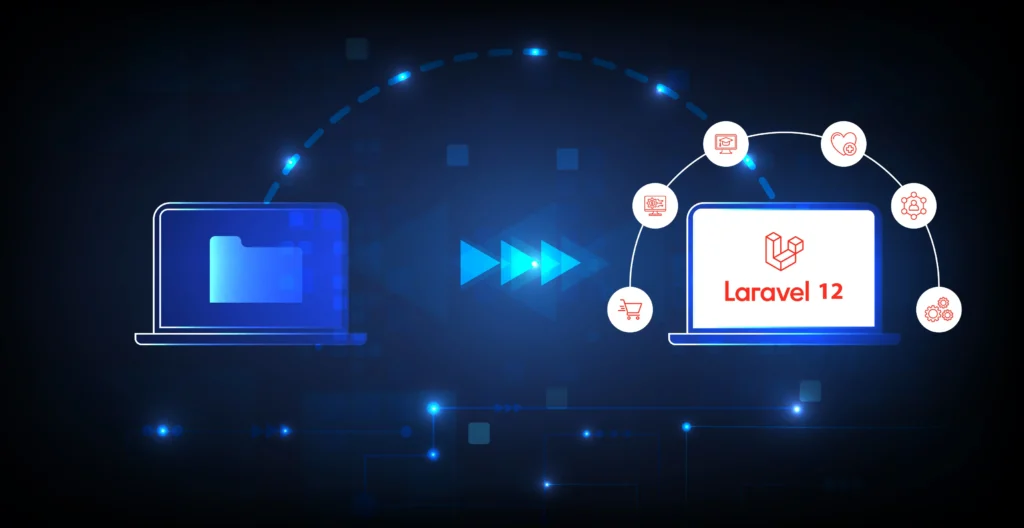
For organizations, managing legacy applications can be a real challenge and even a burden in the world of fast-moving web development. Legacy applications and frameworks slow down innovative opportunities and potential business growth. With an increased security risk, as well as limited scale and sustainability, it is critical for organizations to modernize their applications. On February 24, 2025, the release of Laravel 12 will offer businesses the means to transition their legacy applications into a newer framework while providing the latest Trivial offers and improved performance capabilities.
According to industry statistics (BuiltWith) indicate that there are over 1.5 million websites powered by Laravel worldwide, and it currently has a market share of 35.87% among PHP frameworks, with 76.29% of development teams carrying out a migration to PHP over the past 12 months. The shift to modern frameworks is at an all-time high, and this guide provides a step-by-step migration path for legacy applications to Laravel 12 to ensure minimal downtime and maximum benefit from the latest offerings.
Overview of Laravel 12: A New Platform for Your Applications
Some important aspects of Laravel 12 make it a very good candidate for migrating legacy applications:
New Starter Kits: Laravel 12 offers new starter kits for React, Vue, and Livewire with built-in authentication scaffolding, TypeScript, and integrated Tailwind CSS. The starter kits come with modern tooling, and to make you more productive, you will spend a lot less time configuring them, saving more than 70% of your time compared to building your own.
AI Development Utilities: The new debug()->suggest() functionality adds an intelligent debugging utility that helps developers narrow down issues and fix them much more quickly than traditional debugging methods.
Performance and Boot-time Improvements: Laravel 12 also introduced many performance improvements through asynchronous caching, lazy mechanisms for the service container loading, and reduced boot time vs. Laravel 11.
Security and Authentication Enhancements: New authentication mechanisms make Laravel 12 much more secure than legacy frameworks; its security measures include more validation methods utilizing secureValidate(), and enhanced CSRF protections.
Developer Experience and Ergonomics: Laravel 12 brings notable improvements to developer experience and ergonomics, including refined Blade templating with a cleaner syntax and better ergonomics for component-based views, as well as an improved Artisan experience with faster commands and more expressive scaffolding options.
Ecosystem and quality-of-life improvements: On the ecosystem and quality-of-life side, you’ll find cleaner upgrade paths and deprecations, along with enhanced testing and observability experiences that make validating migrations easier and more reliable.
Architectural and Data Access refinements: Laravel 12 introduces subtle but meaningful architectural refinements that improve how apps access and manipulate data. Eloquent gains in common query-building patterns and relationships, delivering cleaner, more expressive code without sacrificing performance. The schema builder and migrations have been enhanced to support safer migrations with better rollback capabilities and more flexible schema changes, making the evolution of the data layer less risky during migrations. Taken together, these improvements reduce friction in data access, improve developer intuition when modeling domain logic, and help teams iterate on features with greater confidence and speed.
A database being either MySQL 5.7+(MySQL 8.x is recommended since 5.7 reached end-of-life in 2023, but it still works), PostgreSQL 10.0+, SQLite 3.8.8+, or SQL Server 2017+
Node.js 18+ for compiling assets
Pre-Migration Analysis: Analyze your Legacy Application
Source Code Review
The first step of importance would be a full analysis of your legacy application.
Library Dependencies: Create documentation for all libraries, frameworks, and custom modules your application uses. Migration specialists state that dependency issues will result in 60% of the issues with migration.
Documentation on Database Schema: Deliver documentation on your database structure. Good documentation will represent the current database structure, relationships, constraints, and custom functions. With this documentation, performing the mapping of those relationships in Laravel’s Eloquent ORM will be possible.
Custom Functionalities: Document all custom features, integrations, and business logic that must be preserved in the migration. You will design the strategy of implementation with Laravel around the cataloged list of custom functionalities.
Testing Coverage & QA: As part of the pre-migration analysis, it is important to review the testing practices in the legacy application. Determine whether automated tests exist and evaluate their coverage across critical business workflows. If testing is limited or absent, identify high-risk areas that may require additional manual validation during migration. Establishing a clear strategy for unit, feature, and integration testing in Laravel will help ensure functionality is preserved, reduce regression risks, and provide confidence in the stability of the migrated system.
Risk Assessment and Planning
Data Integrity Risks – A common challenge with legacy databases is that they often contain inconsistencies that cause failures during the migration. Ensure you have robust data validation and data cleanup plans before migration.
Business Continuity Considerations – As 95.4% of Laravel applications are used in running a business, it is critical to go through planning to minimize the risk of disruption to the business. Ensure a parallel system can run for the migration period. (Source: State of Laravel)
Security Risks – Migration projects often introduce new vulnerabilities, especially when outdated libraries, weak encryption methods, or poor access controls exist in the legacy application. A thorough security audit should be conducted before migration to identify potential threats.
Integration Risks – Legacy systems often rely on third-party services such as payment gateways, ERP/CRM systems, or shipping providers. During migration, compatibility issues may arise due to API version changes, deprecated protocols, or differing authentication mechanisms. To reduce this risk, create an inventory of all integrations, test them in a staging environment, and plan fallback procedures to handle potential failures.
Migration Strategy Selection: Choosing the Way Forward
Incremental Migration (recommended)
For most enterprise applications, the incremental migration is the lowest risk and highest chance of success:
Side-By-Side: Install Laravel next to your legacy application and migrate functionality incrementally, while fully functioning legacy systems remain active. Data shows an 85% success rate versus 45% for full rewrites.
Route-by-Route Migration: Migrate individual routes and controllers over time, ensuring proper verification and validation will take place at each stage.
Shared Database Strategy: While the transition takes place, both the legacy and Laravel applications can run on the same database to minimize data synchronization challenges.
Complete Rewrite Approach
Ideal for smaller applications or if your system is extremely outdated:
Clean Architecture: Survive the rewrite with the set of modern architecture that is Laravel 12 and its philosophy of best practices
Reduced technical debt: No more reconciling technical debt from legacy applications created over many years.
Full feature modernization: New user experience patterns along with modern security practices.
Step-by-Step Migration Process
Phase 1: Environment Setup and Preparation (Week 1-2)
1. Create Development Environment
bash
# Clone Laravel 12 into your project directory
git clone https://github.com/laravel/laravel.git laravel-migration
cd laravel-migration
git checkout v12.0.0

# Install dependencies
composer install
npm install
2. Configure Environment
bash
# Copy and configure environment file
cp .env.example .env
php artisan key: generate

# Configure database connections for both legacy and new systems
Laravel 12’s enhanced migration system supports complex schema transformations:
php
// Create migration for legacy table structure
php artisan make:migration create_legacy_compatible_tables

// In your migration file
public function up()
{
    Schema::create('users', function (Blueprint $table) {
        $table->id();
        $table->string('legacy_id')->unique(); // Maintain legacy ID mapping
        $table->string('name');
        $table->string('email')->unique();
        $table->timestamps();
        // Add legacy-specific columns as needed
    });
}
2. Data Migration Scripts
Create robust data migration scripts that handle legacy data inconsistencies:
php
// app/Console/Commands/MigrateLegacyData.php
class MigrateLegacyData extends Command
{
protected $signature = 'migrate:legacy-users';
    protected $description = 'Migrate legacy user data into new Laravel database';

    public function handle()
    {
	   $this->info('Starting legacy users migration...');
        DB::connection('legacy')->table('old_users')
            ->orderBy('id')
            ->chunk(500, function ($legacyUsers) {
                foreach ($legacyUsers as $legacyUser) {
                    try {
                        User::updateOrCreate(
                            ['email' => $legacyUser->email],
                            [
                                'legacy_id' => $legacyUser->id,
                                'name' => $legacyUser->full_name ?? 'Unknown',
                                'created_at' => $legacyUser->date_created,
                                'updated_at' => $legacyUser->date_updated ?? now(),
                            ]
                        );
                    } catch (\Exception $e) {
                        Log::error('Failed to migrate user ID '.$legacyUser->id.': '.$e->getMessage());
                        $this->error('Failed to migrate user ID '.$legacyUser->id);
                    }
                }
            });

        $this->info('Legacy users migration completed.');

    }
}
Phase 3: Legacy Framework Integration (Week 3-4)
1. Create Legacy Service Provider
Following industry best practices for framework integration:
php
// app/Providers/LegacyFrameworkServiceProvider.php
class LegacyFrameworkServiceProvider extends ServiceProvider
{
    public function register()
    {
        $this->app->singleton('LegacyFramework', function ($app) {
            return new LegacyFrameworkWrapper();
        });
    }

    public function boot()
    {
        // Initialize legacy framework components
        require_once base_path('legacy/bootstrap.php');
    }
}
2. Implement Route Fallback Strategy
Configure Laravel to handle unmatched routes by passing them to your legacy system:
Migrate functionality systematically, starting with the most critical features:
php
// app/Http/Controllers/UserController.php
class UserController extends Controller
{
    public function index()
    {
        $users = User::with('roles')->paginate(15);
        return view('users.index', compact('users'));
    }

    public function legacyCompatibleMethod($id)
    {
        // Handle both legacy and new ID formats
        $user = User::where('id', $id)
                   ->orWhere('legacy_id', $id)
                   ->firstOrFail();

        return view('users.show', compact('user'));
    }
}
2. Implement View Templates
Create Blade templates that maintain design consistency:
Index Strategy: Laravel 12’s query builder improvements work best with properly indexed databases. Analyze your query patterns and create appropriate indexes:
php
// database/migrations/add_performance_indexes.php
public function up()
{
    Schema::table('users', function (Blueprint $table) {
        $table->index(['email', 'created_at']);
        $table->index(['status', 'last_login_at']);
    });
}
Let’s monitor these important metrics to assess if your migration was successful:
Performance Metrics:
Page Load Time: Target <2 seconds (Laravel 12’s optimizations should reduce load times by ~30-50%)
Database Query Performance: Track query execution times and make adjustments to any slow queries
Memory Usage: Laravel 12’s revamped memory management should lead to a 15-25% reduction in memory usage
Business Metrics:
User Satisfaction: Measure either user feedback or volume of support tickets coming in
Development Velocity: Time speed for feature development post-migration effort
System Reliability: Track both uptime and error rates
Return on investment (ROI)
How to calculate Return on Investment for your migration project:
Cost Savings:
Reduced maintenance time (could be in range of 40-60% reduction)
Enhanced productivity level (Laravel’s elegant syntax will increase development speed by about 30-50%)
Improved security result (upfront cost of avoiding a breach)
Revenue Benefits:
Deliver new features faster (faster time-to-market)
Improved user experience (greatly improve conversion rate)
Better scalability (support demand for future development projects)
Conclusion and Next Steps
Migrating from “legacy apps” to Laravel 12 is a serious commitment to your organization’s future technology strategy. This, combined with Laravel’s growing presence in the market and 76.29% of development teams moving to PHP applications, makes this Framework have a strong and stable footing for building modern web applications.
Follow the incremental, stepwise process outlined in this tutorial for smooth transitions, adapting along the way with the least amount of operational disruption while realizing the benefits of the advanced features of Laravel 12. There will be several keys to success, namely,
Solid planning and assessment before embarking on the migration
Run a plan that migrates incrementally to avoid causing serious risks to operational actions during downtime
Rigorous testing at each phase of the process
Performance monitoring and optimization after the migration is complete
As the Laravel framework continues to evolve with feature releases and a supportive community, the organizations entering into their new journey with Laravel 12 will move forward with an evolving technology strategy in this competitive digital age.
Ready to Start Your Migration?
Begin with a full evaluation of your legacy application according to the framework outlined in this publication. Document your existing architecture, note the most important dependencies, and identify a complete migration schedule. With Laravel 12’s additional capabilities and tested migration approaches, your organization can modernize its applications and sustain the same business continuity while driving growth into the future.
Investing in Laravel 12 migration provides benefits through improved performance, better security, diminished maintenance costs, and accelerated development, benefits that will be with your organization for years to come.
Partner with KrishaWeb for Your Laravel Migration Journey
At KrishaWeb, we understand that migrating legacy applications to Laravel 12 is more than just a technical upgrade—it’s a strategic business transformation. With over a decade of expertise in PHP development and Laravel framework specialization, our team has successfully guided hundreds of organizations through complex migration projects, ensuring seamless transitions with minimal business disruption.
Whether you’re migrating a simple web application or a complex enterprise system, KrishaWeb’s proven methodologies, experienced developers, and commitment to excellence make us your ideal partner for Laravel 12 migration success. Contact us today to discuss your migration requirements and discover how we can transform your legacy applications into modern, scalable, and secure Laravel 12 solutions that drive your business forward.
Ready to modernize your applications with Laravel 12? Get in touch with KrishaWeb’s Laravel experts for a free consultation and migration assessment.
Nirav Panchal
Lead – Custom Development
Lead of the Custom Development team at KrishaWeb, holds AWS certification and excels as a Team Leader. Renowned for his expertise in Laravel and React development. With expertise in cloud solutions, he leads with innovation and technical excellence.




 KrishaLabs
 KrishaStudio
 KrishaStore