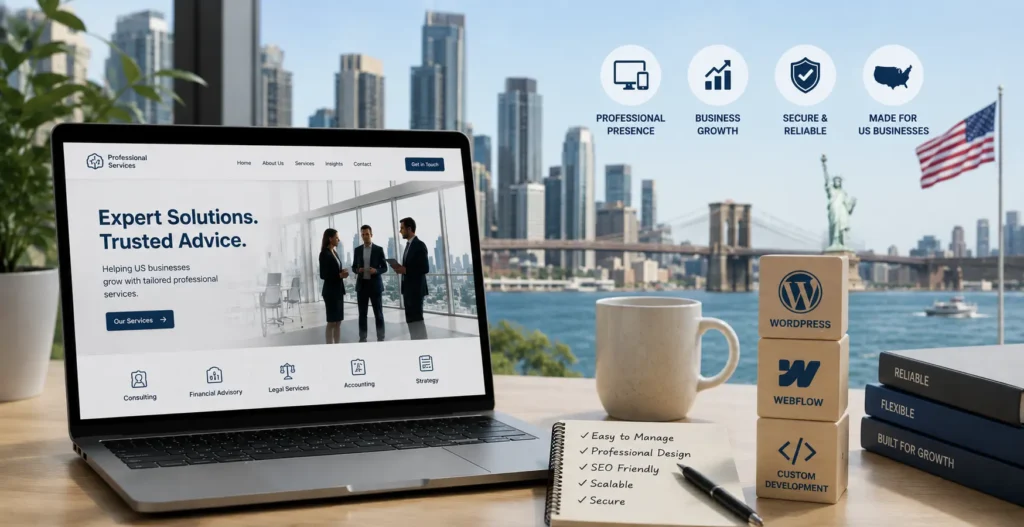
The brochure website is finished as a concept. It may have survived until 2022. In 2026, US buyers of legal, accounting, and consulting services compare firms online before they call anyone. They shortlist through search, judge credibility through design and content, and often decide before a partner even knows they exist. Your website is doing active sales work whether you built it for that or not.
Here is the number that makes it concrete: 72% of new professional services clients now come through online channels. Your site is not a digital business card anymore, it is your most tireless salesperson, working every hour you are not.
The platform decision shapes everything underneath that: how fast the site loads, how easily your team can update it without a developer, how clearly it can be structured for the buyer evaluating you, whether the lead capture connects cleanly to your CRM, and, new for 2026, whether AI tools like ChatGPT recommend you when a buyer asks. Get this wrong, and it does not just cost you aesthetics. It costs you money for inquiries.
This guide is for firms that have outgrown generic advice and want a real assessment of the three paths: WordPress, Webflow, and custom development. Not which platform is trending, but which one fits how your firm actually works.
Table Of Contents
Table Of Contents
The thing most platform comparisons get wrong
Most comparisons treat this as a technical question. It isn’t. It’s a business operations question.
A boutique law firm in Austin with three partners, an office manager who updates the site occasionally, and a website whose main job is turning LinkedIn referral traffic into consultation bookings has completely different requirements from a mid-size accounting practice in Chicago with a content team, a quarterly thought-leadership program, and a pipeline running through HubSpot.
The same holds across US professional services. Consulting firms that need to position a few named experts distinctly from a generic competitor. Financial advisory practices where compliance language and client-portal links have to coexist with trust-building case studies. Engineering firms where technical depth is the brand signal and the homepage has to communicate specialization, not generalism.
So before we get into platforms, the honest first question is this: what does your site actually need to do, and who owns it once it’s live? Answer that, and the platform choice mostly answers itself.
WordPress: Still the right answer in the right circumstances
WordPress powers over 43% of all websites and has the deepest ecosystem of any CMS (Source:Involve Digital). For US professional services firms, that depth earns its keep in specific situations.
If your firm publishes substantial content regularly, multiple articles a week, complex topic clusters, or a knowledge base that needs editorial workflow and taxonomy, WordPress is built for it. The Yoast and Rank Math ecosystems are mature and handle the structured-content SEO that thought-leadership-heavy firms depend on for organic visibility.
WordPress also wins if you already have a developer on staff or a standing agency relationship managing the site. That’s the context most comparisons skip. WordPress in the hands of someone who knows the platform is genuinely excellent. The same site managed by a non-technical office manager who is one plugin update away from a broken layout is a problem waiting to happen. That single distinction, whoever maintains it, decides whether WordPress is a strength or a liability for your firm.
The maintenance overhead is the honest trade-off, and it has a real dollar figure. A typical professional-services WordPress site now runs roughly $3,000 a year once you add premium managed hosting (WP Engine or Kinsta) and a monthly care plan. It also carries a security burden: plugin vulnerabilities are a genuine, recurring risk in 2026, and a firm site running 15 to 20 plugins for SEO, forms, lead capture, chat, and booking accumulates patch obligations, where every update cycle is a potential conflict.
For US firms specifically: if your main acquisition channel is organic search from high-intent queries like “commercial litigation lawyers Dallas” or “R&D tax credit consultants Boston,” and you publish consistently to build topical authority, WordPress with proper SEO configuration is hard to beat on the content side.
WordPress makes sense if your firm publishes frequently, you have or can afford dedicated WordPress management, and deep plugin functionality is genuinely required.
Not sure which platform fits your firm’s actual acquisition model? It starts with understanding how your current site performs before picking a platform. Request your free AI Website and CRO Audit, and we’ll give you an honest read on what’s working, what isn’t, and where a platform or conversion problem is costing you inquiries.
Webflow: The stronger default for most US professional services firms in 2026
If a typical US professional services firm described what it actually needs from a website, the description would match Webflow more closely than any other platform available right now.
Clean design that signals expertise without looking like a stock theme. Fast mobile performance without a developer hand-optimizing plugin load. A CMS the marketing coordinator, or BD manager can update without filing a ticket. Lead forms that pass clean UTM data straight into HubSpot or Salesforce without custom code. Security handled at the platform level. And a site that scores above 90 on Core Web Vitals by default rather than through deliberate engineering.
The results back this up. Walker & Dunlop, a US commercial real estate advisory firm, migrated from WordPress to Webflow and saw a 56% increase in form fills while cutting its content-update cycle from one month to one day (Source:Hubstic). That’s the professional-services profile exactly: high value per inquiry, modest content volume, strong brand-differentiation needs, and a marketing team that can’t be held hostage to a developer queue every time a landing page changes.
The cost math favors it too. A comparable Webflow site runs closer to $600 a year all-in (hosting, security, and a global CDN are built into the subscription) versus roughly $3,000 for the WordPress equivalent once care plans and premium hosting are added. Lower maintenance overhead, faster iteration, and less developer dependence produce measurable savings and speed. As one firm put it after rebuilding, Webflow removes the parts that quietly drain your time and budget.
The trust-signal piece matters most, and it’s where US professional services firms underinvest most consistently. The old pattern, a generic claim, a stock photo of a conference room, and a contact page buried in the nav, is still everywhere. Webflow’s design flexibility lets a firm build a homepage that communicates real expertise through the quality of the presentation, not just the words. A boutique consulting firm competing against a Big Four practice doesn’t win on scale. It wins on perceived expertise and fit, and the website is where that perception gets set.
Webflow’s CMS comfortably handles what most firms need: case studies, team profiles, service pages, insights, event listings, and resource libraries. After the Next-Gen CMS expansion, a firm publishing two to four thought-leadership pieces a month and maintaining a library of 100 to 200 pieces is well within range. Where Webflow’s CMS starts to strain is daily publishing or tens of thousands of items across complex taxonomies, which almost no professional services firm is anywhere near. The functional areas where Webflow genuinely can’t match WordPress’s plugin depth are deep e-commerce and membership systems, neither of which is relevant to most law, accounting, or consulting firms.
Webflow makes sense if your firm needs clean brand-quality design, fast mobile performance, marketing-team independence from development, and a site that leads rather than apologizes when a prospect is evaluating you.
Already on WordPress and wondering if a Webflow migration is worth it? Our website redesign cost guide breaks down real cost ranges for a platform migration, and our Webflow development services page covers how we scope professional services builds with conversion as the goal from day one.
Custom development: when the website is the product
Some professional-services-adjacent US businesses need the website to do more than communicate expertise and capture inquiries. Client portal access is more sophisticated than a shared-drive link. Document-generation workflows. Dynamic proposal builders. Compliance dashboards. Subscription-gated knowledge bases.
When the website is really a client-facing application rather than a marketing site, no CMS-based platform is the right foundation. WordPress can approximate some of it through plugins, but the result is brittle and expensive to maintain as requirements grow. Webflow is explicitly not an application platform.
For these cases, a React or Next.js front end on a purpose-built backend is the right answer. The cost is meaningfully higher: custom professional-services web applications with authentication, role-based access, and real-time data typically start around $60,000 and scale with scope, and the ongoing engineering cost is higher because the application needs active development, not just a content manager.
Most US law firms, accounting practices, and consulting businesses don’t need this. Their site is a marketing and inquiry-conversion tool, not an application. But for the subset building client-facing platforms or automating workflows that span their business and their clients’, custom development is the only path.
The 2026 shift most comparisons miss: AI search visibility
Here is the factor almost no platform comparison covers, and it’s becoming decisive. Your buyers no longer start only with Google. A growing share opens ChatGPT, Gemini, or Perplexity and asks, “Who are the best commercial litigation firms in Denver?” or “Recommend an accounting firm for a SaaS startup.” Whether your firm gets named in that answer is the new front line of client acquisition.
And AI engines don’t cite generic brochure sites. They cite firms with clear, well-structured content, named experts, specific case outcomes, and clean semantic code the model can actually read. This is where the platform choice quietly matters: the same clean structure that makes a Webflow or well-built WordPress site fast and accessible is what makes it legible to an AI. A slow, cluttered, generic site is invisible to both the buyer and the model recommending firms to that buyer.
The takeaway for 2026: being the firm an AI names is the new version of ranking first. It comes from genuine expertise expressed in clean, structured, citable content, not from a platform trick. Whichever platform you choose, build it so both humans and AI can read your expertise clearly.
Don’t overlook accessibility (it’s a US legal risk now)
One more US-specific factor that belongs in a platform decision: website accessibility. In 2026, ADA-related website lawsuits are rising sharply, and a large share targets smaller businesses, not just enterprises. Professional services firms are not exempt.
This affects the platform conversation because accessibility is far easier to maintain on a clean, well-built site than on a WordPress install weighed down by conflicting plugins that each inject their own markup. Webflow gives you strong semantic control at the platform level; a well-built custom or WordPress site can absolutely be accessible too, but it takes deliberate effort. Whatever you choose, build to WCAG 2.2 AA, because an inaccessible professional-services site is both a lost segment of clients and a genuine legal exposure.
How US professional services buyers actually evaluate firms online
This is the context the whole platform decision should sit inside, because the right platform is the one that serves the buyer journey best.
The pattern is consistent: buyers use firm websites to shortlist and assess fit before any contact. The homepage opens the conversation; the service pages close the gap between interest and inquiry. And the difference between a site that earns the shortlist and one that doesn’t isn’t whether the firm is capable. It’s whether the website communicates that capability fast enough for the buyer to absorb it.
In practice, that means specific things. Service pages organized around what the buyer is trying to accomplish, not around your internal departments. Social proof that’s specific rather than generic, named client outcomes, not “industries served.” Mobile performance clean enough for someone comparing you against two competitors while scrolling on their phone after a LinkedIn post sent them your way.
The platform has to support all of it. A slow WordPress site with cluttered navigation and a generic theme undercuts a firm’s real expertise. A well-built Webflow site with a clear service hierarchy, named-partner credibility, and fast mobile load amplifies it. The platform doesn’t create the expertise. It decides whether the buyer perceives it before they bounce.
The Fit-First method: how to choose without regret
Rather than start from “which platform is best,” start from your firm, using a simple sequence we call the Fit-First method. It picks the platform by matching it to how your firm actually operates.
First, name the site’s primary job, lead generation, content authority, or client-facing application. Second, name who owns it after launch, a technical team, a non-technical marketer, or nobody in particular. Third, be honest about content volume, a few pieces a month or daily publishing. Fourth, map your CRM and integration needs. Only then choose. Most firms that run this honestly land on Webflow, high-volume publishers with in-house WordPress expertise stay on WordPress, and the few building an application go custom. The platform is the last decision, not the first.
What’s the best website platform for a law firm in the US?
For most US law firms, Webflow is the stronger choice in 2026. It delivers clean, high-performance design that signals credibility, fast mobile load times for the large share of buyers researching on their phones, and a CMS the business development team can manage without a developer. It also costs meaningfully less to run, roughly $600 a year all-in versus about $3,000 for a comparable WordPress site with premium hosting and a care plan. WordPress is the better choice when a firm publishes substantial thought-leadership content regularly and has dedicated WordPress management in place.
Is WordPress still worth using for professional services in 2026?
Yes, in the right circumstances. For firms with high content volume, established editorial workflows, and a WordPress developer or agency managing the site, WordPress remains powerful, it powers over 43% of the web for good reason. But for firms whose main website goal is lead generation and brand credibility rather than publishing at scale, the maintenance overhead and roughly $3,000 annual cost are harder to justify against Webflow’s cleaner default performance and lower operating cost. The deciding factor is usually who maintains the site, not the platform itself.
How much does a professional services website cost in the US?
A Webflow professional services site from a specialist agency or developer typically runs $5,000 to $20,000 to build, depending on page count, design complexity, and integrations, with ongoing costs around $600 a year. A comparable WordPress build runs $4,000 to $18,000, but ongoing costs are higher, roughly $3,000 a year once premium hosting and a maintenance plan are added. Custom application development starts around $60,000 and up from there. For a detailed breakdown, our website redesign cost guide works through these ranges in depth.
Does Webflow work for professional services SEO in the US?
Yes. Webflow handles metadata, canonical tags, schema markup, XML sitemaps, and clean semantic HTML natively, and it scores consistently well on Core Web Vitals, which affects both rankings and user experience. For firms doing local SEO targeting specific cities or practice areas, Webflow’s technical foundation is solid, and its clean code also helps AI search engines read and cite your content. The one area where WordPress keeps an edge is advanced editorial SEO tooling through Yoast and Rank Math, which matters more for high-volume content operations than for typical professional services firms.
Will AI search like ChatGPT recommend my firm’s website?
It can, if your site is built for it. AI engines like ChatGPT, Gemini, and Perplexity increasingly answer questions like “best accounting firm for startups” by naming specific firms, and they favor sites with clear, well-structured content, named experts, specific case outcomes, and clean semantic code. Generic brochure sites get skipped by both buyers and AI. Platform choice supports this, a fast, cleanly built Webflow or WordPress site is easier for AI to read than a slow, cluttered one, but the real driver is genuine expertise expressed in structured, citable content. Being named by an AI is becoming the new version of ranking first.
What makes a professional services website convert inquiries effectively?
Service pages organized around client problems rather than internal structure, specific social proof that names outcomes rather than industries, a clear next step on every page matched to where the visitor is in their decision, and fast mobile performance. A buyer evaluating two or three firms at once will shortlist the site that communicates relevant expertise most quickly and credibly. Platform choice supports that, but it doesn’t substitute for clear positioning and a conversion-focused information architecture.
Conclusion
There’s no universal right answer, but there is a most-likely-right answer for most US professional services firms in 2026. A firm that needs clean brand quality, strong mobile performance, marketing-team autonomy, lower running costs, and a site that earns the shortlist rather than apologizing for itself is best served by Webflow. A firm with high content volume and established WordPress expertise is probably fine where it is. And a firm building a client-facing application needs custom development regardless of what the marketing site runs on.
KrishaWeb builds professional services websites across all three models. Our web design and development services cover Webflow builds designed for conversion and credibility, WordPress builds for content-heavy firms, and custom development for application requirements. Every engagement starts with the same question: what does this site actually need to do, and who owns it when we’re done?
The Free AI Website and CRO Audit gives you a specific, page-level analysis of where your current site is losing inquiries, how it benchmarks against professional services conversion standards, whether AI search can find and cite you, and what a rebuild or optimization would realistically improve. Delivered within five business days.
Pricing reflects US market rates current as of July 2026. All cost ranges are estimates and vary by scope, vendor, and project complexity. Statistics cited are drawn from publicly available research published in 2025 and 2026.
Girish Panchal
Technical Architect
A Technical Architect, proficient in WordPress, Drupal, Laravel, and DevOps tasks, crafts robust IT solutions with a blend of expertise and versatility in web development and infrastructure management.




 KrishaLabs
 KrishaStudio
 KrishaStore