A project starts as a straightforward marketing site in Webflow. Six months later, the client wants user logins, a dashboard, some real-time notifications, and a data model that has three different content types referencing each other in ways Webflow’s CMS was never built to handle. Now your technical lead is trying to explain, politely, that the platform choice made at kickoff has become the project’s biggest constraint.
This happens often enough that it’s worth naming clearly upfront: Webflow excels at marketing sites, portfolios, and simple content sites, but it cannot handle user authentication, real-time features, complex data models, or custom business logic. That’s not a criticism of the platform. It’s a structural fact about what it was built to do.
Webflow and React are both strong choices for agency client projects. Webflow gets a marketing site live fast with strong design control. React, usually paired with Next.js, gives you unlimited flexibility, custom functionality, and the performance ceiling that complex applications actually need.
Webflow’s own constraints are worth knowing precisely. There’s no server-side custom code. CMS capacity is capped, 20,000 items across 40 collections on the Premium plan as of the mid-2026 update. And exiting the platform only gets you partial portability: static pages export as code, but CMS-driven pages don’t regenerate outside Webflow itself.
This guide covers where that ceiling actually sits, the real performance and SEO data behind each platform, and exactly when a technical lead should tell a client the project needs a real front-end build instead of another Webflow workaround.
Key Highlights
The real dividing line: Webflow is built for marketing sites, portfolios, and simple content sites. The moment a project needs user authentication, real-time features, a complex data model, or custom business logic, that’s React/Next.js territory, no workaround changes it.
Webflow’s hard limits (worth knowing precisely): no server-side custom code, a CMS cap of 20,000 items across 40 collections on the Premium plan, and only partial portability on exit, static pages export as code, CMS-driven pages don’t regenerate outside Webflow.
SEO: Both rank well. Webflow gets you ~80% of SEO right out of the box with minimal setup; React/Next.js wins on programmatic SEO, hreflang, and dynamic structured data at scale.
Performance: React/Next.js hits a higher ceiling, well-optimized builds reach sub-1.5s mobile LCP versus Webflow’s typical 1.8-2.6s. Webflow gets close with careful work, but the structural ceiling is real.
Cost shape: Webflow is predictable monthly (~$39/mo Premium, bundling hosting, CDN, SSL, backups). React/Next.js is higher upfront ($3K-$250K+ by complexity) with lower hosting but more line items and oversight.
Maintenance: Webflow handles updates, backups, and security automatically. React/Next.js trades that convenience for full control, and ongoing responsibility for patches, dependencies, and hosting.
For agencies: You don’t have to pick a lane. Delivering both through a white label partner lets you recommend the platform that genuinely fits each client, instead of defaulting to whichever one your team already knows.
Table Of Contents
Table Of Contents
Webflow vs. React: Key Differences
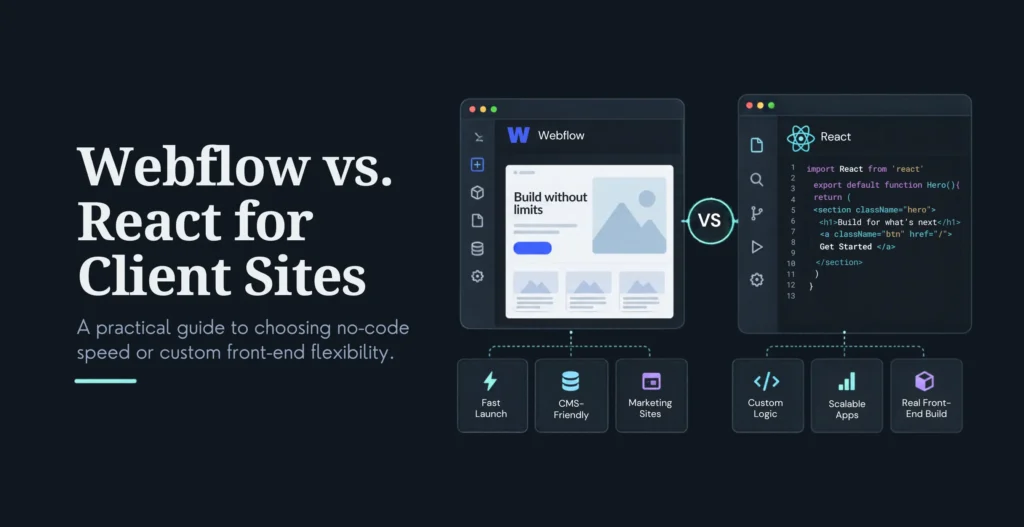
Webflow is a visual development platform with hosting, CMS, and design tools built in. React is a JavaScript library for building interfaces, almost always paired with Next.js for anything resembling a full application. Webflow gets you there faster with strong design control. React gives up that speed for unlimited flexibility.
Ownership and hosting. Webflow bundles hosting, CDN, SSL, and backups into a monthly fee. React and Next.js run on hosting you choose, Vercel, Netlify, or your own AWS setup, and you own the code outright with full portability between hosts.
Flexibility and ecosystem. Webflow’s ecosystem is growing but still bounded by what the visual editor and its plugin marketplace support. React has essentially unlimited flexibility through custom code, the entire npm package ecosystem, and full architectural control.
Learning curve. Webflow has a moderate curve built around visual development, approachable for a designer who’s never written code. React and Next.js need genuine JavaScript or TypeScript expertise and a real development environment, not a visual canvas.
Content model. Webflow’s CMS collections are visual and intuitive, but capped: 20,000 items across 40 collections on the Premium plan. React and Next.js have no such ceiling, since content lives in whatever headless CMS you choose, Contentful, Sanity, Strapi, or a headless WordPress instance, none of which impose Webflow’s structural limits.
Code access. Webflow allows custom code, but only within the platform’s constraints. React gives you full code access and complete control over architecture, dependencies, and deployment.
SEO Comparison
Both platforms can rank well. Webflow gives you strong SEO controls out of the box with visual editing. React and Next.js give you unlimited SEO control through custom code and headless CMS integration, at the cost of needing someone who knows how to use that control well.
On-page controls. Webflow: native controls for titles, meta descriptions, Open Graph, and structured data, all editable visually. React/Next.js: full control through custom code and SEO libraries like next-seo, combined with whatever headless CMS is driving content.
Technical SEO. Webflow has a good baseline with less configuration needed, typically landing 2.0 to 3.5 seconds LCP on mobile without extra work. Next.js, properly optimized with server-side rendering, static generation, and partial hydration, can push LCP below 1.5 seconds.
Content and editorial SEO. Webflow works well for marketing sites with straightforward content, up to its 20,000-item ceiling. React/Next.js is the better fit for large content libraries, complex editorial workflows, and programmatic SEO at scale, none of which Webflow’s CMS was designed to handle at volume.
Schema and structured data. Webflow’s native schema controls keep improving. React/Next.js has no ceiling here at all, since schema, hreflang, and dynamic Open Graph images are all just code.
The pattern that comes up repeatedly in 2026 comparisons: Webflow gets you roughly 80% of SEO right out of the box, schema, sitemaps, meta tags, decent Core Web Vitals, with very little setup work. Next.js wins specifically on programmatic SEO, hreflang implementation, dynamic structured data, and dynamic Open Graph images, because everything is genuinely on the table rather than constrained by a platform’s editor.
Performance and Core Web Vitals
React and Next.js sites generally pass Core Web Vitals at a higher rate than Webflow sites, because the framework gives full control over rendering, optimization, and hosting rather than relying on platform defaults. Webflow can achieve good performance with careful work, but there’s a real ceiling on how far that optimization goes.
Metric
Webflow
Next.js (Well-Optimized)
Typical mobile LCP
1.8 to 2.6 seconds
Below 1.5 seconds
Median LCP (varies by source)
2.1 to 3.8 seconds
0.9 to 1.4 seconds on Vercel
Typical Lighthouse Performance score
70 to 85
85 to 95+
The range on both sides reflects real variation in build quality, but the ceiling matters more than the average. A well-built Webflow site can get close to a mediocre Next.js build. A well-built Next.js site is genuinely faster than anything Webflow’s architecture allows, because server-side rendering, static generation, and partial hydration give a level of control over what loads when that a hosted visual platform can’t fully replicate.
Optimization requirements. Webflow needs image optimization, minimal interaction complexity, and careful asset management to hit its ceiling. Next.js has SSR, SSG, and partial hydration built into the framework itself, with fine-grained control over exactly how each page renders.
Hosting and infrastructure. Webflow bundles CDN and optimization into the platform. React and Next.js require choosing hosting, but that choice buys full control over infrastructure, caching strategy, and scaling behavior.
Cost and Pricing
Webflow has predictable monthly costs that can still creep up through plan upgrades and add-ons. React and Next.js carry higher upfront development cost but lower ongoing hosting cost. Total cost depends heavily on project scope and how much ongoing maintenance the build actually needs.
Webflow costs
Item
Typical Cost
Premium site plan (20,000 CMS items, 40 collections)
$39/month (billed annually)
Core workspace seat
$20/seat/month
Pro workspace seat
$28/seat/month
Agency workspace seat
$35/seat/month
Team plan (10 seats, advanced features)
$2,500/month
React/Next.js costs
Item
Typical Cost
Development
$3,000 to $250,000+ depending on complexity
Hosting (Vercel Pro)
$20/month, or usage-based on AWS/GCP/Azure
Ongoing maintenance
Varies by agency and scope
The total cost picture is where the real trade-off shows up. Webflow’s subscription includes hosting, CDN, SSL, backups, security, and staging. A comparable React stack bills all of that separately, plus the developer hours needed for initial setup and ongoing maintenance. That doesn’t make React more expensive overall, especially at scale, but it does mean the cost is spread across more line items and requires more technical oversight to manage well.
Maintenance and Security
Webflow needs less ongoing maintenance because the platform handles updates, backups, and security automatically. React and Next.js need more active maintenance for dependency updates, security patches, and hosting management, in exchange for full control over how all of that gets handled.
Webflow maintenance
Updates happen automatically at the platform level. Backups are included. Security is handled by Webflow directly. Performance optimization is built in.
React/Next.js maintenance
Dependency and framework updates have to be managed manually, on a real schedule, not left to a platform. Backups need to be set up and tested from scratch rather than assumed. And security patching and monitoring is an ongoing responsibility, not a one-time setup step.
The security trade-off
Webflow’s platform handles most security tasks automatically, which is a real advantage for teams without dedicated security resources. React and Next.js require active security management, since the responsibility sits with whoever built and maintains the application, not a platform vendor.
Webflow’s own documentation frames this as shared responsibility: the platform handles infrastructure security, but the site owner remains responsible for application configuration, access control, and custom code security. That same principle applies even more directly to a self-hosted React application, where there’s no platform layer absorbing any of that responsibility at all.
Web Application Capabilities
React and Next.js offer far more powerful web application capabilities than Webflow. Webflow is suitable for marketing sites and simple content sites. React and Next.js are the right call for web applications, user authentication, real-time features, complex data models, and custom business logic.
Webflow capabilities: suitable for design-heavy marketing websites. Works well for simple content websites. Limited e-commerce functionality. And a hard limit: it cannot handle user authentication, real-time features, complex data models, or custom business logic.
React/Next.js capabilities: full web application development. Complete authentication systems. Real-time features like chat, notifications, and live updates. Unlimited data relationships. Full control over custom business logic. Unlimited third-party API integrations.
This is the section worth reading most carefully if you’re a technical lead deciding whether to keep pushing a project inside Webflow or recommend a real build. If a client’s requirements touch any of the items in that second list, user logins, live data, complex relational content, custom workflow logic, the honest answer is that Webflow was never the right tool for that part of the project, no matter how much of the marketing site itself looks great in it.
When to Recommend Webflow
Recommend Webflow when the client needs a design-led marketing site with fast setup and minimal ongoing maintenance. It’s the right call for smaller content sites, design-focused projects, and clients who want a hands-off experience without much technical overhead.
Good fits: marketing sites where performance matters but complexity doesn’t. Smaller content sites that fit comfortably inside Webflow’s CMS limits. Projects where visual design control and a fast launch matter more than deep customization. Clients who’d rather pay one predictable monthly fee than manage infrastructure themselves.
Typical clients: SaaS companies needing a fast, polished marketing site separate from their actual product. Agencies handling design-focused projects with minimal ongoing maintenance. Professional services firms with simple, straightforward content needs.
When to Recommend React/Next.js
Recommend React and Next.js when the client needs a real web application: user authentication, real-time features, a complex data model, or custom business logic. It’s the right call for large-scale applications, or when long-term control and flexibility matter more than a fast initial launch.
Good fits: any project that needs user accounts and logged-in experiences, real-time functionality, or content structures too complex or too large for Webflow’s CMS to handle.
Typical clients: SaaS companies building the actual product, not just its marketing site. Enterprises with large-scale, custom application requirements. Startups building something genuinely novel that doesn’t fit an existing template or platform pattern.
How Agencies Deliver Both Platforms
Agencies deliver both Webflow and React/Next.js by working with white label partners for each. That way you can recommend whichever platform genuinely fits the project, without building deep internal React expertise your team might only need occasionally, and without the platform recommendation being quietly shaped by whichever one your team already knows.
Why this works: you recommend the right fit for every client, not just the platform your team is comfortable with. You take on more complex projects without hiring full-stack specialists for work that comes through unevenly. You protect your margin while still delivering genuinely capable work on either platform.
How it works in practice: your agency owns the client relationship and makes the platform recommendation, ideally after an honest technical conversation with the client about what they actually need. A white label partner handles the technical delivery for whichever platform gets chosen. The client sees a finished product from your agency, with no visibility into who built it.
KrishaWeb delivers white label development for agencies across WordPress, Webflow, React, Next.js, Laravel, Shopify, and WooCommerce, which covers most of what a growing agency ends up needing across a mixed client base.
Choose based on technical expertise, communication, reliability, and commercial flexibility. Ask to see relevant work on both platforms specifically, not just one. Confirm ownership terms in writing. Test the relationship with a pilot project before you hand over anything client-critical.
Score candidates from 1 to 5
Technical expertise across both Webflow and React/Next.js. Communication responsiveness. Reliability and delivery quality. Commercial flexibility. Ownership terms. Client references or verifiable proof of work on each platform.
Questions worth asking directly
How do you decide which platform actually fits a given project brief? Can you show examples of both a Webflow marketing site and a React/Next.js application you’ve built? What’s your delivery process for each? Who owns the code once it’s built? How do you communicate with our agency day to day? Could another developer inherit either kind of project cleanly if needed?
Start with a pilot
A small, clearly scoped project on whichever platform is most relevant to your current pipeline. A three-month trial. Clear success criteria agreed upfront. For the full evaluation process, our 12-point checklist for choosing a white label partner covers every question worth asking before you sign anything, and our broader pricing guide works through the cost drivers across engagement models.
Both can rank well. Webflow gets you roughly 80% of SEO right out of the box with minimal setup. React/Next.js provides unlimited SEO control through custom code, which wins specifically on programmatic SEO, hreflang, and dynamic structured data at scale.
Which platform is faster for client websites?
React/Next.js sites generally hit a higher performance ceiling, with well-optimized builds achieving LCP below 1.5 seconds against Webflow’s typical 1.8 to 2.6 seconds. Webflow can get close with careful optimization, but there’s a real structural limit to how far that goes.
How much does each platform cost for agencies?
Webflow runs predictable monthly costs starting around $39 a month for a Premium site plan, though workspace and team plans add up. React/Next.js development ranges from $3,000 to $250,000 or more depending on complexity, with lower ongoing hosting costs but more required technical management.
Which platform is easier to manage?
Webflow is by far the easier platform to manage day to day. It handles updates, backups, and security automatically. React and Next.js need active, ongoing management of dependencies, security patches, and hosting.
When should an agency recommend Webflow?
When the client needs a design-driven marketing site that can be set up quickly and needs very little maintenance afterward, and the project’s requirements fit comfortably within Webflow’s CMS and platform limits.
When should an agency recommend React/Next.js?
When the client needs user authentication, real-time features, complex data models, or custom business logic, all of which sit outside what Webflow was built to handle.
Can an agency offer both platforms?
Yes. Most agencies do this through white label partners for each platform, which lets them recommend whichever platform genuinely fits the client without building two full internal specialist teams.
What are Webflow’s actual limitations for complex projects?
No server-side custom code. A CMS capacity limit of 20,000 items across 40 collections on the Premium plan. And only partial portability if you ever need to leave the platform, since static pages export as code but CMS-driven pages don’t regenerate outside Webflow.
Conclusion
The platform decision isn’t a philosophical one. It comes down to whether the project’s actual requirements sit inside Webflow’s design and content strengths or need the kind of custom logic, authentication, and data complexity that only a real front-end framework can deliver.
Webflow wins on speed, design control, and low maintenance for marketing sites and straightforward content sites. React and Next.js win the moment a project needs user accounts, real-time features, or business logic that doesn’t fit a CMS collection.
If your agency wants to offer both platforms confidently, without building two separate specialist teams, a white label partnership is the practical way to get there. KrishaWeb can deliver both Webflow and React/Next.js projects under your brand while your technical lead focuses on making the right call for each client, not on whether your team has the bandwidth to build it.
Disclaimer: Performance and pricing figures reflect third-party research and published platform pricing at the time of writing. Confirm current pricing directly before quoting a client. All figures are for planning purposes.
Parth Pandya
Founder & CEO
Founder & CEO of KrishaWeb, leads an Enterprise Web Agency. With contributions to WordPress and organization of WordCamps, he pioneers innovation and community engagement in the digital realm.




 KrishaLabs
 KrishaStudio
 KrishaStore