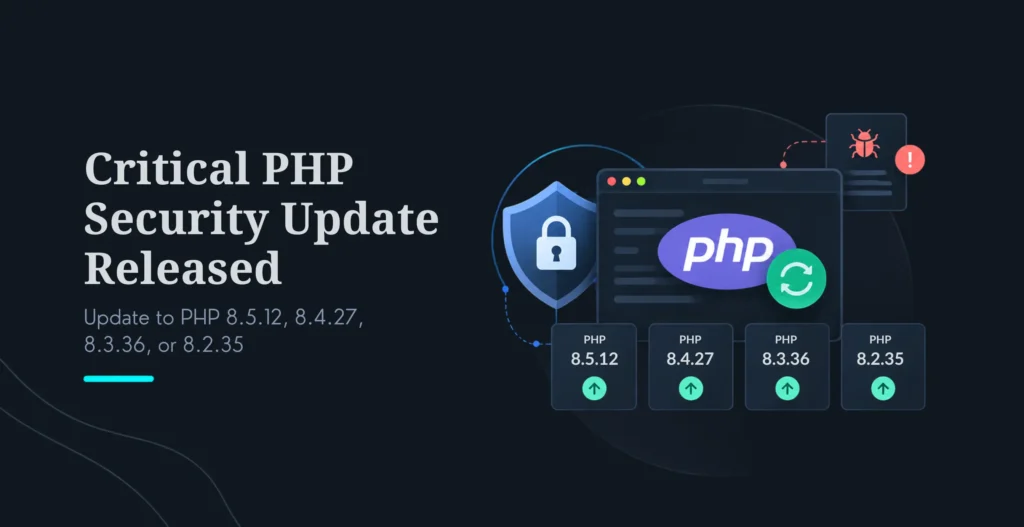
On October 21, 2026, the PHP project shipped an emergency security release fixing two critical vulnerabilities that can allow unauthenticated remote code execution, an attacker running their own code on your server without ever logging in. If any website or application you run serves PHP requests, you should update as soon as possible, not at your next scheduled maintenance.
Key Highlights
Vulnerabilities: CVE-2026-109618 and CVE-2026-109619 (collectively being called “PHP2Shell” by the security community).
Fixed in: PHP 8.5.12, 8.4.27, 8.3.36, and 8.2.35.
Severity: Critical, CVSS v4.0 score of 9.2 for each.
Risk: Unauthenticated (pre-authentication) remote code execution. Because the flaw is in PHP’s core, any CMS or framework built on PHP is exposed; researchers have demonstrated working attacks against major CMS platforms, including WordPress, Drupal, and Joomla.
Status: Reported as exploited in the wild, and CISA has urged organizations to patch immediately.
Who should act: Website owners, agencies, SaaS teams, and any business running PHP applications.
Important: This is not a routine update. If your website runs PHP, check your version today and update to a patched release.
Need help doing this safely?Contact KrishaWeb for a PHP version upgrade. Our team can check your version, plan the upgrade, test compatibility, and deploy it with rollback support.
Table Of Contents
Table Of Contents
What Happened?
Two critical PHP vulnerabilities were disclosed.
The PHP project released coordinated security fixes for two separate flaws, both rated critical:
CVE-2026-109618, remote code execution through out-of-memory corruption (advisory GHSA-w8hw-w9fx-j79w).
CVE-2026-109619, remote code execution through stale global state, a use-after-free condition (advisory GHSA-6wmf-4rv5-p3rp).
In plain language: both flaws can let an attacker run code on your server without authenticating. PHP, CISA, and CERT-EU (which issued Security Advisory 2026-018) all rate the situation as critical, with a CVSS v4.0 score of 9.2 for each vulnerability. PHP has confirmed both as unauthenticated RCE.
Why this update is urgent
These are vulnerabilities in PHP itself, the core language, not in a single plugin, theme, or framework. That matters enormously, because it means the risk reaches across the entire PHP ecosystem at once: WordPress, Laravel, Drupal, Joomla, Magento, and every custom PHP application. The researchers who found the flaws reported demonstrating unauthenticated RCE against WordPress, Drupal, and Joomla using current container images, and security trackers now list both CVEs as exploited in the wild. Proof-of-concept activity plus active exploitation is the combination that turns “patch soon” into “patch now.”
Who Is at Risk?
PHP installations serving web requests
The risk applies to essentially any PHP installation that handles web requests, including:
PHP-FPM
Apache with mod_php
PHP-CGI
FrankenPHP
LiteSpeed
PHP considers the risk highest for Apache with mod_php, where an unauthenticated request can trigger the issue before your application code even runs. For CVE-2026-109618, PHP says complete RCE was validated over HTTP against mod_php, with source analysis indicating PHP-FPM is also susceptible (though a full FPM exploit for that CVE hadn’t been demonstrated at disclosure). For CVE-2026-109619, the session-upload-progress path was validated against both mod_php and PHP-FPM. The practical conclusion: if you serve PHP over the web, assume you’re in scope.
Websites and applications that may be affected
If it’s built on PHP, it can be affected, including:
WordPress websites
WooCommerce stores
Laravel applications
Custom PHP applications
Drupal websites
Magento stores
SaaS platforms built on PHP
Internal business tools and admin panels
APIs built with PHP
PHP versions that need attention
PHP version
Status
Recommended action
PHP 8.5
Fixed in 8.5.12
Update immediately
PHP 8.4
Fixed in 8.4.27
Update immediately
PHP 8.3
Fixed in 8.3.36
Update immediately
PHP 8.2
Fixed in 8.2.35
Update immediately
PHP 8.1, 8.0, 7.4
End of life, no standard fix from the PHP project
Upgrade to a supported version, or apply vendor/source backports
PHP 8.1 and older no longer receive standard updates directly from the PHP project. Because the severity is so high, PHP did publish source-level backports for 8.1, 8.0, and 7.4, and some Linux distributions and LTS vendors are shipping backported packages, but the safe long-term answer for anything on an end-of-life branch is a planned upgrade to a supported version. Confirm backport availability directly with your OS vendor or host.
What Are CVE-2026-109618 and CVE-2026-109619?
CVE-2026-109618: RCE through out-of-memory corruption
In simple terms: this happens when PHP hits a memory limit at exactly the wrong moment during request handling. PHP can be interrupted while a request’s internal data is only partly set up, and later cleanup code then treats that half-initialized, invalid data as if it were valid. In certain configurations, an attacker can steer that into executing code. Apache with mod_php is the highest-risk setup here, because an unauthenticated request can trigger the condition before your application code runs.
CVE-2026-109619: RCE through stale global state
In simple terms: this happens when a fatal error interrupts PHP at the wrong point and leaves internal state pointing at memory that has already been freed. A later request handled by the same worker process can then reuse that stale memory, a classic use-after-free, which an attacker can potentially use to run code on the server. The session-upload-progress feature is a confirmed trigger path, which is why one of the interim mitigations is to disable it.
What remote code execution means for a business
RCE is the most serious class of web vulnerability, because “run any code on your server” is effectively total compromise. In plain business terms:
An attacker may gain control of your web server.
Customer data, admin credentials, and business data may be exposed or stolen.
Malware, spam, or malicious redirects may be injected into your site.
Your site may be taken offline, defaced, or blacklisted by search engines, damaging traffic and trust.
Recovery, incident response, forensics, notification, rebuilding, almost always costs far more than a timely update.
That cost asymmetry is the whole argument: the update is free and takes minutes to hours; a breach can take weeks and a great deal of money and reputation.
How to Check Your PHP Version?
From WordPress
Log in to your WordPress dashboard.
Go to Tools → Site Health.
Open the Info tab.
Expand the Server section and check the PHP version.
From cPanel or your hosting panel
Log in to your hosting control panel.
Open Select PHP Version, PHP Configuration, or MultiPHP Manager.
Check the active PHP version, and update to a patched version if one is available.
From the command line
php -v
One important caveat: in PHP-FPM environments, the CLI version reported by php -v can differ from the version actually serving your website. Always confirm the version your web server (PHP-FPM pool, mod_php, etc.) is using, that’s the one that matters for this vulnerability.
How to Update PHP Now
Update to a patched version
Update to the release matching your branch:
PHP 8.5.12
PHP 8.4.27
PHP 8.3.36
PHP 8.2.35
Many Linux distributions and managed hosts began rolling out patched packages on release day (several hosts also pre-applied PHP’s recommended mitigations), so check your hosting provider or OS vendor first, your fix may already be one click or one apt/yum update away.
Update steps for managed hosting
Back up the website and database first.
Check compatibility of your application, plugins, and packages with the target version.
Switch the PHP version in your hosting panel.
Test the site: admin login, forms, checkout, and any APIs.
Review error logs for new warnings or failures.
Confirm the new PHP version is active and serving requests.
Update steps for VPS or dedicated servers
Server administrators should:
Take a full server snapshot or backup.
Update PHP packages via the OS package manager.
Restart PHP-FPM or the web server so the new build actually loads, this step is essential and often forgotten; the patch does nothing until workers restart.
Confirm the active PHP version (on the web-serving SAPI, not just CLI).
Test critical user journeys.
Monitor logs after deployment.
Exact commands vary by operating system, so follow your distribution’s official update instructions or contact your host rather than copying generic commands.
If you cannot update immediately
Be clear with yourself on this: updating is the only complete fix. PHP has stated that no configuration change fully closes the vulnerability. The interim measures below reduce exposure but do not make the server safe, treat them as a stopgap while you schedule the real update, not a substitute.
PHP’s official interim mitigations:
For CVE-2026-109618: review and tighten memory-related limits, memory_limit, post_max_size, upload limits, request-size limits, and any container or cgroup memory limits.
For CVE-2026-109619: disable session.upload_progress, restart every worker, and review fatal errors and execution timeouts.
On PHP 8.5 specifically: consider setting fatal_error_backtraces=0 and restarting workers (this blocks the confirmed fatal-backtrace path; several managed hosts applied exactly this on release day).
Remove invalid or deprecated per-request settings that produce diagnostics before initialization.
For exact configuration details, follow the official PHP security advisory rather than relying on a summary, mitigation specifics matter and may be refined.
What Should WordPress and Laravel Users Do?
WordPress website owners
WordPress runs on PHP, so your site is exposed if the server runs a vulnerable version. But a PHP update can also surface compatibility issues in plugins, themes, or custom code, so update deliberately:
Back up the website and database.
Update WordPress core, themes, and plugins first.
Check your current PHP version (Site Health → Info → Server).
Update to a patched PHP release.
Test forms, checkout, admin login, and key plugins.
Review security logs and file-integrity alerts.
If the site breaks after the upgrade, bring in a developer rather than reverting and leaving yourself exposed.
Laravel application owners
Laravel apps also need testing after a PHP upgrade, since framework and package constraints can be sensitive to the PHP version:
Review composer.json and your PHP version constraints.
Update dependencies in a staging environment.
Run your test suite.
Test queues, the scheduler, cache, storage, and third-party integrations.
Deploy to staging first, then production.
Monitor logs after the production release.
Update PHP-FPM worker configuration if required.
If you want this handled end to end, ourLaravel development team can test and deploy the upgrade safely.
Should You Upgrade PHP or Just Apply a Patch?
If you are on PHP 8.2, 8.3, 8.4, or 8.5
Update to the patched release on your branch, 8.2.35, 8.3.36, 8.4.27, or 8.5.12. This is a minor point-release within your major version, so it’s usually the fastest and safest option, with minimal compatibility risk. One timing note: PHP 8.2 receives security fixes only until December 31, 2026, so treat 8.2.35 as a bridge and plan the move to 8.3 or newer.
If you are on PHP 8.1 or older
These branches are end-of-life and don’t receive standard PHP-project updates. While PHP published source backports for 8.1, 8.0, and 7.4 given the severity (and some vendors are shipping patched packages), running an EOL branch leaves you exposed to every future vulnerability with no fix. The right answer is a planned PHP version upgrade, with compatibility testing and dependency updates. Confirm any backport directly with your vendor or host, and treat it as breathing room to plan the upgrade, not a destination.
When professional help is recommended
Bring in a PHP development team if any of these apply:
Your site runs older PHP code that may not be compatible with newer versions.
Plugins or packages are incompatible with newer PHP.
You have no staging environment to test on.
You don’t have recent, restorable backups.
Your site handles payments, customer data, or business-critical workflows.
You’re not certain which PHP version your server is actually using.
Our PHP version upgrade process is built to apply urgent updates without breaking your site. We:
Audit your current PHP version and server setup.
Identify compatibility risks across your code, plugins, and packages.
Create a safe, sequenced upgrade plan.
Apply the update in a staging environment first.
Test application functionality thoroughly.
Deploy with rollback support.
Monitor the application after release.
PHP application security review
An urgent update is the right moment to close other gaps. After patching, we can review:
Outdated PHP dependencies.
Plugin and package vulnerabilities.
File permissions.
Admin access and authentication.
Error logging and debug exposure (a common data-leak source).
Backup and recovery readiness.
Web application firewall and server hardening.
Ongoing web development and maintenance
The best protection against the next emergency release is a maintenance routine that catches it fast. Our web development services and maintenance plans cover:
PHP and framework upgrades.
WordPress and plugin maintenance.
Laravel application maintenance.
Security monitoring.
Performance optimization.
Bug fixes and feature development.
Custom PHP and web application development.
Frequently Asked Questions
What is the latest PHP security update?
On October 21, 2026, PHP released emergency security updates for two critical vulnerabilities, CVE-2026-109618 and CVE-2026-109619 (nicknamed “PHP2Shell”). The fixes are in PHP 8.5.12, 8.4.27, 8.3.36, and 8.2.35. Both are rated CVSS v4.0 9.2 and confirmed as allowing unauthenticated remote code execution.
Which PHP versions are affected?
All PHP installations serving web requests on versions below the patched releases are considered at risk. Risk is reported highest for Apache with mod_php, where an unauthenticated request can trigger the flaw before application code runs, but PHP-FPM, PHP-CGI, FrankenPHP, and LiteSpeed are also affected. PHP 8.1, 8.0, and 7.4 are end-of-life; PHP published source backports for them given the severity.
What should I update PHP to?
Update to the patched release matching your branch: PHP 8.5.12, 8.4.27, 8.3.36, or 8.2.35. After updating, restart PHP-FPM or your web server so the new build actually loads, the patch isn’t active until workers restart.
Is PHP 8.1 still secure?
PHP 8.1 and older no longer receive standard updates from the PHP project. Because this release is so severe, PHP provided source backports for 8.1, 8.0, and 7.4, and some distributions and LTS vendors may ship patched packages, but running an end-of-life branch leaves you unprotected against future issues. Upgrading to a supported version is the safer long-term choice.
Can this vulnerability affect WordPress?
Yes. WordPress runs on PHP, so a site on a vulnerable PHP version is at risk, researchers demonstrated unauthenticated RCE against WordPress. Update your PHP version, then make sure WordPress core, plugins, and themes are current and tested on the new version.
Can this vulnerability affect Laravel?
Yes. Laravel runs on PHP and should be updated and tested after the PHP upgrade. Review your Composer dependencies and PHP version constraints, then test queues, scheduler tasks, caching, storage, and third-party integrations before and after deploying.
How do I know if my website is vulnerable?
Check the PHP version your web server uses (not just the CLI version). If it’s below 8.2.35, 8.3.36, 8.4.27, or 8.5.12 on its respective branch, update as soon as possible. Also check your hosting provider’s notices and review your server security logs for suspicious activity, since these flaws are reported as exploited in the wild.
Can KrishaWeb upgrade my PHP version?
Yes. KrishaWeb provides PHP version upgrades, compatibility testing, security reviews, and ongoing PHP and web development services. Contact our team and we’ll assess your application, plan the upgrade, test compatibility, and deploy it safely with rollback support.
Final Thoughts
Update first, then review your setup
This is not a routine update. CVE-2026-109618 and CVE-2026-109619 can allow unauthenticated remote code execution, they’re rated 9.2, they’re reported as exploited in the wild, and the fixes are available right now. The sequence that keeps you safe is simple: update PHP to a patched release, restart your workers, test your critical functionality, and then take the opportunity to review your broader security posture. One honest caveat, the update closes these two vulnerabilities, but security is ongoing; pair the patch with testing and a wider review rather than treating it as “done.”
Get help if you need it
If you’re unsure which PHP version your website is actually using, or you’d rather have the upgrade handled safely with testing and rollback, contact KrishaWeb. Our PHP and web development team can assess your application, plan the upgrade, test compatibility, and help secure your site.
A Technical Architect, proficient in WordPress, Drupal, Laravel, and DevOps tasks, crafts robust IT solutions with a blend of expertise and versatility in web development and infrastructure management.




 KrishaLabs
 KrishaStudio
 KrishaStore