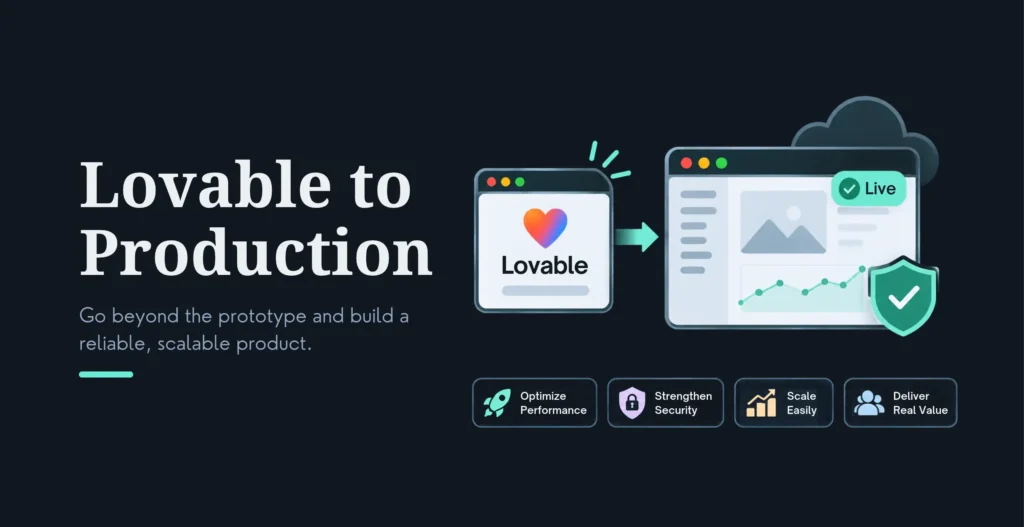
Lovable gets you from idea to a working app astonishingly fast, and that’s exactly why so many Lovable apps ship to real users before they’re ready. The preview works, so it feels done. But “works in Lovable’s preview” and “safe to put real users and real data into” are two very different standards, and the gap between them is where apps leak data, break on launch day, and stop scaling.
Taking a Lovable app to production means closing that gap deliberately, and the single most important thing to fix is data access. The 6-step path: (1) take ownership (your GitHub org, your Supabase account, every service registered to your company); (2) measure the baseline (build, type-check, tests, lint, and which tables are actually protected); (3) gate that baseline in CI so it can’t get worse; (4) move access rules into the database, real Row Level Security (RLS) on every exposed table, tested; (5) give the app a real platform (your own hosting, a health check, a staging copy, migrations run separately from deploys); and (6) make the core promise hold (whatever the product must always do, measure it and guarantee it). Security comes first because a data leak is the one thing you can’t undo after launch, and the scale of the Lovable RLS problem is now documented: a November 2026 investigation by security firm Crissy Field with Handelsblatt that scanned 159,041 Lovable apps found 24,664 returning database records to anyone with no login at all, including, in the worst cases, passport numbers, payment details, and roughly 200,000 private chat messages. As planning ranges, this work runs from about $500 for an audit to 7,500–18,000 for a proper go-live rebuild, over roughly 5 days to 8 weeks depending on the app’s state.
This is the production-readiness playbook for founders and technical leads who built in Lovable (or Bolt, v0, or Replit) and now need a real product: what breaks, the 6-step path, the security gates in priority order, a launch checklist, real costs and timelines, custom-domain and GitHub-sync setup, and when to bring in an engineer. It’s exactly the work our AI prototype-to-production service does.
Key Highlights
Fix data access first, before anything else. A November 2026 scan of 159,041 Lovable apps found 24,664 leaking database records to anyone with no login, in the worst cases passports, payment info, ~200,000 private chats. RLS is the #1 production gap and the one leak you can’t undo.
The 6-step path: take ownership → measure the baseline → gate it in CI → move access rules into the database (RLS, tested) → give it a real platform (hosting, health check, staging, separate migrations) → make the core promise hold.
Take ownership early: get the code into your own GitHub org (two-way sync), the Supabase database into your own account, and every service registered to your company, not Lovable’s. This also unlocks real hosting and developer collaboration.
The security order matters: data access (RLS) first, then secrets/keys off the frontend, then payments (server-side, verified webhooks), then backups/recovery, then monitoring and alerts.
Custom domains break things silently: OAuth redirect URIs, Supabase allowed URLs, CORS, and absolute URLs don’t update automatically, reconfigure them, or auth and integrations break on the new domain.
Cost and timeline (vendor/case-study ranges): ~$500 audit (about a week), ~$2,000 deploy-to-production pass, ~7,500–18,000 go-live rebuild (weeks), ongoing retainers for scale. Verify with a scoped quote.
Know when to call an engineer: any real user data, any payments, scale past a small pilot, or a security config nobody qualified has reviewed, RLS and auth are the highest-risk gaps and the ones to have checked before launch.
Table Of Contents
Table Of Contents
What Breaks Between Lovable Preview and Production
The failures are predictable, which is good news, predictable means fixable in a known order. The biggest, by a wide margin, is data access. Lovable defaults to Supabase, and Supabase security runs on Row Level Security: database rules that control which rows each logged-in user can read or change. If RLS is missing or too loose, anyone with your app’s public “anon” key, which is public by design, can query your tables directly, regardless of what your screens show. AI agents routinely generate working apps without turning RLS on, and the scale is genuinely alarming: the Crissy Field / Handelsblatt investigation (November 2026) scanned 159,041 publicly deployed Lovable apps and found that of the 34,545 using Supabase, 24,664 returned database records to an unauthenticated stranger, exposing passport numbers, payment details, business contracts, and around 200,000 private chat messages.
Two honest qualifiers. Not every one of those 24,664 sites was leaking something sensitive (some serve intentionally public data), and Crissy Field itself warns against reading its figures as a confirmed leak rate across all Lovable apps; it found email addresses exposed on 7,403 of them, plus the passport, payment and chat cases above (Startup Fortune and Cybernews summarize the report). The other is a platform change: on October 30, 2026, Supabase stopped automatically granting anonymous and authenticated access to new tables in the public schema. That should help new projects, but it applies to new tables, so audit the ones you already have. This isn’t the first such finding (CVE-2025-48757 documented 170+ exposed Lovable showcase apps at CVSS 8.26, and Escape.tech’s October 2025 scan of 5,600 vibe-coded apps found 400+ exposed secrets and 175 PII exposures), and it’s the single most important thing your app-to-production process has to close. (In fairness, Lovable’s position is that each customer is responsible for their own app’s data, which is technically true and exactly why this is on you to fix.)
Beyond data access, the usual suspects: authentication breaks in small places that a quick self-test misses (password reset, session persistence, a mobile keyboard covering the login button). Payments are often placeholders whose full lifecycle was never tested, with keys exposed in the frontend. On the platform side, the prototype ran on Lovable’s own hosting with no container, no health check, and no staging copy, so there’s no safe place to test changes before customers see them, and database migrations ride along with code deploys, meaning a release can silently alter data. There’s typically no monitoring, so you learn about an outage from users rather than an alert. A custom domain breaks hardcoded configs (OAuth redirects, Supabase allowed URLs, CORS) that don’t update themselves. And real user load surfaces performance bottlenecks the preview never did. Every one of these is routine to fix, in the right sequence.
The 6-Step Path to Production
The path is six steps in a fixed order, and the order is the point, each step makes the next one safe.
1. Take ownership. Before anything else, get the assets into your control: the code in a GitHub organization you own (Lovable’s two-way GitHub sync makes this straightforward, edits in Lovable appear in GitHub and vice versa), the Supabase database in your own account, and every third-party service registered to your company rather than Lovable’s. This isn’t bureaucracy, it’s what lets you deploy to your own infrastructure, bring in a developer, and avoid being locked to the preview environment.
2. Measure the baseline. Before changing anything, write down the numbers: does it build, does it type-check, what tests exist, what does the linter say, and critically, which tables actually have RLS and who can read what. You can’t improve, or prove you’ve improved, what you haven’t measured.
3. Gate the baseline in CI. Put those numbers into continuous integration so the build fails the moment any of them gets worse. This stops new debt and new security gaps the instant they’re introduced, which matters enormously once more than one person (or one AI session) is touching the code.
4. Move access rules into the database. This is the security heart of the whole process: enable Row Level Security on every exposed table, write policies so user A genuinely cannot reach user B’s rows, and, crucially, test those policies inside a real database (pgTAP is the standard) rather than trusting that they work. App-level checks aren’t enough; the rule has to live in the database, because that’s the layer an attacker with your anon key talks to directly.
5. Give it a real platform. Move off the preview onto your own hosting, add a health check that actually proves the database answers (not just that the process is up), stand up a full staging copy with its own database and test-mode payments and sign-in, and make database migrations a separate, deliberate step from code deploys so a release can never silently change data.
6. Make the core promise hold. Finally, identify the one thing your product must always do, the confirmation email that must arrive, the payment that must process, and measure it and make it reliable. A production app isn’t one that works once in a demo; it’s one whose core workflow holds under real use.
The Security Gates, in Priority Order
Security isn’t one task, it’s five, and doing them in the right order is what protects you, because the first one is the only irreversible risk.
First, data access (RLS), always first, because a leak can’t be undone after launch. Enable RLS on every Supabase table holding user data, test every policy (user A can’t reach user B’s data), confirm the public anon key only exposes what it should, and verify with real database tests, not assumptions. Given the documented scale of RLS failures in Lovable apps, treat this as mandatory and have it independently reviewed if any sensitive data is involved. Our AI code security audit covers that review. Second, secrets and keys. Payment keys and AI API keys belong on the server, never in frontend code where anyone can read them; review every secret, auth path, admin route, file upload, and payment boundary before launch. Third, payments. Use server-side flows, not client-side; enable Stripe webhook signature verification; take the app out of test mode deliberately; make payment handling idempotent; and actually test the full lifecycle. Fourth, backups and recovery. Know your backup situation (Lovable’s built-in backend keeps roughly two weeks of daily copies, and a restore rolls back both structure and data, which can leave your current code mismatched), and plan and test your recovery process before you make live changes, not after something breaks. Fifth, monitoring and alerts. Set up uptime monitoring (and SSL-expiry alerts) before you share the app publicly, so you find an outage before your users do, and make sure someone actually owns monitoring and support. If nobody owns it, you’re not ready to launch.
The Production-Readiness Checklist
Before you announce, run this. Core workflows tested end to end. Data access correct (RLS on every table, policies tested). Sensitive logic, auth, permissions, payments, secured and reviewed. Integrations real, not mocked. Forms validate on both client and server. Errors handled without leaking internal details. Mobile layout works (toggle to a phone view and repeat every important flow). Accessibility acceptable. Performance usable under load. Analytics installed. A staging environment and a rollback plan in place. Auth tested properly, with real (non-test) email accounts, in incognito, across multiple browsers, including a 30-minute-old session and the mobile-keyboard case. Empty states explained (blank areas should tell the user what will appear and offer an action). Data survives a refresh after every save. Access holds across roles (sign in as a second user and confirm you cannot see or change the first user’s data, and re-test after any big change). A security scan run before first publish, with critical flags fixed. And one real user having tested it before you announce.
The non-negotiables, don’t launch if any of these are true: auth is untested, user data can leak, payments are placeholders, API keys are exposed, forms silently fail, mobile pages are broken, core workflows need manual explanation, the app uses real customer data without proper permission checks, or nobody owns monitoring and support. Each one is a known way Lovable apps fail in the first week of real use, and each is cheaper to fix now than after a user, or a researcher, finds it.
Cost, Timeline, and When to Bring in an Engineer
Treat these as vendor- and case-study-reported planning ranges that depend far more on the state of your app than its size, and get a scoped quote. A written build audit (every security hole, broken flow, and scaling blocker documented) commonly runs around $500 over about a week, and is the right low-risk first step since it tells you exactly what you’re dealing with (and is often credited against the build). A focused deploy-to-production pass (RLS policies written and tested, auth fixed, payments made idempotent, staging stood up) runs around $2,000 over a few weeks. A full go-live rebuild, keeping your product but rebuilding the foundations properly, commonly runs 7,500–18,000 over roughly 8 weeks, and a documented end-to-end case took about 28 working days to harden an app with 172 tables. A fixed-price “work in your existing repo and keep building in Lovable” engagement can start around $500 over 5-7 days, moving the Supabase database into your own name is a small add-on, and wrapping the app for mobile adds store fees (roughly $124 in year one) plus build time. Ongoing scale support is a monthly retainer. The cost drivers are payments, multiple user roles, AI features, and custom-domain reconfiguration, and the credits model of your Lovable plan.
On custom domain and GitHub sync, two practical notes. For a custom domain: register it, point your DNS (A or CNAME record; propagation can take up to 72 hours), and confirm SSL is active, but the step people miss is reconfiguring the hardcoded values that don’t update automatically, OAuth redirect URIs, Supabase allowed URLs, CORS policies, and any absolute URLs in the code, or auth and integrations break on the new domain. For GitHub: connect your account, install the Lovable GitHub app, and link the project; sync is two-way, and from the synced repo you can deploy to Vercel, Netlify, or your own infrastructure and let a developer clone, review, and extend the code in their own IDE.
And on when to bring in an engineer: three signals. The scale signal, real user load revealing performance bottlenecks or error rates that prompting can’t fix. The security signal, the app handles sensitive data (financial, health, personal) and the generated security config hasn’t been professionally reviewed. And the business signal, you have paying customers and the cost of failure (a leak, downtime, a breach) now exceeds the cost of proper engineering. The simplest rule: the moment your app handles real user data of any kind, have a developer review RLS and auth before launch, because those are the highest-risk gaps and, as the research shows, the ones most likely to be quietly broken. DIY is genuinely fine for validating an idea with no real data, no payments, and a small pilot, build in Lovable, prove the concept, then bring in an engineer for the last, critical 20%. If the app is already live and misbehaving, see our AI build rescue service, and for AI-built projects started from scratch, our vibe coding services.
Frequently Asked Questions
How do I take my Lovable app to production?
Follow six steps in order: take ownership (your GitHub org, your Supabase account, services registered to your company); measure the baseline (build, type-check, tests, lint, and which tables have RLS); gate that baseline in CI so it can’t regress; move access rules into the database (RLS on every exposed table, tested in a real database); give the app a real platform (your own hosting, a health check, a staging copy, migrations run separately from deploys); and make the core promise hold (measure the one thing the product must always do, and guarantee it). The order matters because each step makes the next one safe, and data access comes first because a leak can’t be undone.
What’s the single most important thing to fix before launching a Lovable app?
Data access, specifically Row Level Security on your Supabase tables. Lovable defaults to Supabase, and Supabase’s public anon key can query your database directly unless RLS policies restrict it. A November 2026 scan of 159,041 Lovable apps found 24,664 returning database records to anyone with no login, including, in the worst cases, passports, payment details, and ~200,000 private chats. Enable RLS on every table with user data, test that one user can’t reach another’s rows, and have it independently reviewed if any sensitive data is involved. It’s the one production gap you genuinely cannot undo after launch.
Why do Lovable apps break when they go to production?
Because the preview hides the gaps. RLS is often disabled (the biggest risk). Auth breaks in small places, password reset, session persistence, the mobile keyboard. Payments are frequently untested placeholders with keys exposed in the frontend. There’s no container, health check, or staging environment, so there’s no safe place to test changes. Migrations ride along with deploys, so a release can silently change data. There’s no monitoring, so users find outages first. A custom domain breaks hardcoded OAuth, Supabase, and CORS configs. And real load reveals performance bottlenecks the preview never did. All are predictable and fixable in a known order.
How much does it cost to take a Lovable app to production?
Vendor- and case-study-reported ranges, so verify with a scoped quote: a written build audit around $500 (about a week); a focused deploy-to-production pass around $2,000 (a few weeks); a full go-live rebuild roughly 7,500–18,000 (about 8 weeks); ongoing scale support as a monthly retainer. A “keep building in Lovable, work in your repo” engagement can start around $500 over 5-7 days. Cost depends far more on the app’s state, payments, multiple roles, and AI features push it up, than on its raw size. Start with the audit; it tells you which tier you actually need.
How long does it take?
Typically 5 days to about 8 weeks, driven by the app’s state, not its size. A fixed-price “work in your repo” engagement can be 5-7 days; a deploy-to-production pass around a couple of weeks; a documented end-to-end hardening case took about 28 working days; a full go-live rebuild around 8 weeks; a cross-platform mobile conversion about 3 weeks. Apps with payments, many user roles, or AI features take longer because each adds security surface and testing. The fastest path is to start with an audit so the scope is known before work begins, rather than discovering it mid-project.
What is RLS and why does it matter so much for Lovable apps?
RLS (Row Level Security) is a set of database rules in Supabase that control which rows each logged-in user can read or change. It matters because Lovable apps talk to Supabase from the browser using a public “anon” key, so if RLS is off or too loose, anyone with that key, which is public by design, can query your tables directly, no matter what your screens display. This is the single most common critical flaw in Lovable apps and the cause of the large-scale data exposures researchers keep finding. Enable it on every table, test it, and never assume the AI turned it on for you.
How do I set up a custom domain for my Lovable app?
Register the domain (with auto-renew), point your DNS with an A or CNAME record (propagation can take up to 72 hours, usually less), and confirm SSL is active (padlock showing, http redirecting to https, Lovable installs the certificate automatically once DNS resolves). The step most people miss: reconfigure the hardcoded values that don’t update automatically, OAuth redirect URIs, Supabase allowed URLs, CORS policies, and any absolute URLs in your code. If you skip that, sign-in and integrations will work on the Lovable preview domain and break on your custom one.
When should I bring in an engineer instead of doing it myself?
When any of three signals is true: scale (real load causing bottlenecks or error rates prompting can’t fix), security (the app handles sensitive financial, health, or personal data and the config hasn’t been professionally reviewed), or business (you have paying customers and the cost of a failure now exceeds the cost of proper engineering). The simplest rule: the moment your app handles real user data of any kind, have a developer review RLS and auth before launch, those are the highest-risk gaps. DIY is fine for validating an idea with no real data, no payments, and a small pilot; bring in help for the critical last 20%.
Conclusion
Lovable is genuinely excellent at the first 80%, turning an idea into a working app faster than anything before it. The last 20%, making that app safe, reliable, and scalable with real users and real data, is a different discipline, and it’s where the value (and the risk) concentrates. The good news is that the path is known and the order is fixed: own your code and database, measure and gate your baseline, move access rules into the database with real tested RLS, stand up a proper platform with staging and separate migrations, and make your core promise hold.
Above all, fix data access first. The research is unambiguous that RLS is the gap most Lovable apps ship with, and a data leak is the one mistake you can’t take back once real users arrive. Run the production checklist, don’t launch with the non-negotiables unmet, and the moment real user data or payments are involved, get an engineer to review your security before go-live. Do that, and your Lovable prototype becomes what it was always meant to be, a real product: secure, scalable, and fully yours.
Ready to turn your Lovable app into a production-ready product?
Explore our AI Prototype-to-Production service to see how we harden Lovable, Bolt, v0, and Replit apps for launch, RLS and data access first, with your code and database in your own hands.
Book a consultation and send us your Lovable project, we’ll run a production-readiness assessment and tell you exactly what stands between you and a safe launch.
Nirav Panchal
Lead – Custom Development
Lead of the Custom Development team at KrishaWeb, holds AWS certification and excels as a Team Leader. Renowned for his expertise in Laravel and React development. With expertise in cloud solutions, he leads with innovation and technical excellence.




 KrishaStudio
 KrishaStore