WordPress now powers about 41% of all websites and holds roughly 58 to 60% of the market among sites running any recognizable CMS, according to W3Techs. That scale isn’t an accident. WordPress gives you direct control over the technical details search engines check most, permalinks, metadata, schema, page speed, without requiring a developer for every change. Here are 12 specific reasons it holds up for SEO, including where AI has changed the picture in the last year.
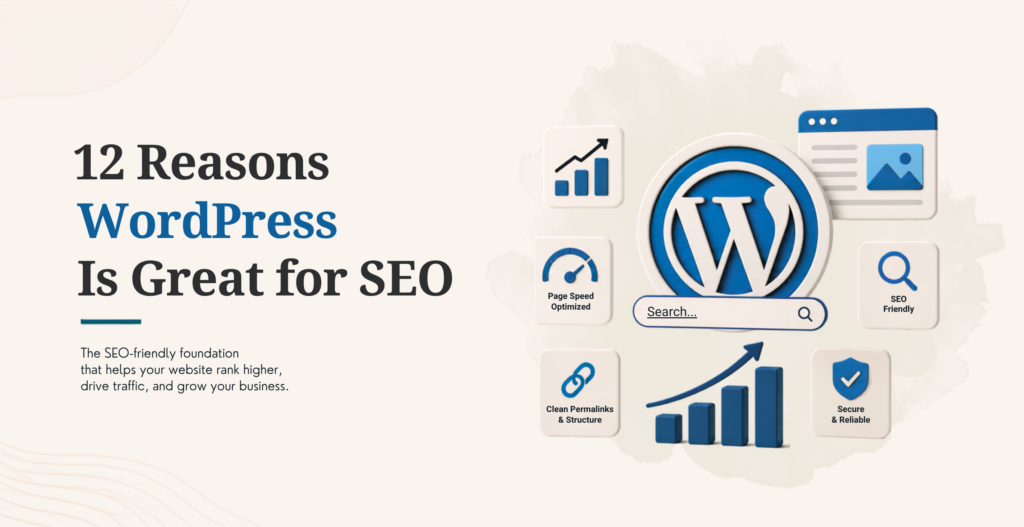
12 Reasons WordPress Is Great for SEO
1. Clean, Keyword-Friendly Permalinks
Default WordPress installs let you switch from messy, parameter-heavy URLs to clean, readable permalinks in one settings screen. A URL like /blog/wordpress-seo-guide tells both a human and a search engine exactly what the page covers before anyone clicks. That clarity has a measurable effect on click-through rates from search results, since a descriptive URL builds more confidence than a string of numbers and codes.
2. Full Control Over Titles and Meta Descriptions
All pages and posts have a customizable title tag and meta description, the two things that appear right in search results and most AI answer snippets. WordPress doesn’t auto-generate these from your content the way some platforms do, so you control exactly what a searcher sees before they click through.
3. A Deep SEO Plugin Ecosystem, Now Built Around AI Search Too
This is where the biggest change has happened. Rank Math added llms.txt file generation in 2025, which helps AI crawlers like ChatGPT understand your site structure, plus an AI search traffic tracker that shows which of your content gets referenced inside AI-generated answers. Yoast added a similar AI Brand Insights feature that monitors how ChatGPT and Perplexity describe your site. Neither plugin did any of this two years ago.
If you’re deciding between the two, our guide to using AI tools across WordPress covers where these AI features help versus where they’re still catching up. Both plugins also expanded their core schema and sitemap tools alongside the AI additions, since AI crawlers rely on the same structured signals traditional search engines do. A site with clean schema markup and an accurate llms.txt file gives an AI answer engine less guesswork, which matters more now that a meaningful share of product research and comparison shopping happens inside a chat interface before a shopper ever reaches a search results page.
4. Structured Data and Schema Markup Built In
Most SEO plugins now include visual schema builders that add structured data (product info, reviews, FAQs, breadcrumbs) without writing a line of code. Structured data is what turns a plain blue link into a rich result with stars, prices, or an FAQ dropdown, and it’s also what AI answer engines rely on to extract accurate facts from a page instead of guessing.
5. Organized, Scalable Content Structure
Custom taxonomies let you sort content by category, tag, or a structure specific to your business, a real advantage once a site grows past a few dozen pages. A well-organized taxonomy makes it easier for both search crawlers and shoppers or readers to find related content, which keeps people on the site longer.
6. Built-In Image Optimization
WordPress natively supports alt text, image compression, and responsive image sizing without a plugin. Alt text specifically does double duty now: it helps traditional image search and gives AI tools accurate context about what’s in a photo when they crawl a page.
7. Mobile-First and Responsive by Default
Nearly every current WordPress theme ships mobile-responsive out of the box, which matters because mobile-first indexing has been Google’s standard for years now. A site that looks broken or slow on a phone loses ranking potential regardless of how strong the desktop version looks.
8. Granular Control Over Site Speed
Between caching plugins, image optimization, and a wide choice of hosting providers built specifically for WordPress (Kinsta, WP Engine, and others), site owners have real, direct levers to pull on page speed. That control matters because speed is both a direct ranking factor and the biggest driver of whether a visitor stays or bounces.
A site running on shared hosting with no caching and an image-heavy theme can often cut its load time in half just by switching to a managed WordPress host and enabling a caching plugin, no code changes required. That kind of improvement is much harder to achieve on a platform where hosting and infrastructure aren’t something you can choose or tune yourself.
9. Clean, Semantic Markup That’s Readable by Crawlers and AI
Out of the box, WordPress generates well-structured HTML. That includes correct heading hierarchy and semantic tags that search crawlers and AI tools use to understand what a page is about. Messy, div-heavy markup makes that job harder for any crawler, human or AI, trying to figure out what matters on the page.
10. Strong, Layered Security Options
A hacked or blacklisted site loses rankings fast, and WordPress has one of the most mature security plugin ecosystems of any CMS to prevent that. Firewalls, malware scanning, and login protection are all available without custom development. Our WordPress security guide covers what a properly locked-down setup includes.
11. Third-Party and Marketing Tool Integrations
Native or plugin-based integrations with email platforms, analytics programs, and e-commerce systems mean SEO isn’t done in a vacuum apart from the rest of a marketing stack. Tracking, retargeting, and conversion data all feed into the same ecosystem, making it easier to see whether SEO work translates into results.
12. The Largest CMS Community and Talent Pool
When something breaks or a new SEO technique emerges, WordPress’s documentation, forums, and sheer number of active developers mean a fix or a guide usually already exists. That same talent pool is why WordPress remains one of the more affordable platforms to hire for; our WordPress cost guide breaks down what that typically runs.
Getting the Most Out of WordPress for SEO
WordPress gives you the technical foundation for strong SEO, but the platform alone doesn’t do the work. Content quality, backlinks, and ongoing optimization still matter as much as they ever did. If you’re evaluating whether WordPress fits your project against other platforms, our comparison of which e-commerce platform is best for SEO is a good next read.
Want a second opinion on your current WordPress SEO setup? Contact KrishaWeband our team will walk through what’s working and what’s holding your rankings back.
Frequently Asked Questions
Is WordPress good for SEO?
Yes. WordPress gives direct control over the technical elements search engines check most: permalinks, metadata, schema markup, and page speed, without needing custom development for routine changes. Combined with a mature plugin ecosystem, that makes it one of the more SEO-friendly platforms available today.
Do I need an SEO plugin for WordPress?
Not strictly, but it makes the work far easier. Plugins like Rank Math and Yoast handle meta tag management, schema markup, sitemap generation, and now AI search tracking, tasks that would otherwise require manual code edits or custom development for each one.
Is Rank Math or Yoast better for AI search optimization?
Rank Math currently offers llms.txt generation and an AI search traffic tracker as part of its core feature set. Yoast offers a comparable AI Brand Insights feature, but it’s part of a paid AI+ add-on rather than built into the base plugin. Which one fits better usually comes down to whether you want that feature included by default or as a separate purchase.
Does WordPress rank higher than Wix or Squarespace?
No platform guarantees rankings on its own. What WordPress offers is more granular control: deeper plugin options, more flexible schema implementation, and fewer platform-imposed limits on technical SEO, which gives an experienced team more to work with than a more locked-down website builder.
Do WordPress tags help SEO?
Tags can help organize content and surface related posts to readers, which supports engagement metrics indirectly tied to SEO. They’re not a major ranking factor on their own, and overusing tags without a clear structure can create thin, low-value archive pages that do more harm than good. A handful of well-chosen tags per post beats dozens of loosely related ones.
Build an SEO-Friendly WordPress Website
Make your website easier to find, faster to navigate, and built for search from the start. Create a WordPress website designed to support your SEO and business goals.
A Technical Architect, proficient in WordPress, Drupal, Laravel, and DevOps tasks, crafts robust IT solutions with a blend of expertise and versatility in web development and infrastructure management.




 KrishaLabs
 KrishaStudio
 KrishaStore