WordPress runs 43% of the internet. That number has barely moved in years. Wix grew. Shopify took eCommerce. Ghost found its niche. WordPress just kept going.
For most of that time, AI in WordPress was bolted-on stuff. A chatbot plugin someone installed from the directory. A toolbar offering to rewrite your headlines. All third-party, all separate, none of it part of what WordPress itself was doing.
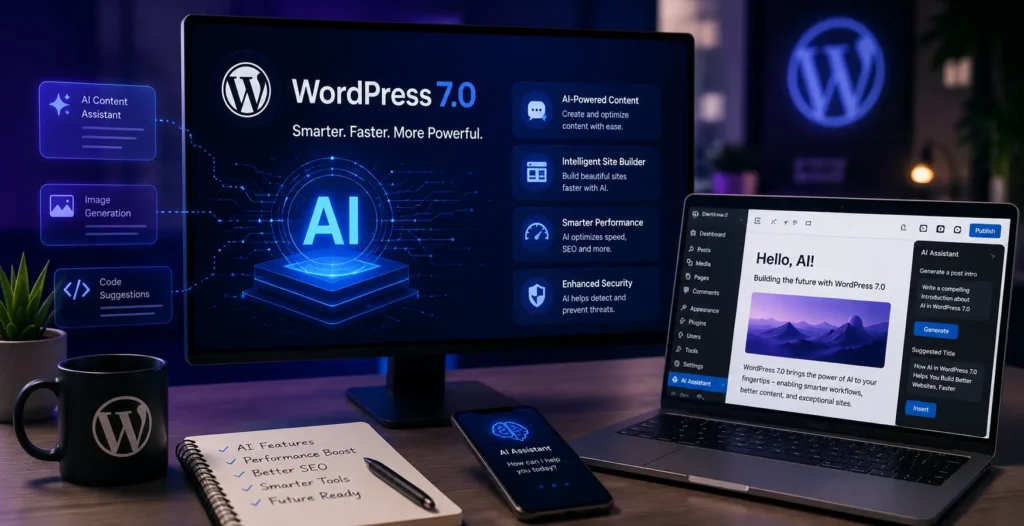
That changed on May 20, 2026. WordPress 7.0 shipped with AI built into the platform itself. Not a plugin recommendation. Not an integration guide. Actual infrastructure in the core.
We have been building on WordPress at KrishaWeb since 2008. This is the most significant thing to happen to the platform since the REST API landed in 2016.
Table Of Contents
Table Of Contents
AI Features Built Into WordPress Core and Gutenberg in 2026
Before WordPress 7.0, every AI plugin on your site was doing the same thing independently. Each one built its own connection to OpenAI. Each one had its own settings screen for your API key. Install five AI plugins, and you have five separate setups, five separate credentials to manage, and five separate billing trails.
WordPress 7.0 fixed that at the foundation level.
The WP AI Client
The central addition is the WP AI Client. It sits in WordPress core and gives every compatible plugin a shared way to connect to external AI models. OpenAI, Anthropic Claude, and Google Gemini come pre-registered. Set up your provider once in Settings > Connectors. Every plugin that works with the WP AI Client uses that connection.
Think about what this actually means. Before this, running multiple AI plugins on one site meant managing multiple API keys in multiple places. Now there is one place. The WP AI Client is the same kind of change as when WordPress added the REST API. Developers stopped building their own endpoints from scratch. Everyone standardised on the core infrastructure. That is going to happen again with AI.
The Abilities API
The Abilities API controls what AI is allowed to do inside WordPress. Before this, an AI plugin that wanted to create posts or edit content just did it. No permission layer. No way for a site owner to know or restrict what was happening.
Now AI features have to declare their capabilities. Want to write a post? Declare it. Want to query the database? Declare it. Administrators can see exactly what AI is allowed to do and lock it down. For any client site in healthcare, finance, or legal, this was the missing piece that made AI integration actually viable.
The Connectors Hub
Settings > Connectors is the new home for AI and external service connections. Configure your AI provider once. Done.
What got delayed
Real-time collaborative editing did not ship. It got pulled late in the 7.0 cycle. The Notes system with fragment commenting shipped. The live co-editing experience did not. That is now scheduled for 7.1 in August 2026. If collaborative editing was in your 7.0 plans, adjust accordingly.
The Best AI Plugins for WordPress in 2026
The plugin ecosystem changed once WordPress 7.0 was announced. Existing plugins rushed to announce WP AI Client compatibility. New plugins launched to take advantage of the infrastructure. Not all of them are worth your time. Here is what actually works, by category.
Content creation
AI Engine is the one most teams end up on. Over 80,000 active installs. It supports MCP (Model Context Protocol), which lets ChatGPT or Claude connect directly to your WordPress site and take actions through natural language. Create pages. Write posts. Modify content. You bring your own API key so there are no platform markups on your usage.
Bertha AI is faster and lighter. It lives in the WordPress admin and gives you quick copy on demand. Product description, headline, intro paragraph. No context switching. Just available wherever you are in the admin.
SEO
Rank Math’s Content AI, in the PRO plan, is what I would put on any content-heavy site. Keyword research inside the admin. Competitor analysis. Real-time content scoring. One-click article generation. Everything you used to need a separate SaaS subscription for, inside WordPress.
Chatbots
Tidio AI and ChatBot.com both work well for support-heavy sites. The more interesting development in 2026 is chatbots using MCP that actually query your live data. Check order status. Pull real product specs. Take action. Not just conversation trees.
Automation
AIWU is the one that surprised me most. Drag-and-drop workflow builder inside WordPress. Connects to WooCommerce, Slack, Gmail, Google Drive, AI providers, 220+ plugins. All running on your server, no third-party platform. For teams that need WordPress connected to broader business workflows, nothing else comes close right now.
Use case
Plugin
Why it works
Content
AI Engine (80,000+ installs)
Broadest features, MCP, bring-your-own API
Quick writing
Bertha AI
Fast, accessible from anywhere in the admin
SEO
Rank Math PRO
Keyword research to content scoring, all in one place
Chatbot
Tidio AI, ChatBot.com
AI response layer, real conversation flows
Automation
AIWU
220+ integrations, drag-and-drop, no external server
WooCommerce
StoreAgent
Native to WooCommerce, no API key required
Spam
Akismet AI
ML models now catching AI-generated spam specifically
How AI Is Changing WordPress Development Workflow
Most coverage of AI in WordPress focuses on site owners. Not enough attention goes to the development side. At KrishaWeb, we build custom themes, plugins, and complex WordPress applications. Here is what changed in the actual work.
GitHub Copilot and Cursor are in daily use on our projects. Custom post types, settings pages, REST API endpoints, Gutenberg blocks. Code that used to take 30 minutes to write correctly takes two minutes to generate and five minutes to review. The review is non-negotiable. AI code on WordPress looks right and sometimes has subtle problems with hook priority or sanitisation. You need a developer who actually knows the platform to catch those.
AI code review has caught things manual review was missing. Escaping gaps. Nonce issues on form handlers. Direct database queries that should be going through $wpdb. The WordPress security patterns are specific enough that generic linters miss them. AI trained on WordPress codebases does better.
Two workflow improvements that came up repeatedly in team feedback. AI is genuinely useful for designing ACF field structures when you describe the content model in plain English. And WP-CLI command generation for maintenance tasks has saved real hours of documentation hunting.
Sprint velocity on comparable projects improved roughly 25 to 30% after we introduced AI tooling. The gains are in boilerplate and research. Architecture decisions and security review still need experienced judgment.
WooCommerce and AI: The eCommerce Transformation
WooCommerce runs about 43% of all eCommerce sites globally. The AI additions to the WooCommerce ecosystem in 2026 are the most commercially significant changes to the platform in years.
Product descriptions at scale were the first obvious win. Stores with hundreds or thousands of products used to face weeks of copywriting work. AI plugins, including StoreAgent and AI Engine generate product copy from SKU data, categories, and attributes in bulk. The copy needs human editing, but the blank page problem is solved. A catalog that took weeks now takes hours to draft.
Product recommendations are working on stores with enough traffic. WooAI and StoreAgent both offer ML-based recommendation engines that surface relevant products based on browsing and purchase history. The honest caveat: small stores with limited traffic do not have enough data for the models to produce useful output. Traffic volume matters.
Context-aware chat is the most practically valuable thing available right now. StoreAgent handles pre-sale questions by querying the live catalog, checks order status, and handles common support interactions without a human. No separate API key needed, which removes the setup friction that kills most WooCommerce AI implementations.
And WPFactory launched an Instant Checkout for ChatGPT plugin that structures WooCommerce product data for discovery through AI shopping features in ChatGPT. As AI agents handle more product research and comparison for shoppers, having your catalog structured for AI extraction is a discoverability issue, not just an SEO one.
WordPress Hosting and AI: What Infrastructure Changes Are Needed
Adding AI features to a WordPress site adds server and performance requirements that most hosting setups were not designed for. Here is what changes.
PHP version requirements
The WP AI Client in WordPress 7.0 and most serious AI plugins require PHP 8.1 as a minimum. PHP 8.2 and 8.3 are preferred. If your site is running PHP 7.4 or earlier (which is still common on older shared hosting accounts), AI plugins will not install or will run with significant limitations. Check your PHP version in the WordPress dashboard under Tools > Site Health before installing any AI plugins.
Server resources and AI API latency
AI API calls add latency. A page that makes an AI API call on load will wait for that call to return before rendering. On shared hosting with PHP execution time limits, this creates problems. Managed WordPress hosting platforms like Kinsta and WP Engine have specific AI-ready infrastructure configurations with higher PHP time limits, better caching architecture, and CDN integration that handles AI-generated content more gracefully.
Caching strategy changes
Standard WordPress caching plugins cache the HTML output of a page. An AI chatbot or AI-personalized content section that is supposed to respond to the specific user cannot be cached the same way. Sites adding AI features need to think about selective caching, where the static parts of a page are cached and the AI-dynamic parts are not. This usually requires adjustments to the caching plugin configuration or a move to server-side caching infrastructure.
CDN and edge performance
Kinsta and WP Engine both announced AI-specific features and infrastructure updates in 2026. Kinsta’s Edge Caching with AI compatibility and WP Engine’s AI capabilities for managed WordPress both include configurations designed to handle the mixed caching requirements that AI features introduce. For a WordPress site adding significant AI functionality, managed hosting at this level is worth the cost difference over standard shared hosting.
What to Check on Your Current WordPress Site Before Adding AI
I have seen WordPress sites add AI features that broke page speed, introduced plugin conflicts, or simply did not work because the underlying setup was not ready. Here is the checklist we use at KrishaWeb before starting any WordPress AI implementation.
PHP version: 8.1 minimum, 8.2 or 8.3 preferred
This is the most common blocker. Go to Tools > Site Health > Info > Server. If you see PHP 7.x, update before installing any AI plugin. Your hosting provider handles this. Most managed WordPress hosts make it a one-click change. On shared hosting, it may require a support ticket.
Page speed baseline: LCP under 2.5 seconds
AI features add latency. If your site is already loading slowly, AI features make it worse. Run your site through pagespeed.web.dev and look at the LCP score on mobile. If it is above 2.5 seconds, fix the performance baseline first. Adding AI to a slow site produces a very slow AI-powered site.
Theme compatibility
Check that your theme supports WordPress 7.0. Older themes that have not been updated may have conflicts with the new admin interface or the Abilities API. If your theme has not had an update since 2024, test on a staging environment before making any changes in production.
Plugin conflict check
AI plugins interact with the WP AI Client and with other plugins in ways that can produce unexpected results. Run a full plugin conflict check on a staging environment before adding AI plugins to production. Deactivate plugins one by one if you encounter issues. The most common conflicts are with security plugins that block API calls and with caching plugins that cache content that was meant to be dynamic.
Database structure review
AI features that log interactions, store conversation history, or cache AI-generated content add database overhead. On sites with optimized databases running lean, this is fine. On sites with bloated databases and no cleanup routine, it can cause performance degradation. Run a database health check before adding AI features that write to the database.
WordPress 7.0 decided for the platform. AI is infrastructure now, not a feature category in the plugin directory. The WP AI Client, the Abilities API, and the Connectors Hub are the same kind of foundational addition that the REST API was in 2016. At the time, most site owners did not care. Today, the REST API underpins nearly every modern WordPress integration.
The sites adding AI now are getting a two-year head start on the sites that will add it later because they have to. The cost comparison is straightforward: adding AI to a well-maintained WordPress site running PHP 8.2 with clean performance is a two to six week project depending on scope. Retrofitting AI onto a site running PHP 7.4 with a bloated database and a theme that has not been updated since 2022 is a site renovation before it is an AI project.
If you are a site owner reading this and wondering whether this applies to your site, the answer is almost certainly yes. The question is whether you address it now on your terms or later under pressure.
KrishaWeb has been building and maintaining WordPress sites since 2008. Our WordPress Development Services cover everything from WordPress 7.0 upgrades and AI implementation to WooCommerce AI and custom plugin development. We handle the full stack.Free WordPress AI Readiness Review: Contact us and tell us about your site URL and your biggest WordPress concern. We come back with a specific assessment and implementation plan.
Frequently Asked Questions
Will AI features slow down my WordPress site?
They can. Plugins making synchronous API calls on page load wait for the API to respond before the page renders. Chatbots loading asynchronously do not affect initial load. AI content tools running in the admin during editing do not touch the frontend at all. The problematic ones are AI elements making blocking calls on the critical rendering path. Always test on staging.
Which AI plugin should I install first?
Whatever solves your most expensive problem. Content bottleneck? AI Engine or Bertha AI. SEO is the priority? Rank Math PRO Content AI. Support load? Tidio AI. Installing five at once to see what happens is the worst approach. Pick one, measure it, then decide what comes next.
Do I need a new theme for AI features?
No, not for most AI plugins. They run in the admin and do not require theme changes. Old themes that are incompatible with WordPress 7.0 overall can cause issues, but that is a 7.0 compatibility question, not an AI question specifically. Test on staging.
Is WooCommerce ready for AI?
Yes. Product descriptions at scale, recommendations, context-aware chat, and order support all work now. StoreAgent is the most practical starting point, no API key required. Dynamic AI pricing and inventory prediction at scale exist but are not production-ready for most store sizes.
How much does WordPress AI integration cost?
One AI feature added to a well-maintained site: $3,000 to $8,000. A full implementation with multiple features, infrastructure changes, and WooCommerce: $8,000 to $20,000. If the site needs PHP upgrades and performance work before AI can be added, the cost goes up. That is exactly why the free readiness audit exists before any project gets scoped.
A Full-Stack Developer and Technical Project Manager with expertise spanning WordPress, WooCommerce, Headless WordPress, Next.js, React, and AI Automation, I deliver end-to-end web solutions that combine technical depth with practical, business-focused thinking.




 KrishaLabs
 KrishaStudio
 KrishaStore