Your design team finishes a Figma file that’s genuinely great. Clean components, a proper design system, spacing that actually holds together across breakpoints. Then it sits there, because turning that file into a live, client-editable Webflow site needs a specific skill set your creative team doesn’t have and doesn’t need to have.
That gap is common. Webflow now powers roughly 24.6% of digital and design agency websites, up from just 6.8% in 2022. Clients increasingly ask for it by name, expecting a site they can actually edit themselves without opening a support ticket every time copy needs to change.
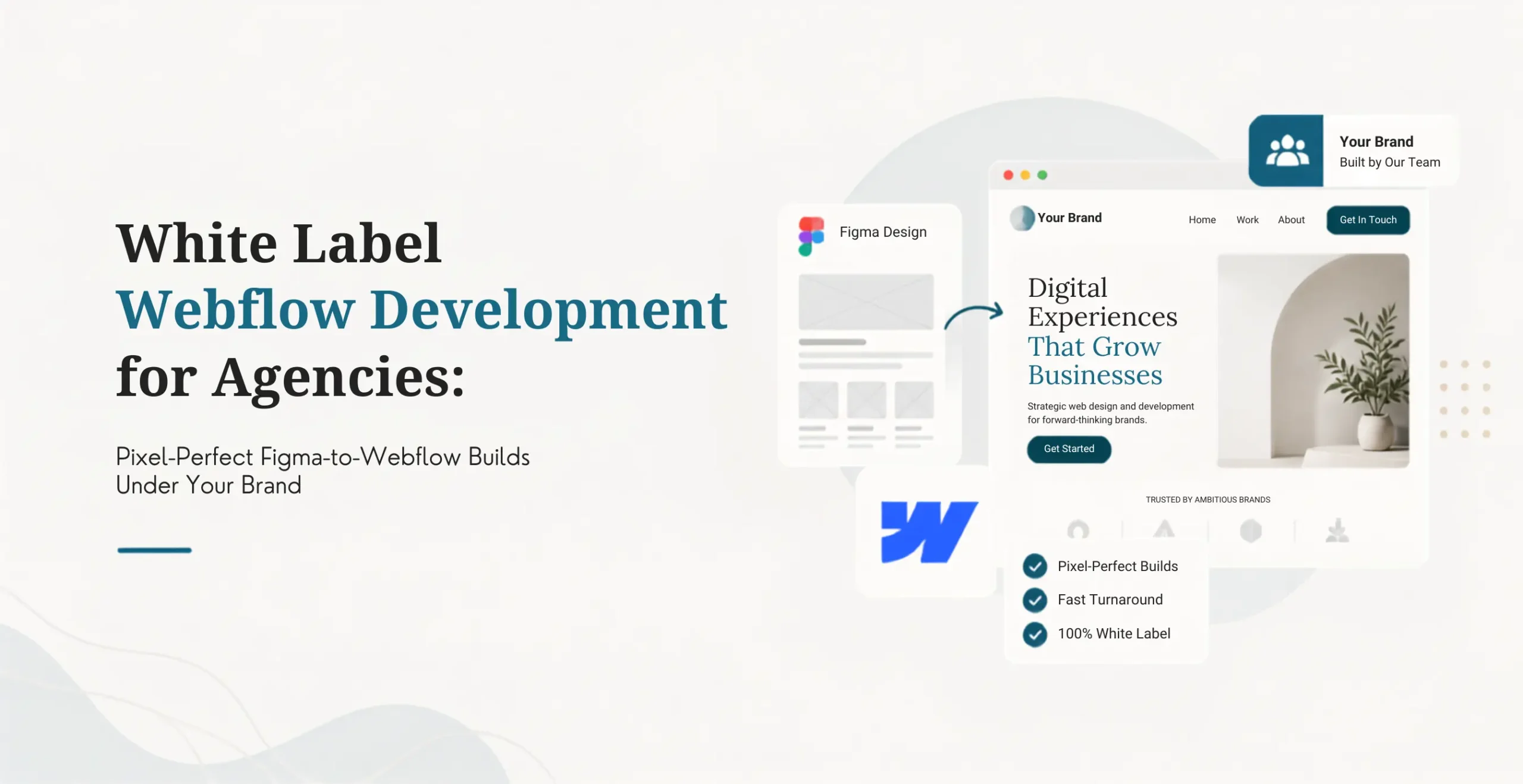
Figma to Webflow white label is when an external Webflow specialist converts your Figma designs into a live, client-editable site under your brand. You keep the client relationship and the margin. The partner handles the technical build.
This article covers how the handoff actually works, what belongs in the brief before it leaves your desk, how to protect design fidelity and ownership, when this beats hiring a full-time Webflow developer, and how to choose a partner who won’t quietly flatten your design system into something generic. Our broader guide to white label Webflow development covers the wider service model if you want the fuller picture beyond just the Figma handoff itself.
Table Of Contents
Table Of Contents
What Is Figma to Webflow White Label?
Figma to Webflow white label is a behind-the-scenes delivery arrangement where a specialist Webflow team converts your Figma designs into a live, client-editable Webflow site. You manage the client relationship, present the work under your own brand, and control the commercial side entirely.
Standard outsourcing and white label delivery aren’t the same thing. With standard outsourcing, the external provider might be visible to the client somewhere along the way. With white label delivery, the partner stays completely invisible. You own client communication, presentation, and positioning from start to finish.
What stays with your agency
Client relationship. Scope and the commercial proposal. Brand presentation. The feedback process. Final approval on everything. Billing. The ongoing account relationship. None of that moves, regardless of how the technical build gets split.
What a partner typically handles
Figma-to-Webflow conversion. Webflow CMS architecture. Interactions and animations. Custom code. Integrations. Staging and QA. Deployment support. Documentation. Ongoing maintenance.
Where that line falls should be written into the agreement, not assumed. If your creative director wants a say in exactly how a hover interaction feels before it ships, that expectation needs to be explicit from the start, not discovered mid-project.
How Does the Handoff Workflow Work?
A typical project starts with your brief, an NDA, and technical scoping. The partner builds inside your Webflow workspace, sends staging updates, runs QA, works through your feedback, and hands over documentation. You present the finished site, and the partner’s involvement never comes up.
Your agency puts together the brief. Goals, designs, content requirements, functionality, integrations, hosting details, and launch constraints all go in before scoping starts.
The partner reviews scope and flags risk. Technical dependencies, CMS complexity, interaction requirements, and vague acceptance criteria get caught here, before they become problems mid-build.
NDA and working agreement get finalized. Confidentiality, IP ownership, Webflow workspace access, communication channels, and escalation procedures should all be settled upfront.
Development begins in your workspace, not a partner-owned one you’d need to inherit later.
Staging and QA happen before anything ships. Responsive behavior, interactions, CMS functionality, performance, accessibility, and browser compatibility all get tested against real conditions.
Your agency consolidates feedback, sending organized, prioritized notes rather than letting the client and developer talk directly and generate contradictory instructions.
Launch and handover close it out, with credentials, documentation, deployment notes, and maintenance recommendations delivered as standard.
Getting the Figma file ready before it goes anywhere
The quality of the handoff depends heavily on how the Figma file was built, not just on the developer receiving it. A few habits from current 2026 handoff guides are worth building into your design process before a file ever leaves your team.
Apply auto-layout to every frame you plan to sync. Export all images and icons separately rather than leaving them embedded in complex frames. Connect the Figma to Webflow plugin and select the right project before starting. Sync design system elements first, colors, typography styles, and spacing variables, before touching individual components. Then sync individual components and sections once the foundation is in place.
The hybrid workflow most professional builds actually use
Plugin-based syncing is genuinely useful, but it isn’t the whole answer for a serious project. The workflow that produces the best results in practice is a hybrid one: use the plugin to sync design tokens, the underlying variables for color, typography, and spacing, and for simple, standardized components like buttons, cards, and navigation. Then build complex layouts, CMS templates, and interactive sections manually in Webflow, where a developer has full control over how it behaves rather than trusting an automated sync to get every nuance right.
This distinction matters most for creative directors specifically, because it’s exactly the parts of a design that carry the brand’s personality, custom interactions, subtle motion, a distinctive layout choice, that need a human developer’s judgment rather than a plugin’s best guess.
What Services Can Agencies Outsource?
Most Webflow delivery work can be handed off, from Figma-to-Webflow conversion through CMS architecture, interactions, custom code, integrations, and maintenance. The best candidates are repeatable or technically specialized tasks that need real Webflow expertise but don’t require the external team to own the client relationship.
Figma-to-Webflow conversion
Pixel-perfect implementation, responsive layouts, component systems, interactions and animations, the content editing experience, cross-browser testing, and performance optimization all belong here.
There’s a real difference between a true custom implementation built to match a design exactly and a lightly adapted template that’s close enough to pass a quick glance. A good partner documents the build clearly enough that a different developer could maintain it a year later without guesswork.
Webflow CMS architecture
Collection structures, reference fields, template design, dynamic content, editorial workflows, content permissions, and multi-language setups separate a genuinely usable CMS from one the client’s marketing team quietly avoids touching after week one.
Interactions and animations
Page transitions, scroll-based animations, hover effects, micro-interactions, custom JavaScript, and performance optimization are where a lot of Webflow builds either genuinely impress a client or quietly slow the site down. The difference usually comes down to whether the developer understood the performance trade-off while building the animation.
Custom code and integrations
Custom JavaScript, third-party integrations, API connections, form handling, embed code, and analytics setup round out the technical work most sites eventually need, even ones that started out looking simple.
Ongoing maintenance and support
Content updates, CMS changes, interaction fixes, performance monitoring, security updates, backup checks, and small feature enhancements keep a site running well past launch day.
Migrations and redesigns
Platform migrations into Webflow, redesign implementation, URL and redirect mapping, content migration, staging validation, Search Console checks, and form and analytics testing round out the bigger project category, where undocumented shortcuts from a previous build tend to surface fastest.
Benefits for Design Agencies
Figma to Webflow white label helps agencies add delivery capacity without immediately adding full-time payroll. It supports larger project volumes, cuts hiring delays, opens access to specialized skills, and keeps your brand front and center throughout.
You can say yes to more work. An external production layer means design work doesn’t sit waiting for one overloaded developer.
You avoid hiring ahead of demand. A full-time Webflow developer is a fixed cost: salary, benefits, equipment, management time, software, training. You also carry the risk of underutilization through a slower quarter. Hiring and onboarding an in-house developer can realistically take 8 to 12 weeks before they’re fully productive, which is a directional estimate worth taking seriously when you’re weighing a hire against a partner relationship.
You get access to specialized expertise. Senior Webflow developers, CMS specialists, interaction designers, custom code experts, technical project managers, and QA resources, without recruiting for five specialties at once.
Your internal team stays focused on what actually grows the agency. Strategy, branding, UX, sales, client relationships, and creative direction are where your team’s time compounds. Execution doesn’t need to compete for that attention.
Delivery gets more consistent. A partner running a repeatable process brings standardized staging, reusable QA checklists, consistent code review, and predictable handover. That removes the single-person dependency risk that hits smaller agencies hard.
None of this guarantees profitability automatically. Partner fees, your own PM time, QA, revisions, and client communication all factor into whether a given engagement actually makes money.
A lot of white label comparisons focus on capacity and cost and barely touch governance. That’s exactly the part that determines whether a partnership holds up past the first project, and it matters especially for design-first agencies where a diluted implementation is a visible, embarrassing failure, not just a technical inconvenience.
Code ownership and workspace access
Confirm who owns the Webflow project, where it’s stored, whether the partner is using proprietary frameworks you can’t take with you, whether every dependency is documented, how access gets revoked if the relationship ends, and whether another developer could inherit the project cleanly.
KrishaWeb signs an NDA and IP assignment and writes code directly into the agency’s own repository from the first commit, not a partner-owned workspace handed over at the end.
Performance checklist
Area
What to Verify
Core Web Vitals
LCP, CLS, and INP targets
Page speed
Lighthouse Performance score
Responsive design
Mobile, tablet, and desktop layouts
Interactions
Smooth, genuinely performant animations
CMS
Efficient collection structures
Custom code
Minimal, optimized JavaScript
Hosting
Webflow hosting and CDN configuration
SEO
Meta tags, Open Graph, structured data
Accessibility
Basic WCAG compliance
Browser testing
Cross-browser compatibility
Webflow sites generally pass Core Web Vitals at a meaningfully higher rate than WordPress sites, because the platform handles hosting, CDN, and optimization automatically. Some 2026 sources put Webflow’s pass rate around 68.9% against 49.3% for WordPress. Average Largest Contentful Paint on Webflow runs around 3.2 seconds, with the top 10% of sites hitting 1.8 seconds, a reminder that even on a strong platform, build quality still varies a lot.
Quality assurance checklist
Design fidelity against the original Figma file, responsive layouts, cross-browser testing, Core Web Vitals checks, basic accessibility, form delivery, analytics validation, SEO metadata, redirect testing, CMS functionality, content-editor testing, and backup and rollback readiness all belong on a standard pre-launch pass.
Design fidelity deserves particular attention here, since it’s the one QA item most technical checklists skip and design leads care about most. A pixel-perfect QA pass, checking spacing, type scale, color values, and component states against the original file, should be a named step, not an assumption baked into “looks fine.”
White label controls worth confirming explicitly
NDA in place. IP assignment signed. Non-solicitation terms covering both clients and staff. No unauthorized client contact, ever. Branded reporting with no partner watermarks. Agency-owned accounts wherever practical. No partner branding anywhere in the deliverables.
White Label Partner vs. Hiring vs. Freelancers
Factor
White Label Partner
In-House Developer
Freelancer
Activation speed
Usually fast
Requires recruitment and onboarding
Can be fast if available
Fixed employment cost
Lower
Higher
Usually lower
Capacity flexibility
High to medium
Lower
Variable
Technical breadth
Often broader team capability
Depends on the hire
Usually individual-dependent
Continuity
Depends on partner model
Usually strong
May vary
Scalability
Can add resources quickly
Recruitment required
Availability may be limited
Client confidentiality
Agreement and process dependent
Internal control
Agreement and process dependent
Main risk
Vendor dependency or inconsistent quality
Idle capacity and hiring cost
Reliability and handover gaps
A white label partner tends to fit when your workload fluctuates, when you need capacity fast, when you want to accept more projects than you currently can, or when you’re not ready to hire a full-time developer yet.
Hiring tends to fit when Webflow is a core part of your long-term offer, when demand is predictable, and when you’re building proprietary technical expertise on purpose.
A freelancer tends to fit for small, well-defined projects, when you already trust the specific person, and when the work doesn’t need long-term continuity.
For real numbers, freelance Webflow developers typically charge $50 to $150 an hour in 2026. Full-time salaries range from $65,000 to $140,000 a year in the US depending on experience. Agencies bill $100 to $300 an hour. A typical 5-page site runs $3,000 to $10,000 through a freelancer and $10,000 to $50,000 through an agency. For the full total-cost-of-ownership breakdown, our white label vs in-house cost comparison works through the complete math.
Pricing and Engagement Models
Figma to Webflow white label work gets priced per project, through a monthly retainer, hourly, or through dedicated developer capacity. Project pricing suits defined builds. Retainers suit recurring work. Dedicated capacity suits volume high enough to justify the commitment.
Model
Best For
Main Advantage
Main Risk
Fixed project
Defined websites and migrations
Predictable project cost
Scope creep
Hourly / time-and-materials
Unclear or evolving work
Flexibility
Less cost certainty
Monthly retainer
Ongoing maintenance and enhancements
Continuity and priority access
Unused capacity
Dedicated developer
High, predictable volume
Maximum continuity
Greater commitment
Market pricing varies considerably. Project-based work typically runs $1,000 to $15,000 or more per site. Hourly rates range from $25 to over $100 depending on region and expertise. Monthly retainers for continuous design, development, or maintenance work run $500 to $3,000 a month.
For context on KrishaWeb’s own structure, monthly retainers start at $1,299 a month and can be scoped to include Webflow tasks alongside other work. Treat that as a provider-specific starting point, not a universal rate.
Total delivery cost should include the partner fee, your internal PM time, QA and review, client communication, rework, software and licenses, payment processing, and the admin overhead of managing scope changes.
Have a Webflow brief sitting in your pipeline you're not sure how to scope yet?
Talk to our team before you send the client a number. We’ll help you model the delivery cost properly first.
How to Choose a Figma to Webflow Partner
Choose based on code quality, documentation, security practices, communication, platform depth, client confidentiality, and commercial flexibility. Ask to see relevant work. Understand their delivery process. Confirm ownership terms in writing. Test the relationship with a defined pilot before you hand over anything client-critical.
Score candidates from 1 to 5
Webflow expertise. Figma-to-Webflow capability specifically, not just general Webflow experience. CMS architecture experience. Interactions and animations. Custom code and integrations. QA process. Documentation quality. Repository and IP ownership. NDA and confidentiality protections. Response times. Pricing transparency. Client references.
Questions worth asking directly
How do you scope a Figma-to-Webflow project? Who owns the code once it’s built? Where will the project actually be developed? Who handles QA, and does it include a design fidelity pass against the original file? How are client revisions managed? What happens when the brief changes mid-project? Can you work inside our existing tools? How quickly can you realistically start? Could a different developer inherit this cleanly if we ever needed that?
Start with a pilot, not a client-critical project
A small, clearly scoped site. A single landing page. A maintenance backlog item. A staged component of a larger redesign. Any of these work as a low-risk first test.
Measure scope accuracy, communication quality, revision handling, how organized the code actually is, documentation, delivery speed, and especially for a design-led agency, how closely the finished build actually matched your Figma file. Our 12-point checklist for evaluating a white label partner covers the full evaluation process in detail.
Figma to Webflow white label doesn’t remove your agency’s responsibility for client expectations, quality assurance, or scope control. It adds delivery capacity. You still need a clear brief, a real review process, and reliable communication.
Mistakes that show up repeatedly
Choosing a partner on lowest price alone. Sending incomplete or poorly structured Figma files and hoping the gaps get filled in sensibly. Letting the client send unfiltered feedback straight to the developer. Never defining a revision limit. Testing changes directly in production. Not tracking your own internal PM and QA hours. Relying on a single developer with no handover plan. Treating maintenance as unlimited support by default.
Four myths worth retiring
“White label means low-quality outsourced work.” Quality depends on technical standards, QA discipline, code review, documentation, and accountability, not on whether the work happens externally.
“A template is always faster and better.” The right implementation depends on the client’s editing needs, performance goals, design system, and technical requirements. Sometimes a template is right. Often it isn’t, especially when the design has genuine distinctiveness worth preserving.
“Security is only Webflow’s responsibility.” Webflow handles hosting security. The site owner and development team remain responsible for application configuration, access control, and custom code security.
“The client will eventually discover the partner.” A properly structured agreement, a branded workflow, an agency-owned workspace, and controlled communication keep the partner behind the scenes reliably.
Frequently Asked Questions
What is Figma to Webflow white label?
Figma to Webflow white label is when an external Webflow team converts your Figma designs into a live, client-editable site that you present under your own brand. You retain the client relationship while the partner handles the technical build, invisibly.
Is Figma to Webflow white label profitable?
It can be, when you price the work above the combined cost of partner delivery, project management, QA, communication, rework, and software. Profitability depends on scope control, utilization, and delivery quality, not the model itself.
How much does Figma to Webflow white label cost?
Project-based work typically runs $1,000 to $15,000 or more per site. Hourly rates range from $25 to over $100. Monthly retainers run $500 to $3,000 a month, depending on scope and ongoing needs.
Can a partner handle CMS architecture and interactions, not just static pages?
Yes. A capable Webflow partner builds collection structures, reference fields, dynamic content, editorial workflows, page transitions, scroll animations, and micro-interactions, not just a static conversion of the Figma layout.
Will the client know a white label partner is involved?
Not if the agreement defines confidentiality, client-contact rules, branding, reporting, and ownership clearly. Confirm your own client contracts permit this kind of delivery arrangement too.
Who owns the Webflow code?
That depends on the contract. Insist on clear IP-assignment language, workspace access from the start, documentation, and confirmation the build doesn’t quietly depend on an undisclosed proprietary framework.
Is Figma to Webflow white label better than hiring?
It depends on your demand pattern. White label offers flexible capacity and faster activation. Hiring offers more direct internal control and continuity. Agencies with fluctuating demand tend to benefit most from a partner.
How quickly can an agency start?
It depends on scope, access, NDA turnaround, and the partner’s current capacity. KrishaWeb typically onboards agencies within 48 hours, with development starting three to five business days after a complete, approved brief.
Conclusion
A great Figma file that never becomes a great live site is a lost opportunity, not just for the client but for the revenue that project represented. Figma to Webflow white label closes that gap without asking your creative team to become Webflow developers, and without you carrying the cost and risk of a full-time hire before you know the demand is steady.
The right partner treats your design system as something worth protecting, not just a reference image to approximate. Clear scoping, real QA discipline including an actual design fidelity check, code you’d want to inherit, and transparent ownership are what separate a partnership worth keeping from one you’ll regret.
If you’ve got a Figma file waiting for a Webflow build right now, bring it to a scoping conversation before the client’s patience runs out.




 KrishaLabs
 KrishaStudio
 KrishaStore