I have worked with Laravel since version 4, and for most of that time, adding AI meant bolting a generic SDK onto Eloquent and hoping the conventions held. That era is over. In 2026, Laravel is one of the best backends there is for building AI features, and the reason is the same reason it has always been a pleasure to work in: clean architecture.
Laravel’s service container, its elegant syntax, and its mature queue and testing tools happen to be exactly what serious AI integration needs. AI calls are slow, occasionally fail, cost money per request, and have to be tested without hitting a paid API. Laravel gives you a natural home for every one of those problems. As I tell our team, AI does not belong scattered through your controllers; it belongs behind a clean service layer, and Laravel was built for exactly that.
This guide is for developers and technical decision-makers planning AI features in a Laravel app. It covers the packages that actually matter in 2026, how to build real AI features, RAG with vector search, queues, testing, and what to check before you start. Practical, current, and written from building these in production.
Table Of Contents
Table Of Contents
Laravel + OpenAI: the packages that matter in 2026
The first thing to know is that the Laravel AI landscape changed in 2024 and 2025, and picking the wrong tool means a rewrite later. Here is the honest 2026 lay of the land.
Laravel/ai (the first-party SDK) is the new default
Laravel 13 now ships an official AI SDK covering text generation, embeddings, and completions across OpenAI, Anthropic, and Google Gemini, with Artisan commands like make:agent that feel native to the framework. For most prompt-to-text and embedding work, and for any new project, this is the right starting point. Note it is still young, so I would not rip out a working integration just to switch.
OpenAI-PHP/Laravel is the mature, battle-tested choice for direct OpenAI access
If you want fine control over OpenAI specifically, this package uses Laravel’s facade pattern cleanly, and, critically for testing, it ships a fake you can bind in your test suite so you never hit a paid API in a test.
Prism PHP is what you reach for when you move past the basics
Multi-provider tool calling, agentic loops with step limits, RAG pipelines, and streaming across providers. It complements the first-party SDK rather than competing with it.
The rule I give our developers: start with the first-party SDK, use openai-php when you want direct OpenAI control, and bring in Prism when you need agents or advanced multi-provider work. Pick the tool that matches the job, not the one with the loudest README.
Whichever you choose, keep the setup clean, API keys in environment variables, configuration in a config file, and never a raw key hardcoded in a controller. That is basic Laravel hygiene, and it matters even more when the key costs money on every call.
Build every AI call behind a service layer (the pattern that saves you)
Before any feature, one architectural decision determines whether your AI code stays maintainable: route every AI call through a single, dedicated service class.
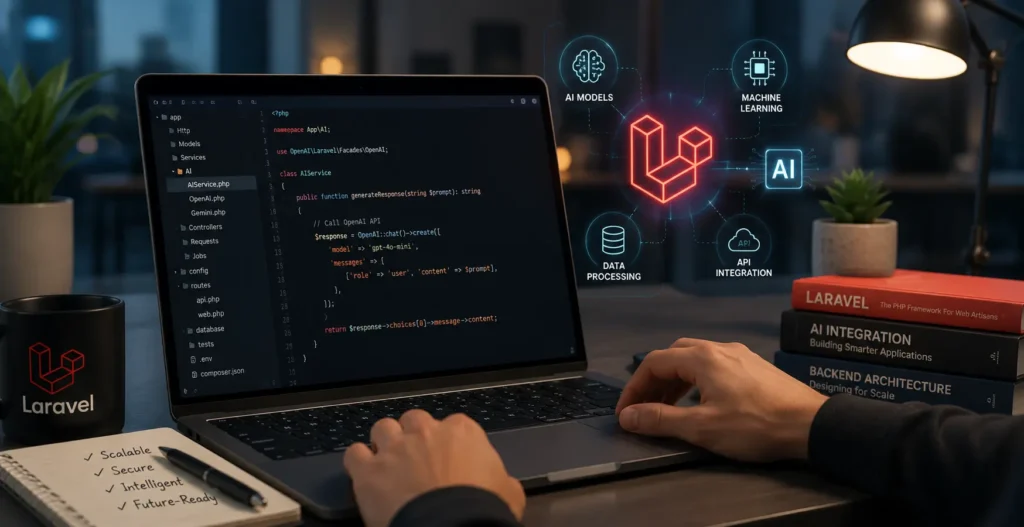
This is the most important thing in the whole article. Instead of calling OpenAI or Anthropic directly from your controllers, build one AIService class that all AI calls pass through. It gives you a single place to manage API keys, handle errors, add logging, control costs, and swap providers without touching your feature code. When OpenAI raises prices or Anthropic ships a better model, you change one class, not fifty controllers.
We call this the Single-Door pattern: every AI request enters and exits through one door. It sounds simple, and it is the difference between an AI integration you can maintain and one that becomes a tangle nobody wants to touch a year later. Build the door first, then build features behind it.
Building AI features into Laravel applications
With the service layer in place, here are the AI features we build most often in Laravel and how they fit the framework.
AI text generation is the simplest: a route that takes input, passes it through your AI service, and returns generated content, drafts for emails, product descriptions, summaries, and reports. In measured rollouts, this cuts content production time by 50 to 70%, with a human editing and approving the draft.
Streaming responses matter for anything user-facing because AI takes seconds to generate a full answer, and users should see it appear progressively rather than stare at a blank screen. Laravel handles this cleanly with Server-Sent Events, streaming the response token by token as it arrives.
AI-powered semantic search replaces basic Eloquent LIKE queries with search that understands meaning, not just keywords. Built with Laravel Scout, OpenAI embeddings, and pgvector, users find what they mean, not only what they type, and “I can’t find it” support tickets drop measurably.
AI classification and pipelines run tasks like tagging, routing, sentiment scoring, or moderation, ideally processed through queues so a slow AI call never blocks a user request.
The common thread: anything slow or costly goes through a queue, and anything user-facing streams. Laravel makes both natural.
Laravel, vectors, and RAG architecture
If there is one AI pattern every business Laravel app should understand, it is RAG, retrieval-augmented generation. It is what makes AI accurate about your business instead of confidently wrong.
The problem it solves is real and expensive. A model knows nothing about your data, so ask it about your product, and it will invent answers. I have seen it firsthand: a documentation chatbot built on the model alone sounded confident and was often wrong, citing features that did not exist. Adding a retrieval step, so each answer pulled from the three most relevant help articles before the model replied, turned a liability into a genuinely useful feature. That is RAG in one sentence: fetch your real data first, then let the model answer from it.
Here is how it works in Laravel. Convert your documents into embeddings (numeric vectors that capture meaning) and store them. When a user asks a question, embed the question, find the closest stored vectors, and pass those records into the prompt as context. For storage, pgvector, the PostgreSQL extension, is the lowest-overhead choice for teams already on Postgres, and Laravel Scout gives you a familiar search interface on top. Pinecone and Weaviate are alternatives when you need a dedicated vector service at scale.
Two things I make sure every team knows. First, a critical gotcha: vector search needs PostgreSQL with pgvector. If you are on MySQL, RAG and embeddings will not work out of the box, so plan your database before you plan your AI features. Second, and this is the quiet superpower: because retrieval runs through your own Eloquent queries, RAG respects your existing permissions. You scope what each user is allowed to see before anything reaches the model, so the authorization you already wrote keeps protecting your data. RAG is not just about accuracy; it is how you keep AI answers inside your security boundaries.
One practical detail that trips teams up: your vector column dimensions must exactly match your embedding model (OpenAI’s text-embedding-3-small outputs 1,536 dimensions, and dimensions are not interchangeable across models). The small model is the right default for most apps, roughly 20x cheaper than the large one with quality that is fine for retrieval.
AI-powered APIs with Laravel
When you expose AI features through an API, Laravel’s tooling handles the concerns that AI specifically introduces.
Rate limiting matters more with AI because every call costs money, so throttle AI endpoints harder than ordinary ones to protect your budget from abuse or runaway loops. Caching is your biggest cost saver. Cache AI responses in Redis so identical requests do not pay for the same answer twice, which on common queries can cut your AI bill dramatically. For slow operations, use webhooks and async processing so the API responds immediately and delivers the AI result when it is ready. And version your API from the start, because AI features change fast and you do not want a model update breaking an existing client.
The theme again: AI is slow and costly, so cache aggressively, throttle deliberately, and process asynchronously. Laravel gives you all three out of the box.
Laravel Horizon and queues for AI workloads
This is where Laravel genuinely shines for AI, and it is the section I wish more teams read before they build.
AI calls are slow and unreliable; they can take seconds and occasionally time out, so they should rarely run inside a web request. Push them onto queues. Generate embeddings in a queued job when a record is created or updated, never on the fly in the request cycle. Run classification, summarization, and batch processing through jobs. The user gets an instant response, and the AI work happens in the background.
Laravel Horizon gives you the monitoring layer: real-time visibility into your AI jobs, throughput, and failures, which matters because AI jobs fail differently than normal ones. Build for the failure modes deliberately, retry with backoff on API timeouts, handle rate-limit responses gracefully, and use priority queues so a slow bulk-embedding job never blocks a time-sensitive user-facing AI request. Treating AI jobs as first-class citizens in your queue architecture is what separates a demo from a production system.
Testing Laravel applications that use AI
AI features are still code, and they deserve the same tests as anything else you ship. The catch is you must never hit a paid, non-deterministic API in your test suite.
The solution is built in. Both openai-php and the first-party SDK ship fakes you can bind in tests, so you assert that your job sends the right prompt and handles the response correctly without spending a cent or depending on the network. Write these as PEST or PHPUnit tests alongside the rest of your suite.
Just as important, a fake lets you test the unhappy paths: a timeout, a refusal, and a malformed response, which is exactly where AI features break in production. We treat those failure-path tests as mandatory, because the question is never whether an AI API will fail, only when. Test that your app degrades gracefully when it does, and you ship something that survives the real world.
What to check before adding AI to your Laravel application
Before you write a line of AI code, run this readiness check. It is the audit we do on every Laravel codebase before an AI build.
Confirm your Laravel version (Laravel 13 for the first-party SDK, 9+ at minimum) and PHP 8.2+. Check your database, because if you want RAG or semantic search and you are on MySQL, you need a plan for PostgreSQL with pgvector first. Review your existing service providers for conflicts. Confirm your queue infrastructure is solid, since AI leans on it heavily. And make sure you have a cost-monitoring plan before you go live, because an unmonitored AI integration can quietly run up a serious bill.
Getting these right upfront prevents the expensive mid-build surprises. If you would rather not run this audit yourself, we do it as a free Laravel AI readiness check (details in the CTA below).
Laravel + AI in 2026: the backend for intelligent applications
Laravel’s maturity and AI’s capability are a genuinely strong match. The framework’s service container, queues, Horizon, and testing tools solve the exact problems AI introduces: slowness, failure, cost, and testability, and the 2026 ecosystem (the first-party SDK, openai-php, Prism, and pgvector) is finally mature enough to build on with confidence. For enterprise tools and SaaS platforms especially, Laravel plus AI is one of the most productive, maintainable combinations available.
The teams that succeed are not the ones who bolt AI on fastest. They are the ones who build it clean, behind a service layer, on queues, with tests and a cost plan, so it lasts.
Yes, Laravel is one of the best backends for AI applications in 2026. Its service container and clean architecture give AI calls a natural home behind a service layer, and its mature queue system (with Horizon monitoring) handles the slow, unreliable nature of AI calls by processing them in the background. Laravel also ships fakes for testing AI code without hitting a paid API, and Laravel 13 now includes a first-party AI SDK covering OpenAI, Anthropic, and Gemini. For enterprise tools and SaaS platforms especially, Laravel plus AI is a productive, maintainable combination.
How do I integrate OpenAI with Laravel?
You have three main options in 2026. Laravel 13’s first-party AI SDK (laravel/ai) is the recommended starting point for new projects, covering text, embeddings, and completions across OpenAI, Anthropic, and Gemini. The openai-php/laravel package is the mature choice for direct OpenAI access with fine control and built-in test fakes. Prism PHP is best when you need multi-provider support, agentic features, or RAG. Whichever you choose, route all AI calls through a single service class, store your API key in environment variables, and process slow calls through queues rather than in the web request.
What is RAG and can I build it in Laravel?
RAG (retrieval-augmented generation) is the pattern that makes AI answer from your real data instead of guessing. You convert your documents into embeddings, store them, and when a user asks a question, you retrieve the most relevant records and pass them to the model as context. Yes, you can build it in Laravel: use pgvector (the PostgreSQL extension) for vector storage, Laravel Scout for the search interface, and an embedding model like OpenAI’s text-embedding-3-small. One requirement to plan for: vector search needs PostgreSQL, so RAG does not work out of the box on MySQL. A useful bonus is that RAG respects your existing Eloquent permissions, keeping AI answers inside your security rules.
How much does a Laravel + AI project cost?
It depends on scope. Adding a contained AI feature (like an AI assistant or semantic search) to an existing Laravel app is typically a weeks-long project, while a full AI-powered SaaS build is larger. Beyond development, budget for ongoing AI usage costs, since hosted models charge per request, and this recurring cost surprises teams that only plan for the build. Aggressive caching and queue-based processing meaningfully reduce the running bill. The best way to get an accurate number is a readiness assessment of your specific codebase and use case, which is where we usually start with clients.
Nirav Panchal
Lead – Custom Development
Lead of the Custom Development team at KrishaWeb, holds AWS certification and excels as a Team Leader. Renowned for his expertise in Laravel and React development. With expertise in cloud solutions, he leads with innovation and technical excellence.




 KrishaLabs
 KrishaStudio
 KrishaStore