Every product team is under pressure to ship AI features, and most are drowning in terminology before they’ve shipped a thing. LLMs, RAG, agents, embeddings, vector databases, reranking, which of these do you actually need, and which are just noise? This guide cuts through it by reducing AI feature development to three building blocks you can reason about.
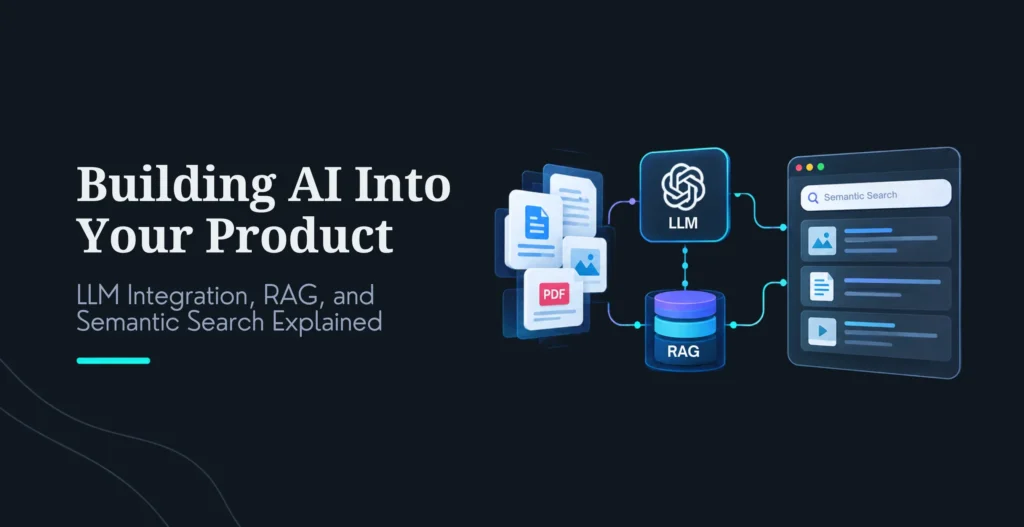
LLM integration connects a large language model to your systems so it can read, reason, and respond. RAG (retrieval-augmented generation) adds a retrieval step so the model answers from your data instead of guessing from training data. Semantic search is the retrieval engine inside RAG, finding content by meaning rather than keywords. That’s the whole stack behind nearly every practical AI feature in 2026: support chatbots, internal knowledge search, document Q&A, code assistants, and intelligent workflows. Understand how these three fit together and you can scope any AI feature; miss how they relate and you’ll overspend on the wrong architecture.
This guide explains each building block in plain terms, shows how they combine, tells you when to use which, and gives honest numbers on what they cost, both to build and to run. It also covers the pitfalls that make an impressive demo collapse in production, because that gap is where most AI features die. The constant in all of it: the hard part isn’t calling the model, it’s the retrieval quality, the data, and the evaluation around it.
One framing note that will save you money: the model layer is increasingly a commodity, and the architecture decisions below (retrieval strategy, chunking, reranking, evaluation) determine whether your feature works far more than which LLM you pick. This is exactly the discipline behind ourcustom AI development, and this guide is written to help you make the call, including when the simplest option is the right one.
Table Of Contents
Table Of Contents
What Is LLM Integration?
LLM integration is the process of connecting a large language model to your existing systems so it can read, reason, and respond using your business data and take actions through your tools. The LLM itself is the easy part, a single API call. Integration is everything around that call that makes it reliable, safe, and useful in a real product.
A production integration has a few distinct layers. There’s the model layer (your choice of provider, GPT, Claude, Gemini, or an open-weight model you host). There’s an orchestration layer (LangChain, LlamaIndex, or custom code) that manages prompts, context assembly, tool calling, and fallback logic. There’s the integration layer proper, the connectors to your CRM, database, or APIs. And wrapped around all of it: access controls so the model only sees what a given user may see, plus logging and evaluation so you know what it’s actually doing in production. That last piece is what separates a toy from a product.
Two patterns matter more than the rest. Model routing sends each task to the right model, a cheap, fast model for simple classification, a frontier model for hard reasoning, which can cut costs dramatically without hurting quality, because you’re not paying frontier prices for trivial work. And fallback logic keeps the feature alive when a provider has an outage or rate-limits you. Design your product around capabilities (classify, extract, reason, generate) and let a router map each to the best model, rather than hardwiring everything to one.
LLM integration alone, with no retrieval, is the right architecture for tasks that need general capability rather than your private data: generating marketing copy, drafting emails, summarizing text you paste in, classifying tickets. The moment the model needs to answer from your specific data, integration alone isn’t enough, and you need the next building block.
What Is RAG (Retrieval-Augmented Generation)?
RAG is an architecture that grounds an LLM in your data by retrieving relevant information at query time and feeding it to the model as context. Instead of relying on what the model memorized during training (which is generic, frozen at a cutoff date, and prone to hallucination), RAG fetches the actual relevant passages from your documents and tells the model: answer using this. It’s the single most important pattern for building trustworthy AI features on private or current information, and it remains the dominant approach for grounding LLMs in 2026.
The pipeline, in plain terms: first you prepare your data, cleaning and deduplicating documents, then splitting them into chunks (split on natural boundaries and keep chunk sizes sensible; recursive splitting at a few hundred tokens with some overlap is a strong baseline, and semantic chunking only sometimes beats it, so test both on your own documents; tagging each chunk with metadata like source, date, and section pays off later). You convert each chunk into a vector embedding and store it in a vector database (pgvector, Qdrant, Pinecone, Weaviate). At query time, you embed the user’s question, retrieve the most relevant chunks, rerank them for precision, and pass the best ones to the LLM as grounding context, instructing it to cite sources and to say “I don’t know” when the retrieved context doesn’t contain the answer. That last instruction is your primary hallucination defense.
RAG is not one thing, it’s a maturity ladder, and knowing which rung you need prevents both overspending and under-building. A naive RAG pipeline (single source, basic vector search) is fine for a simple internal Q&A tool. Advanced RAG (hybrid retrieval plus reranking, covered below) is the right production default for most real applications. Agentic RAG (where the system decomposes a complex question, retrieves iteratively, and grades its own results) suits hard multi-hop reasoning and research, at higher latency and cost. GraphRAG, which builds a knowledge graph across documents, handles questions that require connecting facts spread across many sources. Start as low on the ladder as your use case allows; each rung up adds real cost and complexity.
RAG powers the AI features most businesses actually want: customer support grounded in your docs (see our take on AI lead capture and qualified leads for a B2B angle), internal knowledge search across Confluence and SharePoint, document Q&A over contracts and reports, and code assistants grounded in your repository. For an ecommerce-specific build of this pattern, our Shopify AI chatbot integration guide walks through a real example.
What Is Semantic Search?
Semantic search finds content by meaning rather than exact keywords, and it’s the retrieval engine that makes RAG work. A keyword search for “cancel subscription” only finds documents containing those exact words; a semantic search also finds a doc titled “ending your plan” or “stopping recurring billing,” because it matches on concept, not characters. It does this with vector embeddings: an embedding model converts text into a list of numbers that encodes its meaning, and conceptually similar text ends up close together in that numeric space, so finding relevant content becomes a matter of finding nearby vectors.
Here’s the counterintuitive truth that separates teams who ship good retrieval from teams who ship frustrating retrieval: pure semantic search usually isn’t enough, and the production standard is hybrid. Semantic (dense vector) search is great at concepts but can miss exact matches, product codes, error strings, specific names, where keyword search excels. The common production pattern is to run dense vector search and sparse keyword search (BM25) in parallel, fuse the results with Reciprocal Rank Fusion, then apply a cross-encoder reranker to put the genuinely best results on top. Hybrid retrieval plus reranking is the default for production quality, and skipping it is a common reason “our RAG gives bad answers.” Test the gain on your own documents, though, since reranking helps less on some corpora.
Keyword search
Semantic search
Hybrid (production default)
Matches on
Exact words
Meaning / concept
Both
Finds synonyms?
No
Yes
Yes
Exact codes/names?
Yes
Often misses
Yes
Best for
Known-item lookup
Exploratory, conceptual
Real RAG retrieval
Beyond RAG, semantic search stands on its own for product search (find by description, not just title), code search (find by what code does, not variable names), content recommendation, and duplicate detection. But for most product teams, its biggest job is being the retrieval layer underneath RAG, which is why the two are so often discussed together.
How the Three Fit Together
The relationship is a stack, each block building on the one below. LLM integration is the foundation (the model connected to your systems). Semantic search is the retrieval engine (finding the right content by meaning). RAG is the orchestration that ties them together (retrieve, rerank, then generate a grounded answer). You rarely choose one in isolation; you compose them to fit the feature.
Walk through a support chatbot and you see all three working in sequence. A customer asks a question. Semantic search (hybrid, with reranking) converts the question to an embedding and pulls the most relevant help articles and past tickets from the vector database. The RAG layer reranks and filters those down to the best few. LLM integration then passes them to the model as context, which generates a grounded, cited answer, and returns it, with a fallback to a human when confidence is low. Internal knowledge search and code assistants follow the identical shape; only the data sources change. Understanding this one flow lets you reason about almost any AI feature you’ll be asked to build.
When to Use LLM-Only vs RAG vs Semantic Search
The decision is simpler than the terminology suggests, and it comes down to what the feature needs to know and do.
Reach for LLM-only (integration, no retrieval) when the task needs general capability rather than your specific data: generating content, drafting, summarizing pasted text, classification, translation. It’s the cheapest and fastest to ship, and adding RAG to it would be wasted effort. Reach for RAG whenever the answer must come from your private or current data and you need citations and low hallucination, support bots, knowledge search, document Q&A, anything where “the model made it up” is unacceptable. Reach for semantic search on its own when you need to find and rank content by meaning but don’t need the model to write a narrative answer, product search and content discovery are the classic cases.
Feature
Right approach
Content generation, drafting
LLM-only
General-purpose assistant
LLM-only
Customer support chatbot
RAG (+ hybrid semantic search)
Internal knowledge search
RAG (+ hybrid semantic search)
Document Q&A
RAG (+ hybrid semantic search)
Code assistant
LLM + RAG + semantic search
Product search / discovery
Semantic search
Research & multi-source synthesis
Agentic RAG / GraphRAG
In practice most real features combine blocks, LLM plus RAG plus hybrid semantic search is the workhorse pattern, and pure LLM-only is reserved for generation tasks. If you’re unsure, the safe default for a data-grounded feature is advanced RAG (hybrid retrieval plus reranking), which is the production sweet spot for both quality and cost.
What It Costs: Build and Run
Two cost pictures matter, and most buyers only look at one. Treat the build figures below as wide, vendor-reported 2026 planning ranges, and get a scoped quote, but pay equal attention to the per-query running cost, which is where budgets quietly blow up at scale.
On the build side, LLM integration runs roughly 5K–20K for a basic API integration, 15K–60K to wire into business tools (CRM, support desk), and 50K–150K+ for deep enterprise-system integration. RAG builds ladder up by sophistication: roughly 20K–45K for a single-source proof of concept (a few weeks), 50K–110K for a production hybrid-RAG system with reranking, access controls, and an evaluation pipeline (two to three months), 110K–190K for agentic RAG, and 190K–350K+ for an enterprise GraphRAG platform with compliance. The honest read: most product teams need the 50K–110K production-hybrid tier, the PoC tier under-delivers for real users, and the top tiers are enterprise-specific.
The number buyers routinely miss is the per-query running cost, which decides your economics at scale. A naive RAG query costs on the order of 0.001–0.01; advanced RAG with reranking runs about 0.005–0.03; agentic RAG, with its multiple retrievals and model calls, can hit 0.01–0.10+ per query. These figures come from one 2026 practitioner guide and swing with your model, context size, and reranker, though a small independent benchmark of agentic versus naive RAG found a similar gap, roughly five times the cost per query. Multiply by real traffic and the monthly bill, embeddings, reranking, LLM generation, vector database, infrastructure, becomes the dominant cost, often five figures a month at high volume.
One of the most effective levers against it is semantic caching, serving a stored answer when a new query means essentially the same as a past one. How much it saves depends on how repetitive your traffic is: one academic study of repetitive, customer-service-style queries reported up to about 69% fewer LLM calls, and many workloads will see much less. Tune the similarity threshold carefully, because a loose one serves wrong answers. Model routing (cheap models for easy tasks) and good retrieval (fewer, better chunks mean fewer tokens) are the other big savers. If you’re weighing whether to build this in-house or bring in help, our breakdown of AI agency vs in-house cost runs the real math, and custom web development benefits covers where custom builds hold up as a business case.
The Pitfalls That Break AI Features in Production
Almost every failed AI feature fails for the same handful of reasons, and none of them are about the model. The demo-to-production gap is real and consistent: it works on clean sample data and falls apart on messy real data, edge cases, and scale.
The biggest killer is shipping without an evaluation pipeline. Without a golden test set of real question-answer pairs and an automated eval (RAGAS or similar) running on every change, you have no way to know whether your system is good, or whether a tweak made it worse. Build the eval before you scale; it’s the difference between improving deliberately and guessing. Close behind is weak retrieval: chunking that cuts across sentences and sections, dense-only search with no keyword fallback, and no reranking. Fix it by benchmarking chunking strategies on your own documents, enriching chunks with metadata, and using the hybrid-plus-reranking pattern that is the production default. Retrieval quality, not the model, is what most determines answer quality.
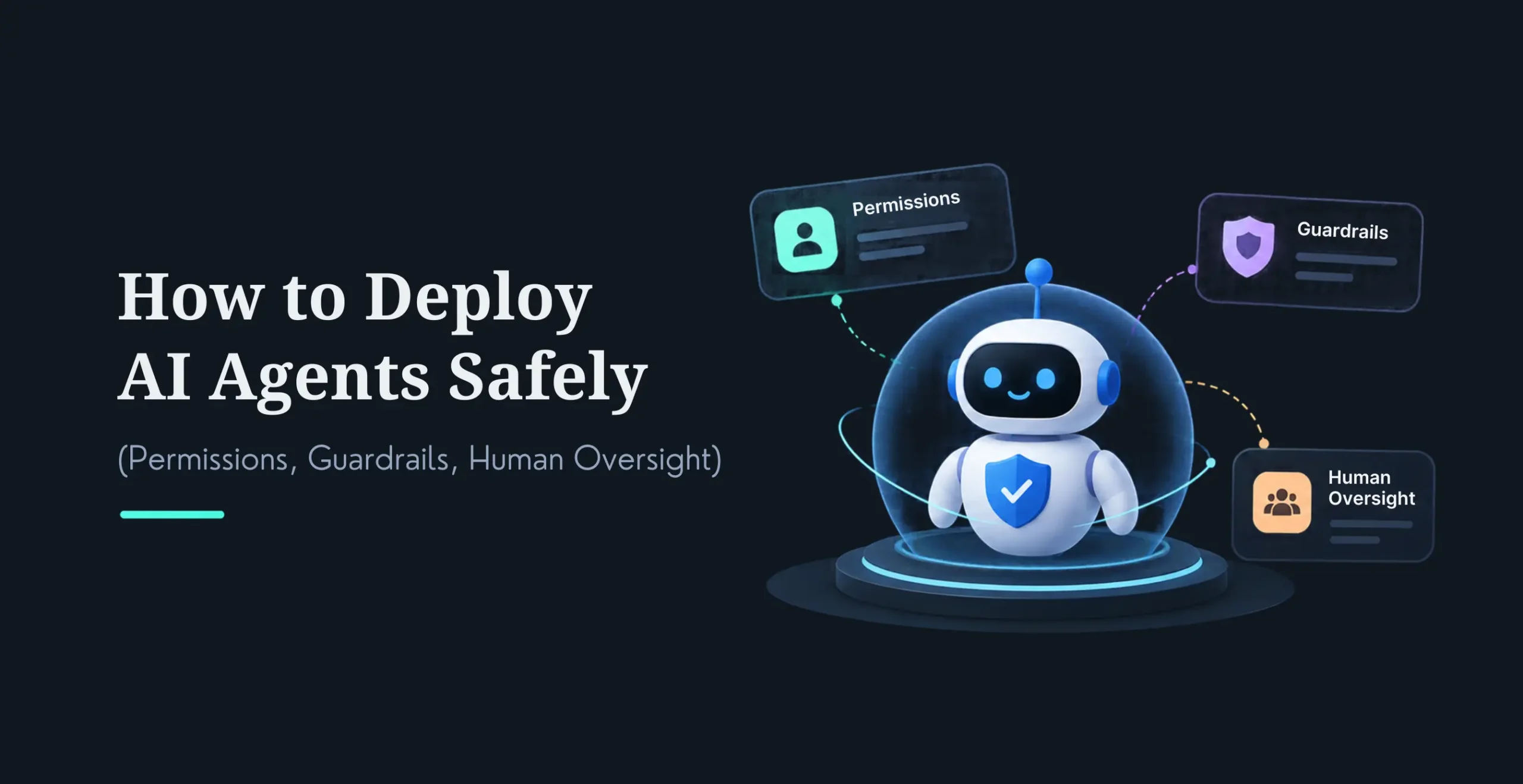
The rest are familiar once named. No hallucination guardrails, solved by instructing the model to cite and to decline when context is thin, and by tracking faithfulness in your evals. No metadata or governance, which wrecks both retrieval precision and access control; tag everything and enforce role-based access so the model never surfaces a document a user shouldn’t see. No model routing or fallback, which makes the feature both expensive and fragile. No logging or observability, which leaves you blind when quality degrades silently. And planning only for the demo, test on real production data, and budget for real-traffic running costs from day one, because the economics at 100K queries a day are nothing like the economics of a demo. Get these right and you’re in the minority whose AI feature survives contact with real users.
How to Choose, and When to Bring in a Partner
Start with the problem, not the technology. Name the job (support deflection, knowledge search, code assistance, content generation), then let it dictate the architecture using the decision table above. Next, honestly assess your data, because RAG lives or dies on it: if your documents are messy, scattered, or poorly governed, budget real time for data preparation before anything else, it’s the top cause of weak results. Then size the integration complexity, the governance needs (RBAC, audit logging, SOC 2 or HIPAA), and the query volume, each of which pushes you up the cost ladder. Choosing the right tools matters here too; our guide to choosing the right AI stack for your website covers that decision in depth. Above all, start small and iterate: ship a scoped production slice, measure it against a baseline, then expand, rather than attempting the enterprise platform on day one.
On build-versus-buy: a hybrid approach fits most teams, use commercial LLM APIs with a thin orchestration layer and basic RAG, reach for off-the-shelf RAG platforms when speed matters more than control, and commission fully custom work when you have complex multi-source retrieval, strict compliance, or scale that off-the-shelf can’t meet. That’s also the clearest signal for bringing in a partner: multi-source RAG, a regulated industry, enterprise query volume, or a DIY attempt that worked in demo and stalled in production, which, given how consistent that failure pattern is, is the most common reason teams finally call for help. The right partner brings real depth in retrieval, evaluation, and governance, not just the ability to call an API, and a track record of getting systems to production rather than to demo. Vet for that specifically, because reaching production is exactly where most AI features fail.
It’s connecting a large language model to your systems so it can read, reason, and respond with your business data and act through your tools. The API call to the model is the easy part; integration is everything around it, orchestration (prompts, tool calling, fallback), connectors to your systems, access controls, and the logging and evaluation that make it reliable in production. Build cost ranges roughly from 5K–20K for a basic API integration to 50K–150K+ for deep enterprise-system work, with the model layer increasingly a commodity relative to that surrounding engineering.
What is RAG (retrieval-augmented generation)?
RAG grounds an LLM in your data by retrieving relevant passages at query time and feeding them to the model as context, so it answers from your actual documents instead of its generic training data. The pipeline is: chunk and embed your documents into a vector database, then at query time retrieve the most relevant chunks, rerank them, and pass the best ones to the model with an instruction to cite sources and decline when the context lacks the answer. It’s the key pattern for trustworthy AI on private or current data, and remains the dominant grounding approach in 2026.
What is semantic search, and why isn’t it enough on its own?
Semantic search finds content by meaning using vector embeddings, so “ending your plan” matches a query for “cancel subscription” even without shared keywords. It’s the retrieval engine inside RAG. But pure semantic search misses exact matches like product codes and names, so the production standard is hybrid: run semantic (dense) and keyword (BM25) search together, fuse the results, then rerank with a cross-encoder. Hybrid retrieval plus reranking is the default for production quality, and skipping it is a common cause of poor RAG answers.
How do LLM integration, RAG, and semantic search fit together?
They’re a stack. LLM integration is the foundation (model connected to your systems). Semantic search is the retrieval engine (find relevant content by meaning). RAG orchestrates them (retrieve, rerank, then generate a grounded, cited answer). In a support bot, for example: the user asks a question, hybrid semantic search pulls the relevant articles, RAG reranks and selects the best, and LLM integration generates the grounded reply. Most real features compose all three; you rarely pick just one.
When should I use LLM-only vs RAG vs semantic search?
Use LLM-only for tasks needing general capability, not your data, content generation, drafting, summarizing pasted text, classification; it’s cheapest and fastest. Use RAG whenever answers must come from your private or current data and you need citations and low hallucination, support bots, knowledge search, document Q&A. Use semantic search alone when you need to find and rank content by meaning without a written answer, like product search. In practice, LLM + RAG + hybrid semantic search is the workhorse combination, with LLM-only reserved for generation.
How much does it cost to build and run?
Build (vendor-reported ranges): LLM integration roughly 5K–150K+ by depth; RAG from roughly 20K–45K for a PoC to 50K–110K for production hybrid RAG (where most teams land) up to 190K–350K+ for enterprise GraphRAG. The number buyers miss is per-query running cost: roughly 0.001–0.01 for naive RAG, 0.005–0.03 for advanced, and 0.01–0.10+ for agentic, which at scale dominates the budget. Semantic caching (savings depend on how repetitive your traffic is), model routing, and better retrieval are the main levers to control it. Get a scoped quote; complexity and volume drive everything.
What are the most common pitfalls in AI feature development?
Shipping with no evaluation pipeline (build a golden test set and automate evals before scaling); weak retrieval (benchmark chunking on your own documents, add metadata, and use hybrid-plus-reranking); no hallucination guardrails (instruct the model to cite and decline, track faithfulness); no metadata or access governance; no model routing or fallback; no logging or observability; and planning only for the demo rather than real, messy data at real scale. Notice none are about the model, retrieval quality, data, and evaluation decide whether an AI feature works.
When should I build in-house versus hire a partner?
DIY or off-the-shelf platforms suit a narrow, single-source use case with in-house capability and no heavy compliance. Bring in a partner for multi-source RAG, regulated industries (SOC 2, HIPAA), enterprise query volume, or when a DIY attempt worked in demo but stalled in production, the most common trigger, since that failure pattern is so consistent. Vet partners for genuine depth in retrieval, evaluation, and governance (not just API calls) and a track record of reaching production rather than demos, because production is exactly where most AI features fail.
Conclusion
AI feature development looks overwhelming until you reduce it to three building blocks: LLM integration to connect the model, RAG to ground it in your data, and semantic search to retrieve the right context by meaning. Nearly every practical AI feature, support bots, knowledge search, document Q&A, code assistants, is some composition of those three. Learn how they fit and you can scope any AI feature with confidence.
The decisions that actually determine success aren’t about which model you pick, which is increasingly a commodity. They’re about retrieval quality (hybrid plus reranking), data preparation, evaluation, and controlling per-query cost at scale, the unglamorous engineering around the model. Start with the problem, choose the simplest architecture that solves it, build the evaluation pipeline before you scale, and expand from a proven production slice. Do that, and you ship AI features that survive real users instead of impressive demos that quietly fail.
Ready to build an AI feature that works in production, not just in a demo?
Explore our Custom AI Development to see how we design LLM integration, RAG, and semantic search for real production quality, with evaluation and governance built in.
Book a consultation for a straight architecture recommendation and a scoped estimate for your use case.
Nirav Panchal
Lead – Custom Development
Lead of the Custom Development team at KrishaWeb, holds AWS certification and excels as a Team Leader. Renowned for his expertise in Laravel and React development. With expertise in cloud solutions, he leads with innovation and technical excellence.




 KrishaLabs
 KrishaStudio
 KrishaStore