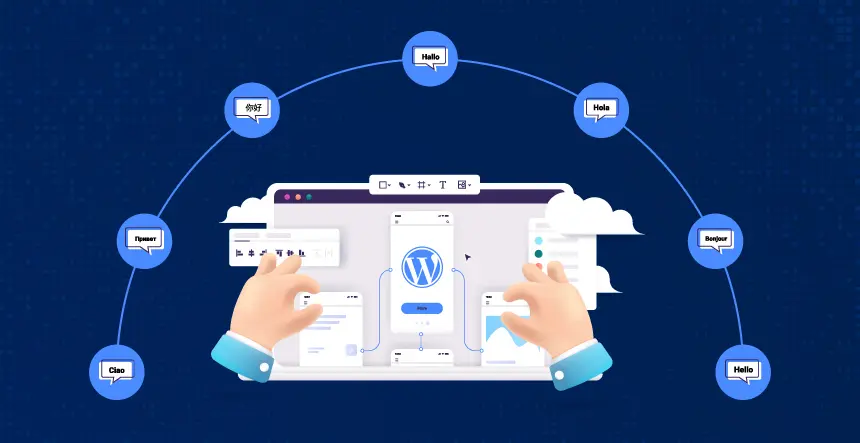
When it comes to expanding your international presence for growth and engagement, a multilingual and multi-region website can be one of the strongest ways to do so. Thanks to its structure and networking contributions of plugins, WordPress makes it easier than ever to create a multilingual and multi-region website.
This comprehensive guide goes through each step of the process, providing you with everything you need to plan, build, and optimize a WordPress multilingual website for user and search engine performance across the globe.
What are WordPress Multilingual & Multi-Region Strategies?
What is a multilingual website?
Simply, a multilingual website provides content for users in several different languages. A multi-region website is when a geographic location is catered to with content that can include, but is not limited to, language, local offers or deals, payment methods, and even cultural aspects.
Strategic Planning: Important Considerations and Factors
Be sure to clarify:
Audience: Which countries/languages are important to your business?
Scope of Content: Are you translating everything, or only the important content?
SEO Strategy: What is it you are truly after: global discovery, or just local rankings/engagement?
Resource Method: Who is going to do the actual translations, internal resource or external resource, or AI/machine translate?
Regional Unique Features: Will you need to offer different offers/products/legal for each market?
Going through the trouble to build a checklist of your requirements now will save you later in developing a more complex solution and determining the right structure for your needs.
Best for: A Larger enterprise or organization that needs to totally isolate its content for each region/language and to completely customize that content.
Set up a WordPress Multisite network (this functionality is supported natively in WordPress).
Every area/language will be a separate ‘site’ (e.g., fr.mydomain.com, eu.mydomain.com, mydomain.com/de/).
You can manage individual admins/translators, plugins, and content strategies per site.
This platform gives you the most flexibility to have independent layouts and legal requirements, or, in the case of e-commerce, independent catalogs in various regions.
Disadvantage: Most complex and the potential for duplicating efforts; you would need in-house technical knowledge/resources; this method is suited best for those organizations with strong technical teams.
Method 2: Single-Site + Multilingual Plugins
Ideal For: Most organizations and publishers that desire a straightforward, less hands-on approach. Provides the single point of control for all content, including language switchers, SEO tools, and translation options.
Leading Plugin Options
WPML: Feature-rich, allows for translation either manually or automatically, works with major builders and WooCommerce, has beneficial SEO controls, and provides access to integration with professional translation services.
Polylang: Experience of a deep WordPress native experience; a lightweight option, functional free tier, centers around manual translation, and can extend to automation or pro features.
Weglot: Immediate machine translation, low-lifting and simple setup, can be managed from the cloud, allows for approved translated review, and easy launch within a multi-language support environment.
TranslatePress: Take a visual approach to translations, options for automatic and manual translations, and tends to work well with major site builders.
Typical Setup Steps
After considering the above, determine which you would like to use and install and activate from the plugin repository or directly from the provider.
Test compatibility: – eg, works with WooCommerce, page builders (ie, Elementor, Divi), SEO plugins, and custom post types (content types).
Identify your site’s languages within the plugin settings.
Determine the placement of your switchers: menus, widgets or shortcodes – as appropriate to UX practices (based on how your users will use them).
Decide on your path: manual (you or your staff), automated (eg, AI), or hybrid.
Translate what is necessary: posts, pages, widgets, metadata, menus, taxonomy, theme, plugin text.
URL structure (to create consistency): subdirectory (/fr/ or /de/), subdomain or other domain. Each of these structures can be determined based on individual preference as well as what the plugin allows.
Multi-Region Features: Targeting Different Countries & Locations
Integrate multi-region support by using multilingual plugins and:
Geo-targeting tools/plugins – Automatically recognize visitors’ area and display the correct language/domain/version.
Regionally customized content – You can create a conditional menu, widgets to customize to the region, payment/delivery options, local legal/compliance pages, and aesthetic layouts/options.
Multi-currency – You can leverage a supported e-commerce plugin to utilize currency and shipping options specific to the region.
SEO Guidelines for Multi-Language and Region Sites
Confidently, SEO is more than the translation of your content. It ensures the user and/or search engines find the content you want in their own language and region.
What do you focus on
Hreflang tags: either get this done directly, or implement via a plugin to indicate the language/region-specific pages for search engines (to avoid duplicate content).
Translated SEO metadata: Customize page titles, meta descriptions, and schema for each language—most leading plugins support this.
URLs and slugs should be localized: It is beneficial to include clear slug identifiers for each language/region to help users, e.g., /fr/contact is self-identifying and has a specific value to search engines.
Include rich media: Make sure that you are generating multilingual rich media and incorporate that into search engines and the sitemap.
Install & Activate WPML – download the WPML Multilingual CMS plugin and go through the setup walk-through.
Select your languages – select the default language of your site and the languages that you’d like to use (WPML allows unlimited choices).
Set up Language Switcher – set up a menu, widget or footer selector that lets the user choose either a country’s flag or a language code.
Translate Content – open any post/page to edit it, and then translate the content line-by-line (manually) or use the WPML function to translate the content automatically.
Translate Themes & Plugins – use WPML String Translation to translate any text that is part of the theme or plugin, such as widgets, menus, etc.
SEO – confirm availability of relevant SEO plugins and update the translated metadata for every page.
URL & SEO Settings: You may select subfolder URLs, subdomain URLs, or a domain per language; to check each option and submit your multilingual sitemap to Google Search Console.
Testing & Launch: You will want to check for any errors in every active language. You will also want to confirm language-switching for each region/country, per the workflow and the content itself.
Best Practices and Troubleshooting
Always double-check that your automatic translations accurately reflect intention. For content that is mission-critical to your brand or has legal implications, consider using a professional translator.
Make sure your plugin and theme are compatible: Because themes and plugins vary in terms of their support, begin the process with a solution that is well supported, particularly if you plan to create an e-commerce store or will use custom post types.
Ensure your search indexes and sitemaps are always fresh: After creating a major translation or content launch, get your site’s sitemaps re-submitted.
Monitor Search Console for errors: Indicate hreflang errors and coverage errors by market and language.
Final Thoughts
Creating a multilingual and multi-regional WordPress website has never been easier, or more important to global success. The right set of plugins, structure, and content planning will allow you to create high-quality, locally relevant experiences for users while maximizing search visibility in each of your target markets.
KrishaWeb specializes in building WordPress multilingual websites, from architecture and plugin selections to translation workflow, international SEO, and ongoing management. Allow our team to help you develop a truly global digital presence that gets results.
Frequently Asked Questions
Can I run a multilingual site without plugins?
Technically, you can use Multisite or custom code, but for most teams, it is far easier, flexible, and faster to use a plugin.
Will a multilingual plugin make my site slower?
Yes, as long as the plugins are built correctly-which the leading plugins (WPML, Polylang, Weglot, etc.) are! The largest issue with site speed is likely your server and hosting- you can test your site and see if caching/CDN improves your multilingual site’s performance.
How do I make sure Google indexes my multilingual content?
Include proper hreflang tags in the head, submit multilingual sitemaps, and make sure search engines are set to index for all language versions.
Can I automatically take users to their language and/or country?
Yes, many plugins come with automatic locale detection and domain redirection; if not, you can always get a geo-targeting add-on or custom code to help!
What’s the best plugin for WooCommerce multi-language stores?
WPML and Weglot both have deep integration with WooCommerce that includes translations for products, the cart, checkout, and multi-currency options.
Girish Panchal
Technical Architect
A Technical Architect, proficient in WordPress, Drupal, Laravel, and DevOps tasks, crafts robust IT solutions with a blend of expertise and versatility in web development and infrastructure management.




 KrishaLabs
 KrishaStudio
 KrishaStore