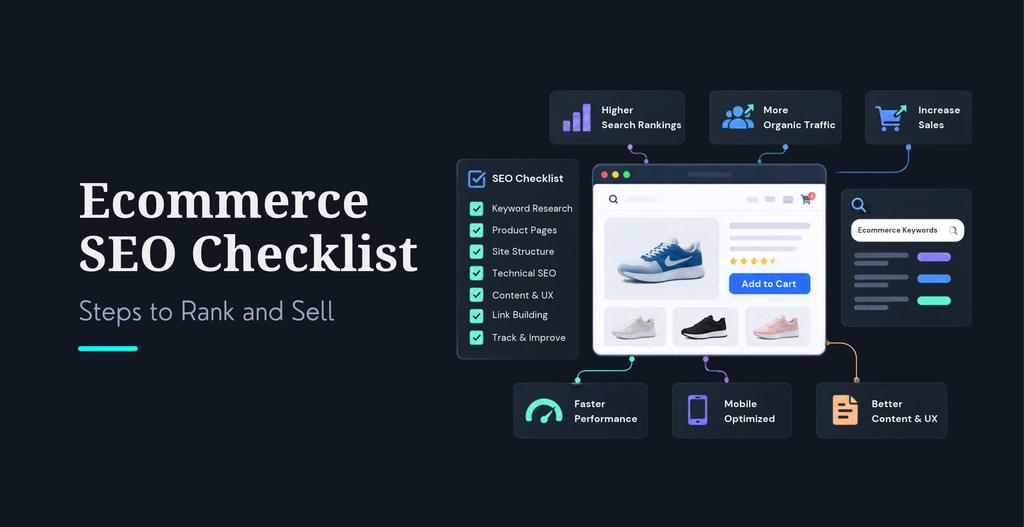
25-step ecommerce SEO checklist for 2026 Most of these steps are not new. Crawlable pages, honest product data, fast templates, and content that answers a buyer’s question still decide who ranks. What changed is where shoppers meet the answer. Google now puts AI Overviews and AI Mode above the links, so a store has to be correct, clear, and easy to quote, not just easy to rank. Baymard’s 2026 benchmark found that only 48% of desktop and 38% of mobile ecommerce sites reach a decent or good product page experience. That is your opening. I wrote the steps below from the way we audit stores at KrishaWeb. Work through them in order, or jump to the part where your store is weakest. If you want the long version of any topic, our ultimate ecommerce SEO guide goes deeper.
Key Takeaways
Fundamentals still win. Crawlable pages, accurate product data, and fast templates decide who ranks in 2026.
AI search rewards plain facts. Keep product details identical across your page, markup, and feed.
Fix the feed first. Clean Merchant Center data comes before more content.
Measure revenue, not rankings. Track non-branded organic revenue in GA4.
Checklist at a glance
Part
Steps
What you get
1. Keyword research
1 to 4
The right terms, each mapped to one page
2. Product and category pages
5 to 9
Pages worth ranking and worth buying from
3. Technical health
10 to 14
Search engines crawl and index the right URLs
4. Structured data and Merchant Center
15 to 17
Clean product facts for Google
5. AI search
18 to 21
A store that AI answers can quote
6. Content and authority
22 to 23
Trust earned beyond your own pages
7. Measurement
24 to 25
Proof that SEO pays for itself
What does an ecommerce SEO checklist need to cover in 2026?
Ecommerce SEO is the work of making your store’s pages easy for search engines to crawl, understand, and trust, so the right shoppers find your products and buy them. It covers keywords, product and category content, technical health, structured data, and measurement. In 2026 it also covers how your products appear inside AI-generated answers.
Shoppers now meet your products in three places: classic search results, Google Shopping listings, and AI answers such as AI Overviews and AI Mode. All three pull from the same raw material. Your pages, your product data, and your reputation. If those are messy, you lose in all three places at once. If they are clean, one round of work pays off everywhere.
I organize every store audit with what I call the Find-Understand-Trust-Sell method. First, make sure search engines can find the right pages. Then make sure they understand each product. Then give shoppers and AI systems reasons to trust you. Last, make the page fast and clear enough to sell. This checklist follows that order.
How do you do ecommerce keyword research that leads to sales?
Start with buying intent, not search volume. A term with 200 monthly searches and a clear purchase signal beats a 20,000-search term that only draws browsers. Work through these four steps, then give every keyword one home on your store.
Step 1. Find high-intent commercial keywords. List the terms shoppers use when they are ready to buy: a product type plus a modifier such as material, size, use case, or price band. Pull them from your site search data, Search Console queries, and a keyword tool. Words like buy, best, or a model name usually signal a shopper close to purchase.
Step 2. Map one primary keyword to one page. Give every product, category, and guide a single primary keyword and two or three close variants. Two pages chasing the same term split your ranking signals and confuse both Google and the shopper. Keep the map in a simple sheet so nobody on the team creates a duplicate by accident.
Step 3. Study competitor gaps. Run your three closest competitors through a keyword tool and list the queries where they rank on page one and you have no page at all. Those gaps are your quickest wins. Skip terms where only marketplaces and giant retailers rank, unless you can offer something they cannot.
Step 4. Target long-tail, question, and comparison searches. Searches like “best waterproof trail shoes for wide feet” or “brand A vs brand B” come from people deep in a decision. They convert well, and AI answers often quote the pages that settle them. Plan a guide or comparison page for each cluster and link it to the products it covers.
Keyword type
Example
Best page
Category term
running shoes
Category page
Specific product term
waterproof trail running shoes women
Filtered category or product page
Question
what shoes help with flat feet
Buying guide
Comparison
brand A vs brand B running shoes
Comparison page
How do you optimize product and category pages for SEO?
Write Unique Title Tags and Original Copy that Answer Real Buyer Questions Provide good specs, honest reviews and images with useful alt text. Add a brief introduction, a logical heading and links to the products and guides that matter on each category page. Then connect pages with breadcrumbs and contextual links so shoppers and crawlers move the same way.
Step 5. Create Unique Titles and Meta Descriptions Lead the title with the product name and the detail a shopper searches for, such as size or material. Keep titles near 60 characters and descriptions under 160. Templates are fine at scale, but add one field a human writes, like the key benefit. Never paste in the manufacturer’s text.
Step 6. Turn category pages into real landing pages. Most category pages are a heading and a grid. Add two or three sentences up top that say who the range is for, a short buying tip below the grid, and links to your best guides. Thin category pages are one of the most common reasons good stores stall on their highest-value terms.
Step 7. Write original descriptions that answer buyer questions. Cover fit, materials, use, care, and what is in the box. Say what is different about this product. Here is a made-up example of the gap between a weak description and a useful one.
Step 8. Optimize images, file names, and alt text. Use real photos from several angles, a short descriptive file name, and alt text that says what the image shows, such as “navy waterproof trail shoe, side view”. Compress to a modern format and add a short product video where it helps. Our guide to optimizing product images for ecommercecovers formats and sizes.
Step 9. Build breadcrumbs and contextual internal links. Show a breadcrumb path on every product and category page. Link from guides to the products they mention, and from products back to their category and related items. Use descriptive anchors, never “click here”. If you also want these pages to convert better, see our ecommerce conversion rate optimization techniques.
What technical SEO does an online store need?
Technical SEO decides which of your URLs get crawled, indexed, and shown. Online stores create thousands of near-duplicate URLs through filters, sorting, and variants, so this is where most stores leak ranking. Google’s Core Web Vitals add a speed layer on top.
Step 10. Audit crawling and indexing in Search Console. Open the Pages report and read the reasons URLs are not indexed. Look for important products stuck in “Discovered, currently not indexed” or “Crawled, currently not indexed”, and for junk URLs that are indexed. Fix the pattern, not the single URL, and repeat monthly. Our list ofcommon ecommerce SEO errors shows the usual suspects.
Step 11. Control canonicals, filters, pagination, and variants. Decide which filtered pages deserve to rank, such as “women’s waterproof trail shoes”, and make those indexable with clean URLs. Canonicalize or block the rest. Give pagination crawlable links. For variants, Google supports ProductGroup markup, which tells it that color and size options belong to one product family.
Step 12. Pass Core Web Vitals on mobile. Product pages are usually where stores fail: oversized hero images, heavy review widgets, and layout jumps from late banners. Speed also sells. A Google-commissioned study by Deloitte and fifty-five found that a 0.1 second mobile speed gain raised retail conversions by 8.4% and spend by 9.2%. That study dates from 2020, but the logic holds. WordPress stores can start with our Core Web Vitals fixes and WooCommerce speed tips.
Core Web Vital
What it measures
Good, at the 75th percentile
Largest Contentful Paint (LCP)
How fast the main content loads
2.5 seconds or less
Interaction to Next Paint (INP)
How fast the page responds to taps and clicks
200 milliseconds or less
Cumulative Layout Shift (CLS)
How much the layout jumps while loading
0.1 or less
13. Mobile usability and JavaScript rendering. Inspect the rendered page with the URL Inspection tool. Ensure product name, price, availability and main description are rendered without waiting for a script. If you’re hiding important specs in a tab or accordion, make sure Google can read it. Test on a mid-range phone, not only your laptop.
Step 14. Keep sitemaps, HTTPS, and URLs clean. Submit an XML sitemap of indexable URLs only, with real last-modified dates. Serve everything over HTTPS and keep URLs short and readable. Redirect a product gone for good to the closest alternative. If it’s out of stock, keep the page alive and say when it’s back.
How do structured data and Merchant Center affect your listings?
Structured data and your Merchant Center feed are how you hand Google clean product facts. Google’s documentation says merchant listing results need Offer details such as price and availability, and its guidelines say markup should match what shoppers see on the page. When the page, the markup, and the feed disagree, you lose trust and often eligibility.
Step 15. Add Product and Offer markup. Mark up every product page with Product and Offer: name, image, description, SKU or GTIN, brand, price, currency, and availability. Use JSON-LD. Validate it with the Rich Results Test and watch the Merchant listings report in Search Console. Put this markup on product pages, not on blog posts like this one.
Step 16. Add shipping, return, and review data. Google supports a store-wide return policy through MerchantReturnPolicy nested under your Organization markup, with a product-level policy on the Offer when one item is different. Add shipping details the same way. Mark up only reviews that real customers wrote and that shoppers can see on the page.
Step 17. Keep your Merchant Center feed accurate. Free product listings still depend on a clean feed. Check GTINs, titles, prices, availability, and shipping settings against the live page. A price mismatch between feed and page is a classic reason products get disapproved. Check it weekly, and automate feed updates for stock and price changes. If your platform cannot output clean markup, our ecommerce development team can fix it in the theme or plugin layer.
How do you get your products into AI search results?
Google’s AI Overviews and AI Mode, plus assistants like ChatGPT and Perplexity, build answers from pages they can crawl and trust. I do not believe in special AI hacks. In every store we review, the practical work is the same: say plain, correct, specific things about your products, and make them match everywhere. Our post on why SEO alone is no longer enough explains the wider shift.
Step 18. Answer buyer questions on the page. Add a short Q&A or spec block to each key product and category page. Cover fit, materials, compatibility, care, shipping time, and returns. Write each answer in one or two plain sentences a person could read aloud. Those are the lines AI answers tend to lift.
Step 19. Publish firsthand comparisons and buying guides. Anyone can rewrite a manufacturer’s spec sheet. Few stores publish what happened when they tested the product, which one they would pick for a specific need, and why. Add photos you took, real measurements, and a named author. Original experience is hard to copy and easy to cite.
Step 20. Strengthen trust signals and crawler access. Keep your business name, address, policies, and contact details consistent across your site, Google Business Profile, and marketplaces. Show real reviews. Check robots.txt and any security plugin or CDN rule, because blanket bot blocks set years ago can quietly keep out crawlers you want. Decide on purpose which ones to allow.
Step 21. Put product facts in text, not only in images. If your size chart, ingredients, or specs live inside an image, search engines and AI systems may miss them. Put the same facts in HTML text, keep them identical on the page, in the feed, and in your markup, and update them in one place so they never drift.
You can now measure part of this. Google launched Generative AI performance reports in Search Console on June 3, 2026. They show impressions, pages, countries, and dates for your URLs inside generative AI features such as AI Overviews and AI Mode, plus Discover. Google started with a subset of sites, so if you do not see the reports yet, check back. Treat your first few months of data as a baseline. If you want help building this layer, our AEO and GEO optimization services cover it.
How do you build authority for an online store?
Authority is the sum of who vouches for you. Your own content shows expertise. Other sites show that you are a real business worth trusting. You need both, and the second one is harder to fake, which is exactly why it counts.
Step 22. Build supporting content around key categories. For each major category, publish a buying guide, a comparison, and a care or setup guide, and link them to the products. Choose topics from the questions your support team hears, not only from what a keyword tool flags. Update the guides whenever products change.
Step 23. Earn relevant mentions and quality links. Look for links a real business would want: suppliers and brand partners, industry associations, local press, and reviewers who tested your product. Original data helps, such as a size survey or a price index in your niche. Skip link packages. Seehow link building and content marketing work together.
How do you measure ecommerce SEO results?
Measure revenue, not rankings. Rankings move daily. Organic revenue from non-branded searches tells you whether the work is paying for itself, and it is the number a finance team will respect.
Step 24. Track clicks, conversions, and revenue. Link GA4 to Search Console and verify that purchase events are firing with the correct revenue values. Organic clicks not branded report Organic conversion rate report Organic revenue report per page type Check the product status report in Merchant Center for disapprovals as well.
Step 25. Track recurring issues and AI visibility. Check the Generative AI report in Search Console each month to see which pages are appearing in AI features, then compare to your regular Performance data. Re-run your crawl and index checks monthly. Keep a change log of what you did and when, so you can tie movements to actions.
KPI
Where to find it
What to watch
Non-branded organic clicks
Search Console
Three-month trend
Organic revenue
GA4
Split by product, category, and guide pages
Organic conversion rate
GA4
Product pages vs category pages
Indexed vs submitted URLs
Search Console, Pages report
A gap that keeps growing
Core Web Vitals pass rate
Search Console
Mobile product pages
Product disapprovals
Merchant Center
Count and top causes
Generative AI impressions
Search Console
Which pages appear, and how that changes
Ecommerce SEO checklist by platform: Shopify, WooCommerce, and Magento
The 25 steps stay the same on every platform. What changes is where you apply them and which problems show up first. Our post on the best ecommerce platform for SEO compares the options in more depth.
Platform
What to watch
Quick win
Shopify
Collection-based product URLs that duplicate the same product, and app scripts that slow pages
Point canonicals at the main product URL, remove unused apps, and store specs in metafields
WooCommerce
Overlapping plugins, heavy themes, and thin tag or attribute archives
Run one SEO plugin, noindex thin archives, and set up caching and image compression
Magento (Adobe Commerce)
Layered navigation that creates huge URL sets, and slow server response
Set canonical and noindex rules for filters, tune full-page cache, and review sitemap settings
The same few mistakes show up again and again. The full list is in our guide to ecommerce SEO errors, and these six are the ones I would check first.
Mistake
What it costs
Fix
Manufacturer copy on product pages
No reason for Google to rank you over everyone else
Rewrite your best sellers first
Open filter and sort URLs
Wasted crawling and diluted category pages
Index only filters people search for
Thin category pages
Weak rankings on your highest-value terms
Add an intro, buying tips, and guide links
Stale feed data
Disapproved products and lost trust
Automate updates and check weekly
Missing internal links
Orphan products that never rank
Link from categories and guides
Deleted pages with no redirect
Lost links and 404 traffic
301 to the closest alternative
Your ecommerce SEO checklist: where to start
Do not try all 25 steps at once. Start with Parts 3 and 4, because crawl and data problems cap everything else. Then rewrite your ten best-selling product pages and your top five categories. Add the AI and authority work once the foundation is clean, and measure again after one quarter.
If you want a second pair of eyes, our ecommerce SEO team audits stores against this exact checklist, and our developers ship the technical fixes so they do not sit in a report. Contact usfor a store review.
Frequently Asked Questions
What is the best ecommerce SEO strategy in 2026?
Fix the foundation, then make every page worth quoting. Start with crawl and index health, clean product data, and fast templates. Next, rewrite your top product and category pages with original, specific content, add structured data, and publish buying guides for your biggest categories. Measure organic revenue, not rankings. That order works because each layer depends on the one before it.
How do I optimize product pages for Google Search?
Use a unique title with the product name and one key detail. Write original copy that answers questions about fit, material, and use. Add clear specs, real reviews, descriptive image alt text, and Product and Offer markup that matches the page. Keep price and availability accurate, link the page to its category and related guides, and make sure it loads fast on mobile.
How can an ecommerce website appear in AI-powered search results?
Make your pages easy to crawl, state product facts in plain text, and keep those facts identical across your site, feed, and markup. Publish firsthand comparisons and answer buyer questions directly. Build real reviews and credible mentions. Then watch the Generative AI report in Search Console to see which pages appear. No shortcut replaces accurate, original content.
Is SEO better than paid advertising for ecommerce?
Neither replaces the other. Paid ads, including Google Shopping campaigns, bring traffic fast but stop when the budget stops. SEO takes longer to build and keeps paying after the work is done. Most stores do best by running paid for fast demand and using SEO to lower the cost of each sale over time. Compare cost per order for each channel, not clicks.
How long does ecommerce SEO take to show results?
Technical fixes can show up within weeks, once Google recrawls the pages. Content and authority gains usually take several months, and competitive categories take longer. Anyone who promises a date is guessing. Track non-branded clicks and organic revenue every month, and judge progress over a quarter or more instead of week to week.
What are the most common ecommerce SEO mistakes?
The big ones are copied manufacturer descriptions, filter and sort URLs left open to indexing, thin category pages, out-of-date product feeds, and products with no internal links. Each one wastes crawl effort or gives Google no reason to rank you. A monthly look at the Pages report in Search Console catches most of them early.
Ready to Scale Your Agency?
Tell us what you are trying to deliver. Schedule a call to talk it through, or contact us with your project.




 KrishaLabs
 KrishaStudio
 KrishaStore